My Calendar: Planner Organizer

My Calendar: Planner Organizer

다운로드: App Store
로고: My Calendar: Planner Organizer

My Calendar: 바쁜 당신의 삶을 위해 만들어진 감각적이고 심플한 플래너

맞춤 배경, 50개 이상의 테마, 당신의 스타일에 맞는 위젯으로 몇 초 만에 근무 및 일일 작업을 정리하세요. 계정 필요 없음 – 모두를 위한 심플하고 개인적이며 아름다운 일정 관리입니다.

개발사

Komorebi Inc.

카테고리

Productivity

다운로드

259K+

사용자 평점

4.7/5

총 평가 수

4K+

지원 언어

33

심플함의 엿보기

이 인터페이스를 사용하는 259K+ 명의 사용자.

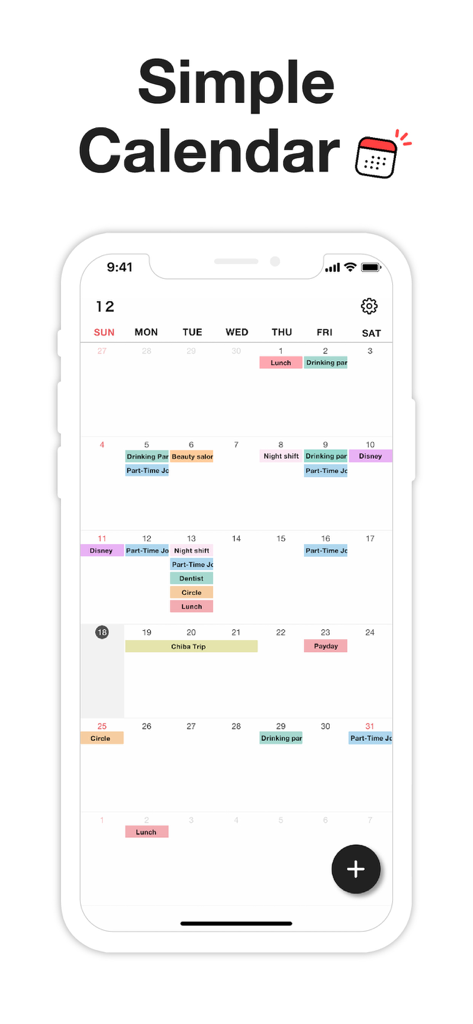
미니멀리스트 디자인으로 색상 코딩된 이벤트와 근무를 보여주는 월간 캘린더 인터페이스

미니멀리스트 디자인으로 색상 코딩된 이벤트와 근무를 보여주는 월간 캘린더 인터페이스

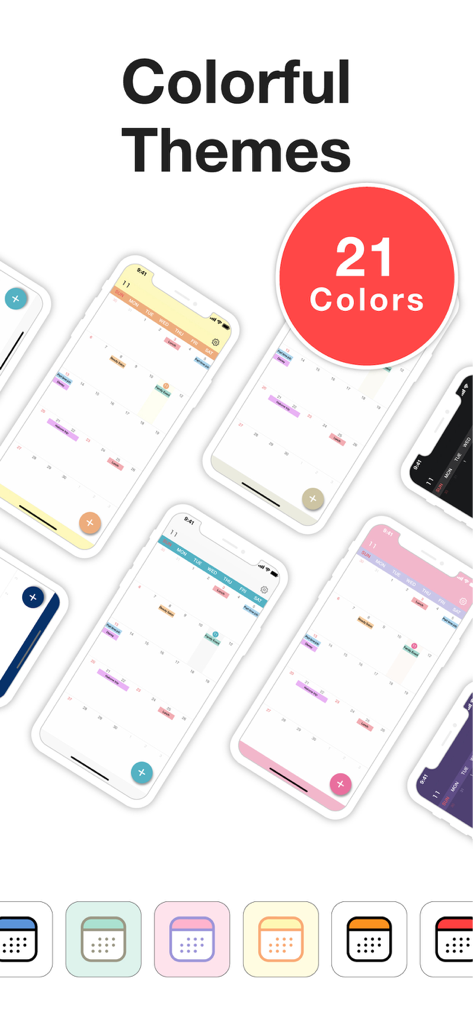
My Calendar 플래너 앱의 다양한 화려하고 감각적인 캘린더 테마와 앱 아이콘 쇼케이스

My Calendar 플래너 앱의 다양한 화려하고 감각적인 캘린더 테마와 앱 아이콘 쇼케이스

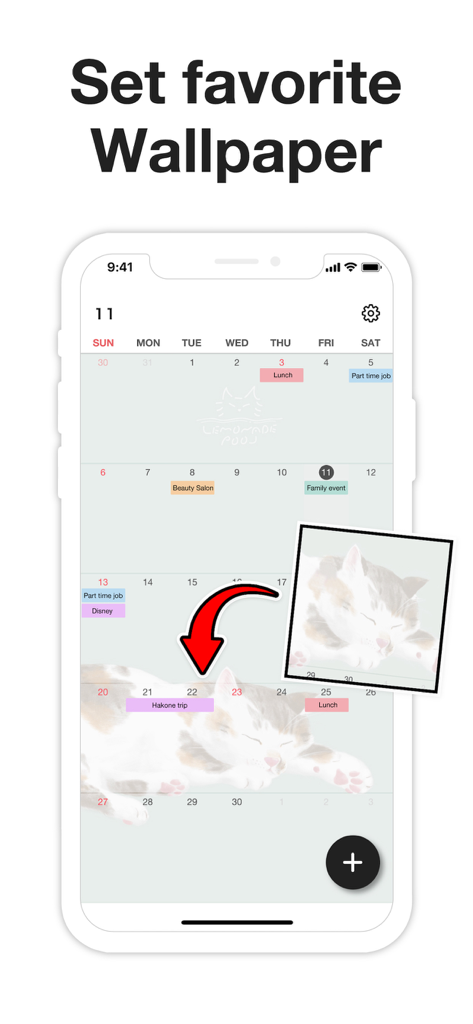
개인 사진 배경으로 My Calendar 앱을 사용자 지정하는 모습

개인 사진 배경으로 My Calendar 앱을 사용자 지정하는 모습

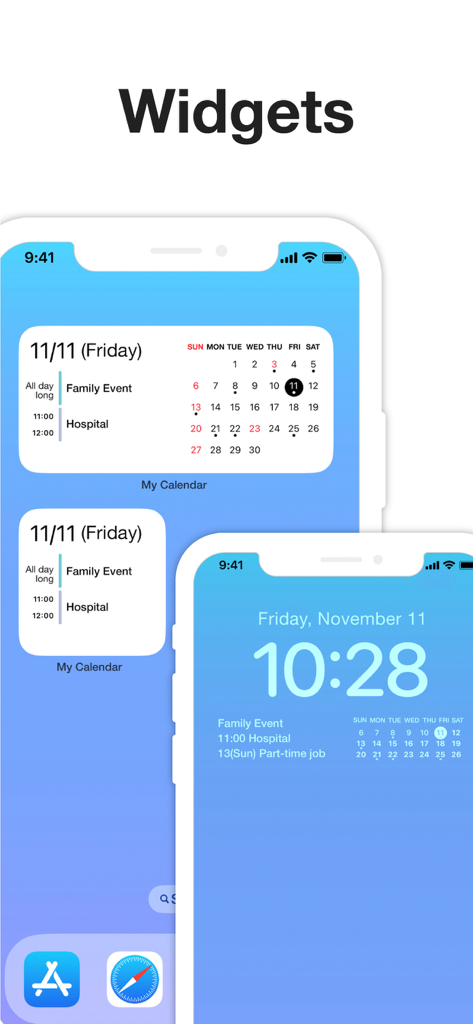
My Calendar 앱 위젯이 iPhone 홈 및 잠금 화면에 표시되어 예약된 이벤트를 보여주는 모습

My Calendar 앱 위젯이 iPhone 홈 및 잠금 화면에 표시되어 예약된 이벤트를 보여주는 모습

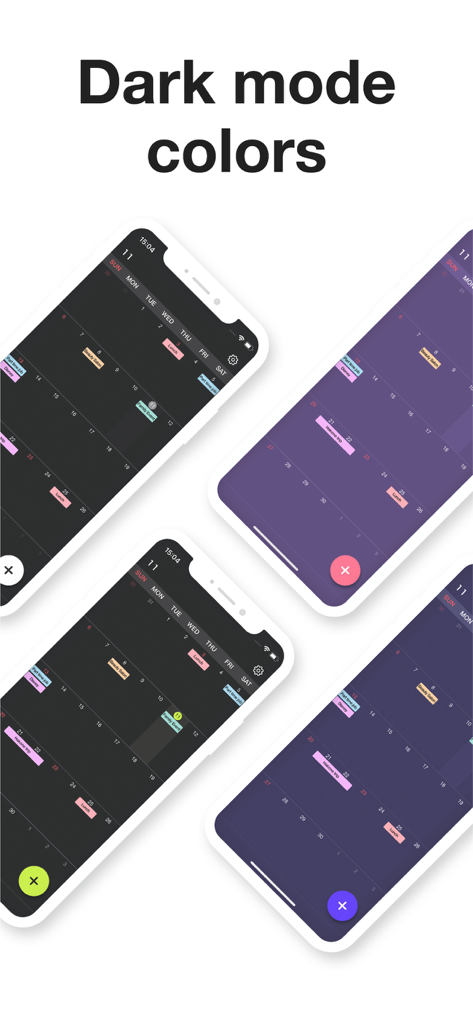
My Calendar 앱의 다양한 다크 모드 색상 테마 및 색상 코딩된 이벤트 레이아웃을 보여주는 4개의 스마트폰 화면

My Calendar 앱의 다양한 다크 모드 색상 테마 및 색상 코딩된 이벤트 레이아웃을 보여주는 4개의 스마트폰 화면

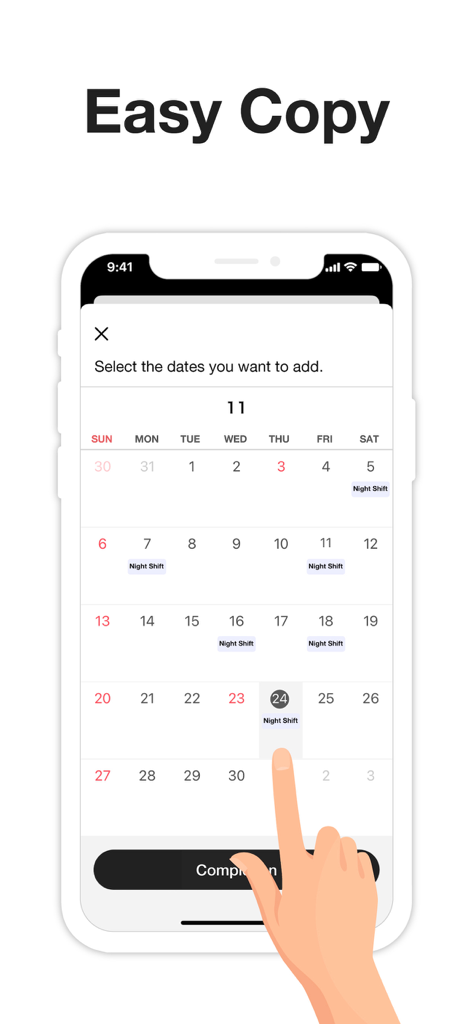
야간 근무 이벤트를 빠르게 추가하기 위해 여러 날짜를 선택하는 방법을 보여주는 인터페이스.

야간 근무 이벤트를 빠르게 추가하기 위해 여러 날짜를 선택하는 방법을 보여주는 인터페이스.

당신을 위해 디자인되고, 속도를 위해 만들어졌습니다

이 앱을 돋보이게 하는 도구, 259K+ 명의 사용자가 선택.

🎨

당신의 스타일을 표현하세요

50개 이상의 테마 색상과 좋아하는 사진으로 플래너를 꾸미세요. 맞춤 아이콘과 다크 모드로 당신의 스타일에 맞게 캘린더를 조정하세요.

손쉬운 일괄 일정 관리

반복적인 타이핑은 그만. 여러 날짜를 한 번에 선택하여 몇 초 만에 불규칙한 근무, 수업 또는 습관을 기록하세요.

🔒

개인정보 보호 및 계정 불필요

계정 생성 없이 바로 시작하세요. 당신의 데이터는 기기에 저장되며, 완벽한 마음의 평화를 위해 암호 잠금 및 Face ID로 보호됩니다.

앱 소개

에 대해 알아야 할 모든 것 My Calendar: Planner Organizer.

설명

My Calendar is a simple calendar app that lets anyone easily manage their schedule. • Extremely easy to use • Use your favorite photo as a background image • Easily check your schedule on a large, clutter-free screen Despite its simplicity, this app is loaded with useful features, such as widgets and a variety of dark mode themes. [ Features ] • 50 theme colors • Font size adjustment (10 levels) • Customizable background image • 5 lock screen widgets • 6 home screen widgets • Font color selection (black / white) • Vertical and horizontal scrolling • Passcode lock • Change app icon • iCloud backup • Transfer data when changing phones, even on a different OS --- [ Convenient features ] ■ No account required No member registration or iCloud account is required. Anyone can get started right away without going through the trouble of logging in. ■ Font size adjustment Choose from five font sizes. Options for fine, bold, white and black text allow you to read without straining your eyes. ■ Color coding You can color code your schedule simply by selecting a color when adding an event. There are 25 stylish colors to choose from. You can even give names to frequently used colors, such as "part-time job" or "night shift." ■ Passcode lock Keep your schedule safe from prying eyes by locking the app with a passcode. Face ID and Touch ID are also supported, of course. ■ Notifications Set alerts for events on your schedule. For important events, you can set up push notifications that will alert you ahead of time (such as 5 minutes or 15 minutes in advance), in addition to the scheduled time. ■ Add multiple events at once by selecting several dates When adding events to your schedule, you can select multiple dates to add several at once. This makes it easy to quickly add job shifts at irregular intervals, for example. You can also set up recurring events with no need to manually add each date. This can be as simple as "every Tuesday" or something more unusual: the 25th of every month, every 3 weeks, the last day of every month and so on. ■ Add URLs, maps and memos You can add URLs, maps and memos to each event. Tapping a URL will take you straight to your browser, while tapping a location will open the Google Maps app or the iOS Maps app for your convenience. ■ Theme colors 50 stylish theme colors are available! ■ Dark mode Be gentle on your eyes with dark mode. Choose from four different dark color schemes. ■ Widgets Five lock screen widgets and six home screen widgets allow you to display a mini calendar, show your next scheduled event and more. --- ■ Note This app stores calendar information entirely within the app. If you remove the app, that data will be lost. Please back up your data from the "Backup" menu in the settings screen if you intend to change your phone or if you are worried about losing the app. If you want to use iCloud Calendar or Google Calendar, please try our Simple Calendar (S Calendar) app. It supports various calendar accounts and can manage schedule data in the cloud. Feel free to use My Calendar and Simple Calendar alongside each other to suit your purposes. ■ Help and inquiries Please see "Help" in the Settings screen of the app. If you still have questions after reviewing that information, you can reach us using the "Contact Us" button in the upper right corner of the Help screen. Terms of Use: https://komorebi-studio.com/tos_en.html Privacy Policy: https://komorebi-studio.com/policyredirect.html

최신 버전

2.0.0

크기

204.4 MB

출시일

2022년 12월 2일

당신의 방식을 원하는 대로 계획할 준비가 되셨나요?

정돈되지 않은 일정 대신 아름답고, 개인적이며, 심플한 캘린더를 선택한 259,000명 이상의 사용자와 함께하세요. 계정이나 번거로움 없이 – 다운로드하고 몇 초 안에 정리 시작하세요.

다운로드: App Store

App information, icons, screenshots, and descriptions displayed on this page are sourced from the Apple App Store and are the property of their respective developers. Download estimates and rankings are based on MWM's proprietary models and may not reflect actual figures. This page is provided for informational and analytical purposes only.

Believe this page infringes your intellectual property? File a dispute