My Scans PRO, pdf scanner app

My Scans PRO, pdf scanner app

다운로드: App Store
로고: My Scans PRO, pdf scanner app

My Scans PRO: 전문가를 위한 궁극의 모바일 PDF 스캐너

iPhone을 고성능 페이퍼리스 오피스로 변환하세요. 안전한 클라우드 동기화 및 지능형 정리를 통해 문서를 손쉽게 스캔, OCR, 팩스로 변환하세요.

개발사

TOP APP d.o.o.

카테고리

Productivity

다운로드

362K+

사용자 평점

4.8/5

총 평가 수

24K+

지원 언어

20

시각화된 효율성

이 인터페이스를 사용하는 362K+ 명의 사용자.

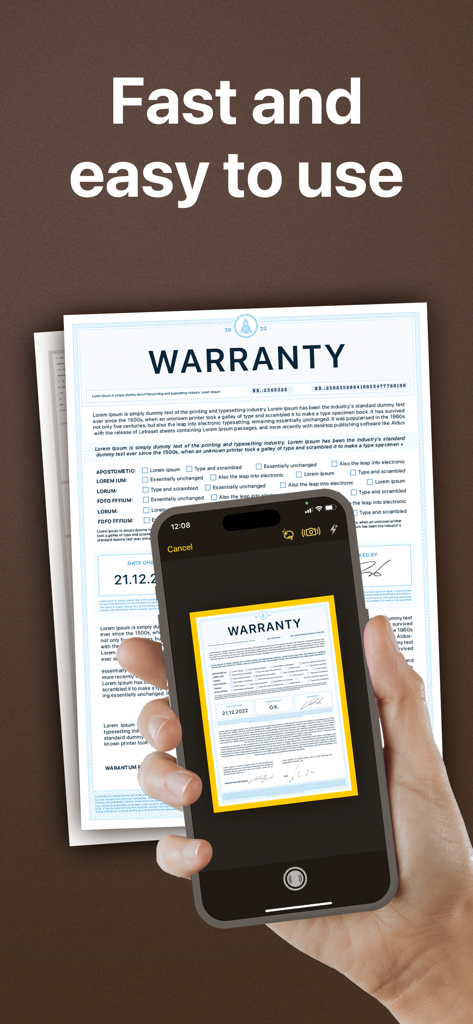
스마트폰으로 My Scans PRO 앱에서 자동 가장자리 감지 기능이 있는 보증 문서를 스캔하는 사람

스마트폰으로 My Scans PRO 앱에서 자동 가장자리 감지 기능이 있는 보증 문서를 스캔하는 사람

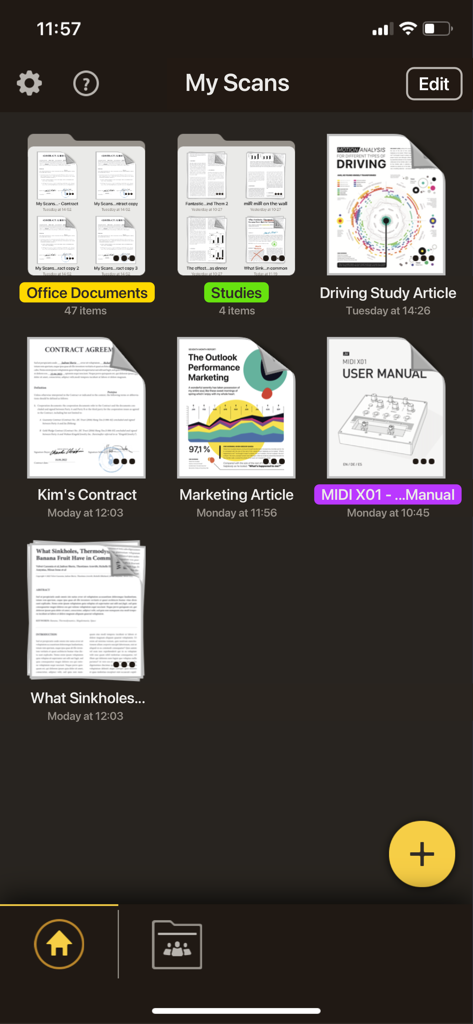
My Scans PRO 앱 메인 화면에 계약서 및 설명서와 같은 정리된 문서 폴더 및 스캔된 PDF 파일이 표시됨

My Scans PRO 앱 메인 화면에 계약서 및 설명서와 같은 정리된 문서 폴더 및 스캔된 PDF 파일이 표시됨

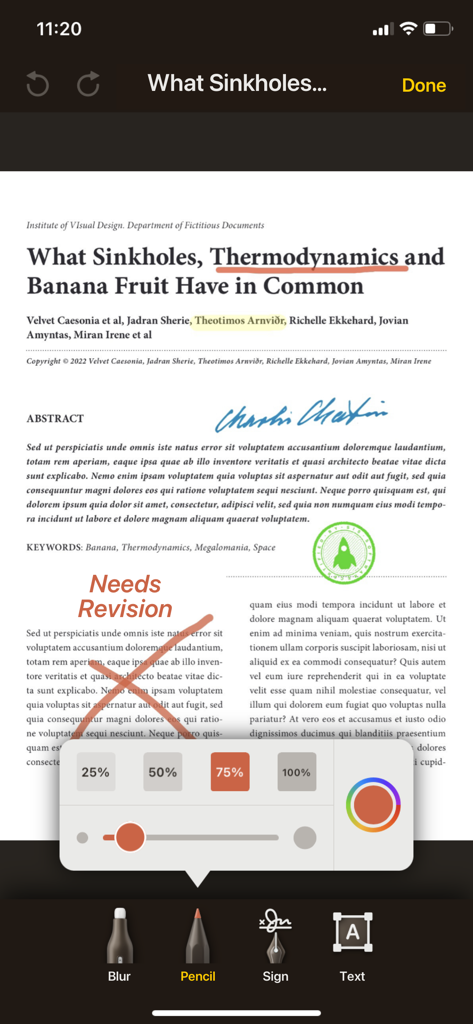
PDF에 텍스트 강조 표시 및 빨간색 연필 자국이 있는 My Scans PRO의 문서 주석 도구를 보여주는 iPhone 인터페이스

PDF에 텍스트 강조 표시 및 빨간색 연필 자국이 있는 My Scans PRO의 문서 주석 도구를 보여주는 iPhone 인터페이스

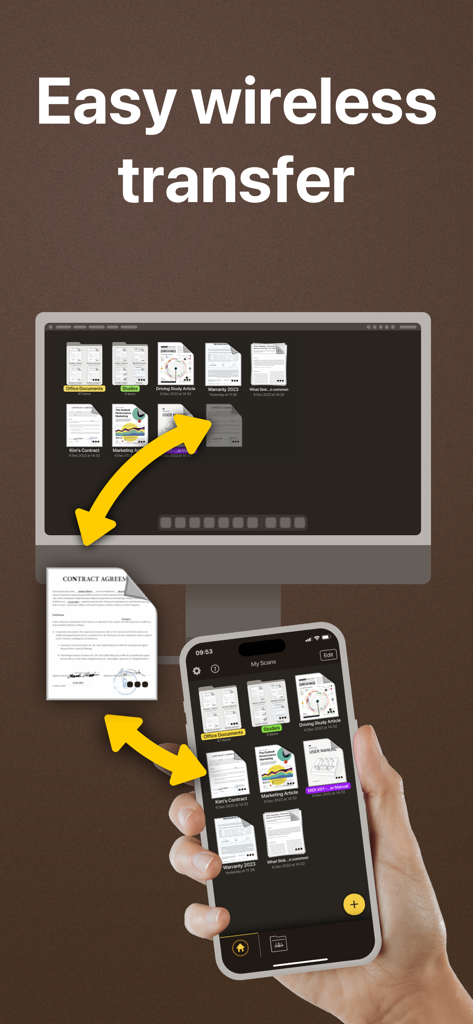
iPhone과 데스크톱 컴퓨터 간에 스캔된 문서의 쉬운 무선 전송 및 동기화

iPhone과 데스크톱 컴퓨터 간에 스캔된 문서의 쉬운 무선 전송 및 동기화

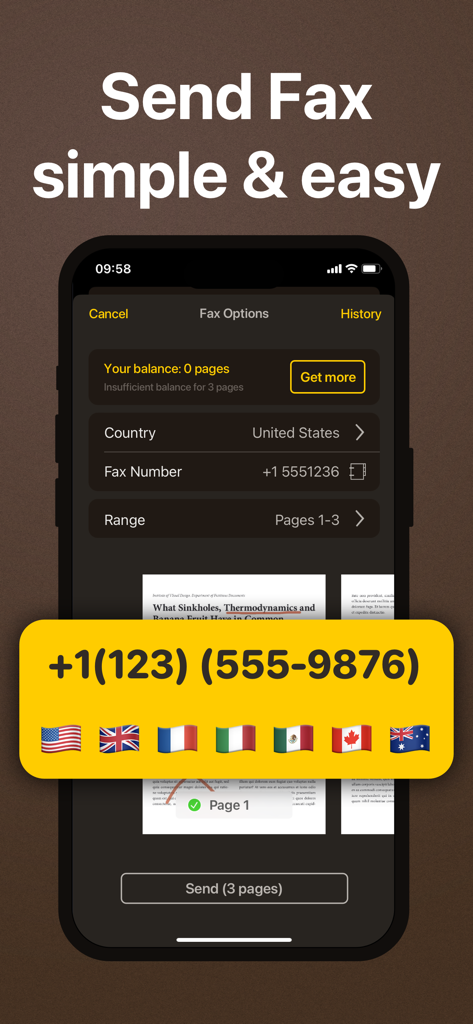
My Scans PRO에서 국제 지원 기능을 갖춘 팩스 발신을 위한 모바일 앱 인터페이스

My Scans PRO에서 국제 지원 기능을 갖춘 팩스 발신을 위한 모바일 앱 인터페이스

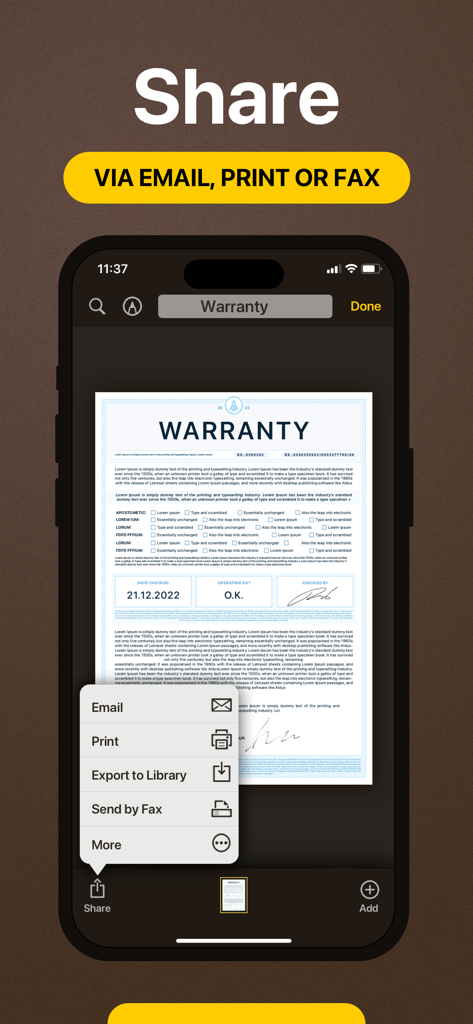
My Scans PRO에서 스캔된 보증 문서를 이메일, 인쇄 또는 팩스로 공유하는 옵션을 보여주는 iPhone 화면

My Scans PRO에서 스캔된 보증 문서를 이메일, 인쇄 또는 팩스로 공유하는 옵션을 보여주는 iPhone 화면

나만의 완벽한 모바일 오피스

이 앱을 돋보이게 하는 도구, 362K+ 명의 사용자가 선택.

🔍

스마트 OCR 및 검색 가능한 PDF

자동으로 가장자리를 감지하고 사진을 검색 가능하고 찾기 쉬운 고품질 PDF로 변환합니다.

☁️

원활한 클라우드 동기화

iPhone, iPad 또는 웹 브라우저에서 파일에 액세스하세요. 작업하는 모든 곳에서 문서를 백업하고 준비된 상태로 유지하세요.

📠

내장 팩스 및 안전한 공유

사무실 하드웨어를 건너뛰고 앱에서 직접 팩스로 문서를 보내거나 전문적인 협업을 위해 암호화된 링크를 공유하세요.

앱 소개

에 대해 알아야 할 모든 것 My Scans PRO, pdf scanner app.

설명

My Scans is the best Document Scanner and Document organiser for iPhone and iPad! It is super simple to use. Just take a photo of a document, invoice, business card, bill, contract or memo and save it. My Scans will do the rest. It detects edges and converts photos to a (searchable **) PDF document. You can send documents by email or print them anytime you want **. With My Scans Cloud you can synchronise documents between your devices, access files on your computer via a Web browser, collaborate with others using shared folders and share or receive files through Download and Receive links *. From now on you will have all the documents you always need in your pocket! Main features: - Automatic document edge detection and crop - Create searchable PDF document ** - Multiple pages in a single document - Amazing file and folder organiser - Share your documents as Images / PDFs ** - Print documents from the device ** - Send documents via built in fax. - Search the document ** - Cloud collaboration (group documents) * - Cloud sharing (share only link to files and folders) * - Cloud backup * - Cloud access documents via browser (no app needed) * - Synced documents on multiple devices * Top App Cloud features: - Cloud collaboration (group projects) - Cloud sharing (share only link to files and folders) - Cloud backup - Cloud access projects via browser (no app needed) - Synced projects on multiple devices Top App Cloud Subscription: - $2.99/month or $19.99/year - Payment will be charged to your iTunes Account at confirmation of purchase - Subscription automatically renews unless auto-renew is turned off at least 24-hours before the end of the current period - Account will be charged for renewal within 24-hours prior to the end of the current period, and identify the cost of the renewal - Subscriptions may be managed by the user and auto-renewal may be turned off by going to the user's Account Settings after purchase - No cancellation of the current subscription is allowed during active subscription period - Privacy policy and Terms of service: http://www.topapp.si/privacy/ * Only available if Top App Cloud service is enabled. ** Only available when My Scans Free is upgraded to full version or in PRO version of My Scans

최신 버전

5.08

크기

111.0 MB

출시일

2014년 12월 21일

모든 사무실을 어디든 가지고 다니세요

362,000명 이상의 전문가들이 My Scans PRO를 사용하여 번거로운 효율성으로 문서를 스캔, 검색, 팩스로 보내는 데 신뢰하고 있습니다. 지금 페이퍼리스 여정을 시작하세요.

다운로드: App Store

App information, icons, screenshots, and descriptions displayed on this page are sourced from the Apple App Store and are the property of their respective developers. Download estimates and rankings are based on MWM's proprietary models and may not reflect actual figures. This page is provided for informational and analytical purposes only.

Believe this page infringes your intellectual property? File a dispute