
이 페이지는 앱이나 개발자의 공식 페이지가 아니며, 정보 제공 및 논평을 목적으로 작성된 독립 편집 간행물입니다. 명시적으로 달리 언급되지 않는 한, 해당 앱이나 개발자는 MWM, Apple, Google Play, 앱 퍼블리셔 또는 앱 개발자와 제휴, 보증, 후원, 승인 또는 공식적으로 연결되어 있지 않으며, 이 페이지의 어떤 내용도 해당 앱이 MWM의 서비스를 사용하여 개발되었음을 의미하지 않습니다. 모든 상표, 로고, 스크린샷 및 기타 콘텐츠는 해당 소유자의 자산입니다.


O+ Connect
경계를 허물다: 이 앱은 애플과 안드로이드 기기 사이의 장벽을 제거합니다. 기기 전환 시 데이터 손실이나 번거로움을 겪던 사용자들은 이제 완전한 자유를 경험하게 됩니다.
다운로드
1M+사용자 평점
총 평가 수
197개발사
카테고리
Utilities지원 언어
69최신 버전
1.4.2크기
83.6 MB출시일
2024년 10월 18일Apple 및 Android 기기 사용자에게 원활한 연결 경험을 제공하는 O+ Connect의 핵심 역량
O+ Connect 앱 주요 기능 분석
크로스 플랫폼 기기 연결
이 앱은 Apple iOS 기기(특히 iPhone)와 OPPO, OnePlus 또는 realme의 Android 기기 간의 필수적인 연결을 제공하여 두 플랫폼을 자유롭게 오가는 사용자에게 이상적입니다.
빠르고 효율적인 파일 전송
이 도구는 사용자가 모바일 데이터를 소모하지 않고도 Apple 기기에서 OPPO, OnePlus 또는 realme 기기로 대용량 파일을 신속하게, 그리고 원본 품질 그대로 전송할 수 있게 해줍니다.
통합 알림 관리
이 앱은 사용자의 iPhone에서 발생하는 모든 알림(앱 알림, 시스템 알림 등)을 연결된 OPPO, OnePlus 또는 realme 폰으로 실시간으로 동기화하여 중요한 정보를 놓치지 않도록 합니다.
아이폰 통화 알림 동기화
사용자가 iPhone으로 걸려오는 모든 수신 통화 정보를 연결된 OPPO, OnePlus 또는 realme 폰에서 즉시 확인할 수 있도록 지원하여, 기기 전환 중에도 중요한 전화를 놓칠 염려를 줄여줍니다.
자주 묻는 질문
에 대해 알아야 할 모든 것 O+ Connect
What is O+ Connect?
O+ Connect is an application designed to establish connectivity between Apple devices and OPPO, OnePlus, or realme smartphones, facilitating file transfers and notification synchronization.
Which devices are compatible with O+ Connect?
O+ Connect supports connectivity between Apple devices and OPPO, OnePlus, and realme devices. It enables seamless file exchange and notification syncing across these different operating systems.
Can O+ Connect transfer files without using mobile data?
Yes, O+ Connect allows users to transfer files between devices without consuming mobile data. The application facilitates quick and direct transfers.
Does O+ Connect reduce file quality during transfer?
No, O+ Connect transfers files, including photos and videos, between Apple and OPPO, OnePlus, or realme devices without any loss of quality.
How does O+ Connect handle notifications and calls?
O+ Connect syncs incoming calls, messages, and notifications from your iPhone directly to your connected OPPO, OnePlus, or realme phone, enhancing cross-device communication.
What settings are required to sync notifications with O+ Connect?
To enable notification syncing with O+ Connect, users must verify that "Settings - Cross-device connectivity - iPhone" is activated on their OPPO, OnePlus, or realme phone.
Can I send photos and videos using O+ Connect?
Yes, O+ Connect enables users to select and send photos, videos, and various file types directly from their iPhone to nearby OPPO, OnePlus, or realme devices.
How do I receive files using the O+ Connect app?
To receive files with O+ Connect, open the app and wait for the sender to initiate the transfer using OPPO Share, OnePlus Share, or realme Share.
다음 스크린샷과 설명은 앱의 공식 스토어 목록에서 직접 가져온 것이며 앱 개발자의 자산입니다.
앱 스토어
스크린샷
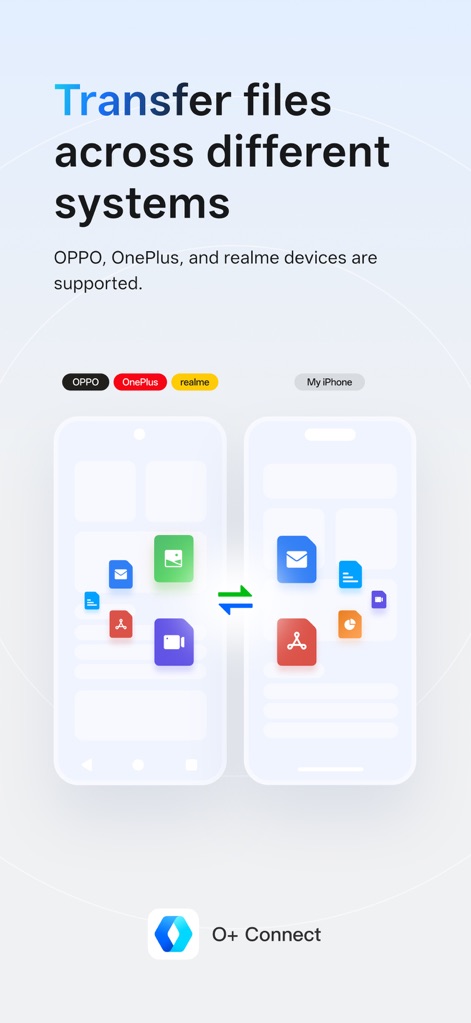
이 앱은 아이폰과 안드로이드 기기 간의 원활한 연결을 시각적으로 보여주며, 다양한 파일 아이콘과 양방향 화살표를 통해 빠른 데이터 교환을 강조합니다.
시스템 간 파일 전송
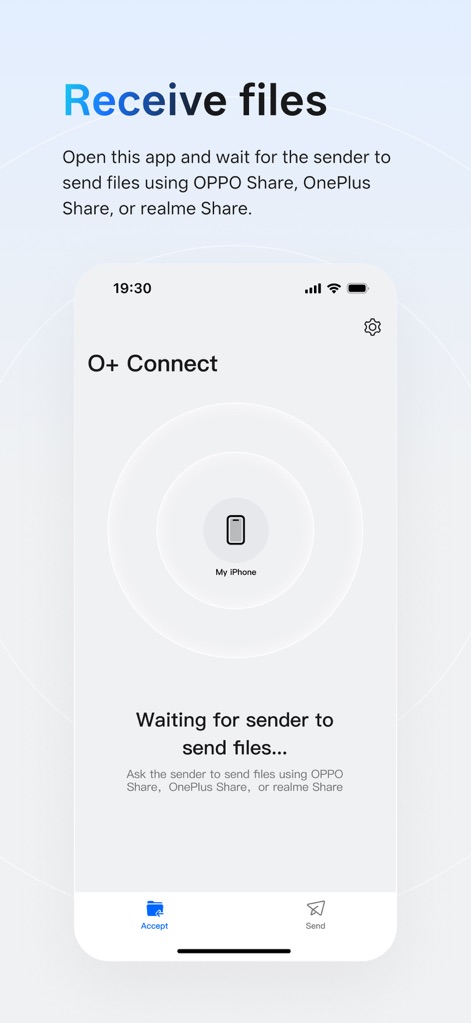
이 화면은 O+ Connect 앱에서 파일을 수신할 준비가 된 상태를 나타내며, 중앙의 'My iPhone' 기기 표시와 하단의 '수락' 버튼으로 사용자의 준비 상태를 알려줍니다.
파일 수신 대기
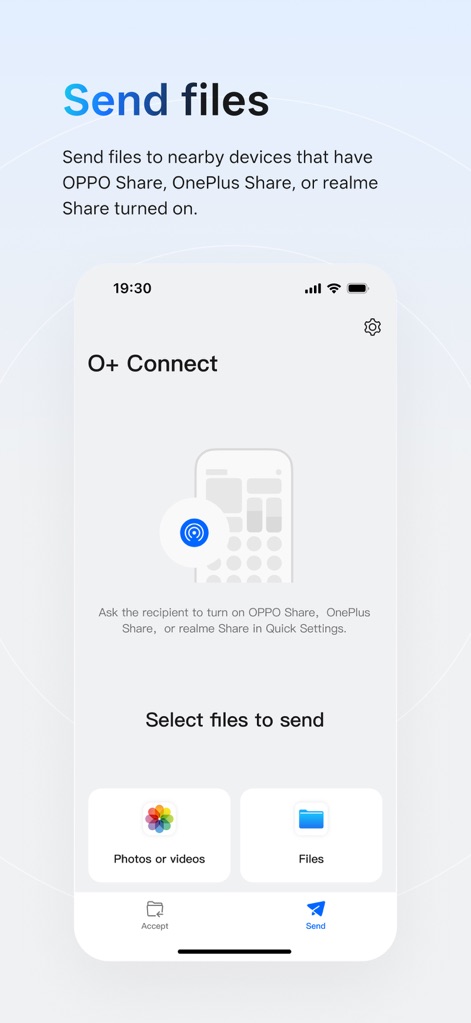
이 스크린샷은 파일을 보내기 위한 직관적인 인터페이스를 보여주며, 사용자는 '사진 또는 비디오'와 '파일' 버튼을 통해 전송할 내용을 쉽게 분류하고 선택할 수 있습니다.
파일 전송 항목 선택
설명
Download
비슷한 앱
유사한 기능과 사용자 경험을 가진 앱

WeTransfer: Transfer Files
Wetransfer B.V.

Send Anywhere - File Transfer
Rakuten Symphony Korea, Inc.

Blip: Send Files in a Click
Blip Studio Inc.

Zapya - File Sharing
Lindong Network Technology(Beijing) Co.,Ltd.

Files Transfer - Quick share
梦洋 崔

Air File Share & Drop
Best Free and Fun Games, LLC

手机克隆-极速换机助手免流量数据迁移
军甫 贺

Photo Transfer: Send via WiFi
Mobileware Studio SL

SHAREit: Transfer, Share Files
SHAREit Technologies Co. Ltd
이 페이지는 앱이나 개발자의 공식 페이지가 아니며, 정보 제공 및 논평을 목적으로 작성된 독립 편집 간행물입니다. 명시적으로 달리 언급되지 않는 한, 해당 앱이나 개발자는 MWM, Apple, Google Play, 앱 퍼블리셔 또는 앱 개발자와 제휴, 보증, 후원, 승인 또는 공식적으로 연결되어 있지 않으며, 이 페이지의 어떤 내용도 해당 앱이 MWM의 서비스를 사용하여 개발되었음을 의미하지 않습니다. 모든 상표, 로고, 스크린샷 및 기타 콘텐츠는 해당 소유자의 자산입니다.