
이 페이지는 앱이나 개발자의 공식 페이지가 아니며, 정보 제공 및 논평을 목적으로 작성된 독립 편집 간행물입니다. 명시적으로 달리 언급되지 않는 한, 해당 앱이나 개발자는 MWM, Apple, Google Play, 앱 퍼블리셔 또는 앱 개발자와 제휴, 보증, 후원, 승인 또는 공식적으로 연결되어 있지 않으며, 이 페이지의 어떤 내용도 해당 앱이 MWM의 서비스를 사용하여 개발되었음을 의미하지 않습니다. 모든 상표, 로고, 스크린샷 및 기타 콘텐츠는 해당 소유자의 자산입니다.


Object Removal AI - AI Retouch
사진 방해꾼을 쉽게 제거하고, 배경을 확장하고, 단 한 번의 탭으로 의상을 교체하세요. 프로 수준의 AI를 사용하여 소셜 미디어 미학을 향상시키는 100만 명 이상의 크리에이터와 함께하세요.
다운로드
1M+사용자 평점
총 평가 수
6K+개발사
카테고리
Graphics & Design지원 언어
17최신 버전
6.2.1크기
109.8 MB출시일
2023년 2월 1일올인원 AI 사진 스튜디오
사진 방해꾼 제거부터 소셜 미디어를 위한 캔버스 확장까지, 학습 곡선 없이 몇 초 만에 스튜디오 수준의 결과를 얻으세요.
원탭 객체 제거
AI 기반의 정밀도와 매끄러운 블렌딩으로 사진 방해꾼, 방해되는 물체 또는 워터마크를 즉시 삭제하세요.
스마트 AI 확장
AI가 배경을 지능적으로 채워 어떤 종횡비에도 맞도록 하여 Instagram 또는 TikTok에 완벽하게 맞는 사진 크기를 조정하세요.
자주 묻는 질문
에 대해 알아야 할 모든 것 Object Removal AI - AI Retouch
Object Removal AI - AI Retouch는 무엇인가요?
Object Removal AI - AI Retouch는 사진에서 원치 않는 사물, 사람, 잡티를 제거하는 앱입니다. AI Fill, AI Expand, AI Replace와 같은 강력한 AI 기능을 사용하여 완벽한 결과를 만듭니다.
Object Removal AI - AI Retouch를 사용하여 객체를 제거하는 방법은 무엇인가요?
Object Removal AI는 AI 자동 선택, 브러시, 올가미의 세 가지 모드를 제공합니다. AI 자동 선택은 원치 않는 객체를 자동으로 감지하고, 브러시와 올가미 모드를 사용하면 수동으로 선택하고 제거할 수 있습니다.
Object Removal AI가 이미지에서 텍스트를 제거할 수 있나요?
네, Object Removal AI - AI Retouch는 사진에서 원치 않는 텍스트를 제거할 수 있습니다. 이 앱의 객체 제거 기능은 텍스트, 로고, 워터마크를 대상으로 하여 깔끔한 이미지 편집을 제공합니다.
Object Removal AI로 사진에서 사람을 제거할 수 있나요?
네, Object Removal AI - AI Retouch는 사진에서 원치 않는 사람을 제거합니다. 이 앱은 앱에 표시된 대로 정확한 사람 제거를 위해 AI 자동 선택, 브러시, 올가미 모드를 제공합니다.
Object Removal AI의 AI Generative Fill은 무엇인가요?
Object Removal AI의 AI Generative Fill은 장면을 지능적으로 인식하고 객체 제거 후의 빈 공간을 자연스럽게 채웁니다. 색상, 조명, 분위기를 일치시켜 자연스럽고 전문적인 품질의 결과를 제공합니다.
Object Removal AI의 AI Replace는 어떻게 작동하나요?
Object Removal AI의 AI Replace는 간단한 프롬프트를 사용하여 특정 사진 영역을 수정합니다. 옷, 헤어스타일 또는 주변 요소를 몇 초 만에 변경하여 창의적이고 개인화된 이미지 수정을 가능하게 합니다.
Object Removal AI가 소셜 미디어용 사진을 확장할 수 있나요?
네, Object Removal AI의 AI Expand 기능은 사진 경계를 확장하고 관련 세부 정보로 새 공간을 자동으로 채웁니다. Instagram 및 TikTok과 같은 소셜 미디어 플랫폼을 위한 크기 조정도 지원합니다.
Object Removal AI에 배경 제거 기능이 있나요?
네, Object Removal AI에는 배경 제거 기능이 있습니다. 배경을 신속하게 식별하고 제거하여 사용자가 배경을 바꾸거나 피사체를 사진에서 쉽게 잘라낼 수 있습니다.
Object Removal AI가 이미지 품질을 어떻게 향상시키나요?
Object Removal AI는 "AI Enhance" 기능을 사용하여 저품질 이미지를 선명하게 만듭니다. 이 기능은 이미지의 선명도와 세부 정보를 향상시켜 소중한 추억을 생생하게 만들어 줍니다.
Object Removal AI에서 사진 설정을 조정할 수 있나요?
네, Object Removal AI는 사용자가 사진 설정을 조정할 수 있도록 합니다. 여기에는 완벽하게 균형 잡힌 이미지를 얻기 위해 피사체, 배경 또는 둘 다에 대한 밝기, 채도 및 색 온도 사용자 지정이 포함됩니다.
Object Removal AI가 잡티를 제거할 수 있나요?
네, Object Removal AI - AI Retouch는 사진에서 잡티를 제거합니다. 이 기능은 이미지를 다듬고 완벽하게 만들기 위한 포괄적인 객체 제거 기능의 일부입니다.
Object Removal AI의 개인 정보 보호 정책은 어디에서 찾을 수 있나요?
Object Removal AI - AI Retouch의 개인 정보 보호 정책은 앱의 공식 웹사이트에서 확인할 수 있습니다. https://collart.app/photo_enhancer_privacy_policy.html 에서 찾을 수 있습니다.
Object Removal AI의 이용 약관은 무엇인가요?
Object Removal AI - AI Retouch의 이용 약관은 제공된 공식 링크(https://collart.app/photo_enhancer_terms_of_service.html)를 통해 액세스할 수 있습니다. 사용자는 앱 사용 지침에 대한 이 약관을 검토해야 합니다.
Object Removal AI 지원팀에 어떻게 연락할 수 있나요?
Object Removal AI - AI Retouch에 대한 지원팀에 연락하려면 support@collart.app으로 이메일을 보내면 됩니다. 이메일은 앱에 관한 질문이나 의견에 대한 지정된 채널입니다.
다음 스크린샷과 설명은 앱의 공식 스토어 목록에서 직접 가져온 것이며 앱 개발자의 자산입니다.
앱 스토어
스크린샷
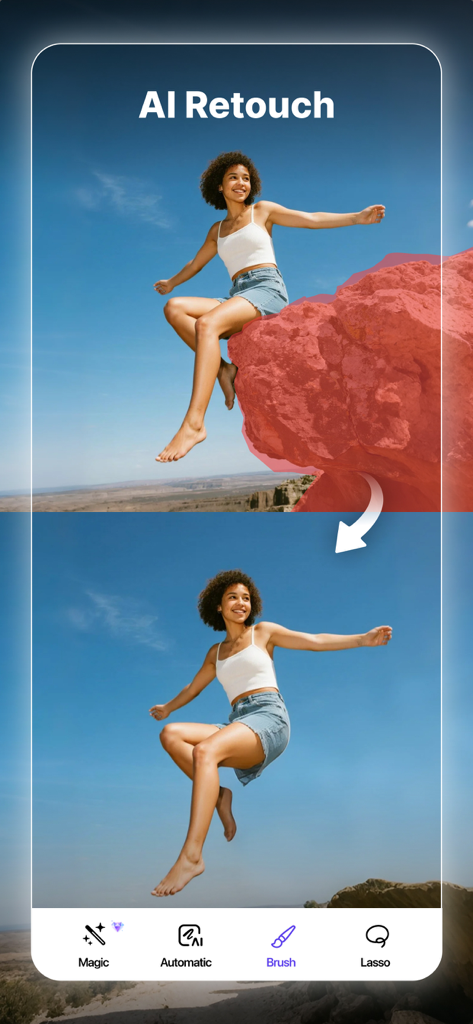
AI Retouch 앱을 사용하여 사진에서 큰 바위를 제거한 전후 비교
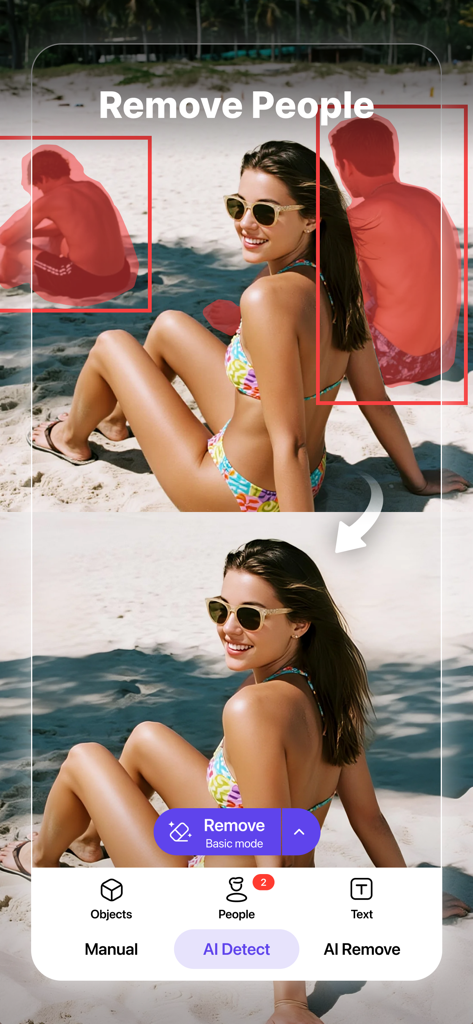
AI 보정을 사용하여 해변 사진에서 사람들을 제거한 전후 비교
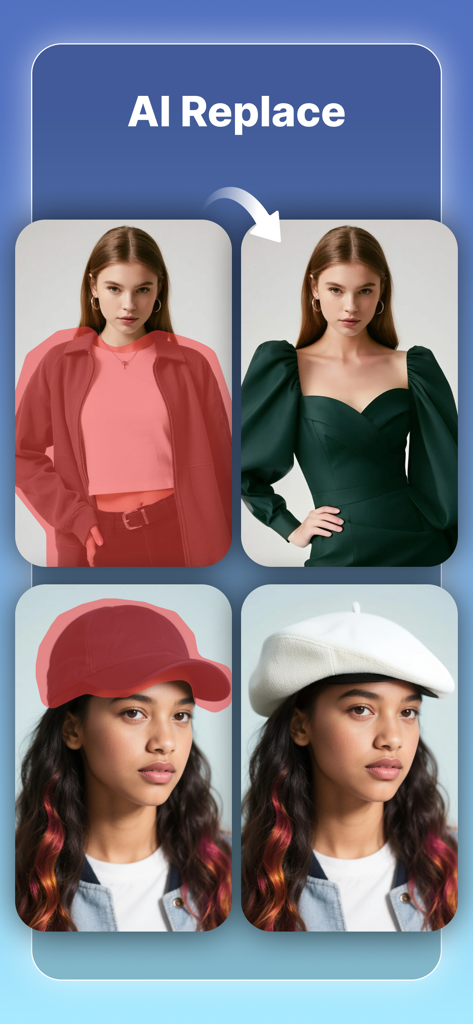
여성의 재킷이 드레스와 야구 모자가 흰색 베레모로 교체된 것을 보여주는 AI 교체 기능 시연
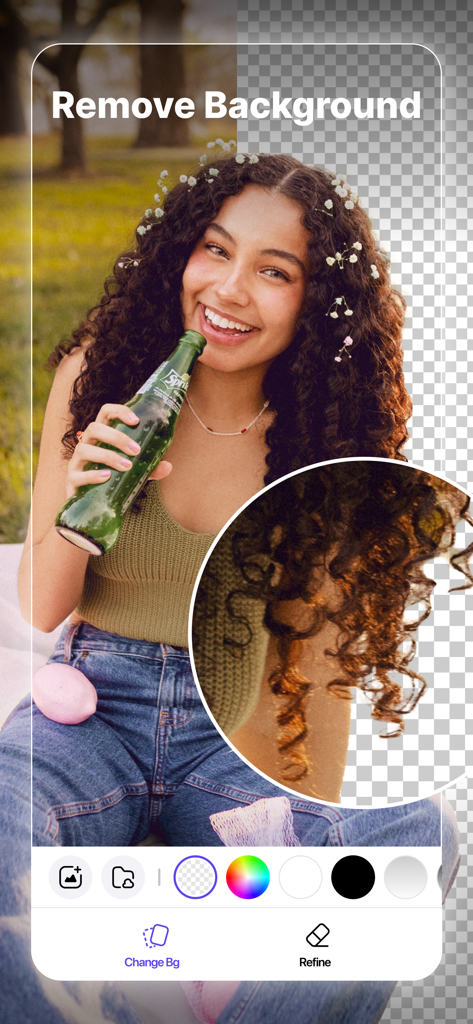
여성 초상화에 AI 배경 제거 기능이 표시된 모바일 앱 인터페이스
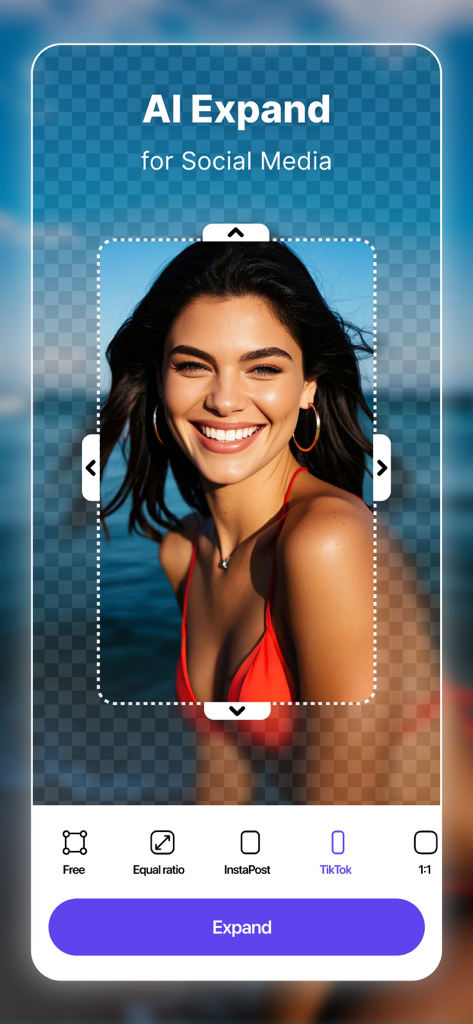
AI 확장 기능이 TikTok 및 소셜 미디어 플랫폼에 맞게 초상화 사진 크기를 조정합니다
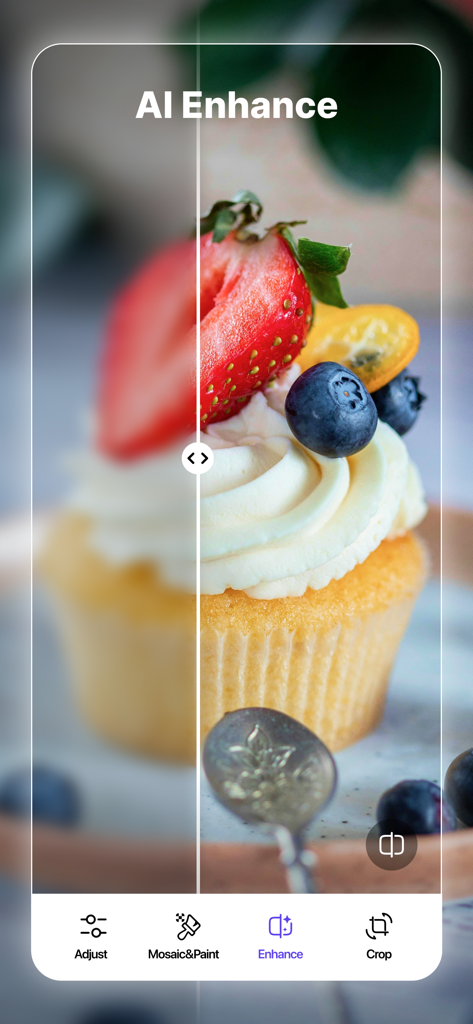
AI 향상 기능을 사용하여 흐릿한 이미지를 선명하게 하는 컵케이크 사진의 전후 비교
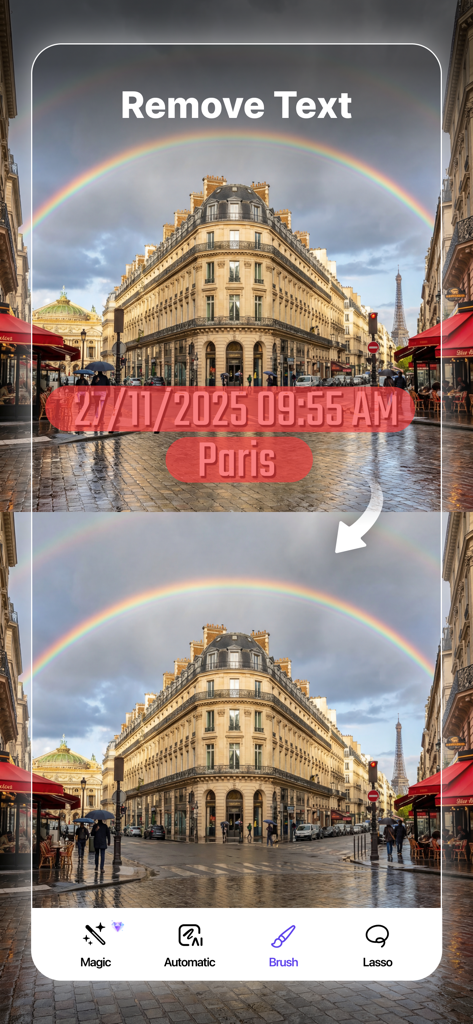
파리 거리 사진에서 타임스탬프와 텍스트를 제거하는 AI 시연 전후 비교
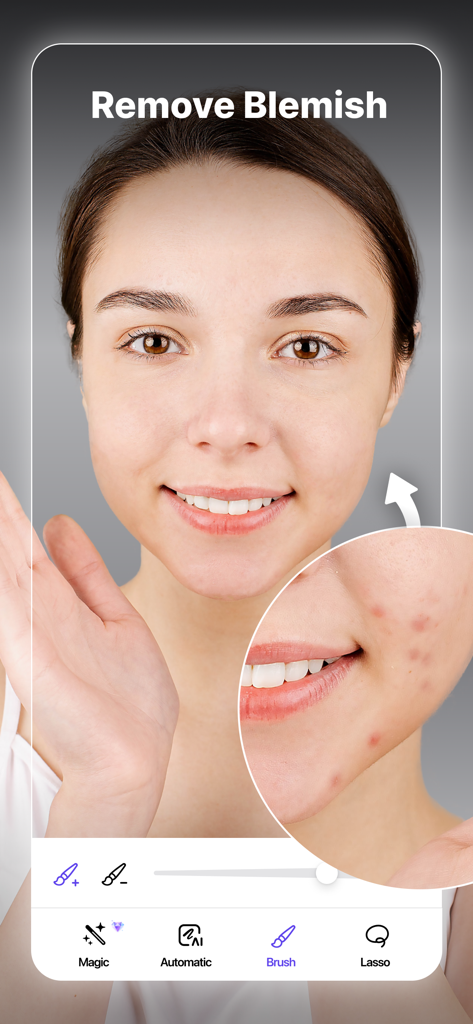
초상화에서 피부 결점을 제거하는 AI 사진 보정 인터페이스
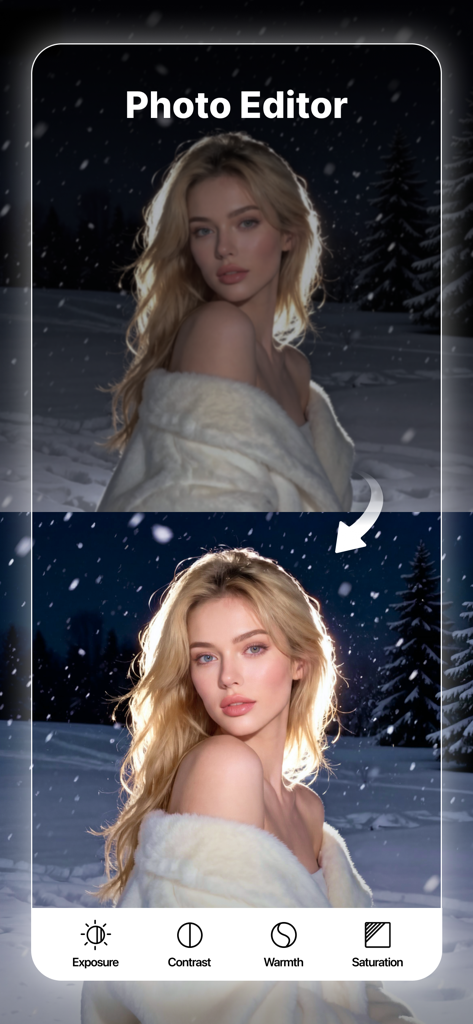
객체 제거 AI 앱에서 노출 및 대비 도구를 사용하여 사진 보정을 전후 비교
설명
Download
비슷한 앱
유사한 기능과 사용자 경험을 가진 앱

EPIK - AI Photo & Video Editor
SNOW Corporation

Citrus: AI 1 Tap Perfect Photo
Wemagine.ai LLP

SnapEdit: Photo Editor AI
SilverAI Joint Stock Company

Background Eraser 〜 Stickers
handyCloset Inc.

PhotoScan by Google Photos
Google LLC

Magic Eraser - Remove Object
Creatix Technology Global Limited

Magic Eraser Background Editor
Honk Honk Punch Pty Ltd

ProKnockOut-Cut Paste Photos
Shenzhen Qianhai Happy Tour Network Technology Co., Ltd.

Background Eraser - Remove BG*
SHANTANU PTE. LTD.
이 페이지는 앱이나 개발자의 공식 페이지가 아니며, 정보 제공 및 논평을 목적으로 작성된 독립 편집 간행물입니다. 명시적으로 달리 언급되지 않는 한, 해당 앱이나 개발자는 MWM, Apple, Google Play, 앱 퍼블리셔 또는 앱 개발자와 제휴, 보증, 후원, 승인 또는 공식적으로 연결되어 있지 않으며, 이 페이지의 어떤 내용도 해당 앱이 MWM의 서비스를 사용하여 개발되었음을 의미하지 않습니다. 모든 상표, 로고, 스크린샷 및 기타 콘텐츠는 해당 소유자의 자산입니다.