Retouch AI - Remove Objects
다운로드: App Store

이 페이지는 앱이나 개발자의 공식 페이지가 아니며, 정보 제공 및 논평을 목적으로 작성된 독립 편집 간행물입니다. 명시적으로 달리 언급되지 않는 한, 해당 앱이나 개발자는 MWM, Apple, Google Play, 앱 퍼블리셔 또는 앱 개발자와 제휴, 보증, 후원, 승인 또는 공식적으로 연결되어 있지 않으며, 이 페이지의 어떤 내용도 해당 앱이 MWM의 서비스를 사용하여 개발되었음을 의미하지 않습니다. 모든 상표, 로고, 스크린샷 및 기타 콘텐츠는 해당 소유자의 자산입니다.

로고: Retouch AI - Remove Objects
다운로드: App Store

Retouch AI - Remove Objects

사진 방해꾼과 배경의 복잡함 때문에 소중한 순간을 망치지 마세요. 고급 AI를 사용하여 결점을 지우고, 치아를 하얗게 만들고, 전문적인 기술 없이도 소셜 미디어에 어울리는 완벽한 미학을 만드세요.

주요 수치

다운로드

1M+

사용자 평점

4.7/5

총 평가 수

27K+

개발사

Yalex FZC LLC

카테고리

Photo & Video

지원 언어

4

최신 버전

6.1

크기

147.4 MB

출시일

2020년 5월 1일
기능

모든 사진을 걸작으로 만드세요

사진 방해꾼이나 사소한 결점으로 추억을 망치지 마세요. Retouch AI는 고급 기술을 사용하여 피드에 어울리는 전문적이고 미학적인 마감을 사진에 제공합니다.

스마트 AI 객체 제거

모르는 사람, 전선 또는 복잡한 요소를 자동으로 감지하고 지웁니다. 원클릭 마법으로 깔끔하고 방해 없는 사진을 얻으세요.

완벽한 인물 사진 보정

치아를 하얗게 만들고, 잡티를 제거하고, 자연스러운 인플루언서 스타일 마감을 유지하면서 최상의 모습을 연출할 수 있는 스마트 늘리기 도구를 사용하세요.

다음 스크린샷과 설명은 앱의 공식 스토어 목록에서 직접 가져온 것이며 앱 개발자의 자산입니다.

앱 스토어

스크린샷
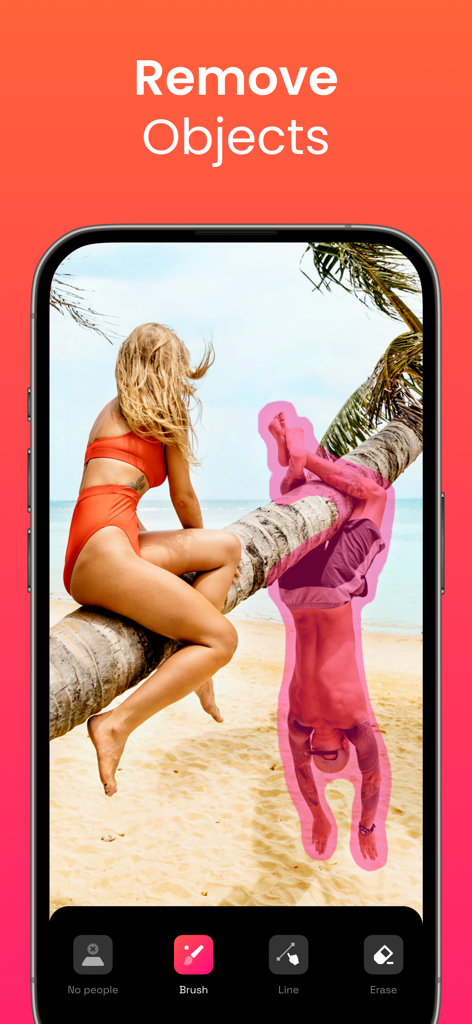
Retouch AI - Remove Objects - AI 사진 편집 앱 인터페이스로 해변 장면에서 제거를 위해 분홍색 브러시로 선택된 사람을 보여줍니다
AI 사진 편집 앱 인터페이스로 해변 장면에서 제거를 위해 분홍색 브러시로 선택된 사람을 보여줍니다

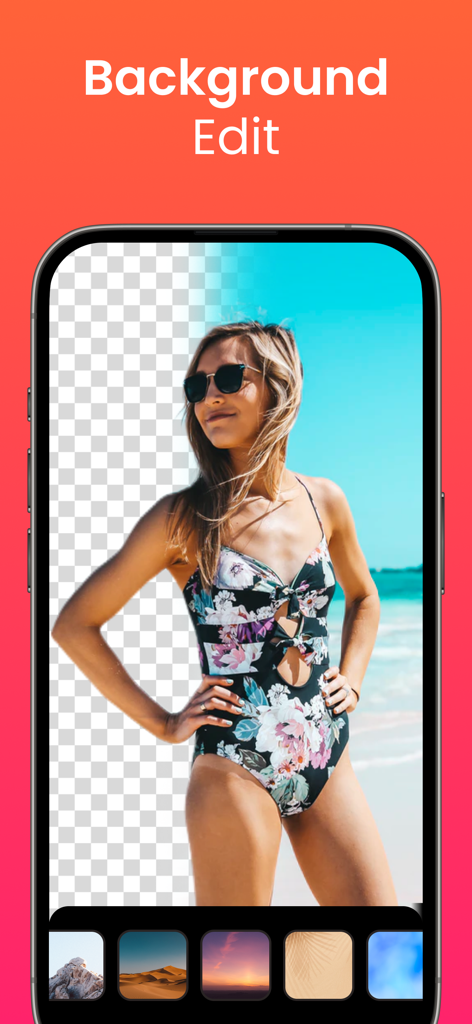
Retouch AI - Remove Objects - 해변에 있는 여성이 Retouch AI 앱에서 배경 제거 및 교체 기능을 사용하는 모습
해변에 있는 여성이 Retouch AI 앱에서 배경 제거 및 교체 기능을 사용하는 모습

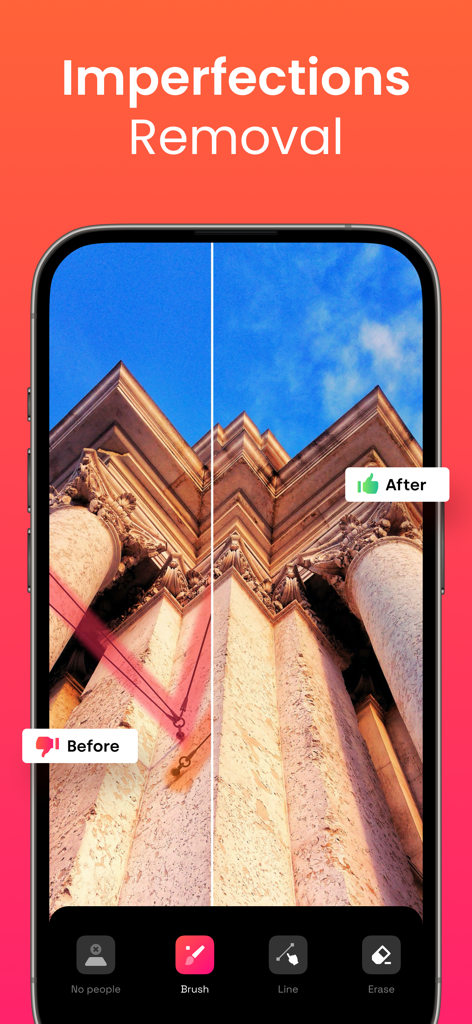
Retouch AI - Remove Objects - Retouch AI 앱을 사용하여 건물 사진에서 전선 제거를 보여주는 전후 비교
Retouch AI 앱을 사용하여 건물 사진에서 전선 제거를 보여주는 전후 비교

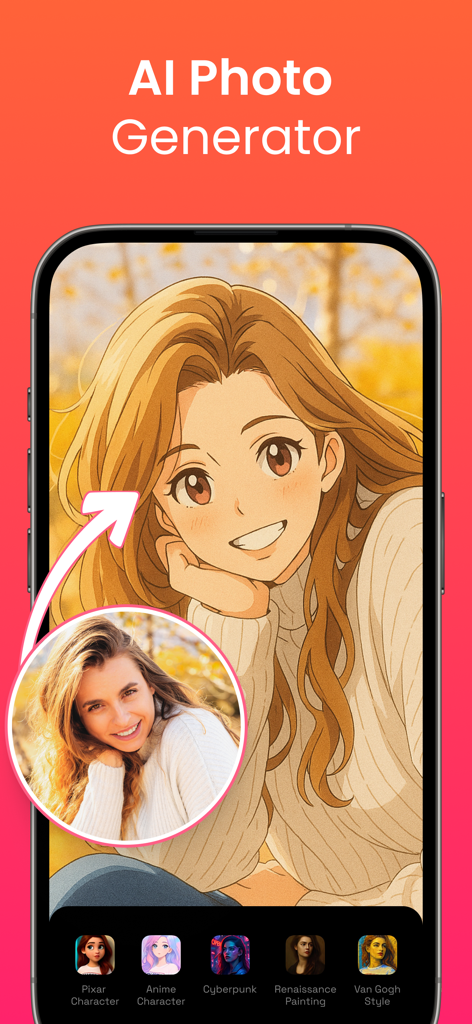
Retouch AI - Remove Objects - 실제 여성 초상화를 애니메이션 캐릭터 스타일로 변환하는 AI 사진 생성기 기능의 인터페이스
실제 여성 초상화를 애니메이션 캐릭터 스타일로 변환하는 AI 사진 생성기 기능의 인터페이스

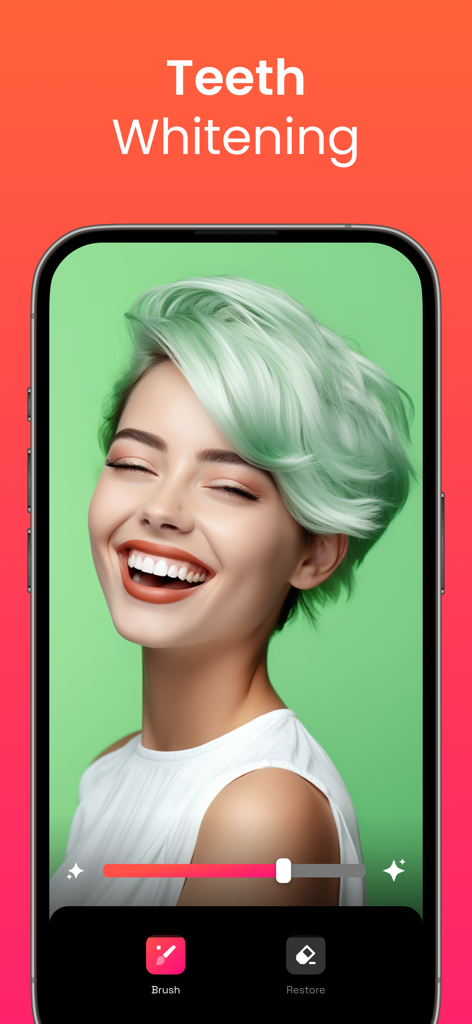
Retouch AI - Remove Objects - Retouch AI 사진 편집기 앱의 치아 미백 기능 인터페이스

Retouch AI 사진 편집기 앱의 치아 미백 기능 인터페이스
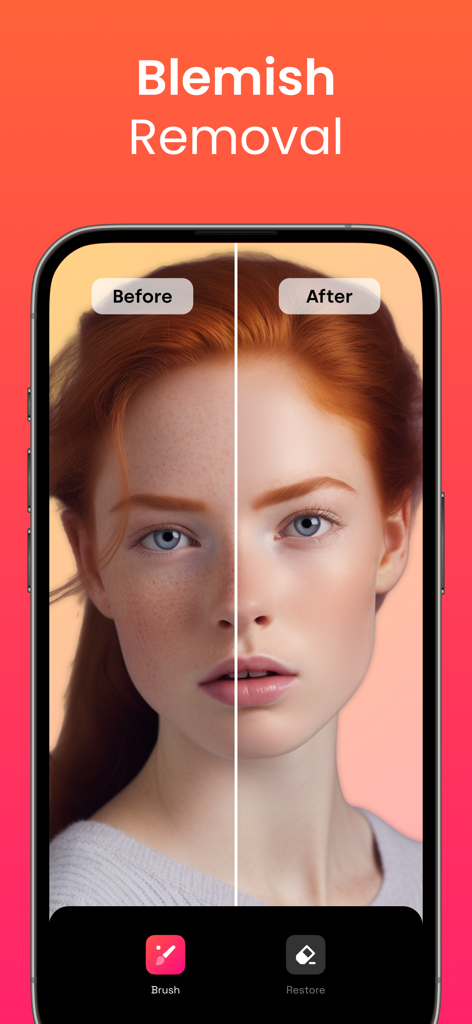
Retouch AI - Remove Objects - Retouch AI 앱의 잡티 제거 기능 비교 전후 초상화

Retouch AI 앱의 잡티 제거 기능 비교 전후 초상화

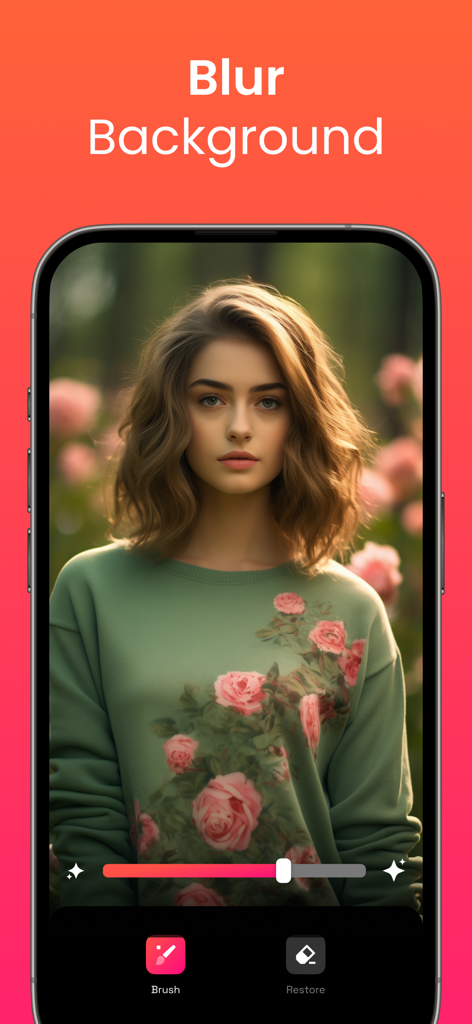
Retouch AI - Remove Objects - Retouch AI 모바일 앱 기능으로 꽃 정원 배경을 흐리게 처리한 여성 초상화
Retouch AI 모바일 앱 기능으로 꽃 정원 배경을 흐리게 처리한 여성 초상화

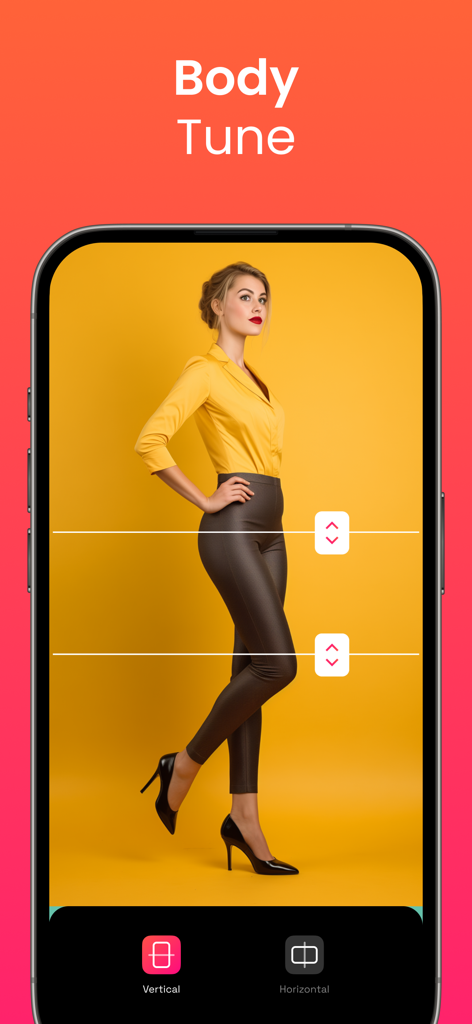
Retouch AI - Remove Objects - 신체 비율을 조정하기 위한 수직 및 수평 늘리기 도구가 있는 신체 조정 기능의 모바일 앱 인터페이스
신체 비율을 조정하기 위한 수직 및 수평 늘리기 도구가 있는 신체 조정 기능의 모바일 앱 인터페이스

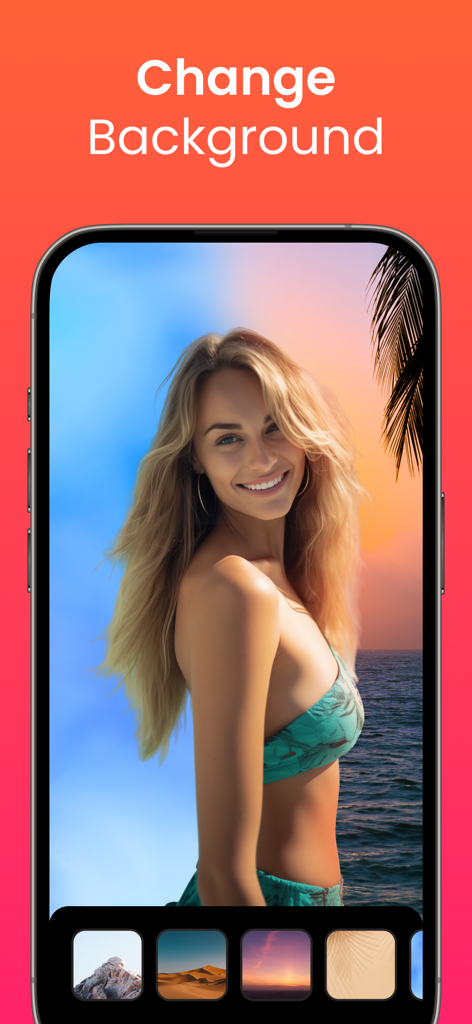
Retouch AI - Remove Objects - 해변에 있는 여성이 사진 배경을 변경하는 옵션을 보여주는 Retouch AI 앱 인터페이스
해변에 있는 여성이 사진 배경을 변경하는 옵션을 보여주는 Retouch AI 앱 인터페이스

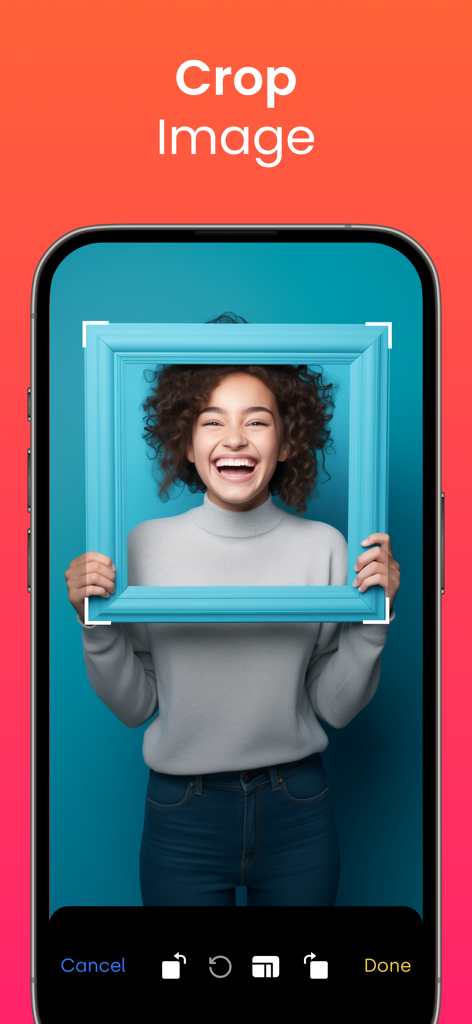
Retouch AI - Remove Objects - 미소 짓는 여성의 초상화와 함께 이미지 자르기 기능의 Retouch AI 모바일 앱 인터페이스

미소 짓는 여성의 초상화와 함께 이미지 자르기 기능의 Retouch AI 모바일 앱 인터페이스

설명

Tired of being photobombed? Thinking about getting rid of some imperfections in the background of the photo but don’t know how? Need to erase unwanted objects from your pictures to get them just right? All these annoying things shouldn’t be a problem anymore with our AI-driven photo editor. RetouchAI is that magic button that will help you easily transform poorly taken photos into the ones you actually deserve. User-friendly interface, comprehensible functionality, the capability to remove imperfections in “one-click” are features that RetouchAI offers for you, specifically: • People auto-detection RetouchAI offers you highly convenient tools to identify strangers and crowd. The editor will precisely auto-detect the borders and highlight them for further auto removal. You just need to single them out in one tap • Imperfections removal • Lines removal • Blemish removal The app declutters photo imperfections and retouches them in an extremely simplified, yet smart way. The editor makes sure that the chosen area is erased without the photo distortion and is repaired appropriately. • Multiple retouch algorithms Once you select a particular area in your photo that needs to be restored, the app will offer you multiple variants. You may choose the one that looks the most natural and will be the best fit. • Background edit With the RetouchAI photo editor background replacement feature, you can cut out the existing background of your photo easily and replace it with one of the templates from the gallery. In case you don’t want to change the background, the app provides you with the convenient functionality to blur the background to the required extent. • Efficient clone stamp tool When you erase certain objects from the photo, the editor needs to restore the marked area with correctly chosen colors. This is done via the clone stamp tool that uses the surrounding area as a context to restore the photo precisely. • Teeth whitening The tool allows you to whiten your teeth and make your smile even more fabulous than it is now. Everything is simple: select the necessary area, adjust the intensity of the brush, and boom, everything is ready. Explore a natural teeth whitening feature now. • Stretching Allows you to modify the selected area both vertically and horizontally. It's no longer a problem to increase your height, enlarge your hips, or adjust anything else. You just need to choose the place you need to stretch and modify it to the extent you want. • Helpful tooltips & friendly support Despite being rather intuitively obvious, the app has numerous embedded tooltips that pop up once you start using the photo editor. All the tooltips were designed to make your photo editing process seamless and pleasant so that you say goodbye to sophisticated interfaces, confusing buttons, and annoying welcome tutorials. Download RetouchAI and make your photos great again. Enjoy! Don’t forget to check our privacy policy and terms of service: http://retouch-ai.com/privacy-policy.html http://retouch-ai.com/terms-of-service.html SUBSCRIPTION INFO: • Subscription for Retouch AI for full access to all features. • Subscription length: one week, one month, 12 months and lifetime. • Your payment will be charged to your iTunes Account as soon as you confirm your purchase. • You can manage your subscriptions and turn off auto-renewal from your Account Settings after the purchase. • Your subscription will renew automatically, unless you turn off auto-renew at least 24 hours before the end of the current period. • The cost of renewal will be charged to your account in the 24 hours prior to the end of the current period. • When canceling a subscription, your subscription will stay active until the end of the period. Auto-renewal will be disabled, but the current subscription will not be refunded. • Any unused portion of a free trial period, if offered, will be forfeited when purchasing a subscription.

Download

다운로드: App Store

이 페이지는 앱이나 개발자의 공식 페이지가 아니며, 정보 제공 및 논평을 목적으로 작성된 독립 편집 간행물입니다. 명시적으로 달리 언급되지 않는 한, 해당 앱이나 개발자는 MWM, Apple, Google Play, 앱 퍼블리셔 또는 앱 개발자와 제휴, 보증, 후원, 승인 또는 공식적으로 연결되어 있지 않으며, 이 페이지의 어떤 내용도 해당 앱이 MWM의 서비스를 사용하여 개발되었음을 의미하지 않습니다. 모든 상표, 로고, 스크린샷 및 기타 콘텐츠는 해당 소유자의 자산입니다.