RetroFix - Old Picture Restore

RetroFix - Old Picture Restore

다운로드: App Store
로고: RetroFix - Old Picture Restore

RetroFix - 오래된 사진 복원: 가족의 가장 소중한 추억에 새 생명을 불어넣으세요

빛바래고, 흠집 나고, 흐릿한 사진을 수정처럼 맑은 디지털 기념품으로 바꾸세요. AI를 사용하여 한 번의 탭으로 역사를 즉시 복원하고 채색하는 300,000명 이상의 사용자와 함께하세요.

개발사

Denys Shevchenko

카테고리

Photo & Video

다운로드

369K+

사용자 평점

4.6/5

총 평가 수

9K+

지원 언어

30

변화된 모습 확인

이 인터페이스를 사용하는 369K+ 명의 사용자.

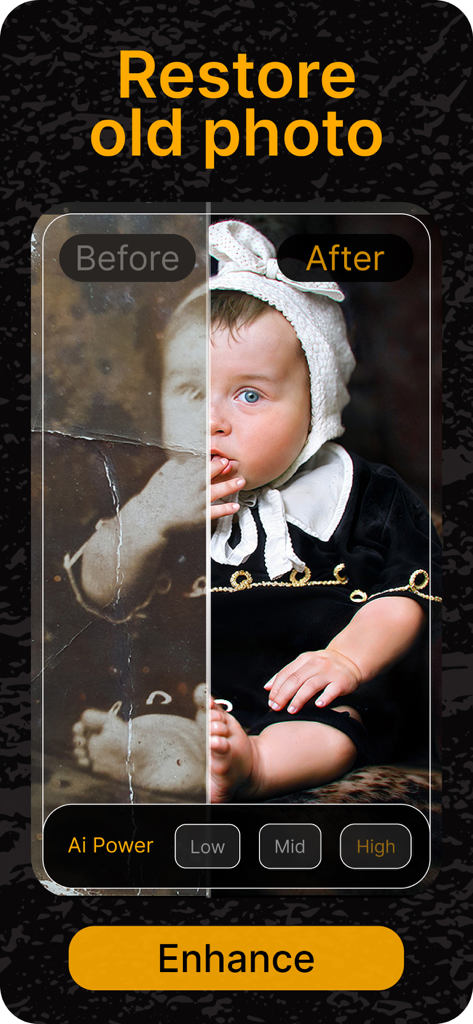
RetroFix AI를 사용하여 복원 및 채색된 빈티지 아기 사진의 전후 비교
RetroFix AI를 사용하여 복원 및 채색된 빈티지 아기 사진의 전후 비교

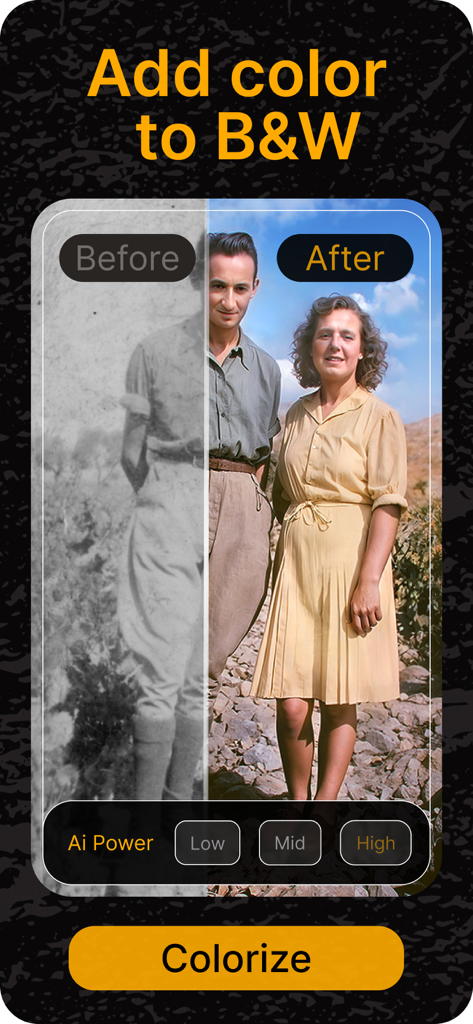
RetroFix AI로 생생한 색상을 복원한 흑백 빈티지 사진의 전후 비교
RetroFix AI로 생생한 색상을 복원한 흑백 빈티지 사진의 전후 비교

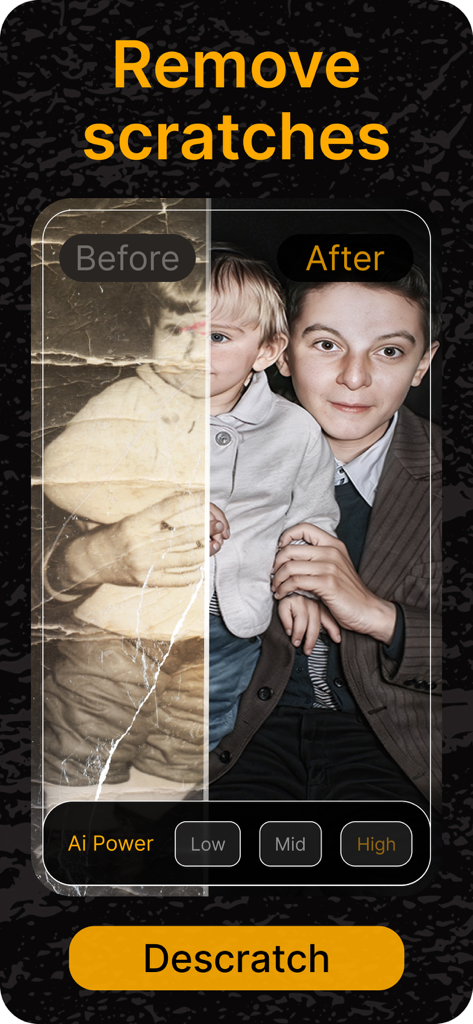
RetroFix AI로 흠집이 제거되고 선명도가 향상된 오래된 소년 초상화의 전후 비교
RetroFix AI로 흠집이 제거되고 선명도가 향상된 오래된 소년 초상화의 전후 비교

색상 및 조명 복원을 보여주는 오래된 사진의 전후 비교
색상 및 조명 복원을 보여주는 오래된 사진의 전후 비교

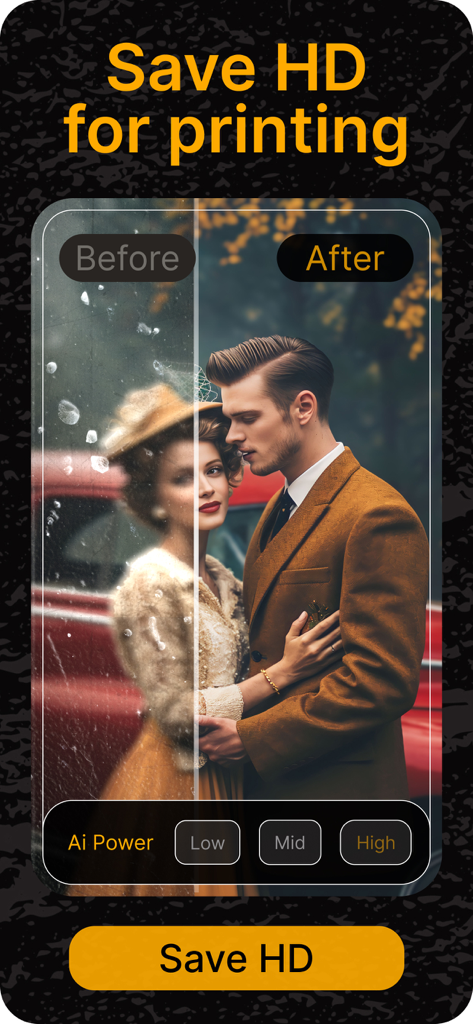
고품질 인쇄를 위해 복원된 빈티지 커플 사진의 AI 전후 비교

고품질 인쇄를 위해 복원된 빈티지 커플 사진의 AI 전후 비교

고품질로 복원된 빈티지 가족 초상화 4장의 콜라주
고품질로 복원된 빈티지 가족 초상화 4장의 콜라주

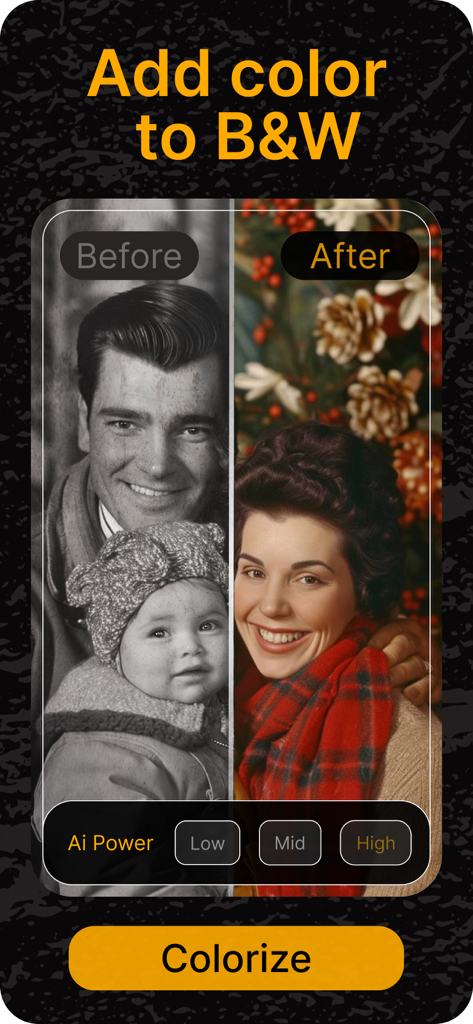
RetroFix 앱으로 채색되기 전후의 흑백 가족 사진 분할 화면 비교
RetroFix 앱으로 채색되기 전후의 흑백 가족 사진 분할 화면 비교

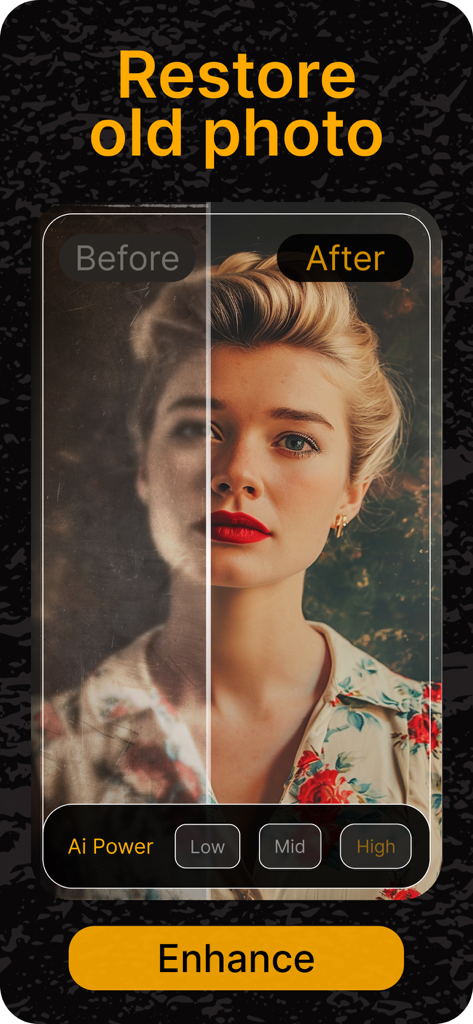
RetroFix 앱에서 AI 개선을 사용하여 오래된 사진을 복원한 전후 비교
RetroFix 앱에서 AI 개선을 사용하여 오래된 사진을 복원한 전후 비교

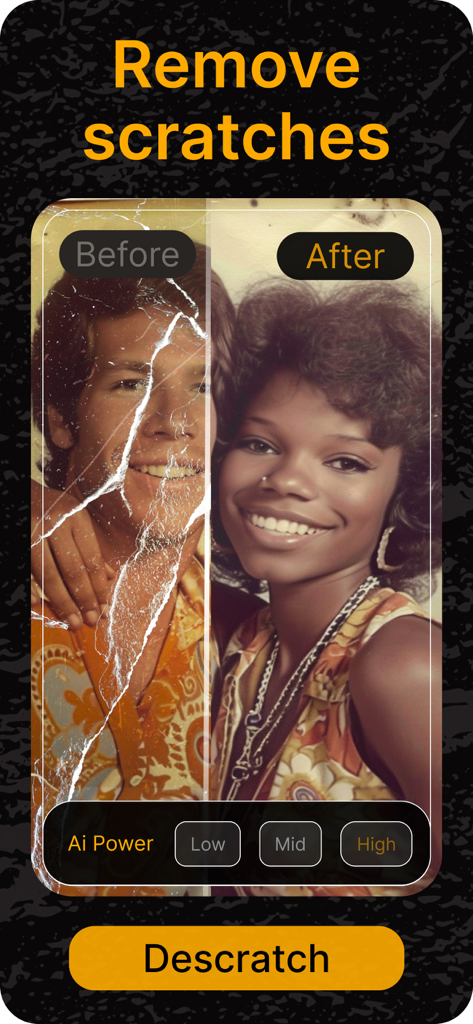
RetroFix로 흠집이 제거된 오래된 사진의 전후 나란히 보기
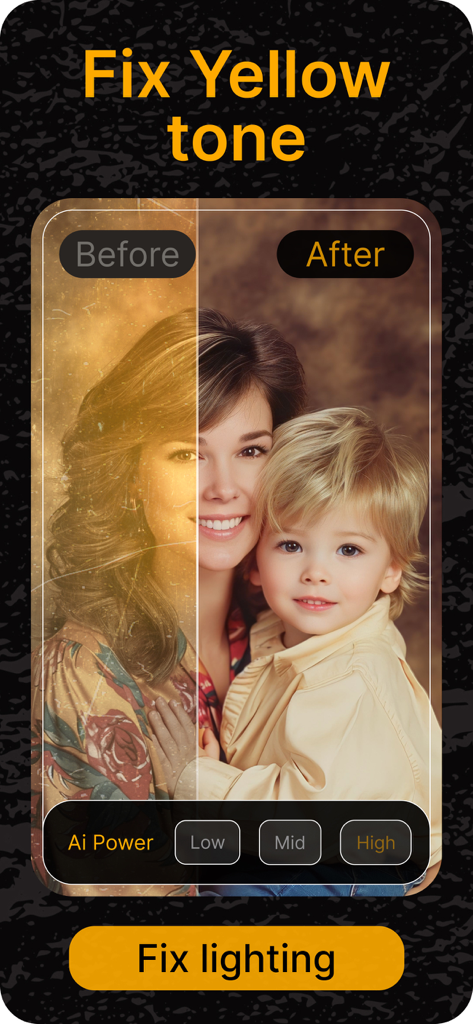
RetroFix로 흠집이 제거된 오래된 사진의 전후 나란히 보기

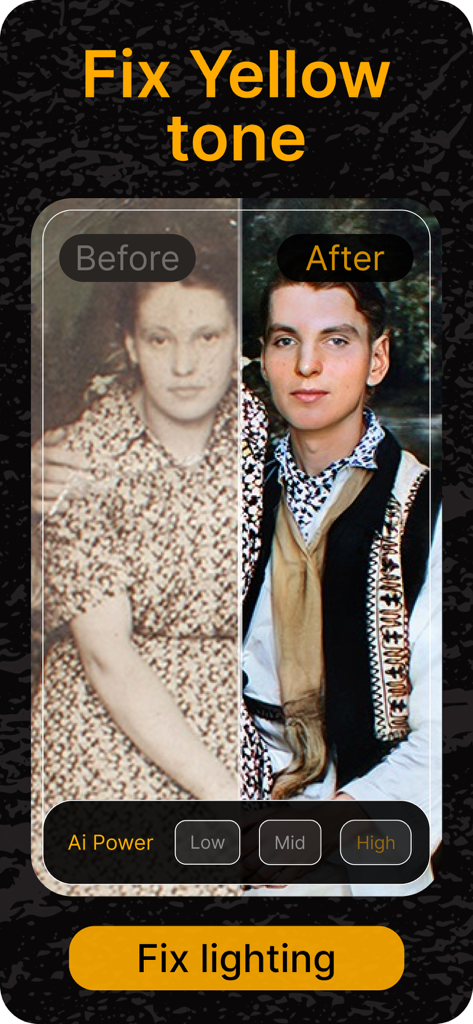
AI를 사용하여 노란색 톤과 조명을 수정하기 위해 복원된 오래된 사진의 전후 나란히 비교

AI를 사용하여 노란색 톤과 조명을 수정하기 위해 복원된 오래된 사진의 전후 나란히 비교

가족 유산 보존

이 앱을 돋보이게 하는 도구, 369K+ 명의 사용자가 선택.

즉각적인 AI 복원

흠집, 찢어진 부분, 오래된 마모를 마법처럼 복구하여 실제 인쇄물을 원래의 영광으로 되돌리세요.

🎨

실감 나는 채색

흑백 추억에 생생한 색상을 더해 조상들의 이야기가 마치 현재처럼 느껴지게 하세요.

🔍

수정처럼 맑은 선명도

흐릿한 얼굴을 선명하게 하고 세부 사항을 개선하여 현대적인 정밀도로 모든 미소와 표정을 볼 수 있도록 하세요.

앱 소개

에 대해 알아야 할 모든 것 RetroFix - Old Picture Restore.

설명

Transform old photos into clear, vibrant memories with RetroFix! This AI-powered photo restoration app makes it easy to enhance, restore, and clean up old photos, so your cherished images look like new again. RetroFix is the ultimate app for old photo restoration on iPhone, perfect for bringing life back to faded, damaged, or black-and-white photos. Whether you want to remove scratches, repair damaged images, or make old photos clear, RetroFix has all the tools you need. 【Key Features】 • AI-Powered Restoration: RetroFix’s advanced AI can make old photos clear by removing blur, restoring photo quality, and enhancing image clarity. Ideal for photo repair, it’s the best app to fix old pictures and revive old photos instantly. • Old Photo Colorizer: Make old black-and-white photos come to life with realistic colors! Our app is the ultimate tool for adding vibrant hues to faded images. • Repair and Enhance: Fix underexposed photos, adjust lighting, and enhance sharpness effortlessly. RetroFix improves photo quality with ease, making your memories fresh and clear. • Scratch & Damage Repair: Remove scratches, discoloration, and years of wear from old photos. RetroFix is your go-to app to repair damaged photos and renew old memories. 【Why Choose RetroFix?】 • Comprehensive Restoration Solution: RetroFix specializes in making old photos clear and restoring their original beauty. From minor adjustments to full restorations, it’s the best app to fix old photos on iPhone. • User-Friendly & Fast: RetroFix offers powerful photo restoration tools that anyone can use, making it the best app to restore old photos on iPhone. • Instant Results: See your photos transform in seconds! With easy comparisons, RetroFix is perfect for clearing up old photos and bringing them back to life. Rediscover and restore your memories effortlessly with RetroFix. From cleaning up old photos to enhancing photo quality, RetroFix is the all-in-one app to restore and revive old pictures. Download now and see how RetroFix can make your memories new again! For subscriptions, we follow the standard Apple Terms of Use (https://www.apple.com/legal/internet-services/itunes/dev/stdeula/).

최신 버전

1.0.34

크기

112.7 MB

출시일

2024년 4월 4일

가족의 역사를 되살리세요

RetroFix를 사용하여 가장 소중한 사진을 즉시 복원, 채색 및 보호하는 360,000명 이상의 추억 관리자와 함께하세요. 유산을 구하는 데는 단 한 번의 탭이면 충분합니다.

다운로드: App Store

App information, icons, screenshots, and descriptions displayed on this page are sourced from the Apple App Store and are the property of their respective developers. Download estimates and rankings are based on MWM's proprietary models and may not reflect actual figures. This page is provided for informational and analytical purposes only.

Believe this page infringes your intellectual property? File a dispute