Screen Recorder + Capturer

Screen Recorder + Capturer

다운로드: App Store
로고: Screen Recorder + Capturer

화면 녹화기 + 캡처기: 고화질 녹화를 간편하게

놀라운 HD 품질로 멋진 게임 하이라이트, 전문 튜토리얼, 중요한 회의를 캡처하세요. 가입이 필요 없고 로컬 저장소로 100% 개인 정보가 보호되며, 원탭으로 즉시 녹화를 시작할 수 있습니다.

다운로드: App Store

개발사

美慧 朱

카테고리

Utilities

다운로드

14K+

사용자 평점

4.8/5

총 평가 수

500

지원 언어

3

모든 프레임의 명확성

이 인터페이스를 사용하는 14K+ 명의 사용자.

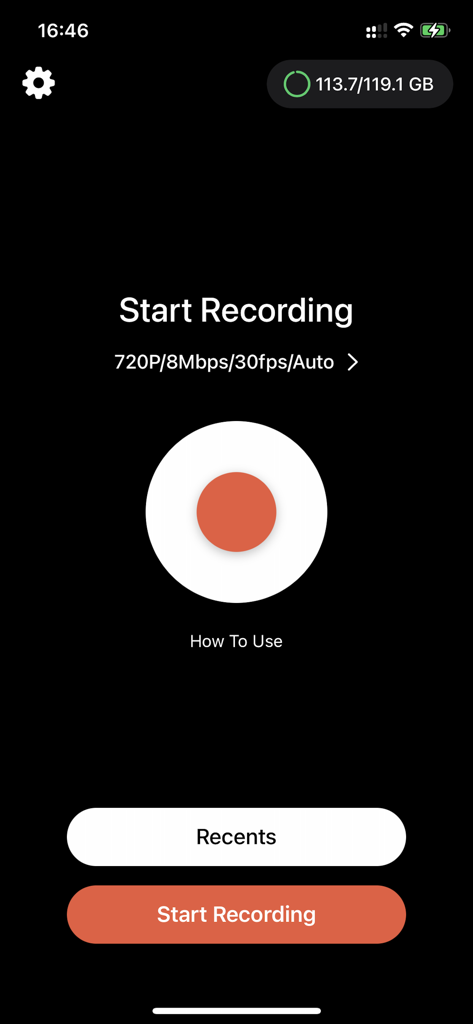
커다란 빨간색 녹화 버튼과 720p 설정이 있는 화면 녹화기 앱의 메인 인터페이스
커다란 빨간색 녹화 버튼과 720p 설정이 있는 화면 녹화기 앱의 메인 인터페이스

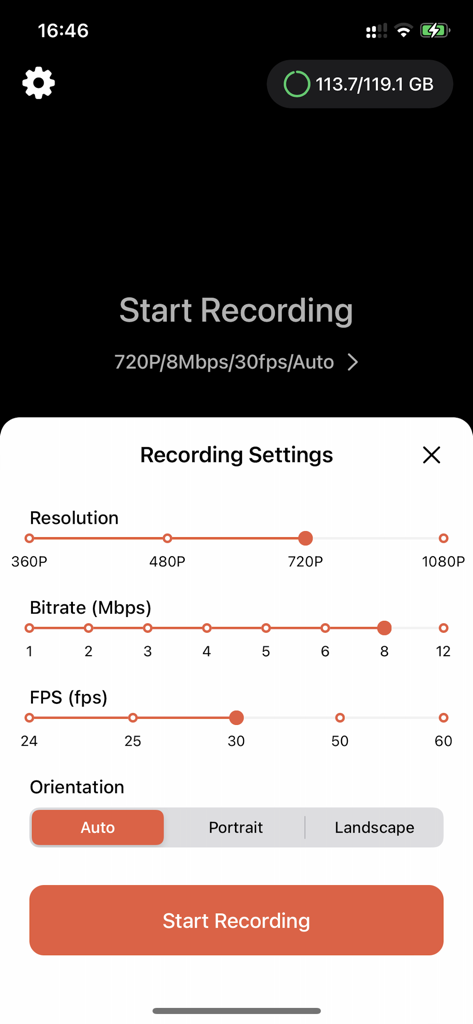
비디오 해상도, 비트 전송률, FPS 및 방향에 대한 조정 가능한 설정을 보여주는 화면 녹화기 앱의 인터페이스
비디오 해상도, 비트 전송률, FPS 및 방향에 대한 조정 가능한 설정을 보여주는 화면 녹화기 앱의 인터페이스

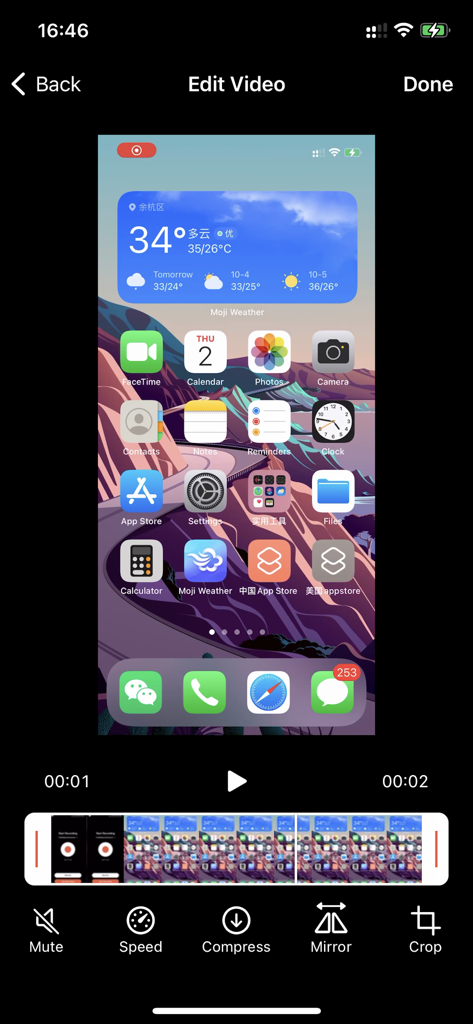
속도 압축 및 자르기 도구가 있는 화면 녹화기 앱의 편집 인터페이스

속도 압축 및 자르기 도구가 있는 화면 녹화기 앱의 편집 인터페이스

몇 초 만에 캡처, 생성, 공유

이 앱을 돋보이게 하는 도구, 14K+ 명의 사용자가 선택.

🚀

마찰 없이 녹화하세요

가입 절차를 건너뛰세요. 원탭으로 멋진 게임 하이라이트나 튜토리얼을 즉시 캡처하세요.

🔒

콘텐츠, 당신의 통제 하에

모든 것이 iPhone에 로컬로 저장됩니다. 완전히 안심하고 개인 회의나 민감한 버그를 녹화하세요.

💎

크리스탈처럼 선명한 HD 품질

흐릿한 클립에 만족하지 마세요. 전문적인 데모 및 소셜 콘텐츠를 위해 모든 픽셀을 고화질로 캡처하세요.

앱 소개

에 대해 알아야 할 모든 것 Screen Recorder + Capturer.

설명

A simple and intuitive iOS screen recording tool that makes it easy to capture and share your best moments. Screen Recorder is a powerful yet easy-to-use screen recording tool. Whether you’re capturing epic gaming highlights, creating instructional tutorials, or documenting technical issues, it gets the job done effortlessly. Key Features: • One-Tap Recording – Start recording instantly with a simple and user-friendly interface • High-Definition Quality – Record in high resolution to capture every detail clearly • Instant Preview – Review, edit, and share your recordings right after you’re done • Easy File Management – Automatically sorted by time for quick and easy access • Ready to Use – No sign-up or login required — just open the app and start recording • Privacy First – All recordings are stored locally to ensure your data stays private Perfect For: • Capturing exciting gaming moments • Creating how-to tutorials and demo videos • Showing issues during remote tech support • Recording important video meetings • Sharing screen tips and tricks Download Screen Recorder and preserve every moment worth capturing! Note: Recording system audio requires iOS 14.0 or later. This app includes an optional auto-renewable subscription (ImgConv Pro): ImgConv Pro beings with a free trial period, then an auto-renewable monthly subscription when trial ends. Payment will be charged to your Apple account at confirmation of purchase and will automatically renew (at the duration/price selected) unless auto-renew is turned off at least 24 hrs before the end of the current period. Account will be charged for renewal within 24-hours prior to the end of the current period. Current subscription may not be cancelled during the active subscription period; however, you can manage your subscription and/or turn off auto-renewal by visiting your Apple Account Settings after purchase. Any unused portion of the free initial period will be forfeited when you purchase a subscription. Terms of Service:https://cdnzonestatic.enjoy-mobi.com/privacy/privacy_policy_ios_vrecorder.html Privacy Policy:https://cdnzonestatic.enjoy-mobi.com/privacy/privacy_policy_ios_vrecorder.html EULA:https://www.apple.com/legal/internet-services/itunes/dev/stdeula/ Contact us:support_screen_recoder@gmail.com

최신 버전

4.0

크기

16.0 MB

출시일

2025년 5월 23일

다음 중요한 순간을 캡처할 준비가 되셨나요?

계정이나 클라우드 저장소의 번거로움 없이 고화질로 녹화하는 14,000명 이상의 사용자와 함께하세요. 개인 정보 보호와 속도를 최우선으로 하는 iOS 화면 녹화기를 다운로드하고 원탭으로 녹화를 시작하세요.

다운로드: App Store

App information, icons, screenshots, and descriptions displayed on this page are sourced from the Apple App Store and are the property of their respective developers. Download estimates and rankings are based on MWM's proprietary models and may not reflect actual figures. This page is provided for informational and analytical purposes only.

Believe this page infringes your intellectual property? File a dispute