
이 페이지는 앱이나 개발자의 공식 페이지가 아니며, 정보 제공 및 논평을 목적으로 작성된 독립 편집 간행물입니다. 명시적으로 달리 언급되지 않는 한, 해당 앱이나 개발자는 MWM, Apple, Google Play, 앱 퍼블리셔 또는 앱 개발자와 제휴, 보증, 후원, 승인 또는 공식적으로 연결되어 있지 않으며, 이 페이지의 어떤 내용도 해당 앱이 MWM의 서비스를 사용하여 개발되었음을 의미하지 않습니다. 모든 상표, 로고, 스크린샷 및 기타 콘텐츠는 해당 소유자의 자산입니다.


Screen Recorder Video Record
직관적인 인터페이스로 모든 픽셀과 사운드파를 손쉽게 영원히 기록하세요. 바이럴 소셜 클립부터 전문가 수준의 튜토리얼까지, 원탭으로 디지털 세계를 놀라운 고화질로 캡처하세요.
다운로드
49K+사용자 평점
총 평가 수
300개발사
카테고리
Photo & Video지원 언어
1최신 버전
1.2.0크기
66.1 MB출시일
2025년 5월 2일디지털 스토리텔링을 강화하세요
바이럴 게임 클립부터 전문적인 워크스루까지, 현대 크리에이터를 위해 제작된 가장 직관적인 화면 녹화 도구를 경험해 보세요.
전문가급 동영상 품질
TikTok, Reels, YouTube에서 콘텐츠를 돋보이게 하는 초고화질 해상도로 모든 디테일을 캡처하세요.
듀얼 오디오 마스터링
전문적인 반응 및 튜토리얼을 위해 게임 내부 오디오와 실시간 해설을 원활하게 믹스하세요.
자주 묻는 질문
에 대해 알아야 할 모든 것 Screen Recorder Video Record
Screen Recorder Video Record란 무엇인가요?
Screen Recorder Video Record는 원활한 화면 캡처 및 오디오 녹화를 위한 올인원 도구입니다. 사용자는 화면의 모든 픽셀과 음파를 불멸화하여 디지털 경험을 보존하고 공유할 수 있습니다.
Screen Recorder Video Record로 오디오를 녹화할 수 있나요?
네, Screen Recorder Video Record는 오디오를 녹화합니다. 이 앱은 화면 녹화와 음성 녹화를 모두 지원하므로 사용자는 화면 녹화에 음성 해설을 추가할 수 있습니다.
Screen Recorder Video Record에 얼굴 카메라 옵션이 포함되어 있나요?
네, Screen Recorder Video Record에는 얼굴 카메라 옵션이 포함되어 있습니다. 사용자는 얼굴 캠으로 반응하여 화면 콘텐츠와 동시에 자신의 반응을 녹화할 수 있습니다.
Screen Recorder Video Record 인터페이스는 얼마나 직관적인가요?
Screen Recorder Video Record는 직관적인 인터페이스와 간단한 컨트롤을 제공합니다. 복잡한 메뉴나 혼란스러운 설정 없이 부드럽고 전문적인 녹화 경험을 보장합니다.
Screen Recorder Video Record에서 사용자 지정 설정을 제공하나요?
네, Screen Recorder Video Record는 사용자 지정 가능한 설정을 제공합니다. 이를 통해 사용자는 특정 요구 사항과 선호도를 충족하는 녹화 환경을 완벽하게 맞춤 설정할 수 있습니다.
Screen Recorder Video Record는 녹화된 동영상을 어떻게 관리하나요?
Screen Recorder Video Record는 녹화된 동영상을 "동영상 녹화" 섹션에 나열하여 관리합니다. 사용자는 애플리케이션 내에서 캡처한 콘텐츠에 직접 액세스하고 구성할 수 있습니다.
Screen Recorder Video Record의 개인 정보 보호 정책은 어디에서 확인할 수 있나요?
Screen Recorder Video Record의 개인 정보 보호 정책은 앱의 스토어 설명에 제공된 Google Docs 링크를 통해 액세스할 수 있습니다. 이를 통해 사용자 데이터에 대한 투명성을 보장합니다.
다음 스크린샷과 설명은 앱의 공식 스토어 목록에서 직접 가져온 것이며 앱 개발자의 자산입니다.
앱 스토어
스크린샷
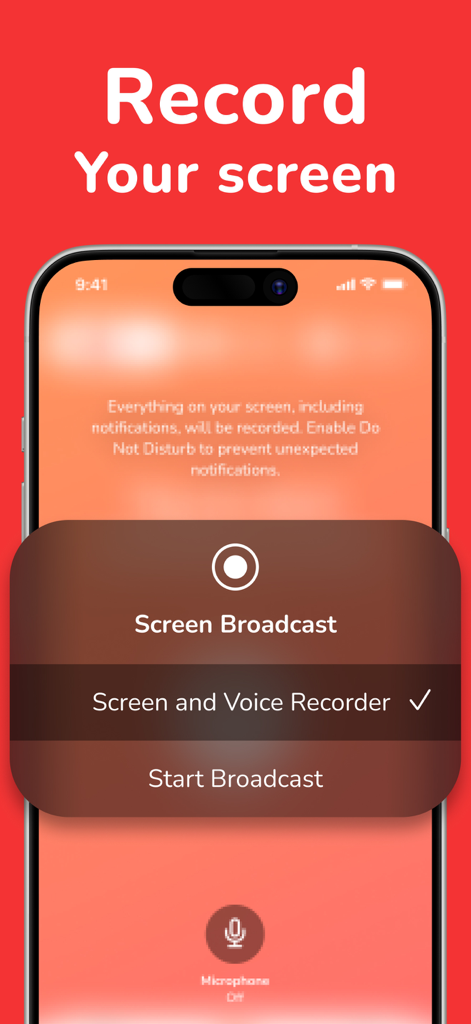
iPhone 화면에 화면 및 음성 녹음기 방송 옵션 표시
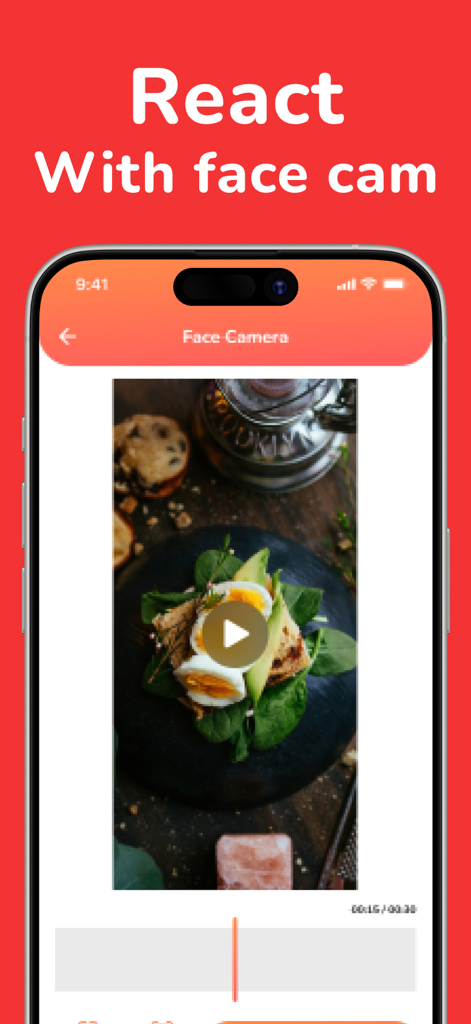
iPhone 화면에 화면 녹화 앱의 얼굴 캠 기능으로 반응하는 모습 표시
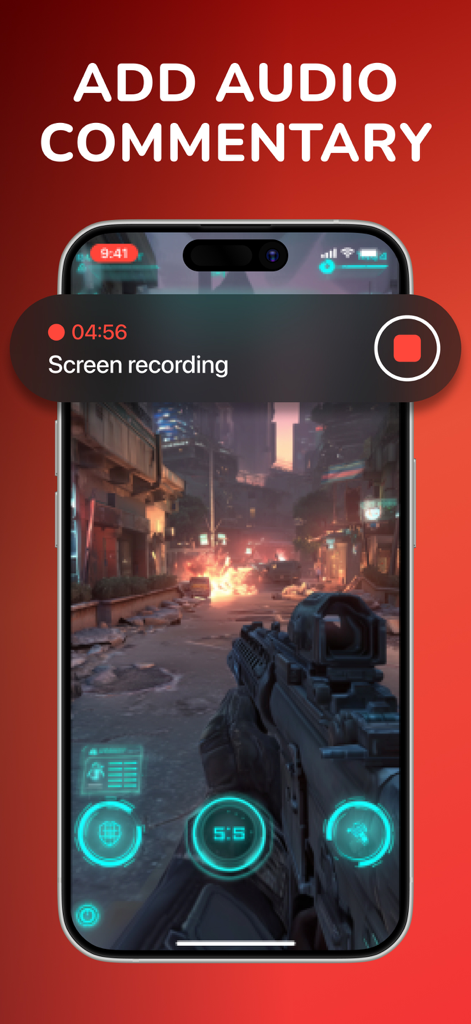
오디오 해설 추가 옵션이 있는 모바일 슈팅 게임의 화면 녹화
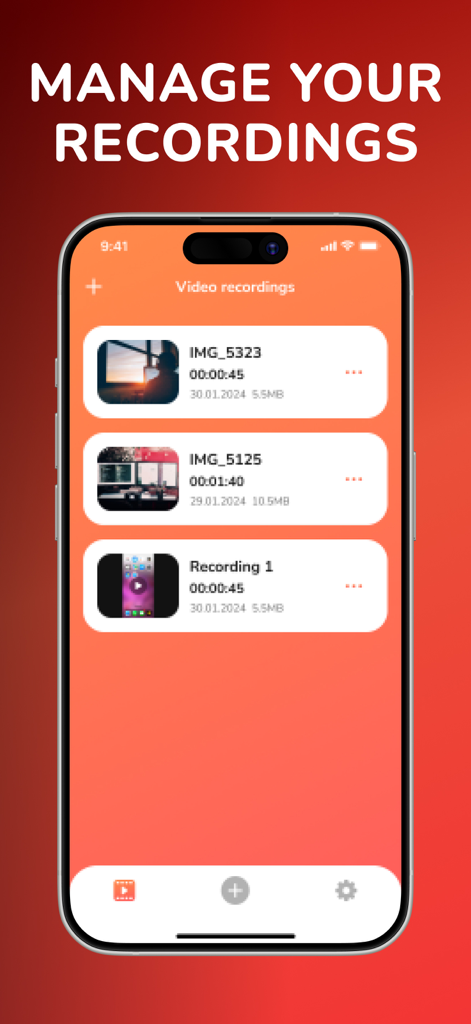
시간대 및 파일 크기가 있는 저장된 비디오 녹화 목록을 보여주는 Screen Recorder 앱 인터페이스
설명
Download



이 페이지는 앱이나 개발자의 공식 페이지가 아니며, 정보 제공 및 논평을 목적으로 작성된 독립 편집 간행물입니다. 명시적으로 달리 언급되지 않는 한, 해당 앱이나 개발자는 MWM, Apple, Google Play, 앱 퍼블리셔 또는 앱 개발자와 제휴, 보증, 후원, 승인 또는 공식적으로 연결되어 있지 않으며, 이 페이지의 어떤 내용도 해당 앱이 MWM의 서비스를 사용하여 개발되었음을 의미하지 않습니다. 모든 상표, 로고, 스크린샷 및 기타 콘텐츠는 해당 소유자의 자산입니다.