Screen Recording ™
Screen Recording ™
다운로드: App Store

이 페이지는 앱이나 개발자의 공식 페이지가 아니며, 정보 제공 및 논평을 목적으로 작성된 독립 편집 간행물입니다. 명시적으로 달리 언급되지 않는 한, 해당 앱이나 개발자는 MWM, Apple, Google Play, 앱 퍼블리셔 또는 앱 개발자와 제휴, 보증, 후원, 승인 또는 공식적으로 연결되어 있지 않으며, 이 페이지의 어떤 내용도 해당 앱이 MWM의 서비스를 사용하여 개발되었음을 의미하지 않습니다. 모든 상표, 로고, 스크린샷 및 기타 콘텐츠는 해당 소유자의 자산입니다.

로고: Screen Recording ™
다운로드: App Store

Screen Recording ™

사용자 지정 FPS 및 비트 전송률로 Ultra HD 품질을 잠금 해제하세요. 몇 번의 탭만으로 프로페셔널한 게임 플레이, 튜토리얼, 앱 데모를 녹화, 다듬고 공유하세요.

주요 수치

다운로드

9K+

사용자 평점

4.8/5

총 평가 수

200

개발사

Andy Sutanto

카테고리

Photo & Video

지원 언어

1

최신 버전

1.0.1

크기

28.1 MB

출시일

2025년 9월 22일
기능

콘텐츠를 향상시키세요

Ultra HD 설정부터 내장 편집까지, 한 곳에서 전문적인 모바일 콘텐츠를 만드는 데 필요한 모든 것을 얻으세요.

프로급 설정

가능한 가장 선명한 비디오를 위해 사용자 지정 가능한 해상도, 비트 전송률 및 FPS로 전체 제어권을 가지세요.

원탭 편집

클립을 다듬고, 불필요한 부분을 잘라내고, 템포를 즉시 조정하세요. 무거운 편집 소프트웨어로 내보낼 필요가 없습니다.

다음 스크린샷과 설명은 앱의 공식 스토어 목록에서 직접 가져온 것이며 앱 개발자의 자산입니다.

앱 스토어

스크린샷
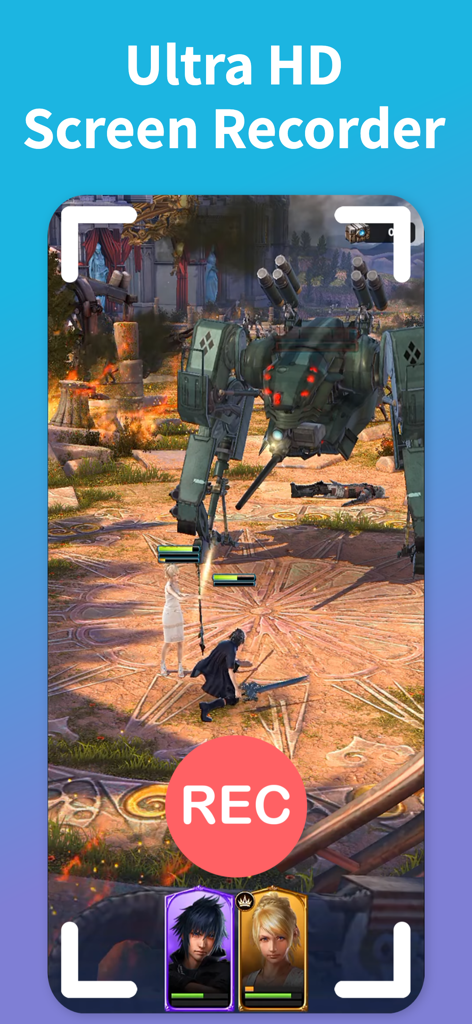
Screen Recording ™ - PRO 회전이라는 문구가 포함된 밝은 녹색 화면에서 게임 플레이를 캡처하는 Screen Recording 앱의 스크린샷
PRO 회전이라는 문구가 포함된 밝은 녹색 화면에서 게임 플레이를 캡처하는 Screen Recording 앱의 스크린샷

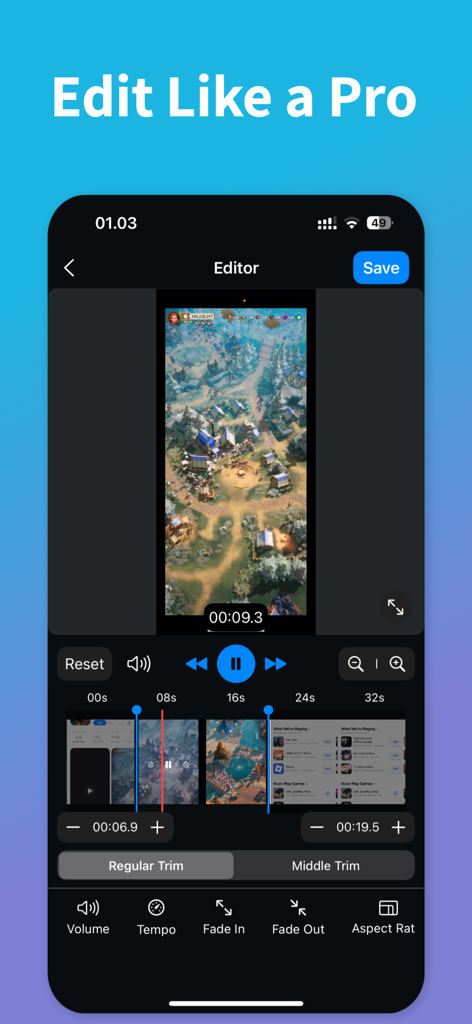
Screen Recording ™ - Screen Recording 앱 인터페이스로, 전문 비디오 편집 도구와 다듬어지고 있는 게임 녹화가 표시됩니다.
Screen Recording 앱 인터페이스로, 전문 비디오 편집 도구와 다듬어지고 있는 게임 녹화가 표시됩니다.

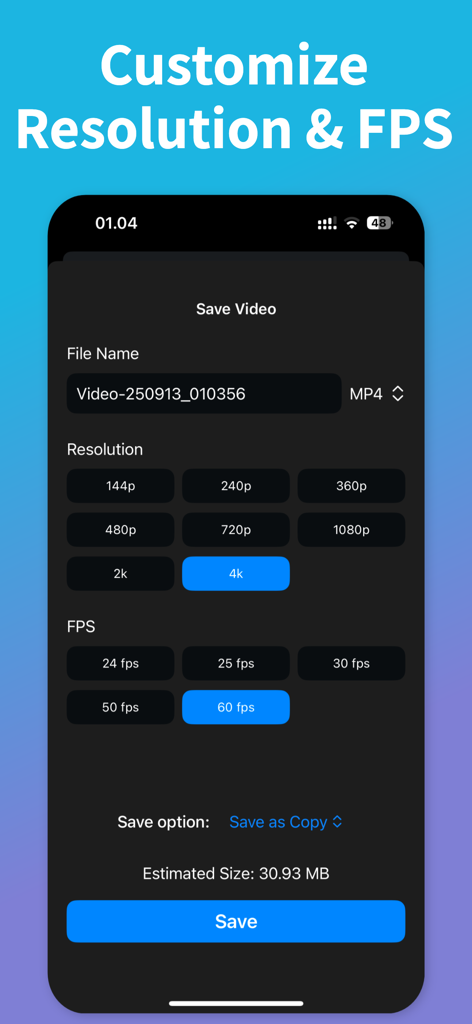
Screen Recording ™ - Screen Recording 앱의 해상도 및 프레임 속도 사용자 지정 인터페이스.
Screen Recording 앱의 해상도 및 프레임 속도 사용자 지정 인터페이스.

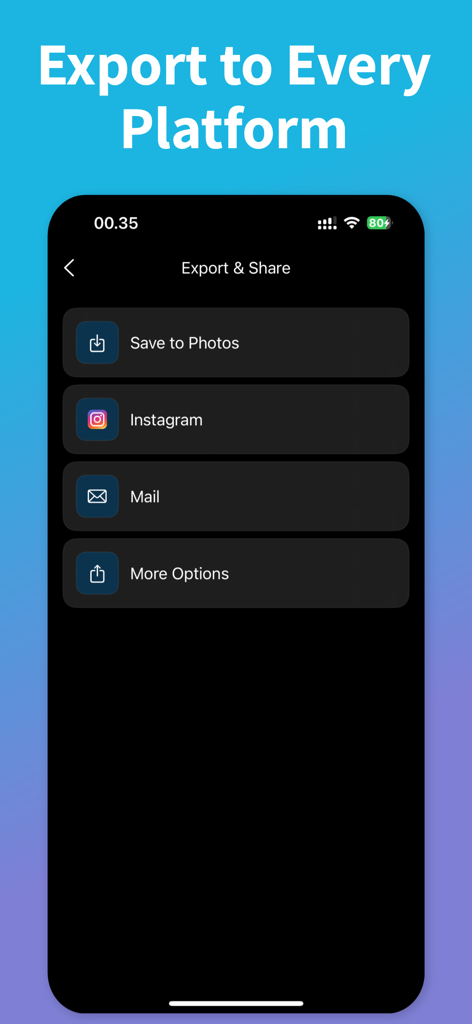
Screen Recording ™ - 소셜 미디어 옵션이 있는 Screen Recording 앱의 내보내기 및 공유 메뉴.
소셜 미디어 옵션이 있는 Screen Recording 앱의 내보내기 및 공유 메뉴.

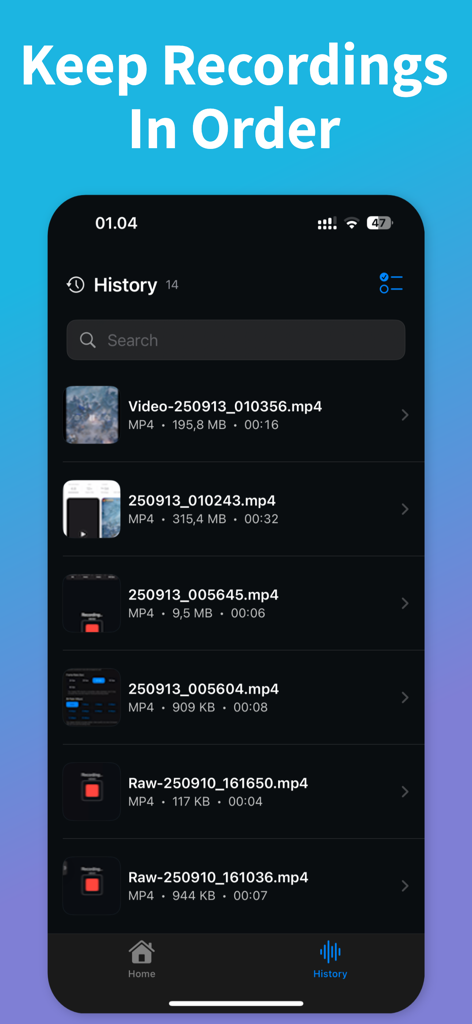
Screen Recording ™ - 파일 크기와 기간이 표시된 정리된 비디오 파일이 표시되는 Screen Recording 앱의 기록 섹션.

파일 크기와 기간이 표시된 정리된 비디오 파일이 표시되는 Screen Recording 앱의 기록 섹션.

설명

Capture your screen in seconds. Record games, apps, or anything on your device with smooth, stable performance. Save time with simple controls and a clean interface. Get ultra high quality. Choose Ultra HD for crisp results. Set your own resolution, bitrate, and FPS to match your device and goal. Go lightweight for quick shares or go max for pro results. Stay organized with History. Find recent recordings fast. Rename files and manage storage with ease. Edit without leaving the app. Trim the start and end. Cut unwanted parts. Adjust volume. Change tempo for quick previews or slow-motion highlights. Share in one tap. Post directly to your favorite social apps or send to any platform you use. Export in common formats for easy uploads. Why users love it: • Ultra HD screen recording • Custom resolution, bitrate, and FPS • Works for games, apps, and more • Built-in video editor: trim, cut, volume, tempo • History to find and manage files • Fast sharing to social or any platform Perfect for gameplay, tutorials, app demos, bug reports, and quick clips. Start now and make your first recording in seconds. Download today! Screen Recorder app is free. You can use it forever, at no cost. However, Screen Recorder does offer premium features for its subscribers. If you decide to purchase an upgrade, you will unlock additional features. Terms of Use: https://kociapp.github.io/Screen-Recorder/term-of-use Privacy Policy: https://kociapp.github.io/Screen-Recorder/privacy-policy

Download

다운로드: App Store

이 페이지는 앱이나 개발자의 공식 페이지가 아니며, 정보 제공 및 논평을 목적으로 작성된 독립 편집 간행물입니다. 명시적으로 달리 언급되지 않는 한, 해당 앱이나 개발자는 MWM, Apple, Google Play, 앱 퍼블리셔 또는 앱 개발자와 제휴, 보증, 후원, 승인 또는 공식적으로 연결되어 있지 않으며, 이 페이지의 어떤 내용도 해당 앱이 MWM의 서비스를 사용하여 개발되었음을 의미하지 않습니다. 모든 상표, 로고, 스크린샷 및 기타 콘텐츠는 해당 소유자의 자산입니다.