
이 페이지는 앱이나 개발자의 공식 페이지가 아니며, 정보 제공 및 논평을 목적으로 작성된 독립 편집 간행물입니다. 명시적으로 달리 언급되지 않는 한, 해당 앱이나 개발자는 MWM, Apple, Google Play, 앱 퍼블리셔 또는 앱 개발자와 제휴, 보증, 후원, 승인 또는 공식적으로 연결되어 있지 않으며, 이 페이지의 어떤 내용도 해당 앱이 MWM의 서비스를 사용하여 개발되었음을 의미하지 않습니다. 모든 상표, 로고, 스크린샷 및 기타 콘텐츠는 해당 소유자의 자산입니다.


Screen Recorder with Audio
당신의 모바일 화면은 이제 더 이상 평범한 픽셀이 아닙니다. 이 앱은 당신의 모든 탭과 스와이프를 무시할 수 없는 영향력으로 증폭시킵니다.
다운로드
250k+사용자 평점
총 평가 수
11.7K개발사
카테고리
Utilities지원 언어
1최신 버전
1.2.1크기
224.1 MB출시일
2022년 2월 14일모바일 콘텐츠 크리에이터를 위한 핵심 녹화 및 편집 기능 평가
'Screen Recorder with Audio' 앱 주요 기능 분석
화면 녹화
이 앱은 사용자가 게임 플레이, 비디오 튜토리얼, 앱 사용법 등 기기 화면의 모든 활동을 한 번의 탭으로 쉽게 녹화할 수 있게 해줍니다.
오디오 해설
이 도구는 사용자가 녹화된 비디오에 음성 해설을 추가하여 설명이나 반응을 직접 담을 수 있도록 지원합니다.
비디오 편집(자르기)
이 앱은 사용자가 긴 녹화물에서 중요한 부분만 남기고 불필요한 부분을 잘라내어 비디오를 정교하게 다듬을 수 있는 기능을 제공합니다.
페이스캠 추가
이 앱은 사용자가 녹화물에 페이스캠 반응을 추가하여 개인적인 표현을 더하고, 화면 내에서 페이스캠의 위치와 크기를 조절할 수 있게 해줍니다.
자주 묻는 질문
에 대해 알아야 할 모든 것 Screen Recorder with Audio
What is Screen Recorder with Audio?
Screen Recorder with Audio is an application that allows users to record their favorite apps, games, video tutorials, and training videos on their device. It captures everything on screen with one tap.
Can Screen Recorder with Audio record games?
Yes, Screen Recorder with Audio can record games. Users can capture gameplay for tutorials, demonstrations, or sharing.
Does Screen Recorder with Audio include a FaceCam feature?
Yes, Screen Recorder with Audio includes a FaceCam feature. It allows users to add their reactions to recordings, with adjustable position and size.
Can I add audio commentary to my screen recordings with Screen Recorder with Audio?
Yes, Screen Recorder with Audio enables users to record audio-only commentary for their videos. This feature allows for detailed explanations or reactions.
Can I edit my videos within Screen Recorder with Audio?
Yes, Screen Recorder with Audio allows users to trim their videos. This feature helps to keep only the important parts from longer recordings.
What are the subscription costs for Screen Recorder with Audio?
Screen Recorder with Audio offers a Basic plan at $6.99/Month and a Premium plan at $9.99/Month, which includes a 3-day free trial.
How do I manage or cancel my subscription for Screen Recorder with Audio?
Users can manage or unsubscribe from their Screen Recorder with Audio subscription in their iTunes & App Store account management within the phone system settings.
Does Screen Recorder with Audio offer a free trial?
Yes, Screen Recorder with Audio offers a 3-day free trial for its Premium subscription plan. This trial automatically renews to the premium version.
What happens if I subscribe to Premium before my free trial ends with Screen Recorder with Audio?
If a user pays to subscribe to the premium version of Screen Recorder with Audio before the trial period ends, the current free trial automatically terminates.
Can I import videos from my camera roll into Screen Recorder with Audio?
Yes, Screen Recorder with Audio supports importing videos directly from the device's Camera Roll (Photos). This allows for further editing or integration.
다음 스크린샷과 설명은 앱의 공식 스토어 목록에서 직접 가져온 것이며 앱 개발자의 자산입니다.
앱 스토어
스크린샷
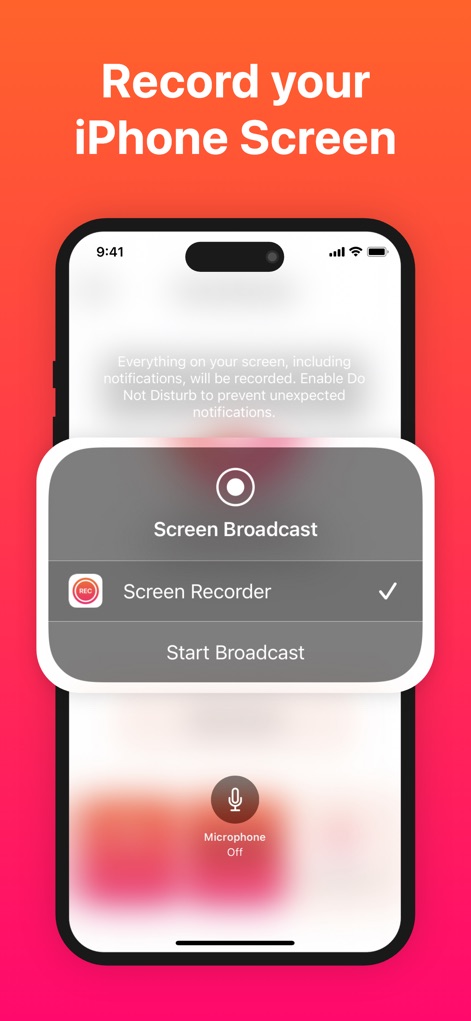
이 앱은 사용자에게 '화면 녹화' 옵션을 선택하여 아이폰 화면을 녹화할 수 있게 하며, '마이크 끄기' 버튼을 통해 오디오 녹음 여부를 제어할 수 있습니다.
아이폰 화면 녹화
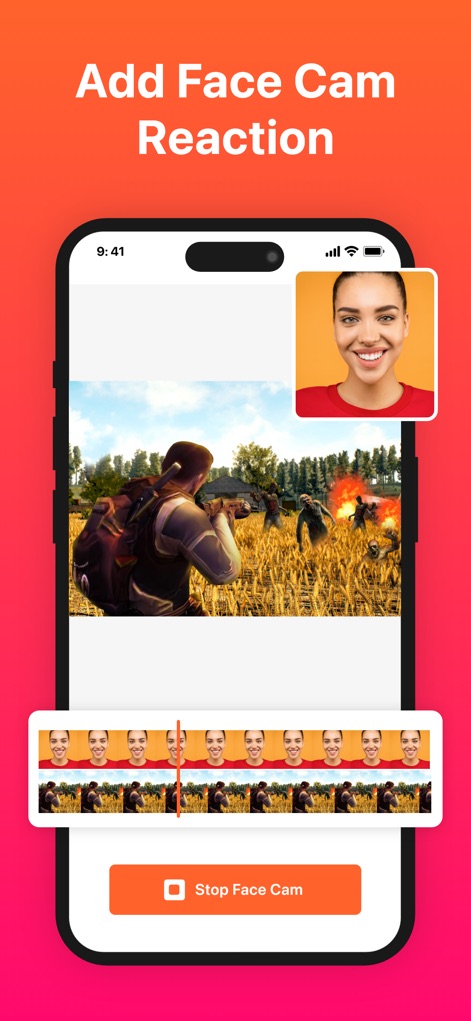
사용자는 이 앱으로 녹화된 영상에 자신의 리액션을 '페이스캠'으로 추가하여 콘텐츠를 더욱 풍성하게 만들 수 있으며, 하단의 타임라인에서 '페이스캠 미리보기'를 확인할 수 있습니다.
페이스캠 리액션 추가
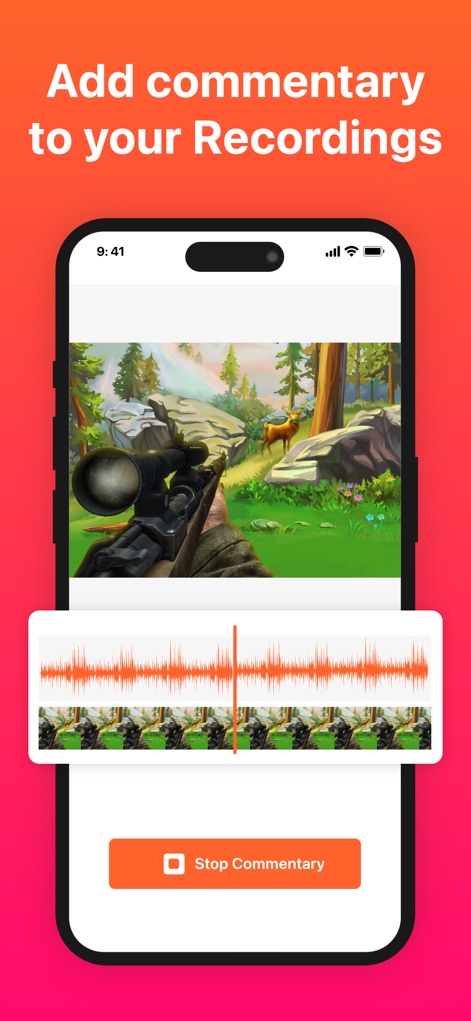
이 도구는 녹화된 영상에 '오디오 해설'을 추가할 수 있는 기능을 제공하며, 사용자는 '파형 시각화'를 통해 음성 트랙을 쉽게 관리하고 편집할 수 있습니다.
오디오 해설 추가
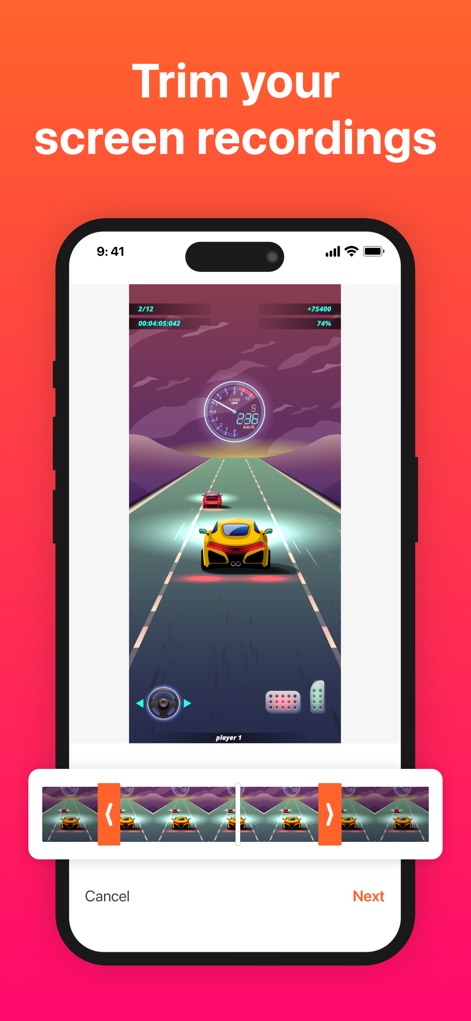
사용자는 이 앱의 직관적인 '트리밍 도구'를 활용하여 녹화된 영상에서 불필요한 부분을 손쉽게 잘라낼 수 있으며, '타임라인 핸들'을 사용하여 시작점과 끝점을 정확하게 조정할 수 있습니다.
녹화본 손쉬운 편집
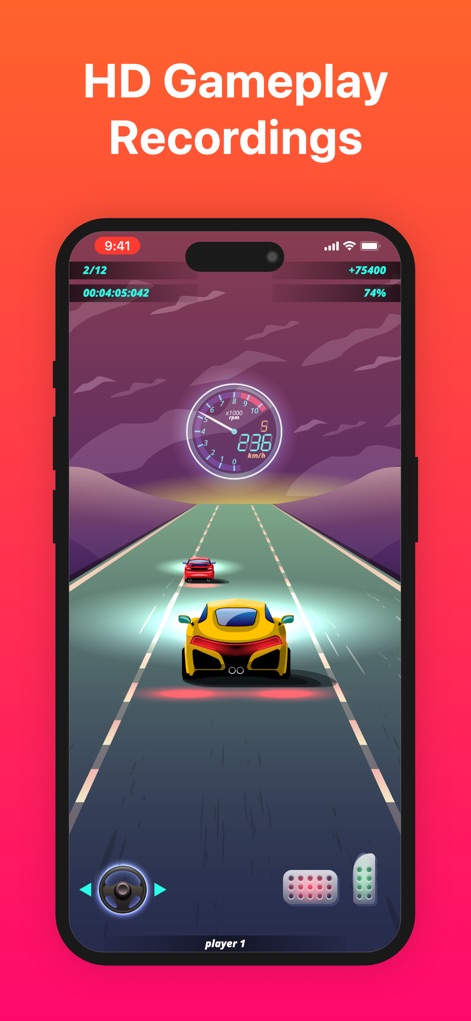
이 앱은 선명한 '풀스크린 게임 플레이'를 고화질로 녹화하여 사용자의 몰입감을 높여주며, 화면에 표시된 '게임 스코어 및 정보'를 통해 진행 상황을 명확히 보여줍니다.
고화질 게임 플레이
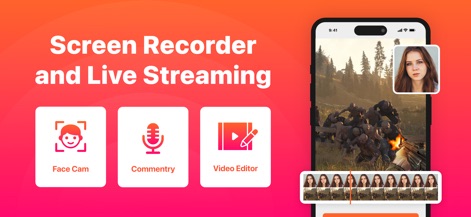
이 앱은 '페이스캠', '해설', '비디오 편집기'와 같은 핵심 기능을 한눈에 보여주며, 사용자는 '통합된 인터페이스'에서 녹화 및 편집 도구를 쉽게 찾아 활용할 수 있습니다.
종합 스크린 레코더
설명
Download



이 페이지는 앱이나 개발자의 공식 페이지가 아니며, 정보 제공 및 논평을 목적으로 작성된 독립 편집 간행물입니다. 명시적으로 달리 언급되지 않는 한, 해당 앱이나 개발자는 MWM, Apple, Google Play, 앱 퍼블리셔 또는 앱 개발자와 제휴, 보증, 후원, 승인 또는 공식적으로 연결되어 있지 않으며, 이 페이지의 어떤 내용도 해당 앱이 MWM의 서비스를 사용하여 개발되었음을 의미하지 않습니다. 모든 상표, 로고, 스크린샷 및 기타 콘텐츠는 해당 소유자의 자산입니다.