
이 페이지는 앱이나 개발자의 공식 페이지가 아니며, 정보 제공 및 논평을 목적으로 작성된 독립 편집 간행물입니다. 명시적으로 달리 언급되지 않는 한, 해당 앱이나 개발자는 MWM, Apple, Google Play, 앱 퍼블리셔 또는 앱 개발자와 제휴, 보증, 후원, 승인 또는 공식적으로 연결되어 있지 않으며, 이 페이지의 어떤 내용도 해당 앱이 MWM의 서비스를 사용하여 개발되었음을 의미하지 않습니다. 모든 상표, 로고, 스크린샷 및 기타 콘텐츠는 해당 소유자의 자산입니다.

Smart Printer App - Air Print
iPhone 또는 iPad에서 AirPrint 호환 프린터로 직접 문서나 사진을 스캔, 편집, 인쇄하는 가장 쉬운 방법으로 생산성을 높이세요.
다운로드
1M+사용자 평점
총 평가 수
17K+개발사
카테고리
Business지원 언어
1최신 버전
4.9.4크기
185.7 MB출시일
2022년 1월 19일자신 있게 인쇄하는 데 필요한 모든 것
복잡한 드라이버와 부피가 큰 하드웨어로 씨름하는 것을 멈추세요. 당사의 올인원 제품군은 iPhone 또는 iPad를 모든 인쇄 작업을 위한 강력한 모바일 제어 센터로 바꿔줍니다.
보편적인 무선 인쇄
기기별 앱의 답답함을 건너뛰세요. 집이나 사무실의 AirPrint 호환 프린터에 즉시 연결하여 번거롭고 탭 한 번으로 경험할 수 있습니다.
고품질 모바일 스캔
더 이상 부피가 큰 스캐너는 필요 없습니다. 카메라를 사용하여 계약서, 영수증 또는 학교 양식을 디지털화한 다음, 흑백 또는 컬러로 전문적으로 자르고 인쇄하세요.
자주 묻는 질문
에 대해 알아야 할 모든 것 Smart Printer App - Air Print
Smart Printer App - Air Print란 무엇인가요?
Smart Printer App - Air Print는 iPhone 및 iPad용 올인원 애플리케이션으로, 사진 및 문서를 쉽게 인쇄할 수 있도록 설계되었습니다. 이메일, 웹페이지에서 인쇄를 지원하며 스캔 기능도 포함되어 있습니다.
Smart Printer App은 어떤 문서 형식을 인쇄할 수 있나요?
Smart Printer App은 기기 카메라로 스캔한 문서, 첨부 파일이 있는 이메일, 전체 웹페이지를 인쇄합니다. 사용자는 문서를 인쇄할 때 크기를 조절하고 컬러 또는 흑백 인쇄를 선택할 수 있습니다.
Smart Printer App으로 iPhone 사진을 인쇄할 수 있나요?
네, Smart Printer App은 iPhone 라이브러리에서 직접 사진을 인쇄합니다. 사용자는 사진을 회전, 뒤집기, 크기 조절할 수 있습니다. 이 앱은 여러 사진을 동시에 인쇄하는 것도 지원합니다.
Smart Printer App은 문서 스캔 기능을 제공하나요?
네, Smart Printer App은 문서 스캔 기능을 제공합니다. 사용자는 기기 카메라로 문서를 스캔하여 인쇄할 수 있습니다. 스캔한 파일을 공유하는 것도 가능합니다.
Smart Printer App과 호환되는 프린터는 무엇인가요?
Smart Printer App은 다양한 제조사의 대부분의 AirPrint 호환 프린터를 지원합니다. Wi-Fi를 통해 어떤 프린터와도 연결되며 10,000개 이상의 프린터 모델과 호환됩니다.
Smart Printer App의 구독 가격은 얼마인가요?
Smart Printer App은 USD 4.99부터 시작하는 프리미엄 구독을 제공합니다. 1주, 1개월, 1년의 기간이 제공됩니다. 특정 지역의 정확한 가격은 앱 내에서 확인할 수 있습니다.
Smart Printer App은 구독 갱신을 어떻게 처리하나요?
Smart Printer App 구독은 자동으로 갱신됩니다. 갱신을 방지하려면 현재 기간이 종료되기 최소 24시간 전에 자동 갱신을 해제해야 합니다. 결제는 iTunes 계정을 통해 이루어집니다.
Smart Printer App 구독을 취소할 수 있나요?
네, 사용자는 iTunes 계정 설정을 통해 Smart Printer App 구독을 관리하고 자동 갱신을 해제할 수 있습니다. 기간의 미사용 부분에 대해서는 환불이 제공되지 않습니다.
Smart Printer App에 클라우드 저장 공간이 포함되나요?
네, Smart Printer App에는 100GB의 클라우드 저장 공간이 포함되어 있습니다. 이 기능을 통해 사용자는 사진, 문서 및 기타 파일을 안전하게 저장할 수 있습니다. 클라우드 자동 동기화 옵션도 제공합니다.
Smart Printer App의 DocGPT 어시스턴트는 어떤 기능을 제공하나요?
Smart Printer App의 DocGPT 어시스턴트는 이메일 및 비즈니스 제안서를 작성합니다. PDF 요약을 제공하고 데이터를 분석하며 설명, 통찰력 및 권장 사항과 함께 보고서를 생성합니다.
Smart Printer App은 인쇄 가능한 템플릿을 제공하나요?
네, Smart Printer App은 1000개 이상의 인쇄물에 액세스할 수 있습니다. 여기에는 2024년 달력, 크리스마스 카드, 색칠 놀이 등이 포함되며 비즈니스 및 생산성 등과 같은 범주로 구성됩니다.
다음 스크린샷과 설명은 앱의 공식 스토어 목록에서 직접 가져온 것이며 앱 개발자의 자산입니다.
앱 스토어
스크린샷
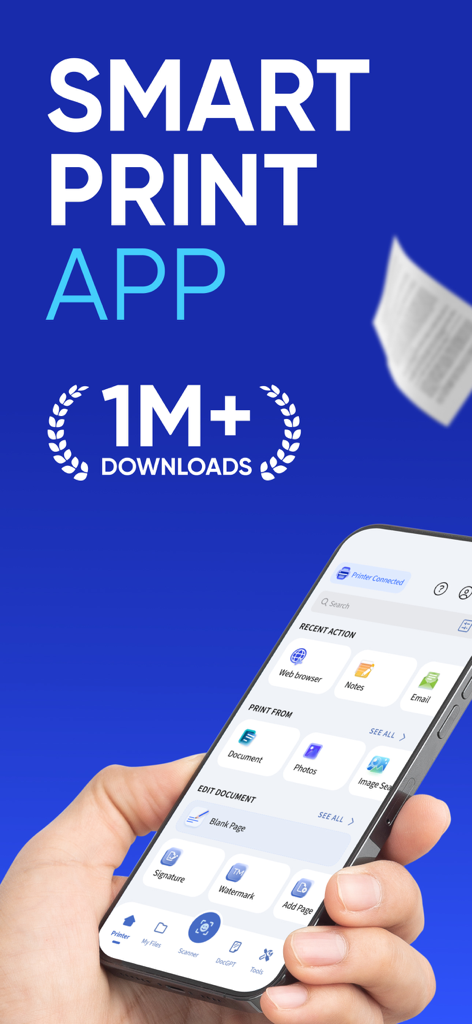
문서, 사진, 이메일 인쇄 옵션이 있는 Smart Printer App 인터페이스를 표시하는 iPhone을 들고 있는 손.
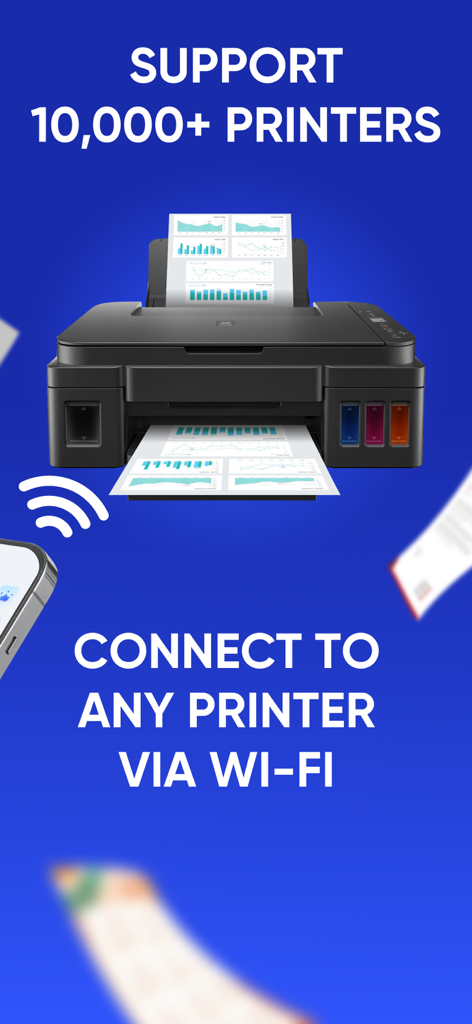
Smart Printer App가 Wi-Fi 연결을 통해 10,000개 이상의 프린터와 호환됨을 보여줌
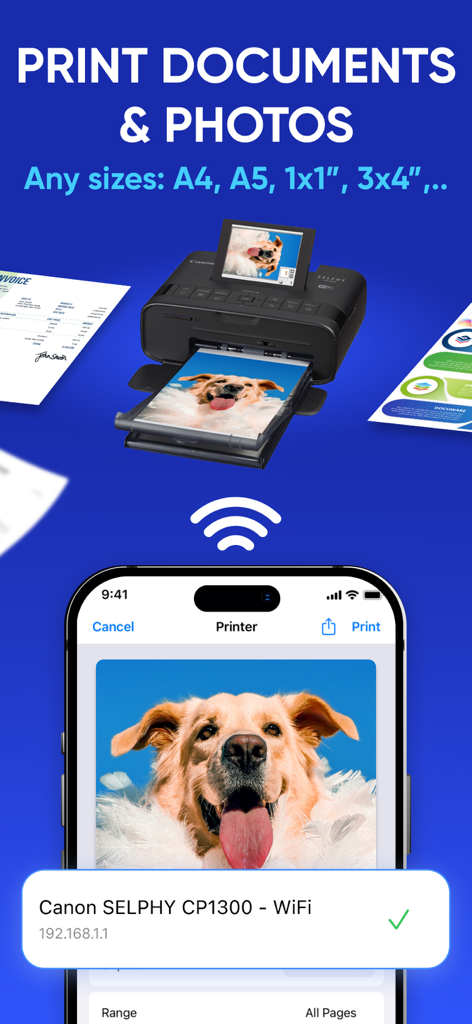
Canon 프린터로 무선 문서 및 사진 인쇄를 보여주는 Smart Printer App의 iPhone 인터페이스
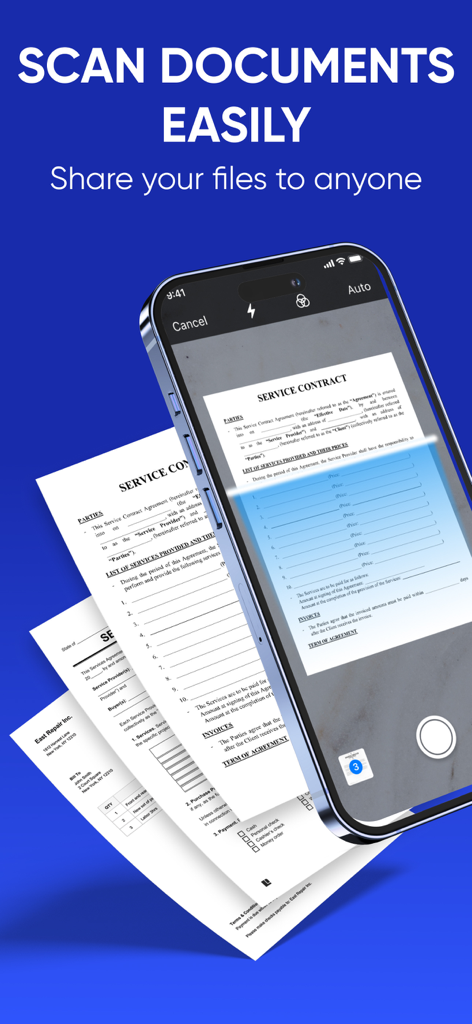
비즈니스 서비스 계약서를 스캔하기 위해 Smart Printer App를 사용하는 스마트폰.
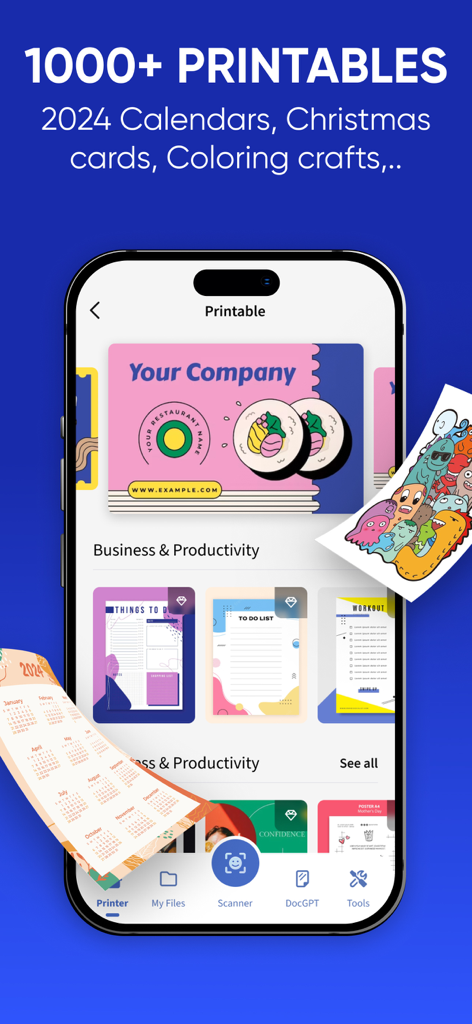
명함, 할 일 목록, 캘린더 템플릿이 있는 Smart Printer App 인쇄 가능 라이브러리를 표시하는 iPhone 화면.
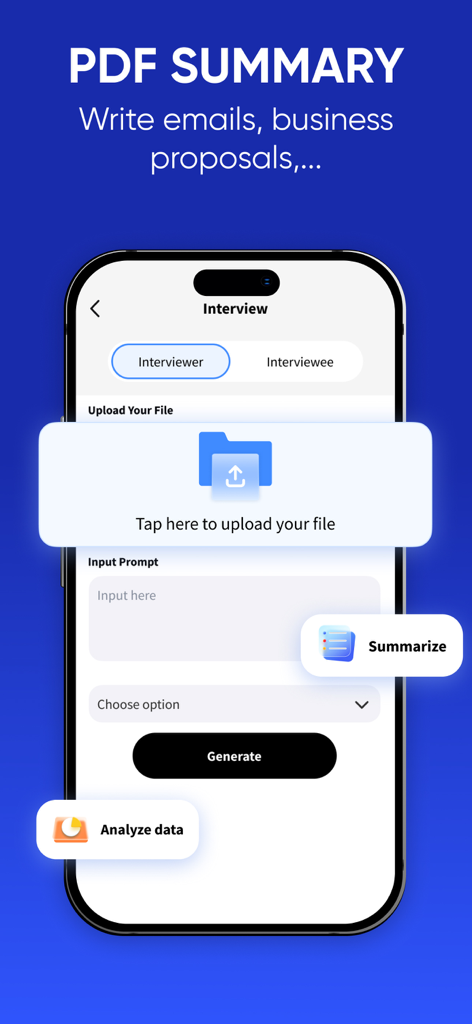
PDF 요약 및 AI 비즈니스 작성 기능을 보여주는 Smart Printer App 화면
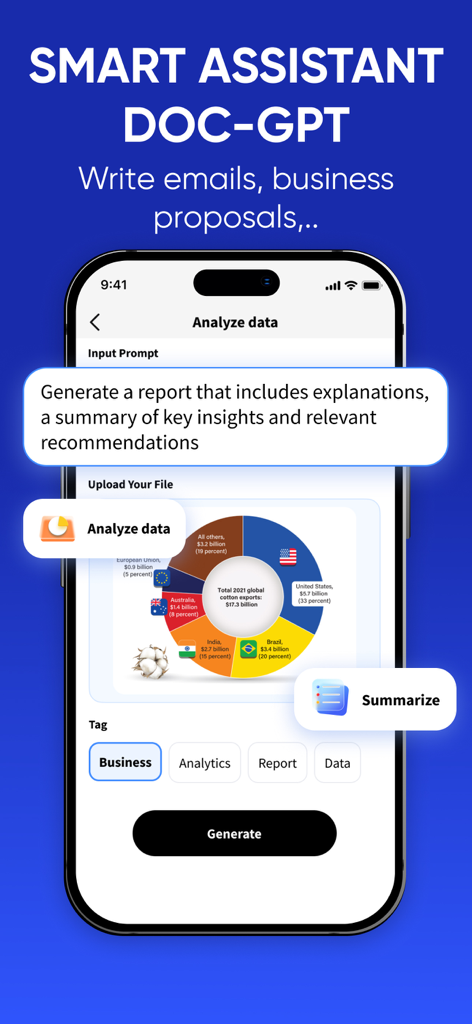
데이터 분석 및 보고서 생성을 위한 Smart Printer App AI 문서 도우미
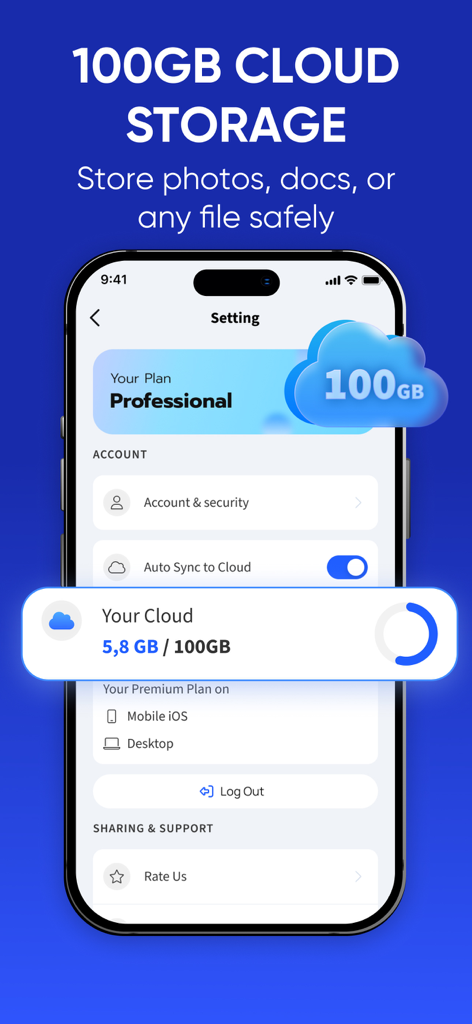
자동 동기화 기능으로 사진 및 문서를 위한 100GB 클라우드 스토리지를 보여주는 Smart Printer App 인터페이스
설명
Download
비슷한 앱
유사한 기능과 사용자 경험을 가진 앱

Docuslice - Poster Printing
Jeremiah Lachica

Printer Pro: Smart Printer App
Ivan Spyrydonov

HP
HP Inc.

Canon PRINT
Canon Inc.

Epson Smart Panel
Seiko Epson Corporation

Brother Mobile Connect
Brother Industries, LTD.

Epson iPrint
Seiko Epson Corporation

Printer App: Smart Print
Netpeak EOOD

Smart Printer App: iPrint
AppFusion OU
이 페이지는 앱이나 개발자의 공식 페이지가 아니며, 정보 제공 및 논평을 목적으로 작성된 독립 편집 간행물입니다. 명시적으로 달리 언급되지 않는 한, 해당 앱이나 개발자는 MWM, Apple, Google Play, 앱 퍼블리셔 또는 앱 개발자와 제휴, 보증, 후원, 승인 또는 공식적으로 연결되어 있지 않으며, 이 페이지의 어떤 내용도 해당 앱이 MWM의 서비스를 사용하여 개발되었음을 의미하지 않습니다. 모든 상표, 로고, 스크린샷 및 기타 콘텐츠는 해당 소유자의 자산입니다.