
이 페이지는 앱이나 개발자의 공식 페이지가 아니며, 정보 제공 및 논평을 목적으로 작성된 독립 편집 간행물입니다. 명시적으로 달리 언급되지 않는 한, 해당 앱이나 개발자는 MWM, Apple, Google Play, 앱 퍼블리셔 또는 앱 개발자와 제휴, 보증, 후원, 승인 또는 공식적으로 연결되어 있지 않으며, 이 페이지의 어떤 내용도 해당 앱이 MWM의 서비스를 사용하여 개발되었음을 의미하지 않습니다. 모든 상표, 로고, 스크린샷 및 기타 콘텐츠는 해당 소유자의 자산입니다.

Trace Drawing App - Sketchify
당신은 더 이상 텅 빈 캔버스 앞에서 얼어붙지 않습니다. 이 앱은 당신의 스마트폰을 현실과 디지털 사이를 잇는 만능 브러시로 탈바꿈시킵니다. 초보자는 망설임 없이 선을 긋고, 숙련자는 아이디어를 현실로 옮기는 강력한 도구를 손에 넣습니다.
다운로드
750k+사용자 평점
총 평가 수
11.5K개발사
카테고리
Graphics & Design지원 언어
21최신 버전
1.7크기
225.1 MB출시일
2024년 10월 1일혁신적인 증강 현실(AR) 및 인공 지능(AI) 기반 드로잉 앱의 핵심 역량
Sketchify 앱 주요 기능 분석
증강 현실(AR) 드로잉
이 앱은 카메라를 사용하여 이미지를 실제 표면에 투사하여 사용자가 실시간으로 윤곽선을 따라 그릴 수 있게 해줍니다. 이는 초보자가 그리기를 배우거나 작품을 복제하는 데 이상적입니다.
AI 드로잉
이 도구는 사용자가 입력한 설명을 바탕으로 몇 초 내에 독창적인 이미지를 생성하여 창작의 영감을 얻거나 창작 블록을 극복하는 데 도움을 줍니다. 생성된 이미지는 그리기 또는 트레이싱을 위한 참고 자료로 활용될 수 있습니다.
이미지 가져오기
이 기능을 통해 사용자는 사진 라이브러리에서 이미지, 스케치 또는 디자인을 즉시 가져와 AR 드로잉과 결합하여 개인적인 참고 자료를 정확하게 트레이싱할 수 있습니다.
단계별 드로잉 강습
이 앱은 단계별 드로잉 가이드를 제공하여 사용자가 기본적인 도형부터 고급 기술까지 배울 수 있도록 돕습니다. 특히 구조화된 학습을 원하는 초보자에게 유용합니다.
앱 내 이미지 검색
이 도구는 앱 내에서 고품질 이미지 참고 자료를 직접 검색할 수 있게 하여 다른 앱으로 전환할 필요 없이 영감을 찾고 작업 흐름을 간소화합니다.
드로잉 과정 녹화
이 기능은 사용자가 드로잉 세션을 처음부터 끝까지 녹화할 수 있게 하여 튜토리얼 제작, 소셜 미디어 공유 또는 작업 진행 상황 검토에 활용할 수 있습니다.
자주 묻는 질문
에 대해 알아야 할 모든 것 Trace Drawing App - Sketchify
What is Trace Drawing App - Sketchify?
Trace Drawing App - Sketchify is a creative tool that transforms how users sketch, trace, and create art using advanced Augmented Reality (AR) and Artificial Intelligence (AI) technologies for both digital and real-world drawing.
How does AR drawing work in Sketchify?
Sketchify's AR Drawing projects images onto real-world surfaces using your device camera. Users trace outlines in real time, with the feature adapting to the environment, providing guidance for drawing on paper, canvas, or walls.
Can I import my own images into Trace Drawing App - Sketchify?
Yes, Sketchify allows users to import photos, sketches, or designs from their photo library. These images can be combined with AR Drawing, adjusted for size, rotation, and alignment for accurate tracing.
Does Sketchify offer drawing lessons?
Yes, Sketchify provides step-by-step drawing guides, integrated with AR drawing, to help users learn basic shapes and advanced techniques. These lessons are suitable for beginners and artists refining their skills.
How does AI Drawing function in Trace Drawing App - Sketchify?
Sketchify's AI Drawing generates original artwork instantly based on user descriptions. Users can customize these AI-generated images and utilize them as references for tracing or sketching, fostering creative inspiration.
How do subscriptions work for Sketchify?
Sketchify subscriptions are charged to your iTunes account upon purchase. They auto-renew unless canceled 24 hours prior to the current period's end, with renewal charges applied 24 hours before expiration.
Where can I find the privacy policy for Trace Drawing App - Sketchify?
The privacy policy for Trace Drawing App - Sketchify is located at the following URL: https://fitnesstrainingglobal.com/privacy_policy.html. This provides details on how user data is handled.
Can Sketchify record drawing sessions?
Yes, Sketchify includes a recording feature that captures entire drawing sessions from start to finish. This is useful for creating tutorials, sharing processes on social media, or reviewing artistic progress.
Does Sketchify include coloring tools?
Yes, Sketchify provides easy-to-use coloring tools. After tracing or sketching, users can enhance their artwork with various palettes, gradients, and fill options to create vibrant and personalized drawings.
Is Sketchify compatible with both iPhone and iPad?
Yes, Sketchify is designed to work seamlessly on both iPhone and iPad devices. It features a user-friendly interface tailored for creators across all skill levels.
다음 스크린샷과 설명은 앱의 공식 스토어 목록에서 직접 가져온 것이며 앱 개발자의 자산입니다.
앱 스토어
스크린샷
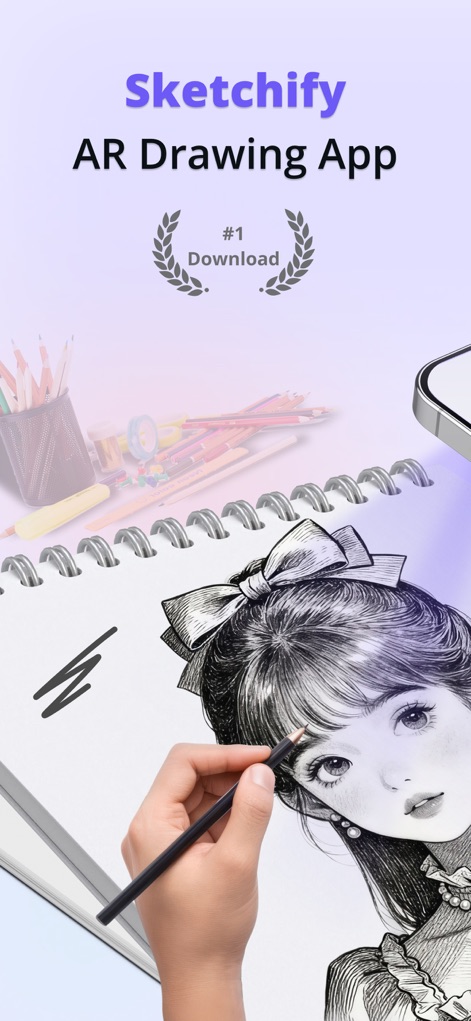
이 앱은 AR 드로잉 기능과 스케치북에 실제 그리는 경험을 통합하여 사용자에게 몰입감 있는 창작 활동을 제공합니다.
스케치파이 AR 드로잉
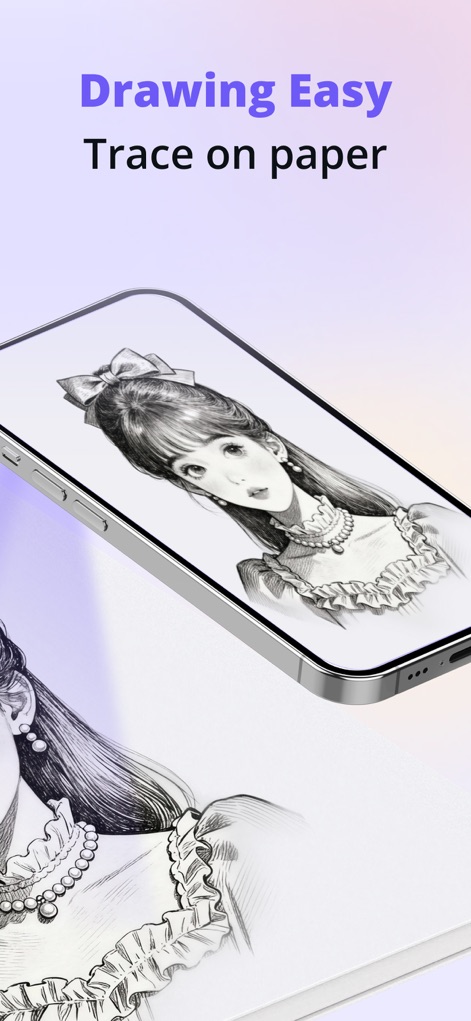
사용자는 앱 화면에 비치는 이미지를 종이에 직접 따라 그릴 수 있어, 복잡한 일러스트레이션이나 캐릭터를 쉽게 재현할 수 있습니다.
종이에 쉽게 그리기
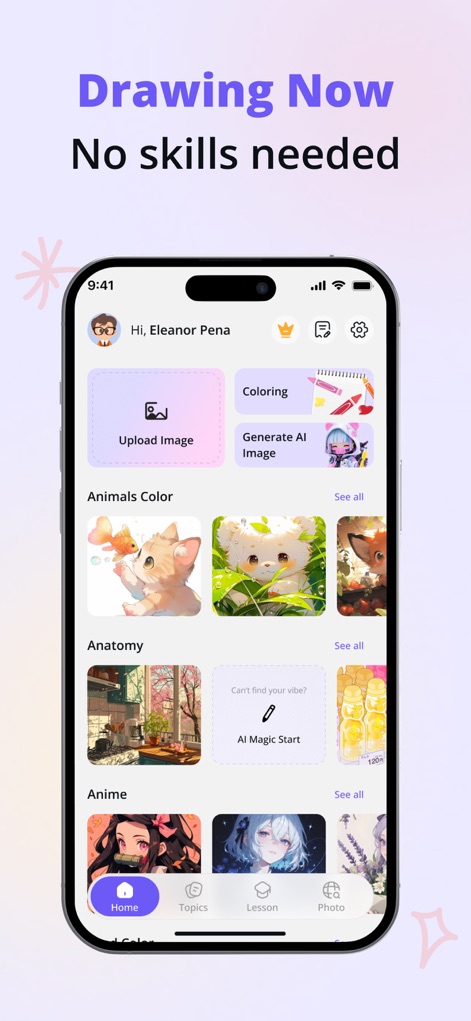
이 앱의 홈 화면은 '이미지 업로드'와 'AI 이미지 생성' 기능을 통해 사용자에게 다양한 창작 시작점을 제공하며, 애니메이션과 동물 등의 풍부한 콘텐츠 카테고리를 탐색할 수 있습니다.
지금 바로 그리기 시작
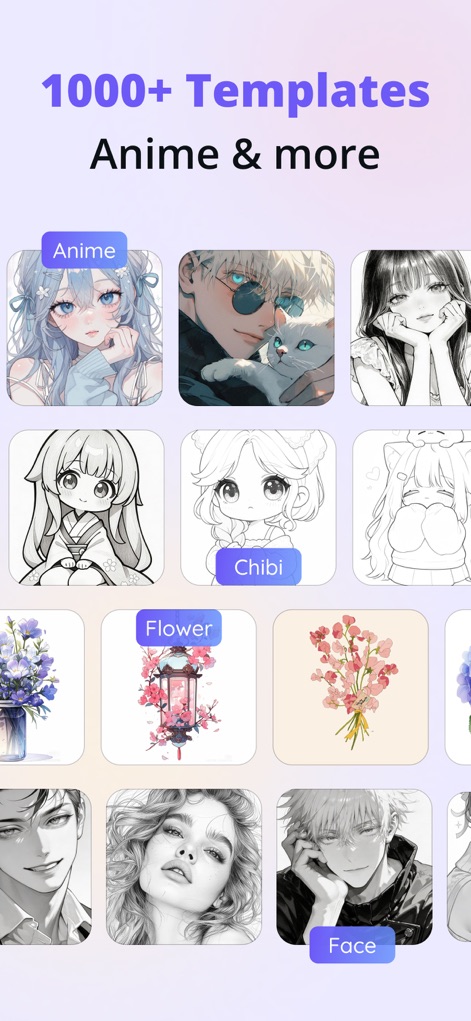
사용자는 '애니메이션'과 '치비' 스타일을 포함한 1000개 이상의 다양한 드로잉 템플릿을 통해 광범위한 시각적 영감을 얻고 창작 활동을 시작할 수 있습니다.
수천 가지의 템플릿
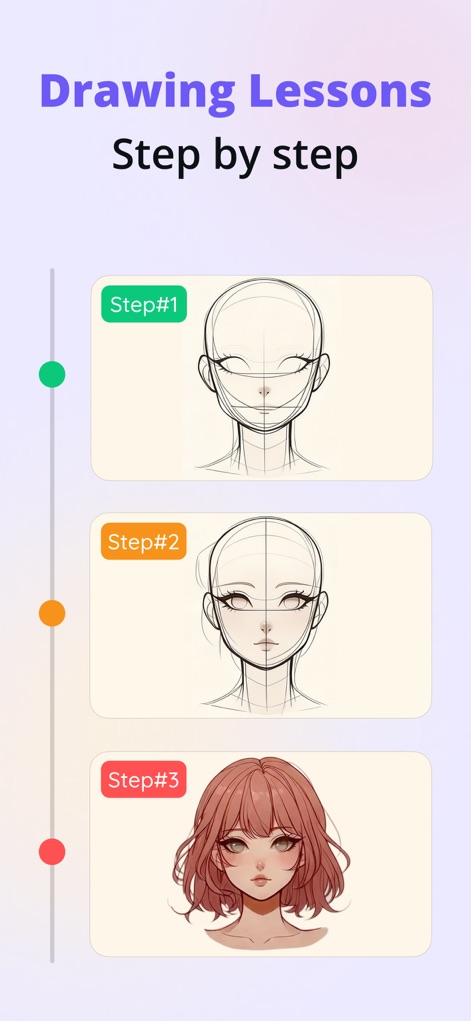
이 앱은 '단계별' 지침을 제공하여 사용자가 얼굴 윤곽선부터 '채색된 완성작'까지 점진적으로 학습하고 드로잉 기술을 향상시킬 수 있도록 돕습니다.
단계별 드로잉 레슨
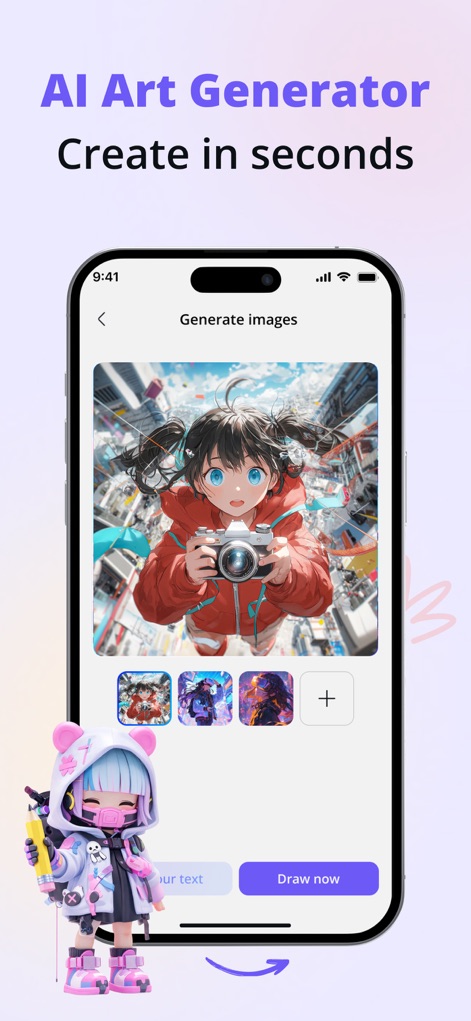
사용자는 이 앱의 'AI 아트 생성기'를 통해 텍스트 프롬프트로 이미지를 즉시 생성할 수 있으며, 다양한 '스타일 옵션'을 활용하여 독창적인 작품을 만들어낼 수 있습니다.
AI 아트 생성기
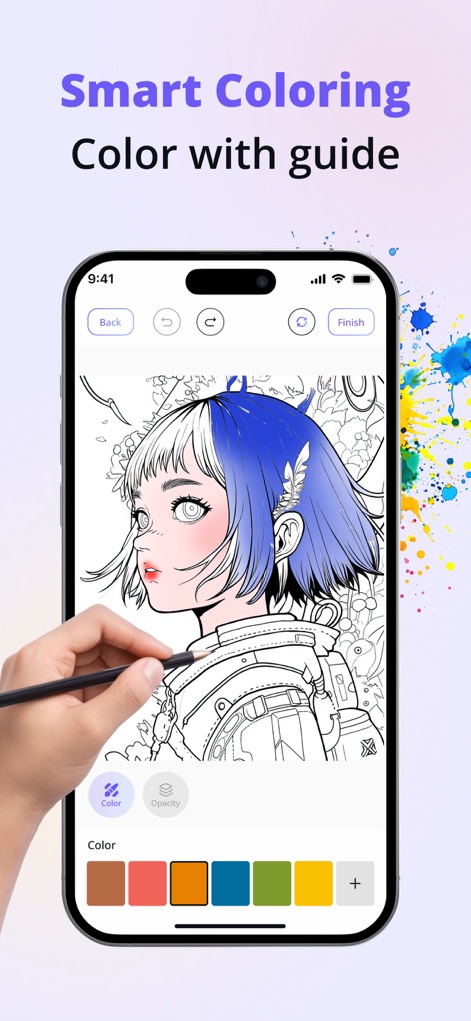
이 앱은 '색상 팔레트'와 '가이드라인'을 제공하여 사용자가 선화를 기반으로 디지털 채색을 쉽게 진행하고, 다양한 색상을 시도하여 예술 작품을 완성할 수 있도록 돕습니다.
스마트 채색 도구
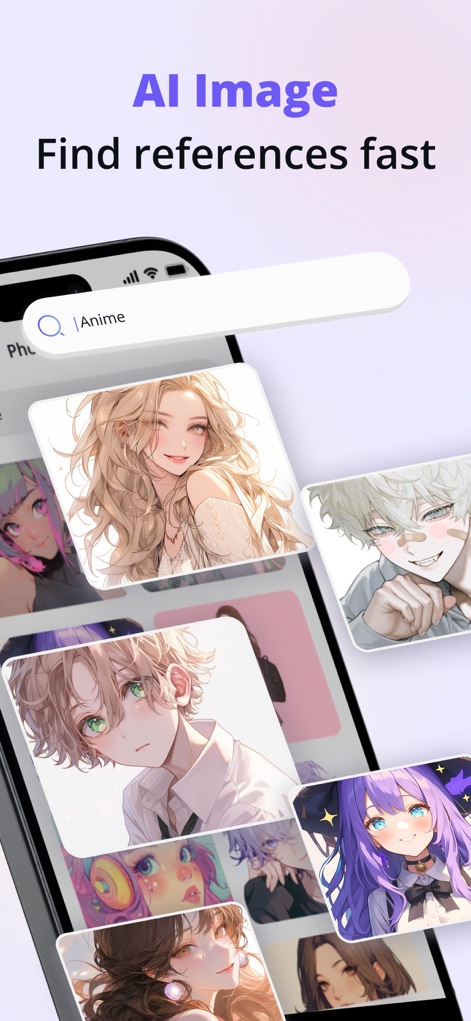
사용자는 앱 내 '검색 기능'을 통해 '애니메이션' 관련 이미지를 빠르고 효율적으로 찾을 수 있으며, 이를 드로잉 레퍼런스로 활용하여 영감을 얻을 수 있습니다.
AI 이미지 검색
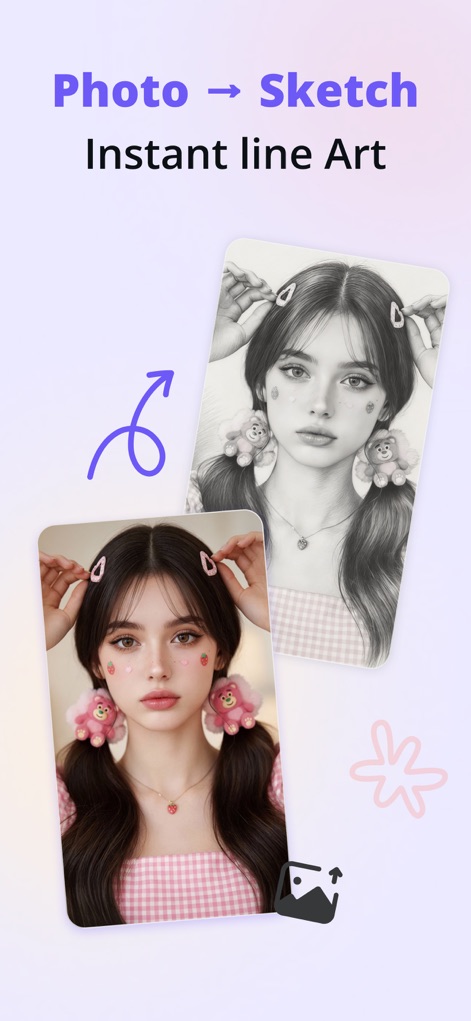
이 앱은 '원본 사진'을 '즉시 선화 스케치'로 변환하는 기능을 제공하여, 사용자가 개인 사진을 기반으로 드로잉 작업을 시작하거나 새로운 스타일을 탐색할 수 있게 합니다.
사진을 스케치로
설명
Download
비슷한 앱
유사한 기능과 사용자 경험을 가진 앱

AR Drawing Paint Sketch Trace
DROIDFUN LIMITED

Camera Lucida™: AR Drawing
Big Idea Design LLC

AR Drawing Sketch App: ArtEasy
SMDA GROUP SP Z O O SP KOMANDYTOWA

PicTrace: AR Drawing & Sketch
ANDROID VIETNAM TECHNOLOGY CORPORATION

AR Draw: Sketching & Painting
EIGEN SOFTWARE LIMITED

AR Drawing How to Draw Sketch
Magomed Dzhamalov

Da Vinci Eye: AR Trace & Draw
Da Vinci Eye LLC

AR Drawing - AR Sketch
Ketanbhai Khokhani

HEY CLAY®
HEY CLAY LTD
이 페이지는 앱이나 개발자의 공식 페이지가 아니며, 정보 제공 및 논평을 목적으로 작성된 독립 편집 간행물입니다. 명시적으로 달리 언급되지 않는 한, 해당 앱이나 개발자는 MWM, Apple, Google Play, 앱 퍼블리셔 또는 앱 개발자와 제휴, 보증, 후원, 승인 또는 공식적으로 연결되어 있지 않으며, 이 페이지의 어떤 내용도 해당 앱이 MWM의 서비스를 사용하여 개발되었음을 의미하지 않습니다. 모든 상표, 로고, 스크린샷 및 기타 콘텐츠는 해당 소유자의 자산입니다.