
이 페이지는 앱이나 개발자의 공식 페이지가 아니며, 정보 제공 및 논평을 목적으로 작성된 독립 편집 간행물입니다. 명시적으로 달리 언급되지 않는 한, 해당 앱이나 개발자는 MWM, Apple, Google Play, 앱 퍼블리셔 또는 앱 개발자와 제휴, 보증, 후원, 승인 또는 공식적으로 연결되어 있지 않으며, 이 페이지의 어떤 내용도 해당 앱이 MWM의 서비스를 사용하여 개발되었음을 의미하지 않습니다. 모든 상표, 로고, 스크린샷 및 기타 콘텐츠는 해당 소유자의 자산입니다.


Unblur Clear Image·Enhancer AI
흐릿한 스냅 사진을 인플루언서 수준의 사진으로 변환하고, 최첨단 AI 복원 스튜디오로 오래된 가족 추억을 되살리세요.
다운로드
296K+사용자 평점
총 평가 수
2K+개발사
카테고리
Photo & Video지원 언어
16최신 버전
1.8.9크기
30.1 MB출시일
2023년 6월 15일한 번의 탭으로 전문가 수준의 선명도를
최첨단 AI의 강력한 성능으로 소중한 추억을 복원하고, 스튜디오 수준의 향상 도구로 일상의 콘텐츠를 한 단계 끌어올리세요.
결정처럼 선명한 인물 사진
모든 셀카를 인플루언서 수준의 걸작으로 만들기 위해 얼굴 세부 묘사를 다듬고 특징을 자동으로 선명하게 만드세요.
역사에 생명을 불어넣으세요
흑백 사진에 즉시 컬러를 입히고 오래된 이미지를 복구하여 놀라운 고화질로 가족의 역사를 보세요.
자주 묻는 질문
에 대해 알아야 할 모든 것 Unblur Clear Image·Enhancer AI
Unblur AI란 무엇인가요?
Unblur AI는 AI 기반 사진 복원 애플리케이션으로, 단 한 번의 탭으로 흐릿한 이미지를 HD 선명도로 변환합니다. 주머니 속의 종합 사진 편집기 역할을 합니다.
Unblur AI를 사용하여 사진을 어떻게 향상시킬 수 있나요?
Unblur AI를 사용하려면 사진을 선택하고, 기본, 컬러라이저, 크리스탈 또는 사용자 정의와 같은 향상 유형을 선택한 다음, AI가 향상시키도록 탭하세요. 마지막으로 변환된 사진을 저장하거나 공유하세요.
Unblur AI는 한 번에 여러 사진을 향상시킬 수 있나요?
예, Unblur AI는 다중 사진 편집 기능을 제공하여 사용자가 여러 사진을 동시에 처리하고 향상시킬 수 있습니다. 이를 통해 사진 편집 프로세스를 효율적으로 간소화할 수 있습니다.
Unblur AI는 얼굴 사진에 대한 특정 향상 기능을 제공하나요?
예, Unblur AI는 얼굴 사진을 위해 특별히 설계된 'CRYSTAL ENHANCEMENT' 기능을 제공합니다. 이는 미세한 디테일을 향상시켜 얼굴을 더 선명하고 또렷하게 만듭니다.
Unblur AI는 흑백 사진을 컬러로 복원할 수 있나요?
예, Unblur AI에는 'COLORIZER' 기능이 포함되어 있습니다. 이 AI 기반 도구는 추억에 색상을 입혀 오래된 흑백 사진에 새로운 생명을 불어넣습니다.
Unblur AI는 무료 애플리케이션인가요?
예, Unblur AI는 무료로 다운로드할 수 있습니다. 구독을 통해 이용 가능한 무제한 PRO 기능에 대한 업그레이드 옵션을 제공합니다.
사용자는 Unblur AI 구독을 어떻게 관리하나요?
사용자는 계정 설정을 통해 Unblur AI 구독을 관리하고 자동 갱신을 비활성화할 수 있습니다. 추가 지원을 위한 지원 링크가 제공됩니다.
Unblur AI는 개인 정보를 수집하나요?
아니요, Unblur AI는 사용자 개인 정보 보호 및 보안을 최우선으로 생각합니다. 명시적인 사용자 동의 없이 개인 정보를 수집하지 않습니다.
Unblur AI는 이미지의 흐릿한 텍스트를 수정할 수 있나요?
예, Unblur AI는 이미지의 흐릿한 텍스트를 수정할 수 있습니다. AI 향상 기능은 텍스트를 선명하게 만드는 데까지 확장되며, 선명한 전후 결과로 입증됩니다.
Unblur AI에서 사용할 수 있는 향상 모델의 종류는 무엇인가요?
Unblur AI는 BASIC, COLORIZER, CRYSTAL 및 PRO CUSTOMIZABLE 향상 모델을 제공합니다. 이러한 옵션을 통해 사용자는 이미지에 맞는 완벽한 변환 조합을 선택할 수 있습니다.
다음 스크린샷과 설명은 앱의 공식 스토어 목록에서 직접 가져온 것이며 앱 개발자의 자산입니다.
앱 스토어
스크린샷
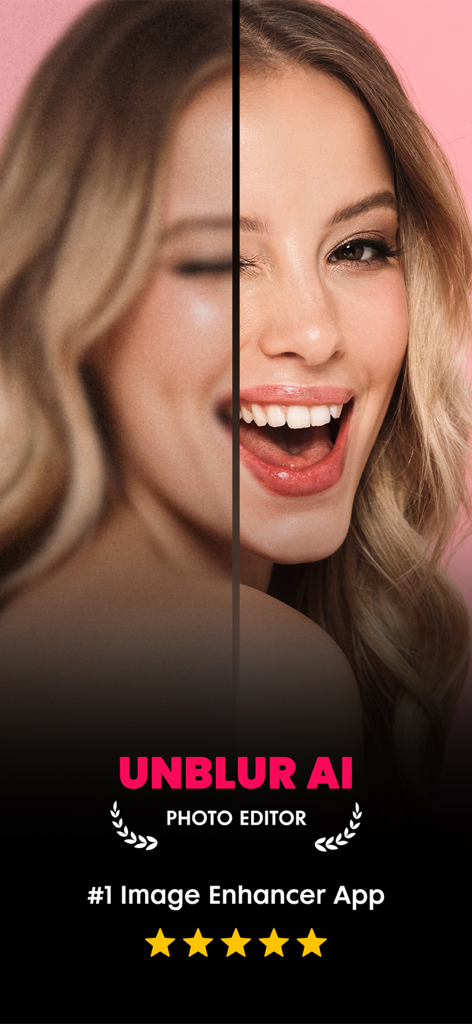
흐릿한 인물 사진의 얼굴이 Unblur AI 사진 향상 기능으로 선명해진 전후 비교 화면
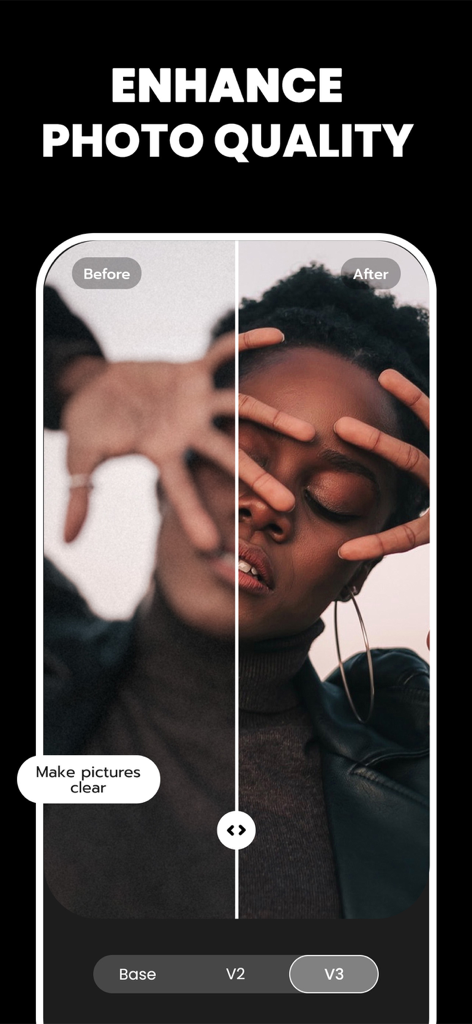
흐릿한 인물 사진이 Unblur AI로 선명해지고 향상된 전후 비교
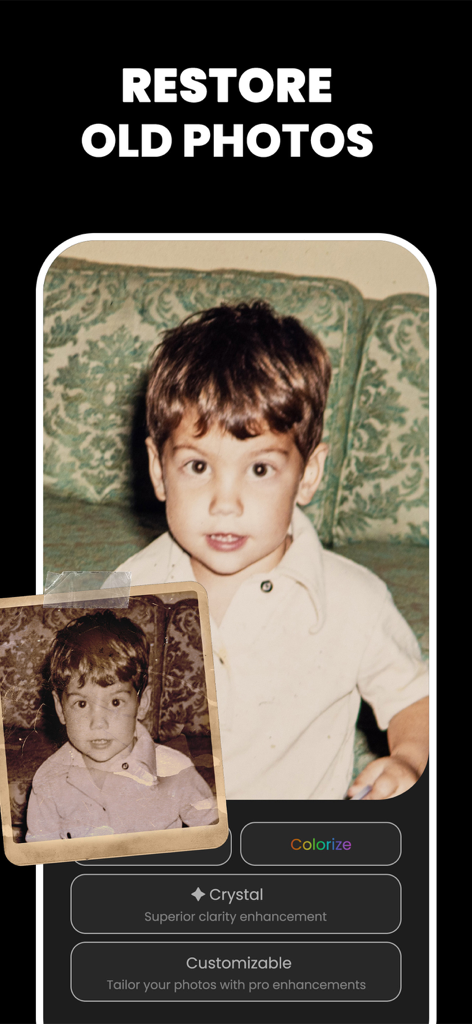
흐릿한 오래된 어린 시절 사진이 향상되고 컬러화되어 선명도가 개선된 AI 사진 복원 기능
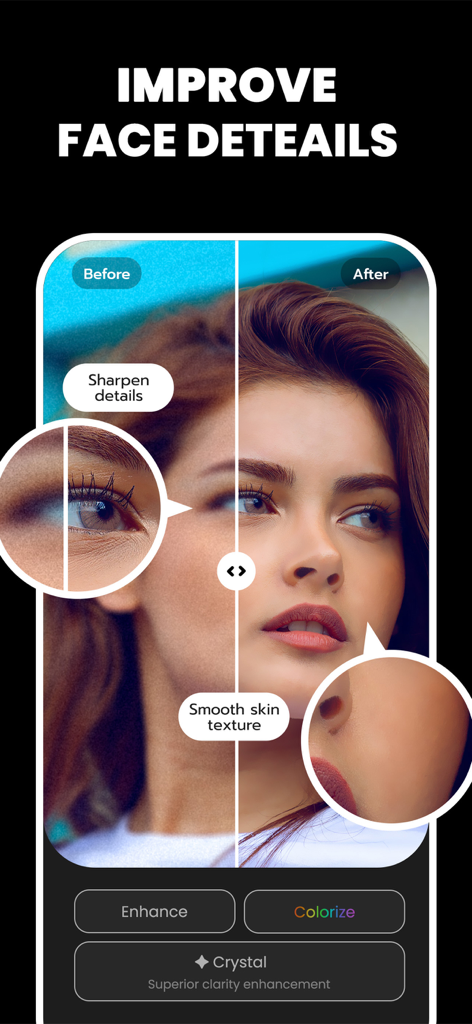
부드러운 피부와 선명한 특징을 가진 전후 비교를 보여주는 AI 얼굴 세부 묘사 향상
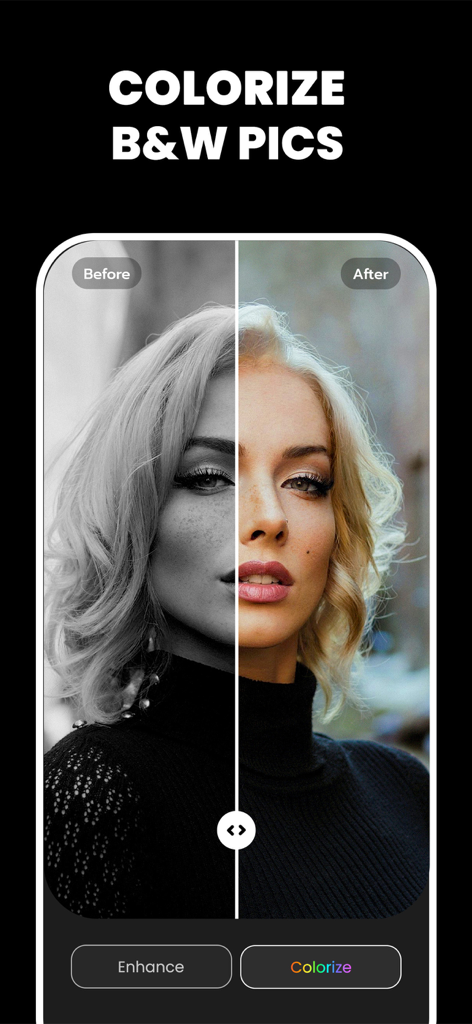
Unblur AI로 컬러화된 흑백 인물 사진의 전후 비교
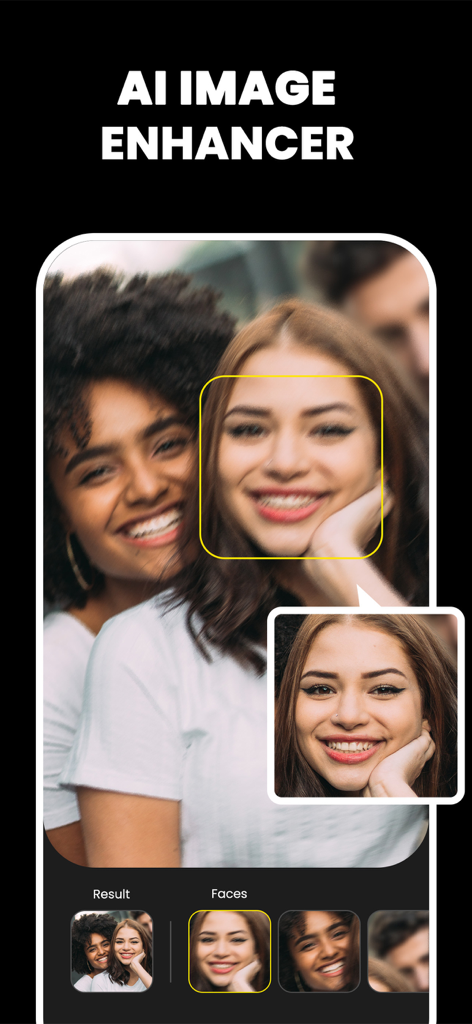
얼굴 흐림 및 복원 기능을 보여주는 AI 사진 향상 앱 화면
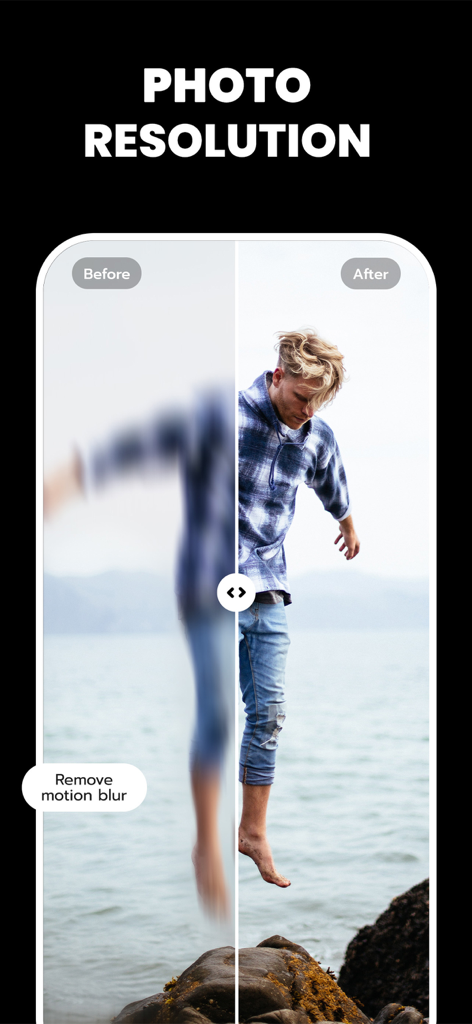
AI가 모션 블러를 제거하여 사진 해상도를 향상시키는 전후 비교
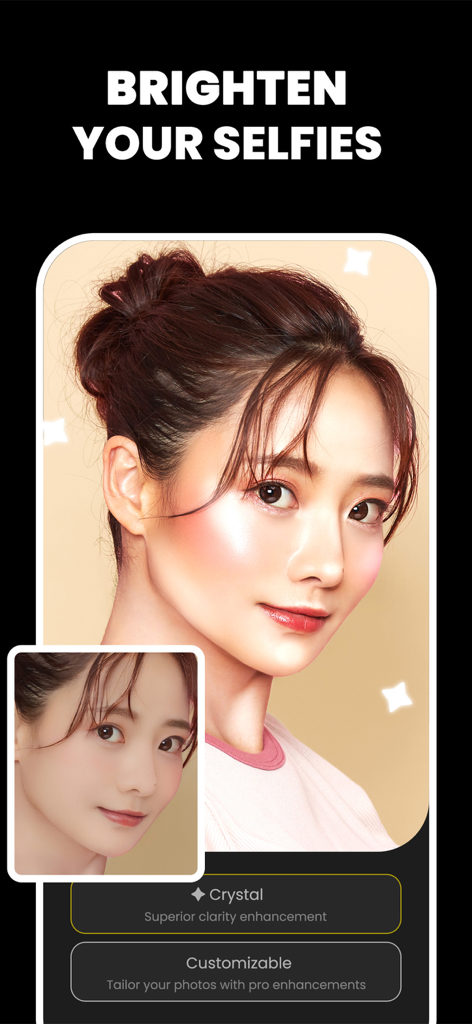
AI 결정체 향상 기능으로 밝아지고 선명해진 셀카의 전후 비교
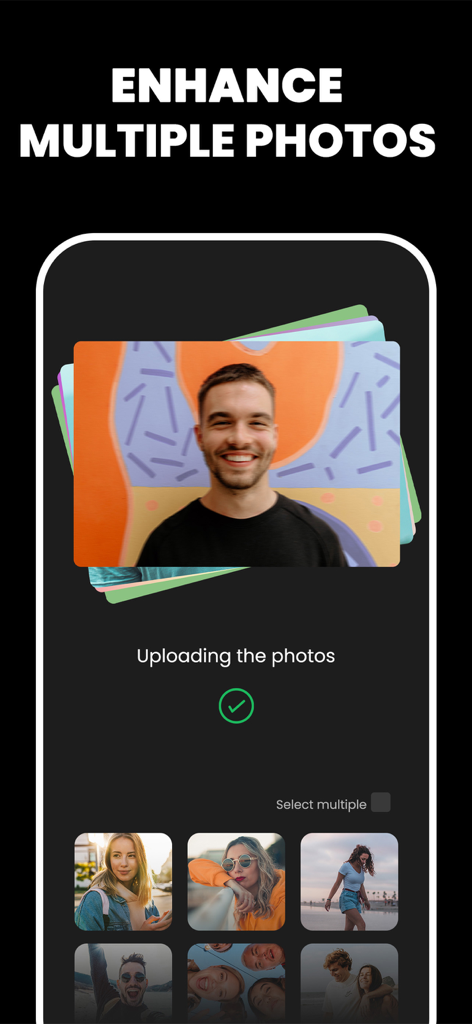
사진 더미와 일괄 AI 처리를 위한 갤러리 선택이 표시된 다중 사진 향상 기능 인터페이스
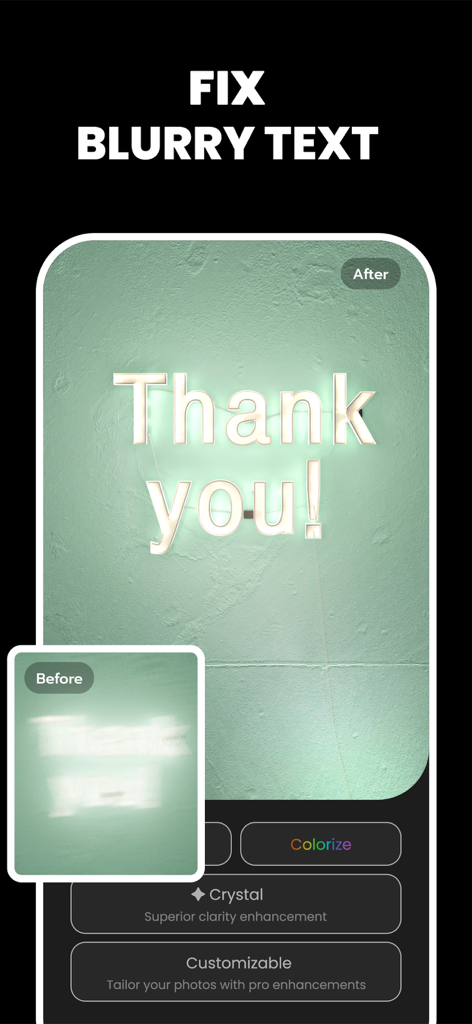
AI 이미지 향상 기능으로 선명해진 'Thank You'라는 흐릿한 네온 사인 전후 비교
설명
Download
비슷한 앱
유사한 기능과 사용자 경험을 가진 앱

EPIK - AI Photo & Video Editor
SNOW Corporation

Citrus: AI 1 Tap Perfect Photo
Wemagine.ai LLP

SnapEdit: Photo Editor AI
SilverAI Joint Stock Company

Background Eraser 〜 Stickers
handyCloset Inc.

PhotoScan by Google Photos
Google LLC

Magic Eraser - Remove Object
Creatix Technology Global Limited

Magic Eraser Background Editor
Honk Honk Punch Pty Ltd

ProKnockOut-Cut Paste Photos
Shenzhen Qianhai Happy Tour Network Technology Co., Ltd.

Background Eraser - Remove BG*
SHANTANU PTE. LTD.
이 페이지는 앱이나 개발자의 공식 페이지가 아니며, 정보 제공 및 논평을 목적으로 작성된 독립 편집 간행물입니다. 명시적으로 달리 언급되지 않는 한, 해당 앱이나 개발자는 MWM, Apple, Google Play, 앱 퍼블리셔 또는 앱 개발자와 제휴, 보증, 후원, 승인 또는 공식적으로 연결되어 있지 않으며, 이 페이지의 어떤 내용도 해당 앱이 MWM의 서비스를 사용하여 개발되었음을 의미하지 않습니다. 모든 상표, 로고, 스크린샷 및 기타 콘텐츠는 해당 소유자의 자산입니다.