UnTrap for YouTube

UnTrap for YouTube

다운로드: App Store
로고: UnTrap for YouTube

UnTrap for YouTube: 집중력을 되찾고 학습을 마스터하세요

알고리즘 스크롤을 멈추세요. AI 영상 요약을 활용하고, 방해 요소를 숨기고, 집중 업무를 위해 구축된 고성능 작업 공간으로 YouTube를 바꾸세요.

개발사

Yevhen Tretiakov

카테고리

Productivity

다운로드

140K+

사용자 평점

4.0/5

총 평가 수

1K+

지원 언어

1

집중력 발휘

이 인터페이스를 사용하는 140K+ 명의 사용자.

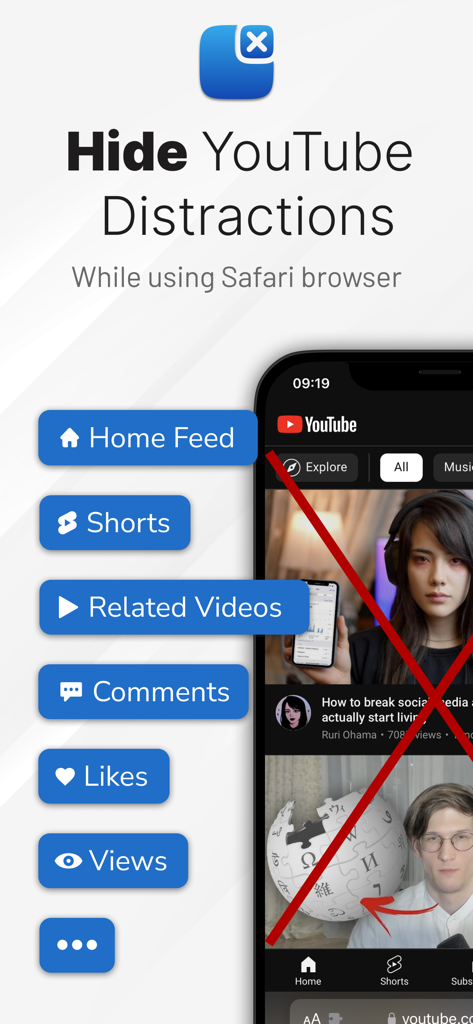
UnTrap 앱 인터페이스에서 Safari에서 Shorts 및 홈 피드와 같은 YouTube 방해 요소를 숨기는 옵션을 보여줍니다
UnTrap 앱 인터페이스에서 Safari에서 Shorts 및 홈 피드와 같은 YouTube 방해 요소를 숨기는 옵션을 보여줍니다

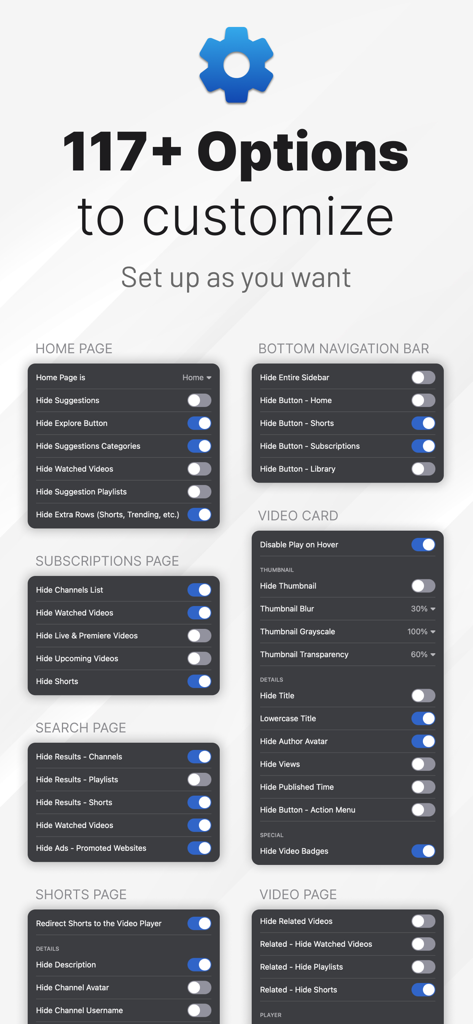
UnTrap을 사용하여 YouTube의 방해 요소를 사용자 지정하고 제거하기 위한 117개 이상의 옵션을 보여주는 대시보드
UnTrap을 사용하여 YouTube의 방해 요소를 사용자 지정하고 제거하기 위한 117개 이상의 옵션을 보여주는 대시보드

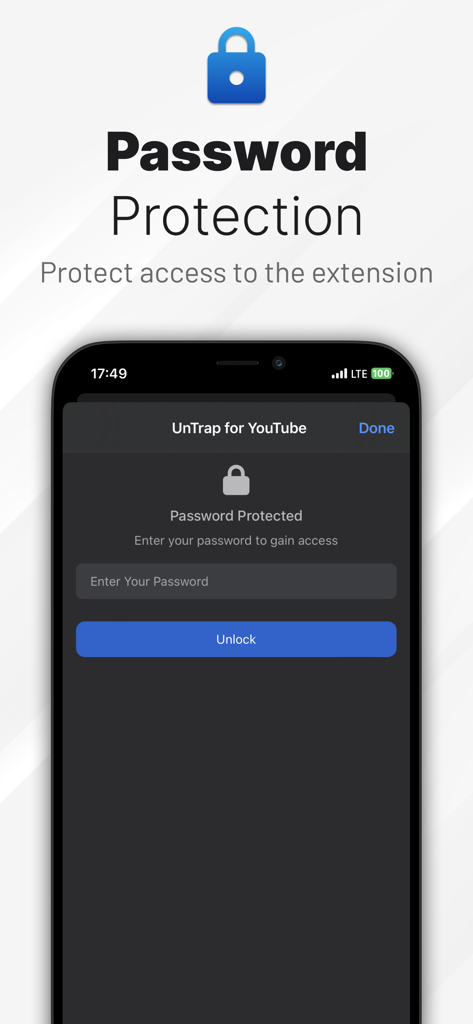
확장 프로그램 설정을 보호하기 위한 UnTrap for YouTube 비밀번호 보호 화면
확장 프로그램 설정을 보호하기 위한 UnTrap for YouTube 비밀번호 보호 화면

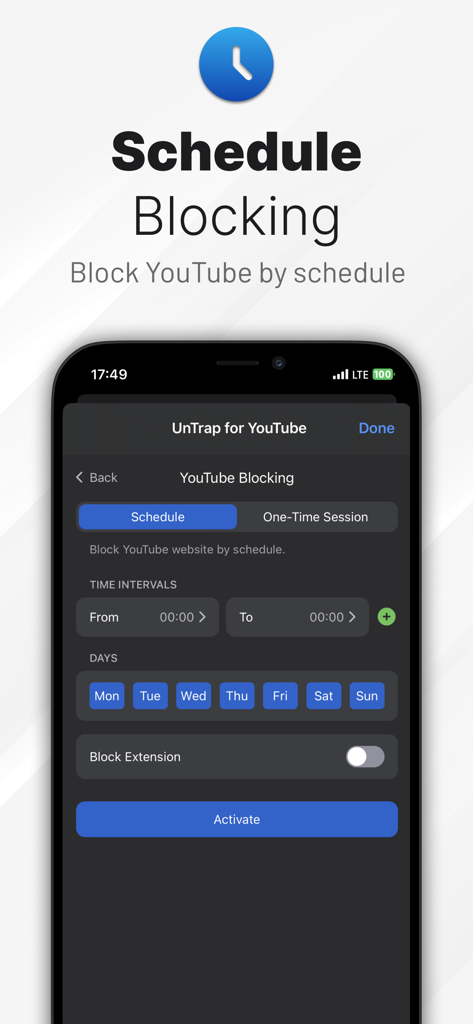
iPhone에서 UnTrap for YouTube 예약 차단 기능 인터페이스
iPhone에서 UnTrap for YouTube 예약 차단 기능 인터페이스

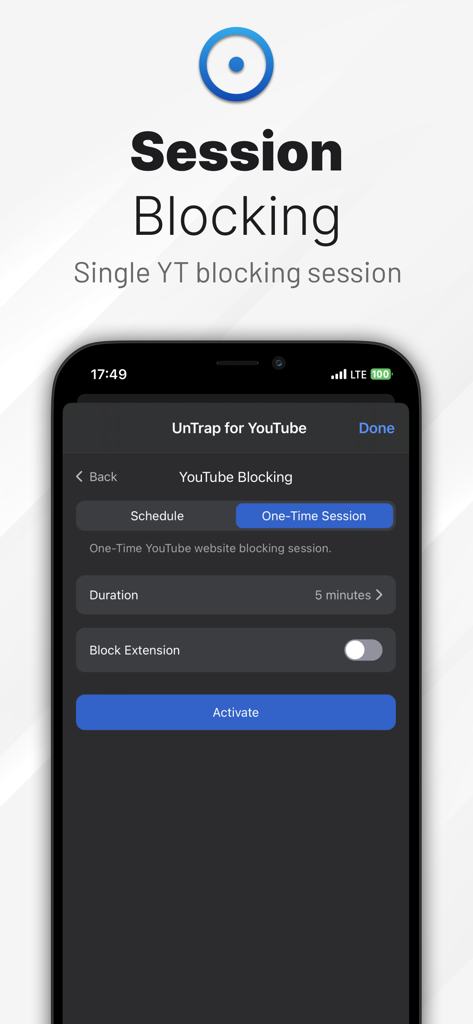
iPhone에서 YouTube 사용을 제한하기 위한 UnTrap 세션 차단 기능
iPhone에서 YouTube 사용을 제한하기 위한 UnTrap 세션 차단 기능

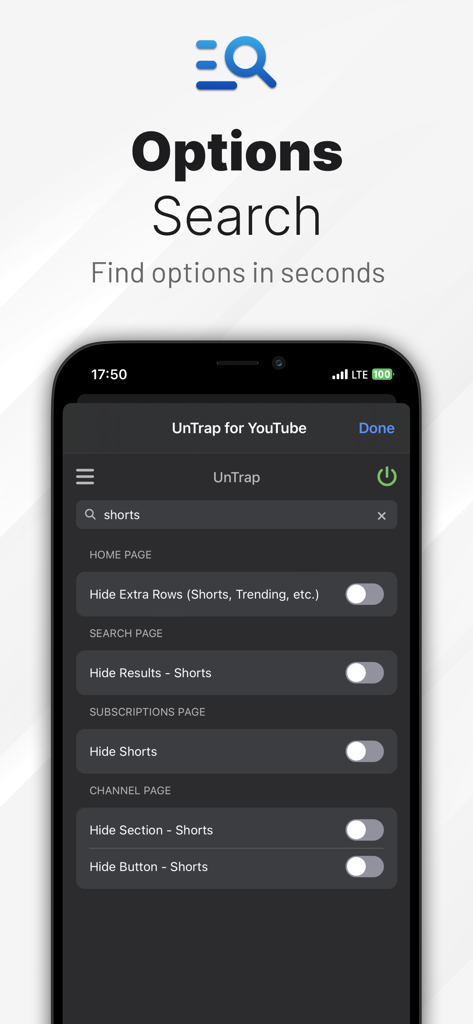
iPhone에서 UnTrap for YouTube 검색 인터페이스로 홈 페이지 검색 결과 및 구독에서 Shorts를 숨기는 옵션 표시
iPhone에서 UnTrap for YouTube 검색 인터페이스로 홈 페이지 검색 결과 및 구독에서 Shorts를 숨기는 옵션 표시

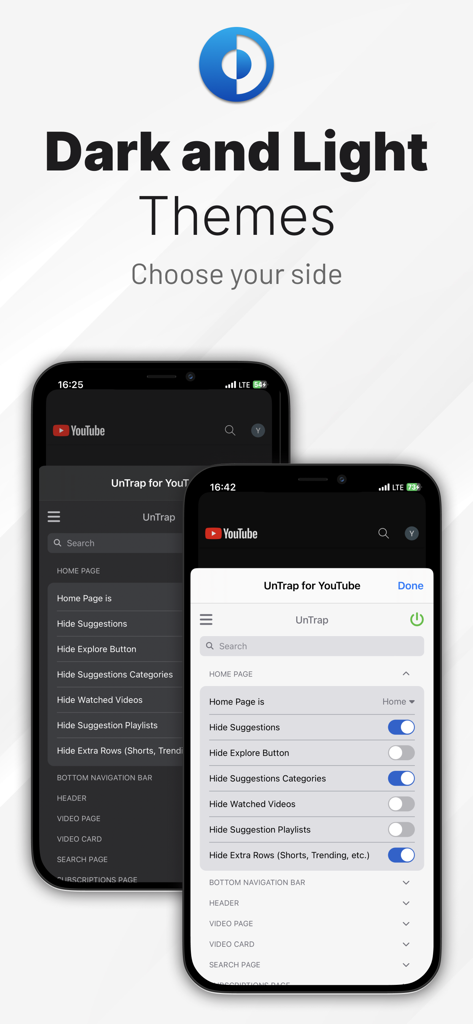
iPhone의 생산성 설정을 위한 다크 및 라이트 테마 옵션을 보여주는 UnTrap for YouTube 인터페이스
iPhone의 생산성 설정을 위한 다크 및 라이트 테마 옵션을 보여주는 UnTrap for YouTube 인터페이스

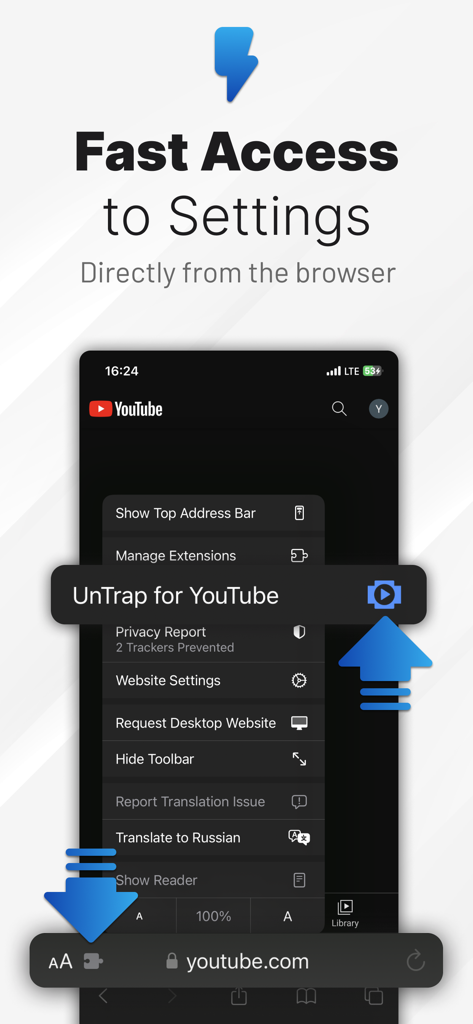
Safari 모바일 브라우저 메뉴에서 직접 UnTrap for YouTube 설정에 액세스합니다.

Safari 모바일 브라우저 메뉴에서 직접 UnTrap for YouTube 설정에 액세스합니다.

집중력과 생산성을 되찾으세요

이 앱을 돋보이게 하는 도구, 140K+ 명의 사용자가 선택.

🤖

AI 기반 영상 요약

몇 초 만에 핵심 통찰력과 타임스탬프 탐색을 얻으세요. 전체 영상을 시청하지 않고 핵심 개념을 파악하여 몇 시간을 절약하세요.

🎯

방해 요소 없는 레이아웃

Shorts, 댓글 및 추천 사이드바를 숨기세요. 진정으로 중요한 것에 집중할 수 있도록 인터페이스를 완전히 제어하세요.

의도적인 집중 도구

예약된 집중 세션, 비밀번호 보호 및 더 나은 자기 통제를 위한 맞춤 시작 지연으로 무의미한 스크롤 습관을 깨뜨리세요.

앱 소개

에 대해 알아야 할 모든 것 UnTrap for YouTube.

설명

Transform YouTube website into a clean and productive space. Access 250+ powerful features including AI video summaries, layout customization, content filters, automation, and focus tools. ◆ Enhance Your YouTube Experience - Hide Shorts, comments, related, and suggested videos - Grayscale, blur, or hide thumbnails - Auto-redirect the YouTube homepage to a custom page - Remove notifications, buttons, sidebars, and trending tabs - Auto-enable Theater or Full Screen mode - Hide ad banners and auto-skip video promotions - Block videos, channels, or comments using keywords, channel IDs, or regex ◆ AI Video Summaries - Instant Video Summary: Get a clear overview of any YouTube video in just 5 seconds - Key Insights Extraction: Understand the main points without watching the entire video - Timestamped Navigation: Jump directly to the most important moments - Multilingual Support: Summarize and translate in over 40 languages - Top Comments Overview: Instantly see the most insightful viewer opinions - Enhanced Transcript Generator: Get transcripts that outperform YouTube’s auto-captions in clarity and accuracy ◆ Productivity Tools - Password-Protected Settings: Keep your preferences secure - Temporary Focus Mode: Block distractions with a single click - Scheduled Focus Sessions: Automate distraction-free time blocks - Opening Delays: Add a pause before accessing YouTube or launching the extension - Custom Hotkeys: Instantly trigger features with keyboard shortcuts ◆ Available On - Safari: https://apps.apple.com/us/app/id1637438059 - Chrome, Opera, Brave: https://chromewebstore.google.com/detail/untrap-for-youtube/enboaomnljigfhfjfoalacienlhjlfil - Firefox: https://addons.mozilla.org/firefox/addon/untrap-for-youtube/ - Edge: https://microsoftedge.microsoft.com/addons/detail/untrap-for-youtube/ngnefladcohhmmibccafkdbcijjoppdoT ◆ Works with YouTube website on desktop, mobile, and embedded videos. Important: UnTrap is only available as a browser extension and is not compatible with the YouTube app. Terms Of Use: https://untrap.app/tos/

최신 버전

9.3

크기

43.7 MB

출시일

2022년 8월 8일

집중력을 되찾을 준비가 되셨나요?

YouTube를 전문가 수준의 학습 도구로 바꾼 140,000명 이상의 성공적인 사용자들과 함께하세요. 무의미한 스크롤을 멈추고 오늘 바로 집중 업무 세션을 시작하세요.

다운로드: App Store

App information, icons, screenshots, and descriptions displayed on this page are sourced from the Apple App Store and are the property of their respective developers. Download estimates and rankings are based on MWM's proprietary models and may not reflect actual figures. This page is provided for informational and analytical purposes only.

Believe this page infringes your intellectual property? File a dispute