Vocalize - Record & Speak
다운로드: App Store

이 페이지는 앱이나 개발자의 공식 페이지가 아니며, 정보 제공 및 논평을 목적으로 작성된 독립 편집 간행물입니다. 명시적으로 달리 언급되지 않는 한, 해당 앱이나 개발자는 MWM, Apple, Google Play, 앱 퍼블리셔 또는 앱 개발자와 제휴, 보증, 후원, 승인 또는 공식적으로 연결되어 있지 않으며, 이 페이지의 어떤 내용도 해당 앱이 MWM의 서비스를 사용하여 개발되었음을 의미하지 않습니다. 모든 상표, 로고, 스크린샷 및 기타 콘텐츠는 해당 소유자의 자산입니다.

로고: Vocalize - Record & Speak
다운로드: App Store

Vocalize - Record & Speak

매우 선명한 녹음본을 캡처하고, 즉석에서 편집하고, 음성을 텍스트로 즉시 변환하세요. 전문가와 학생이 이동 중에 워크플로를 마스터하는 데 필수적인 도구 상자입니다.

주요 수치

다운로드

15K+

사용자 평점

1.4/5

총 평가 수

0

개발사

PROCE INTERIOR COMPANY LIMITED

카테고리

Productivity

지원 언어

1

최신 버전

1.0.3

크기

14.8 MB

출시일

2025년 4월 1일
기능

오디오 워크플로 가속화

Vocalize는 이동 중에 녹음, 편집, 전사가 필요한 바쁜 전문가 및 학생들을 위해 설계된 올인원 오디오 도구 상자입니다.

즉각적인 AI 전사

몇 시간 분량의 회의, 인터뷰 또는 강의를 자동으로 정확한 텍스트로 변환하여 지루한 수동 메모 작성을 절약하세요.

전문가 수준의 모바일 편집

몇 번의 탭으로 원치 않는 침묵을 잘라내거나 여러 클립을 하나의 원활한 파일로 병합하세요. 데스크톱 소프트웨어가 필요 없습니다.

다음 스크린샷과 설명은 앱의 공식 스토어 목록에서 직접 가져온 것이며 앱 개발자의 자산입니다.

앱 스토어

스크린샷
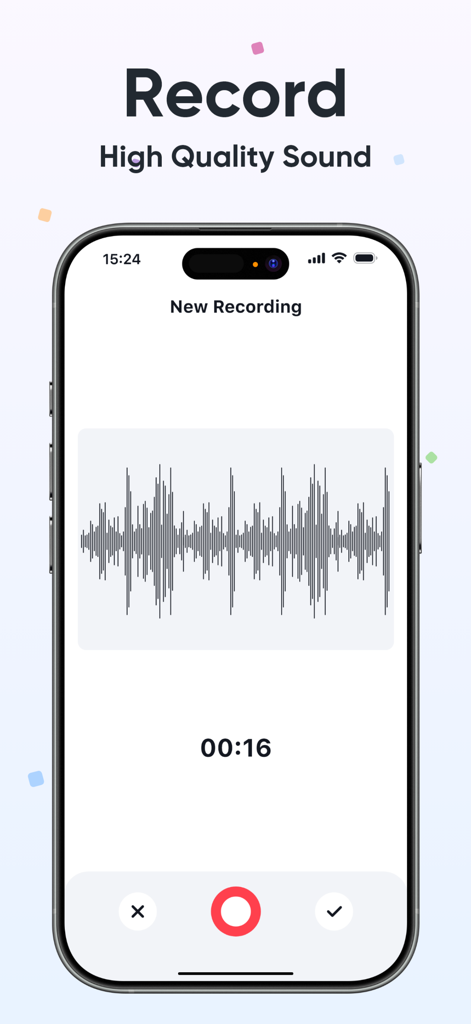
Vocalize - Record & Speak - 음성 파형과 타이머가 표시되는 실시간 오디오 녹음 중 Vocalize 앱 인터페이스를 표시하는 스마트폰 화면.
음성 파형과 타이머가 표시되는 실시간 오디오 녹음 중 Vocalize 앱 인터페이스를 표시하는 스마트폰 화면.

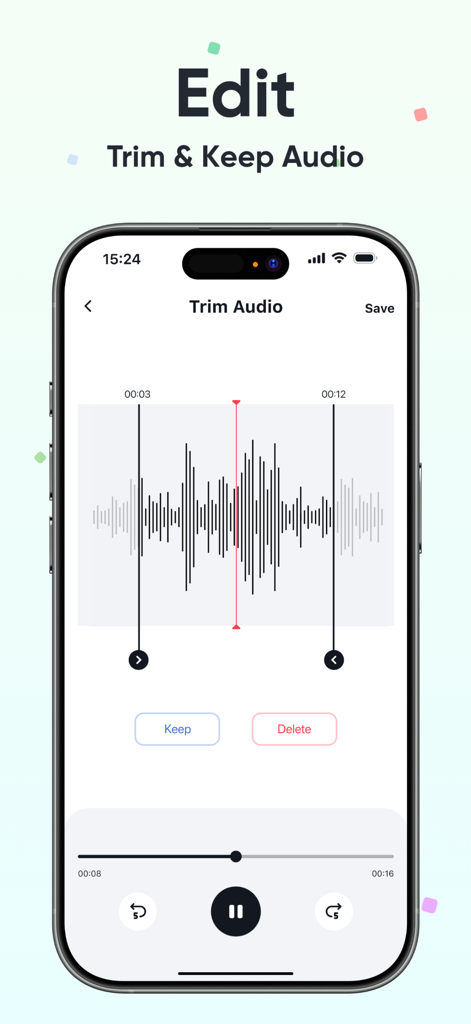
Vocalize - Record & Speak - 음성 파형 디스플레이와 함께 오디오 자르기 도구를 보여주는 Vocalize 앱의 인터페이스
음성 파형 디스플레이와 함께 오디오 자르기 도구를 보여주는 Vocalize 앱의 인터페이스

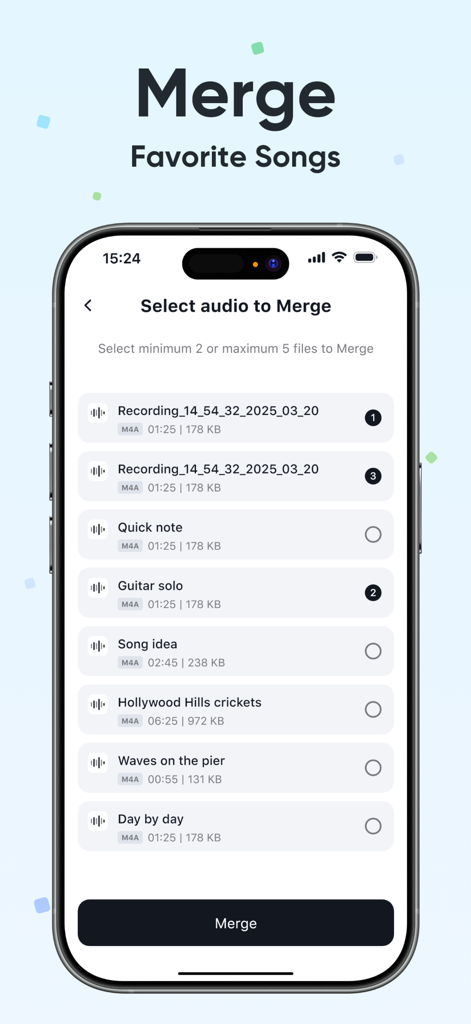
Vocalize - Record & Speak - 여러 오디오 녹음본을 병합하는 기능을 보여주는 Vocalize 앱의 인터페이스.
여러 오디오 녹음본을 병합하는 기능을 보여주는 Vocalize 앱의 인터페이스.

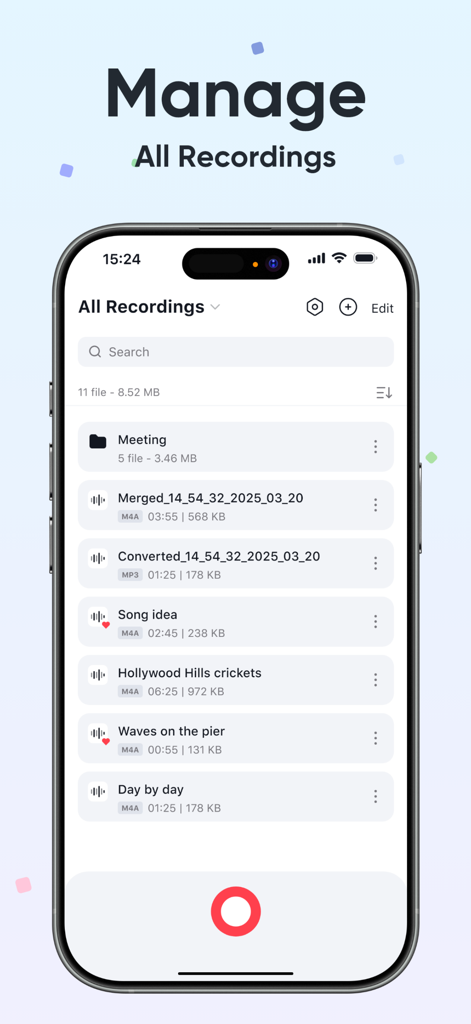
Vocalize - Record & Speak - 정리된 오디오 녹음본 및 폴더 목록을 보여주는 Vocalize 앱의 인터페이스
정리된 오디오 녹음본 및 폴더 목록을 보여주는 Vocalize 앱의 인터페이스

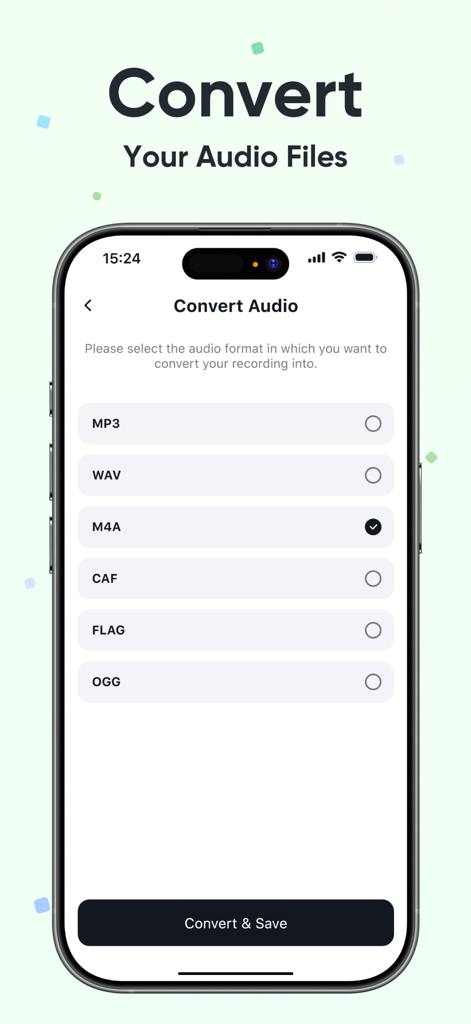
Vocalize - Record & Speak - MP3 및 WAV와 같은 파일 형식 목록과 함께 Vocalize 앱 오디오 변환기 기능을 보여주는 스마트폰 화면
MP3 및 WAV와 같은 파일 형식 목록과 함께 Vocalize 앱 오디오 변환기 기능을 보여주는 스마트폰 화면

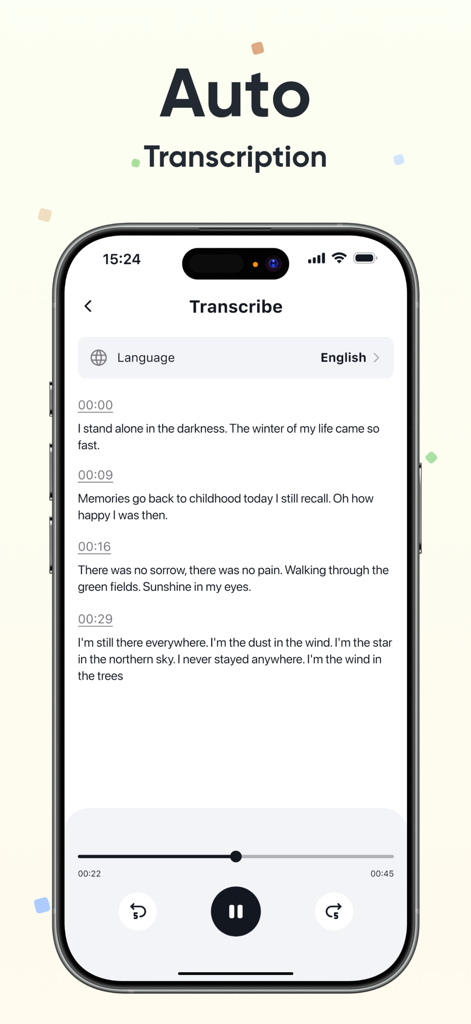
Vocalize - Record & Speak - 타임스탬프와 재생 제어가 포함된 자동 음성-텍스트 전사를 표시하는 Vocalize 앱 인터페이스

타임스탬프와 재생 제어가 포함된 자동 음성-텍스트 전사를 표시하는 Vocalize 앱 인터페이스

설명

Vocalize - Record & Speak Our App is a powerful and easy-to-use tool designed to meet all your audio recording and editing needs. Key Features: - Trim Recordings: Easily cut unwanted parts from your recordings to keep only the content you need. - Record Audio: Capture high-quality audio directly from your device with just one tap. - Convert Audio Format: Convert your recordings between popular formats such as MP3, WAV, AAC, and more for compatibility across different platforms and devices. - Merge Audio Files: Combine multiple audio recordings into a single file for better organization and sharing. - File Management & Import: Organize your recordings into folders, rename, delete, and import audio files directly from your device storage. - Transcription: Automatically transcribe your recordings into text using advanced speech-to-text technology. • Subscription: Renewing and Cancellation Subscription with a free trial period will automatically renew to a paid subscription unless auto-renewal is turn off. Payment will be charged to your iTunes Account at confirmation of purchase. Subscription automatically renews unless auto-renew is turned off at least 24-hours before the end of the current period. Account will be charged for renewal within 24-hour prior to the end of the current period. The cost of the renewal will match the initial subscription price. Your auto-renew subscription can be managed or turned off by going to your Account Settings after purchase. No cancellation of the current subscription is allowed during your active subscription period. Any unused portion of a free trial period, if offered, will be forfeited when purchasing a subscription during the free trial period. If your subscription expires – you will need to purchase a new subscription to access all premium features. Terms of Use: https://sites.google.com/view/vocalize-recordspeak/home Privacy Policy: https://sites.google.com/view/vocalize-record-speak/home

Download

다운로드: App Store

이 페이지는 앱이나 개발자의 공식 페이지가 아니며, 정보 제공 및 논평을 목적으로 작성된 독립 편집 간행물입니다. 명시적으로 달리 언급되지 않는 한, 해당 앱이나 개발자는 MWM, Apple, Google Play, 앱 퍼블리셔 또는 앱 개발자와 제휴, 보증, 후원, 승인 또는 공식적으로 연결되어 있지 않으며, 이 페이지의 어떤 내용도 해당 앱이 MWM의 서비스를 사용하여 개발되었음을 의미하지 않습니다. 모든 상표, 로고, 스크린샷 및 기타 콘텐츠는 해당 소유자의 자산입니다.







