
This page is not an official page of the app or its developer, but an independent editorial publication created for informational and commentary purposes. Unless expressly stated otherwise, neither the app nor its developer is affiliated with, endorsed by, sponsored by, authorized by, or otherwise officially connected with MWM, Apple, Google Play, the app publisher, or the app's developer, and nothing on this page implies that the app was developed using MWM's services. Any trademarks, logos, screenshots, and other content remain the property of their respective owners.


Zoom Workplace
Digital sprawl demands a new order. The app consolidates communication and workflow, then unleashes AI to obliterate busywork and sharpen user impact.
Downloads
250M+User Rating
Total Ratings
8.8MPublisher
Category
BusinessLocales
17Latest Version
7.0.0Size
408.4 MBFirst Released
Aug 15, 2012Zoom Workplace: A Comprehensive AI-Powered Collaboration Hub
An analysis of key features driving efficiency and connectivity for modern businesses and remote teams.
AI-Powered Productivity Features
This tool features an integrated AI Companion that automates tasks such as meeting summaries, live Q&A during calls, drafting communications, and summarizing chat threads, significantly boosting user efficiency.
Unified Communication & Collaboration Platform
The app provides a consolidated environment for video meetings, chat, phone calls, email, and collaborative documents, reducing app switching and enhancing workflow.
High-Quality Video Conferencing
It allows users to host and join meetings with crystal-clear video and audio, alongside immersive views, ensuring effective virtual communication.
Real-time Document & Whiteboard Collaboration
It allows users to collaboratively draft, edit, and share documents and utilize interactive whiteboards for brainstorming, fostering dynamic team collaboration.
Persistent Chat and File Sharing
This tool features robust chat capabilities for individuals and groups, organized channels, and instant file sharing, maintaining seamless team communication.
Integrated Scheduling and Daily Management
The app provides integrated scheduling tools and a unified view for email and calendar, simplifying meeting coordination and daily workflow management.
Integrated Business Phone System (VoIP)
The app provides Zoom Phone, a comprehensive VoIP solution for handling business calls directly within the platform, centralizing communication.
Asynchronous Video Messages (Clips)
It allows users to record and share short video messages and screen recordings, enabling asynchronous updates and flexible information dissemination.
Frequently Asked Questions
Everything you need to know about Zoom Workplace
What is Zoom Workplace?
Zoom Workplace is an AI-first, open collaboration platform combining team chat, meetings, phone, whiteboard, calendar, mail, and docs. It streamlines communication and boosts productivity.
Does Zoom Workplace include an AI assistant?
Yes, Zoom Workplace includes AI Companion. It summarizes unread messages, drafts content, and provides meeting summaries. It is available with a paid Zoom license.
Is AI Companion an additional cost with Zoom Workplace?
No, AI Companion is available at no additional cost with your paid Zoom license for Zoom Workplace. It functions as your personal assistant across the platform.
Can I use Zoom Workplace on my mobile device?
Yes, you can use Zoom Workplace for iOS with any free or paid Zoom license. AI Companion features are also available on your mobile device.
Does Zoom Workplace support SMS messaging?
Yes, Zoom Workplace supports sending SMS text messages through its integrated phone functionality. This feature is part of its streamlined communication tools.
What productivity tools does Zoom Workplace offer?
Zoom Workplace helps improve productivity with Zoom Docs for organizing information, automated meeting summaries via AI Companion, and virtual whiteboards for brainstorming.
Can I move a Zoom Workplace meeting between devices?
Yes, you can seamlessly move a live meeting or call between different devices with a single tap in Zoom Workplace, enabling flexible work across locations.
Does Zoom Workplace offer security features?
Yes, Zoom Workplace ensures data security with enterprise-grade security and supports Single Sign-On (SSO). This protects your information while working on the go.
How do I upgrade to Zoom Workplace Pro?
You upgrade your free account to Zoom Workplace Pro. This subscription includes AI Companion, unlimited meetings up to 30 hours, and cloud recording.
What are the benefits of Zoom Workplace Pro?
Zoom Workplace Pro offers unlimited meetings up to 30 hours each, cloud recording up to 10GB, and the ability to assign meeting co-hosts and schedulers, plus AI Companion.
Can Zoom Workplace integrate with Apple CarPlay?
Yes, Zoom Workplace supports Apple CarPlay, allowing users to stay focused on the road. It also offers customizable Siri Shortcuts for hands-free voice commands.
Does Zoom Workplace allow chat message summarization?
Yes, Zoom Workplace uses AI Companion to provide a summary of your unread Team Chat messages, helping you get caught up quickly and efficiently.
The following screenshots and description are sourced directly from the app's official store listing and are the property of the app developer.
App Store
Screenshots
AI Platform Unveiled
This initial view spotlights the prominent Zoom Workplace logo and the compelling "AI-Powered Collaboration Platform" tagline.
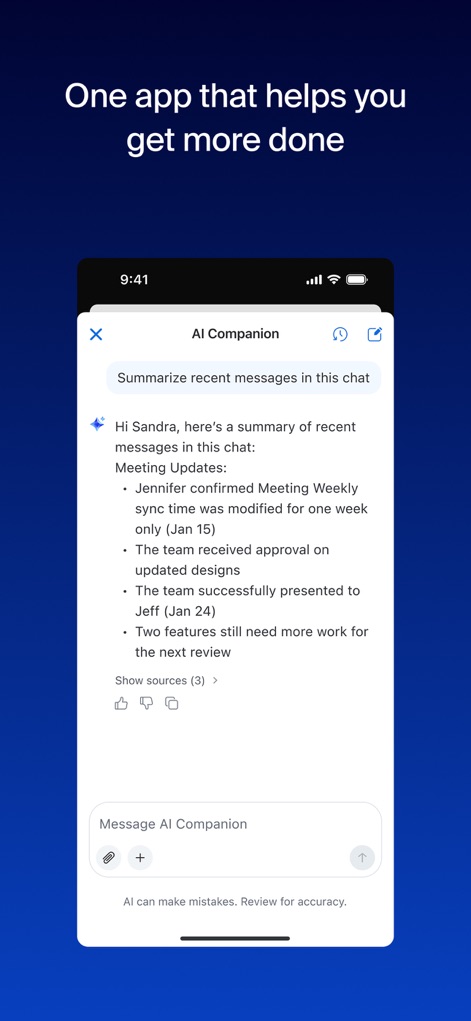
AI Companion in Action
The app demonstrates the AI Companion chat interface, efficiently presenting summarized messages and key meeting updates.
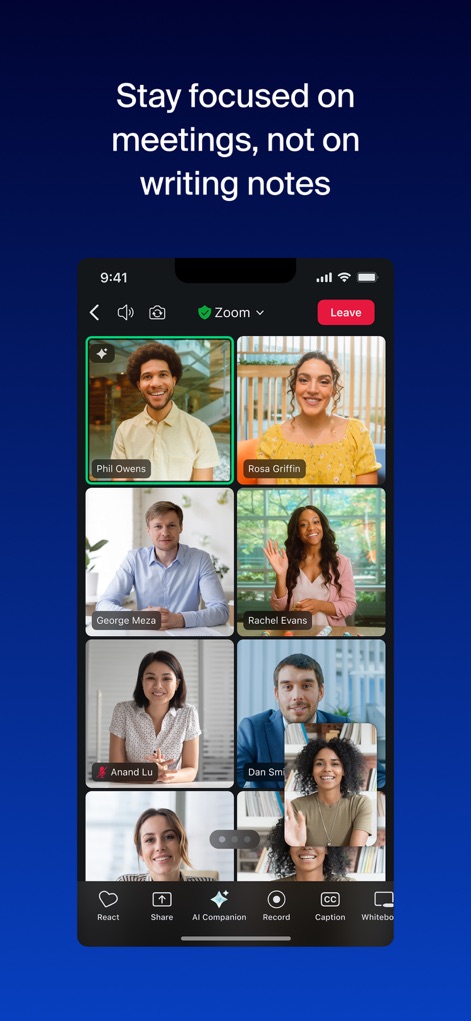
Seamless Video Meetings
This visual displays the clear multi-participant video meeting interface and the accessible AI Companion button, ensuring focused collaboration.
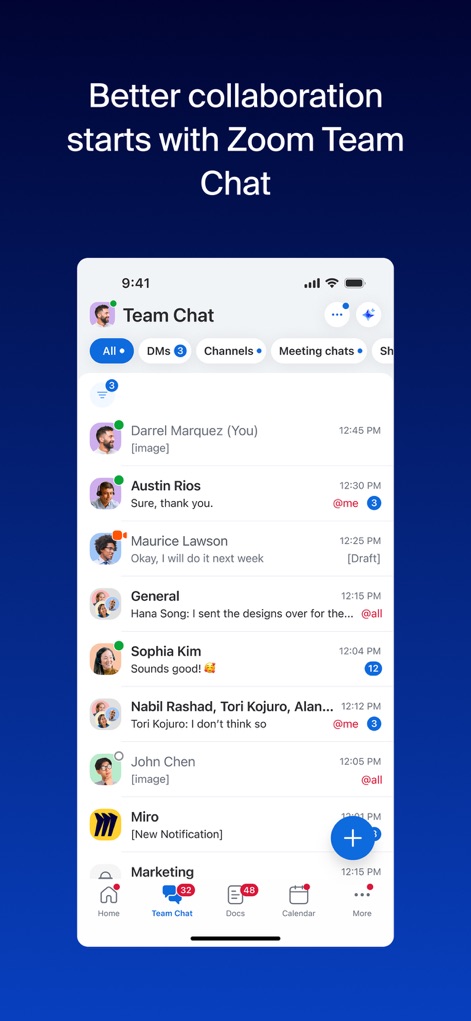
Unified Team Chat
The app showcases the Zoom Team Chat interface, integrating individual messages and organized channels for streamlined communication.
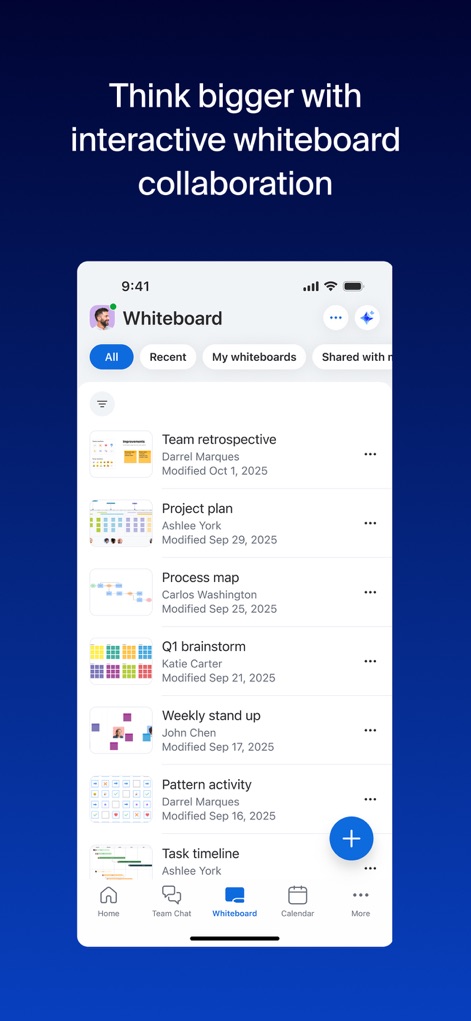
Interactive Whiteboard Space
Users can explore the Whiteboard interface, revealing various project boards and the ease of ideation with sticky notes.
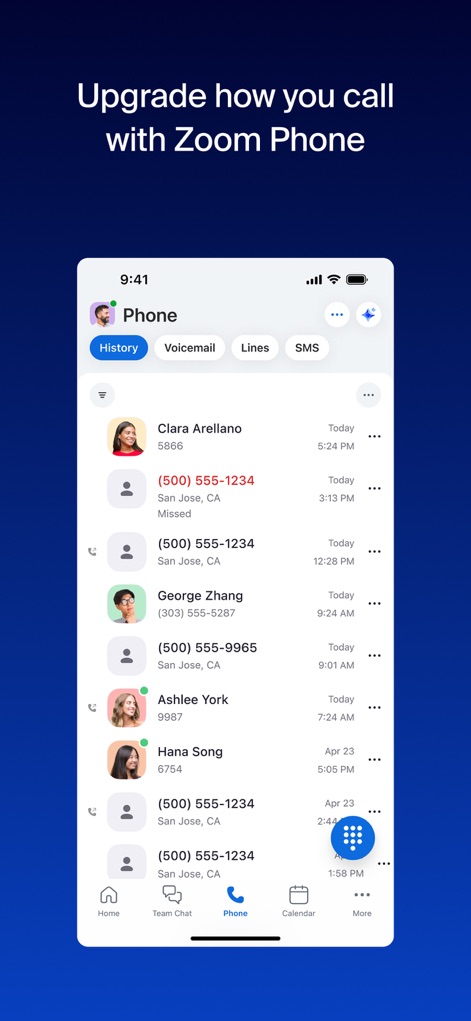
Advanced Phone Features
This view highlights the Zoom Phone interface, featuring comprehensive call history and robust VoIP solution integration.
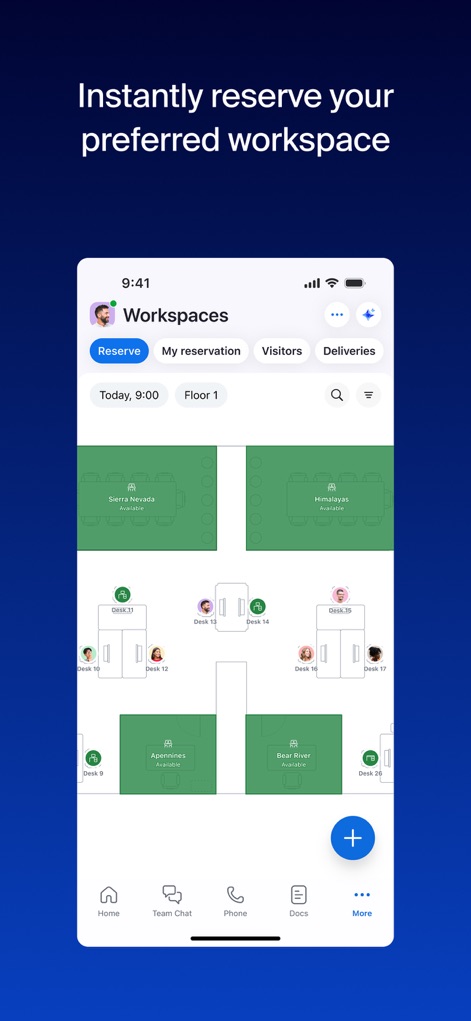
Workspace Reservation
The app displays the Workspaces interface, enabling users to reserve desks and view detailed floor plans for optimal planning.
All-in-One Platform
This concluding image reiterates the Zoom Workplace logo and emphasizes the "AI-powered platform" message for integrated productivity.
Description
Download
More Like This
Apps with similar features and user experience

GoTo
GoTo Group, Inc.

Lark - Team Collaboration
LARK TECHNOLOGIES PTE. LTD.

RingCentral
RingCentral, Inc

MTS Link
VEBINAR TEKHNOLOGII, OOO

Pronto Team Communication
Hit Labs, Inc.

Zoho Cliq - Team Communication
Zoho Corporation

Microsoft Teams
Microsoft Corporation

Google Meet
Google LLC

Google Chat
Google LLC
This page is not an official page of the app or its developer, but an independent editorial publication created for informational and commentary purposes. Unless expressly stated otherwise, neither the app nor its developer is affiliated with, endorsed by, sponsored by, authorized by, or otherwise officially connected with MWM, Apple, Google Play, the app publisher, or the app's developer, and nothing on this page implies that the app was developed using MWM's services. Any trademarks, logos, screenshots, and other content remain the property of their respective owners.