100VJ
100VJ
Download on App Store

This page is not an official page of the app or its developer, but an independent editorial publication created for informational and commentary purposes. Unless expressly stated otherwise, neither the app nor its developer is affiliated with, endorsed by, sponsored by, authorized by, or otherwise officially connected with MWM, Apple, Google Play, the app publisher, or the app's developer, and nothing on this page implies that the app was developed using MWM's services. Any trademarks, logos, screenshots, and other content remain the property of their respective owners.

Logo of 100VJ
Download on App Store

100VJ

Ditch the heavy laptop and command the stage with professional real-time visuals from your iPad or iPhone. Powered by Apple's Metal API, 100VJ delivers 4K output, NDI support, and ArtNet DMX control for a pro-grade studio that fits in your backpack.

Key Figures

Downloads

30K+

User Rating

4.1/5

Total Ratings

100

Publisher

Narumi Inada

Category

Photo & Video

Locales

1

Latest Version

6.0.0

Size

28.8 MB

First Released

Jun 25, 2018
Features

Professional Visuals, Mobile Simplicity

Transform your iPad or iPhone into a high-performance VJ rig. 100VJ combines desktop-grade power with an intuitive touch interface, allowing you to create immersive visual experiences anywhere from underground clubs to art galleries.

Real-Time Audio & BPM Sync

Keep your visuals perfectly in time with the music. Use automatic microphone detection or MIDI clock to trigger reactive effects that pulse and evolve with every beat.

Pro Connectivity & 4K Output

Output crystal-clear 4K visuals via HDMI, AirPlay, or NDI®. Go beyond video with ArtNet DMX support to control professional lighting rigs directly from the app.

The following screenshots and description are sourced directly from the app's official store listing and are the property of the app developer.

App Store

Screenshots
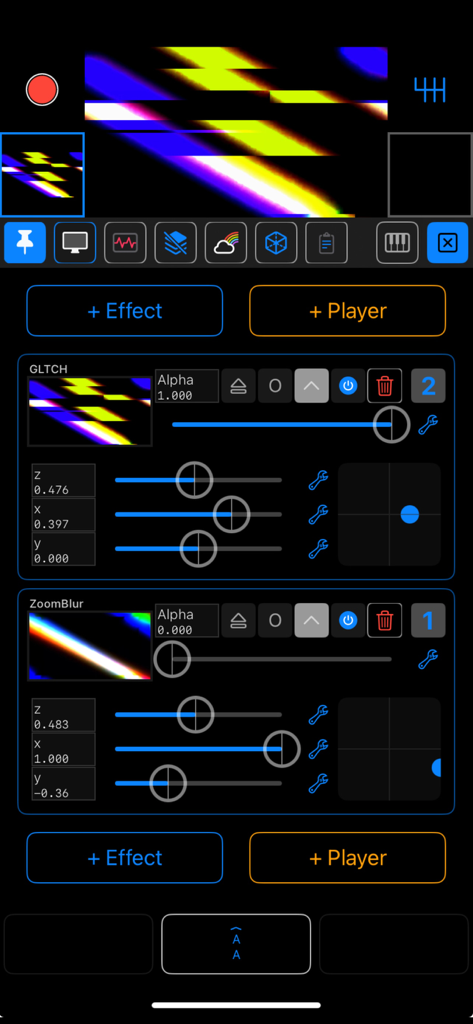
100VJ - Interface of 100VJ mobile app showing glitch and zoom blur effect controls with a live video preview
Interface of 100VJ mobile app showing glitch and zoom blur effect controls with a live video preview

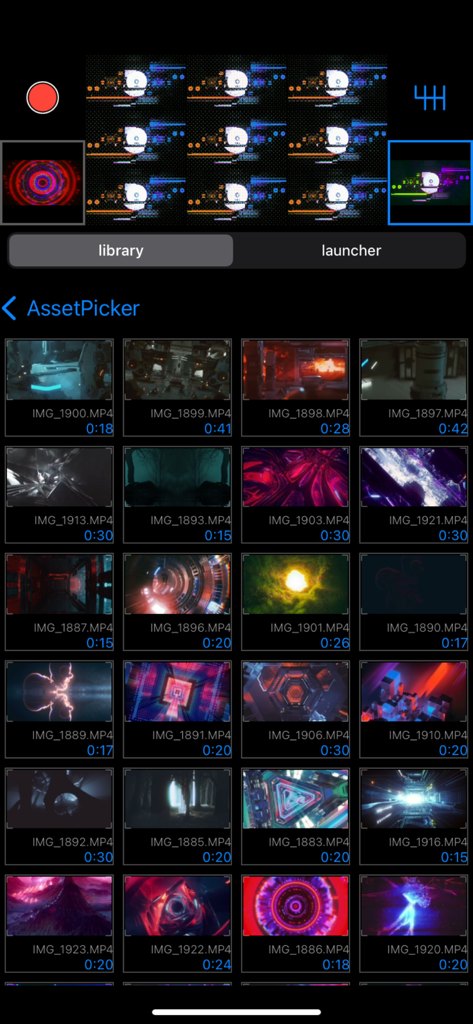
100VJ - 100VJ app asset picker interface displaying a grid of video loops for live visual performance.
100VJ app asset picker interface displaying a grid of video loops for live visual performance.

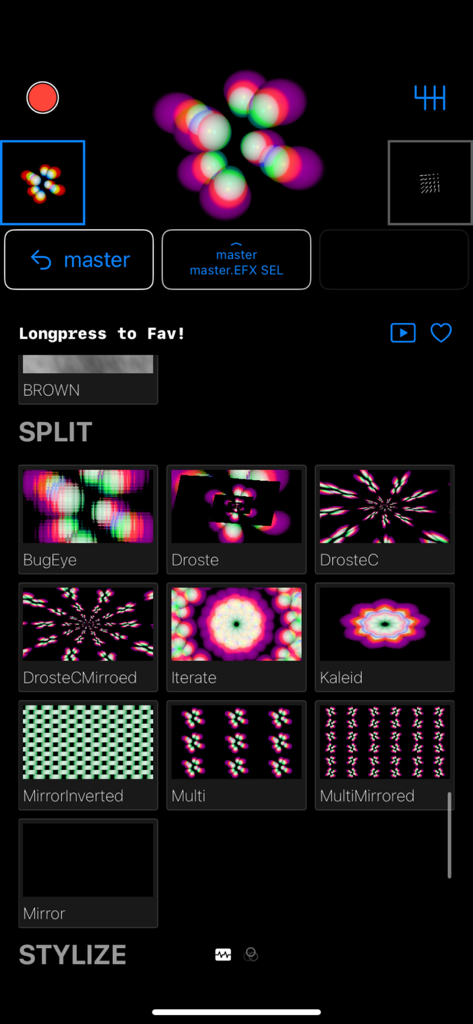
100VJ - Interface of 100VJ app showing a selection of real-time visual effects for VJs
Interface of 100VJ app showing a selection of real-time visual effects for VJs

100VJ - 100VJ app interface showing colorful glitch visuals and live adjustment sliders
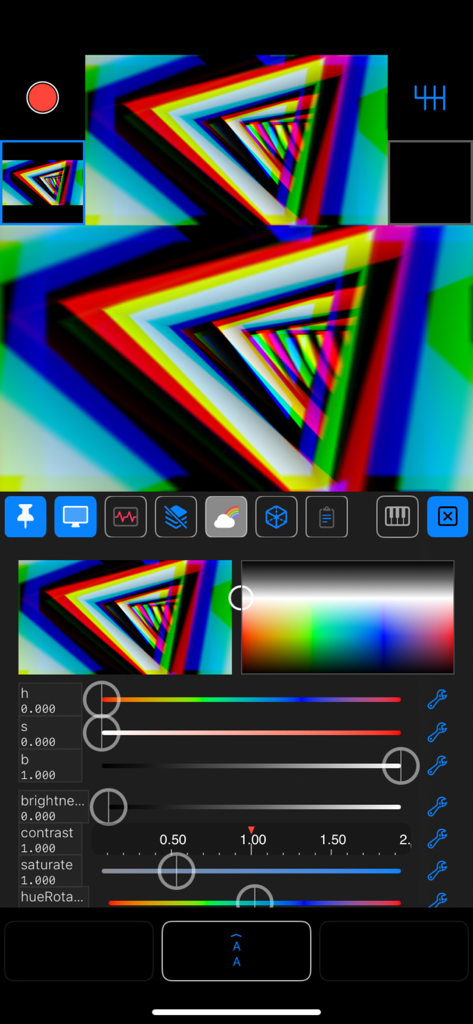
100VJ app interface showing colorful glitch visuals and live adjustment sliders

100VJ - Interface of the 100VJ app showing live visual transformation sliders and perspective mapping controls
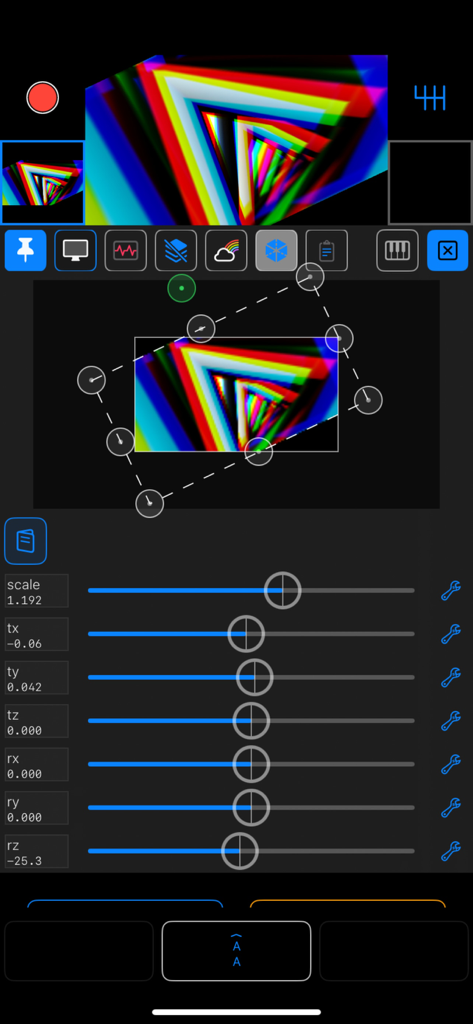
Interface of the 100VJ app showing live visual transformation sliders and perspective mapping controls

100VJ - 100VJ mobile app projection mapping and perspective transform interface

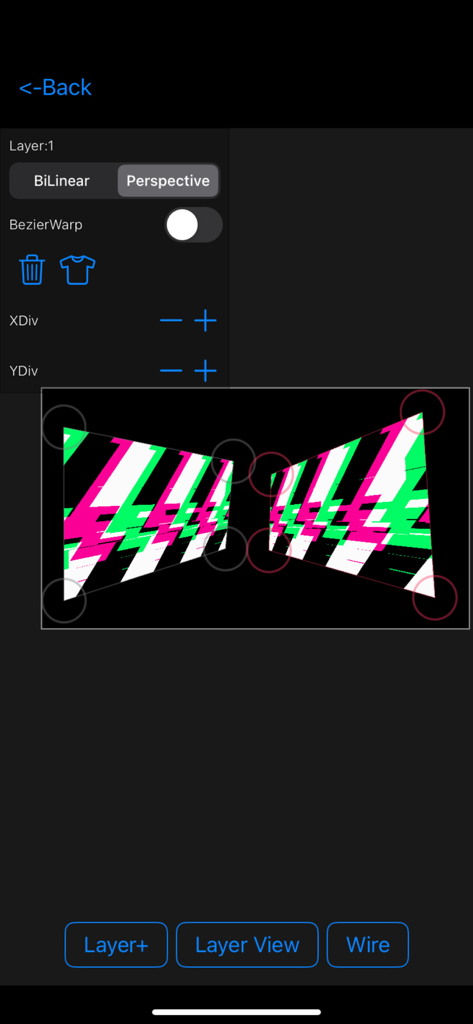
100VJ mobile app projection mapping and perspective transform interface

Description

100VJ is a VJ app for beginners and advanced users. You can immediately output video from HDMI or AirPlay. Connect to a projector or monitor and start VJing. <~Features~> -Smooth synchronization with OS built-in photo albums •Import from file apps is also possible •iCloud Synced asset launcher -Chain effects that can be layered on top of each other •Parametric effects •Audio sync effects •BPM sync effects •Core image filters -Channels •Video, image, GIF and other file assets, real-time assets, effects and filter players •per-channel blend/colorize/transform functions •Post multi-layer channel slots with compute resource limit •Drag-and-drop reordering and saving to asset launcher •Tap to select, long press to lift, drag & drop per-channel previews. •Load from library or launcher to selected channel by tapping. -Animatable sliders •Generic sliders controllable by MIDI, LFO, audio, device motion, etc. -Input sources other than common assets such as photos, videos, GIFs, etc. ( Playables ) •Camera input •Aether client to use other 100VJ in the local network as input source •Text display •Countdown -Projection mapping functionality •Perspective transform to external output (AirPlay & external output adapter) -Other useful features •4K resolution (output requires equivalent external output capability, via AirPlay or USB-C) •Real-time output recording function •Automatic BPM detection from automatic switcher and microphone input •Transition effects, slideshows •Resolution, frame rate, and other settings (long press or twice on the gear icon to display the settings screen) •Control from MIDI, NetworkMIDI -Premium Plan •ArtNet DMX Controller. LED bars and par lights can be controlled via the network. -Wireless output •NDI® Server •Aether H.264 codec real-time server (can send to other 100VJ) •Connect to Syphon (requires a Mac with Aether Syphon installed) •High speed send/receive via USB or LAN. (Please configure detectable by Bonjour/mDNS) -Multi-threading and async/await, modern and fast rendering with full Metal render pipeline •Metal is Apple's next-generation GraphicAPI, which delivers amazing performance in synergy with the A/M series chips' unified memory. •Independent render system is not affected by screen operations, ensuring smooth rendering. All channel updates and rendering are done async/await, so rendering is atomic while maintaining per-process priority with other processes, such as animatable slider updates, while leveraging the advantages of multi-cores. •By using async/await, the CPU usage is reduced by half compared to version 4, even with the increased complexity of version 5's UI, video processing, and animatable sliders. ---- (*! The previous version ~ver4) Instructions are available on the support page. We have also set up a forum, which we hope you will actively use. -> https://sites.google.com/view/100vj/home The AppStore screenshot uses Beeple's VJ loop. (CC license) -> https://www.beeple-crap.com 100VJ does not hold any copyright on any content created using 100VJ. Please use any assets with discretion. You can use the recording, playback and effects functions to create original videos. Please try it a few times and if you like it, please rate it. We have added a Tip/Donate function to Misc in the settings. This will contribute to future development. Terms of service https://www.apple.com/legal/internet-services/itunes/dev/stdeula/ Privacy Policy https://sites.google.com/view/100vj/privacy-policy

Download

Download on App Store

This page is not an official page of the app or its developer, but an independent editorial publication created for informational and commentary purposes. Unless expressly stated otherwise, neither the app nor its developer is affiliated with, endorsed by, sponsored by, authorized by, or otherwise officially connected with MWM, Apple, Google Play, the app publisher, or the app's developer, and nothing on this page implies that the app was developed using MWM's services. Any trademarks, logos, screenshots, and other content remain the property of their respective owners.








