1Contact Pro: Clean & Backup
Download on App Store

This page is not an official page of the app or its developer, but an independent editorial publication created for informational and commentary purposes. Unless expressly stated otherwise, neither the app nor its developer is affiliated with, endorsed by, sponsored by, authorized by, or otherwise officially connected with MWM, Apple, Google Play, the app publisher, or the app's developer, and nothing on this page implies that the app was developed using MWM's services. Any trademarks, logos, screenshots, and other content remain the property of their respective owners.

Logo of 1Contact Pro: Clean & Backup
Download on App Store

1Contact Pro: Clean & Backup

Effortlessly declutter your address book, merge duplicates with precision, and secure your professional network with encrypted cloud backups and smart organization tools.

Key Figures

Downloads

69K+

User Rating

4.6/5

Total Ratings

400

Publisher

Roxwin Vietnam Technologies Company Limited

Category

Productivity

Locales

1

Latest Version

2.2.7

Size

36.4 MB

First Released

Nov 10, 2018
Features

Streamline Your Professional Network

Transform your cluttered address book into a high-performance asset with our AI-driven contact management and security suite.

AI-Powered De-Cluttering

Instantly identify and merge duplicate contacts or incomplete entries to maintain a clean, professional-grade database.

Automated Peace of Mind

Secure your network with encrypted cloud backups to iCloud or Google Drive and never worry about data loss during phone upgrades.

The following screenshots and description are sourced directly from the app's official store listing and are the property of the app developer.

App Store

Screenshots
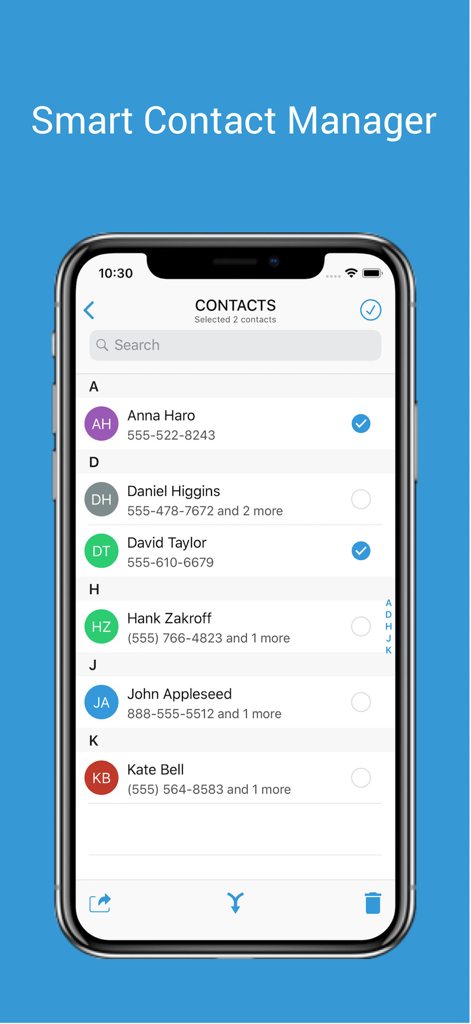
1Contact Pro: Clean & Backup - 1Contact Pro app interface showing a list of contacts with options to select, merge, and manage address book entries.
1Contact Pro app interface showing a list of contacts with options to select, merge, and manage address book entries.

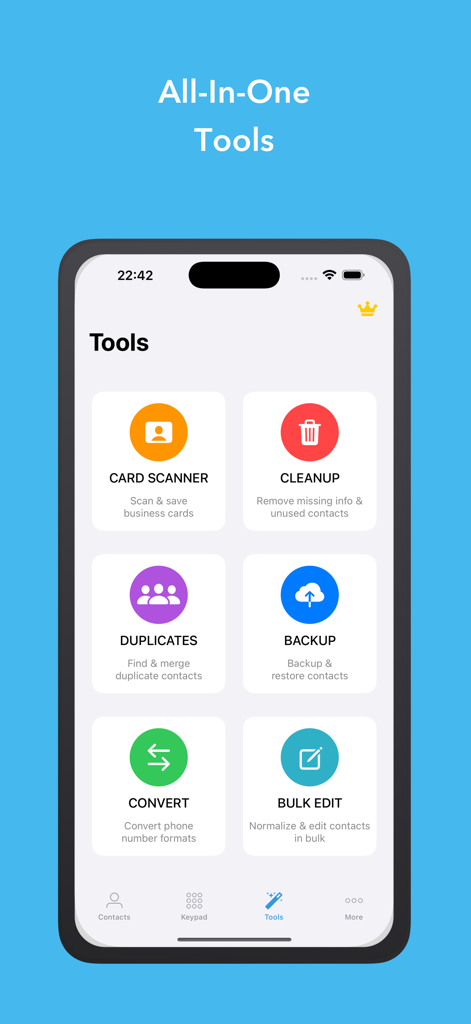
1Contact Pro: Clean & Backup - 1Contact Pro app dashboard showing tools for card scanning, contact cleanup, duplicate detection, and backup
1Contact Pro app dashboard showing tools for card scanning, contact cleanup, duplicate detection, and backup

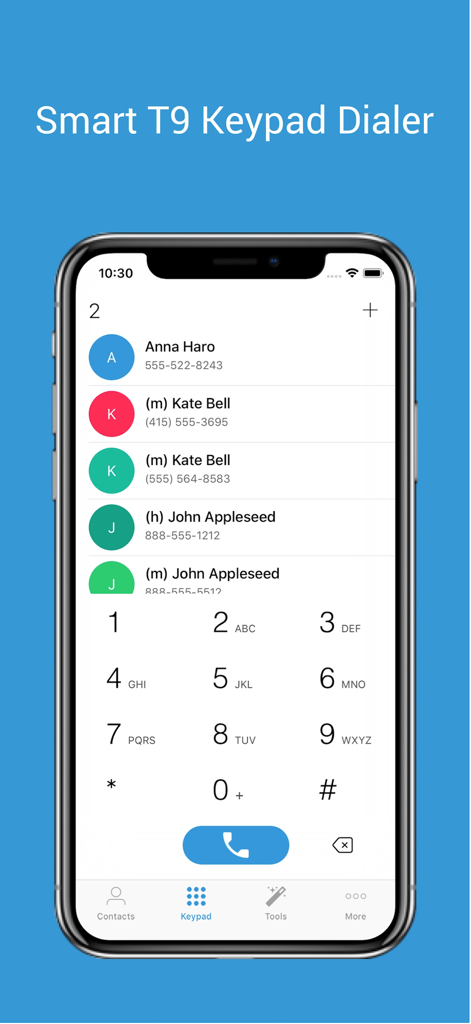
1Contact Pro: Clean & Backup - Interface of 1Contact Pro app showing a Smart T9 Keypad Dialer and filtered contact results on an iPhone screen.
Interface of 1Contact Pro app showing a Smart T9 Keypad Dialer and filtered contact results on an iPhone screen.

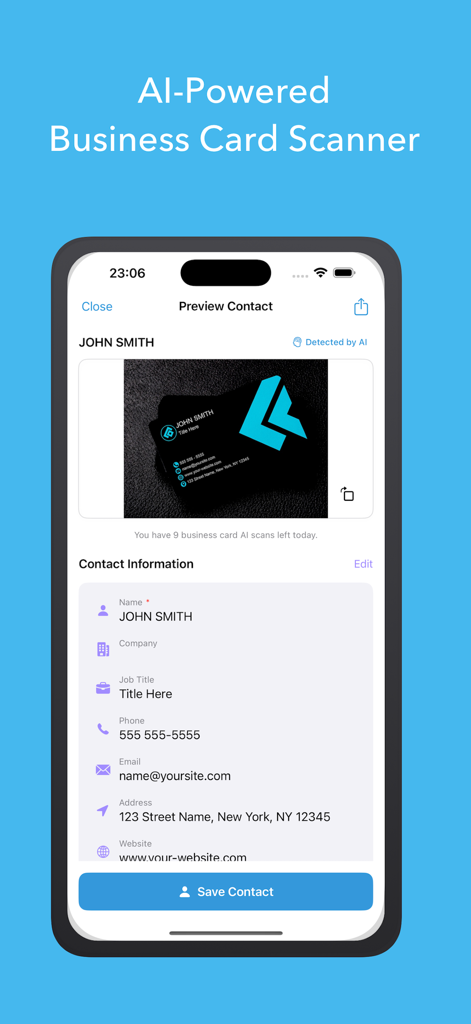
1Contact Pro: Clean & Backup - AI-powered business card scanner interface on the 1Contact Pro app
AI-powered business card scanner interface on the 1Contact Pro app

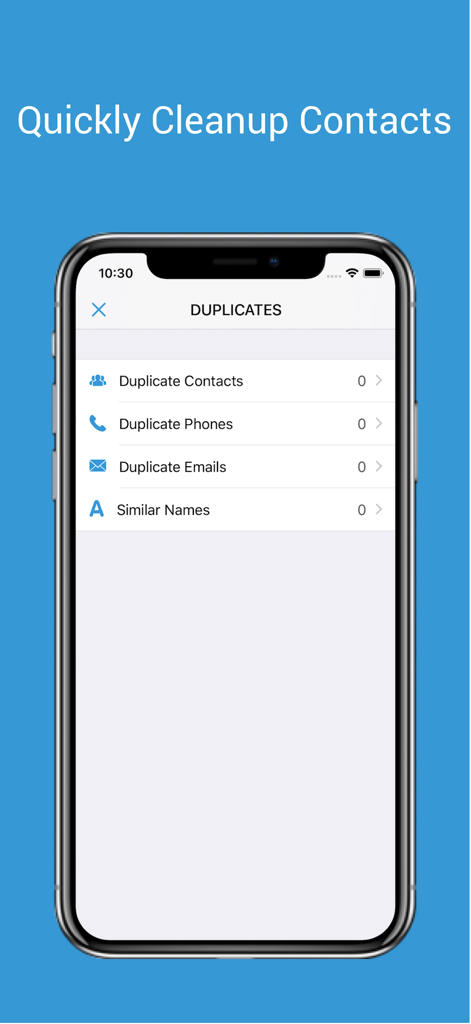
1Contact Pro: Clean & Backup - A smartphone screen showing the 1Contact Pro app interface for identifying and cleaning up duplicate contacts, phone numbers, and emails.
A smartphone screen showing the 1Contact Pro app interface for identifying and cleaning up duplicate contacts, phone numbers, and emails.

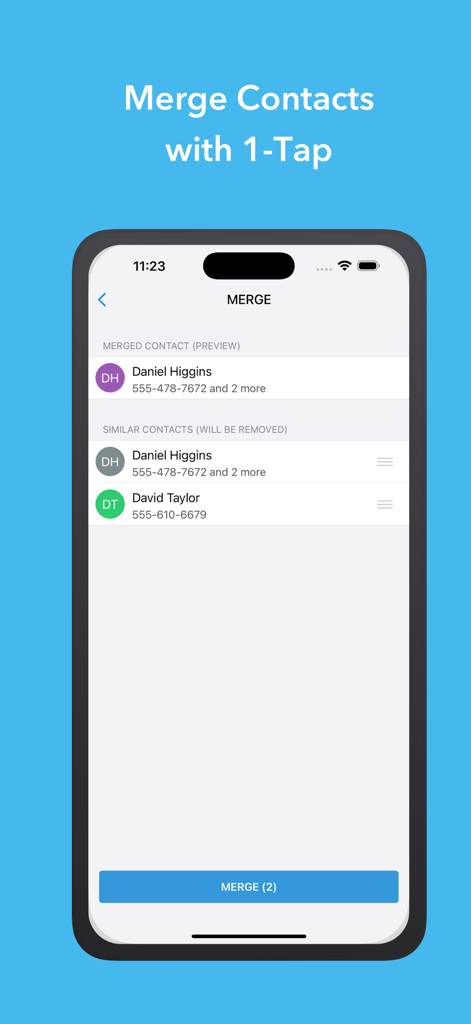
1Contact Pro: Clean & Backup - Smartphone screen displaying the merge contacts interface of the 1Contact Pro app with a one tap merge button
Smartphone screen displaying the merge contacts interface of the 1Contact Pro app with a one tap merge button

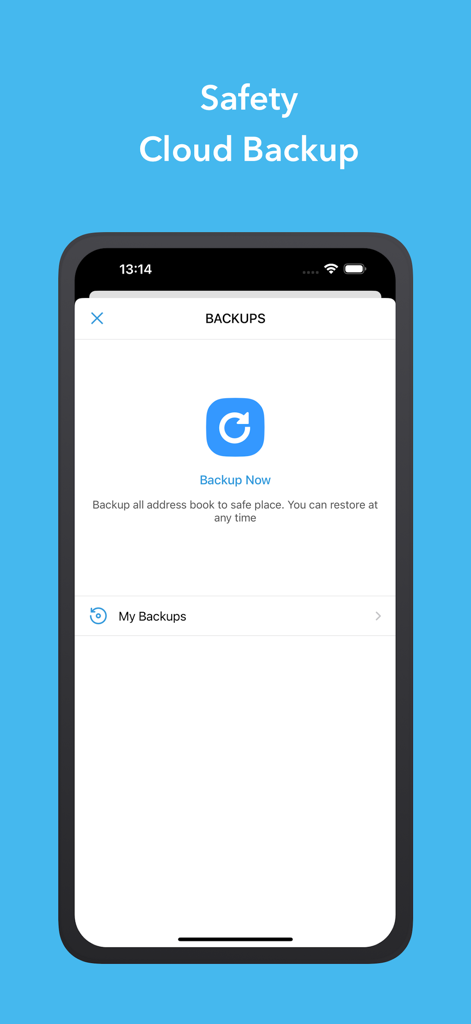
1Contact Pro: Clean & Backup - 1Contact Pro cloud contact backup screen

1Contact Pro cloud contact backup screen

Description

1Contact – Smart Contact Manager Overview 1Contact is a comprehensive contact management application that helps you organize, clean, back up, and maintain your contacts efficiently. With powerful AI-driven features and intuitive tools, 1Contact transforms how you manage your address book. Main Features Contact Management • Add, edit, delete, and search contacts with ease • Smart organization and categorization • Quick access to frequently contacted people • Advanced search with multiple criteria Contact Cleaning & Optimization • Remove contacts with missing or incomplete information • Delete outdated or unused contacts • Clean up duplicate phone numbers and email addresses • Optimize your contact list for better performance Duplicate Detection & Merging • AI-powered detection by name, phone number, or email • Smart merging with conflict resolution • Batch merge multiple duplicates • Preview changes before applying Backup & Restore • Secure local backups • Cloud backup integration (iCloud, Google Drive, Dropbox) • Automatic scheduled backups • One-click restore functionality • Export contacts in multiple formats (vCard, CSV) Sharing & Communication • Share multiple contacts via Email, SMS, or messaging apps • Bulk sharing with custom groups • QR code generation for easy sharing • Export contact lists for professional use Additional Smart Features • Business card scanner with OCR technology • International phone number formatting • Contact analytics and insights • Custom contact groups and labels • Birthday and anniversary reminders • Import contacts from various sources Privacy & Security • Local data processing for enhanced privacy • Encryption for sensitive information • No unnecessary permissions required • GDPR-compliant data handling Performance & Usability • Fast and responsive interface • Offline functionality • Cross-device synchronization • Dark mode support • Accessibility features Why Choose 1Contact? 1Contact combines powerful tools with an intuitive design, making it ideal for both personal and business use. Our AI-powered features help keep your contact list clean and organized while ensuring important data is always safe and accessible. Perfect for: • Business professionals managing large contact lists • Individuals wanting to declutter their address book • Anyone needing secure backup and restore options • Users who frequently share contact information If you enjoy using 1Contact, please share it with your friends and leave a review on the App Store. Your feedback helps us improve and supports our continued development. Thank you for choosing 1Contact.

Download

Download on App Store

This page is not an official page of the app or its developer, but an independent editorial publication created for informational and commentary purposes. Unless expressly stated otherwise, neither the app nor its developer is affiliated with, endorsed by, sponsored by, authorized by, or otherwise officially connected with MWM, Apple, Google Play, the app publisher, or the app's developer, and nothing on this page implies that the app was developed using MWM's services. Any trademarks, logos, screenshots, and other content remain the property of their respective owners.








