
This page is not an official page of the app or its developer, but an independent editorial publication created for informational and commentary purposes. Unless expressly stated otherwise, neither the app nor its developer is affiliated with, endorsed by, sponsored by, authorized by, or otherwise officially connected with MWM, Apple, Google Play, the app publisher, or the app's developer, and nothing on this page implies that the app was developed using MWM's services. Any trademarks, logos, screenshots, and other content remain the property of their respective owners.


2degrees NZ
Finally, users gain true command over their digital footprint and finances.
Downloads
500k+User Rating
Total Ratings
1.0KPublisher
Category
ProductivityLocales
1Latest Version
1.43.75Size
63.6 MBFirst Released
Oct 25, 2022An Analytical Review for Enhanced Customer Management
Key Features of 2degrees NZ App
Detailed Usage Monitoring
The app provides comprehensive insights into data consumption, including daily breakdowns and historical usage, empowering users to manage their plans effectively and avoid unexpected costs.
Transparent Billing Information
It allows users to easily access and understand their current and past bill details, promoting financial clarity and enabling informed decisions about their services.
In-App Payment Solutions
This tool features a secure and convenient way for customers to process payments directly within the app, simplifying financial transactions and ensuring timely bill settlement.
Proactive Payment Notifications
The app sends timely notifications for upcoming payments, assisting users in staying organized and preventing late fees or service interruptions.
Frequently Asked Questions
Everything you need to know about 2degrees NZ
What is the primary purpose of the 2degrees NZ app?
The 2degrees NZ app helps users manage internet usage with graphs, diagnose WiFi issues, and make payments. It provides bill information and payment history.
Can I view my internet usage details in the 2degrees NZ app?
Yes, the 2degrees NZ app displays how much internet you are using with simple graphs and daily usage breakdowns. It shows usage time and data spikes.
Does the 2degrees NZ app assist with WiFi troubleshooting?
Yes, the 2degrees NZ app includes tools for diagnosing common WiFi issues. It also offers services to support users in resolving these problems.
Can I pay my bills using the 2degrees NZ app?
Yes, the 2degrees NZ app allows users to make payments. It also provides easy-to-find bill information, notifications for upcoming payments, and a payment history overview.
What kind of bill information does the 2degrees NZ app provide?
The 2degrees NZ app provides easy-to-find and understand bill information. It also includes notifications for upcoming payments and a comprehensive overview of your payment history.
Does the 2degrees NZ app show my data balance?
Yes, the 2degrees NZ app allows users to check balances for mobile, broadband, and power services. It clearly displays data left and any carryover amounts.
How do I manage add-ons in the 2degrees NZ app?
Users manage add-ons like data bundles (e.g., 500MB, 1GB, 15GB NZ Data) through the 'Plans and add-ons' section in the 2degrees NZ app.
Is eSIM management available in the 2degrees NZ app?
Yes, the 2degrees NZ app supports eSIM management. Users can activate an eSIM directly on their device or scan a QR code provided within the app.
Can I save money by bundling services with 2degrees NZ?
Yes, users can save money by bundling services with 2degrees NZ. For example, bundling power services can lead to savings of $20 per month.
How does the 2degrees NZ app show my broadband usage?
The 2degrees NZ app displays broadband usage through graphs showing download and upload data. It provides detailed figures for usage to date and average daily use.
The following screenshots and description are sourced directly from the app's official store listing and are the property of the app developer.
App Store
Screenshots
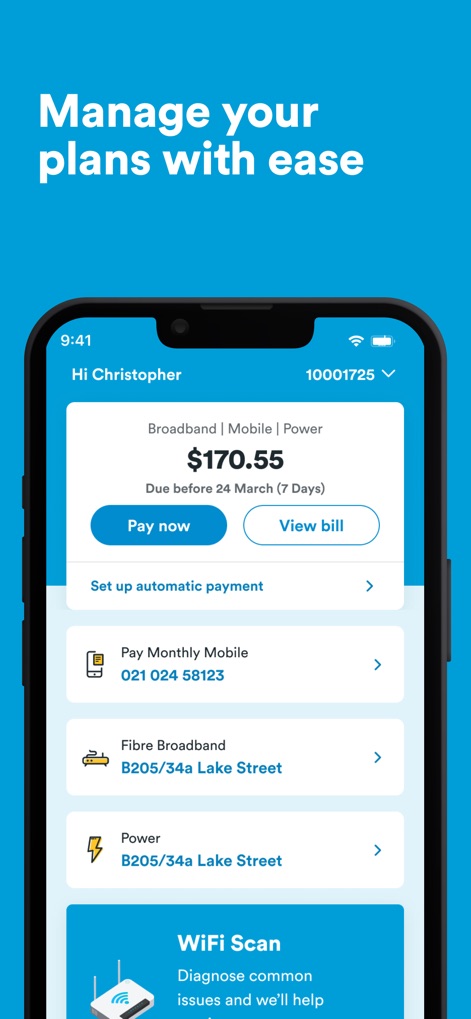
This dashboard presents a consolidated bill overview for multiple services and direct access to payment options, alongside a handy 'WiFi Scan' tool for troubleshooting.
Effortless Account Control
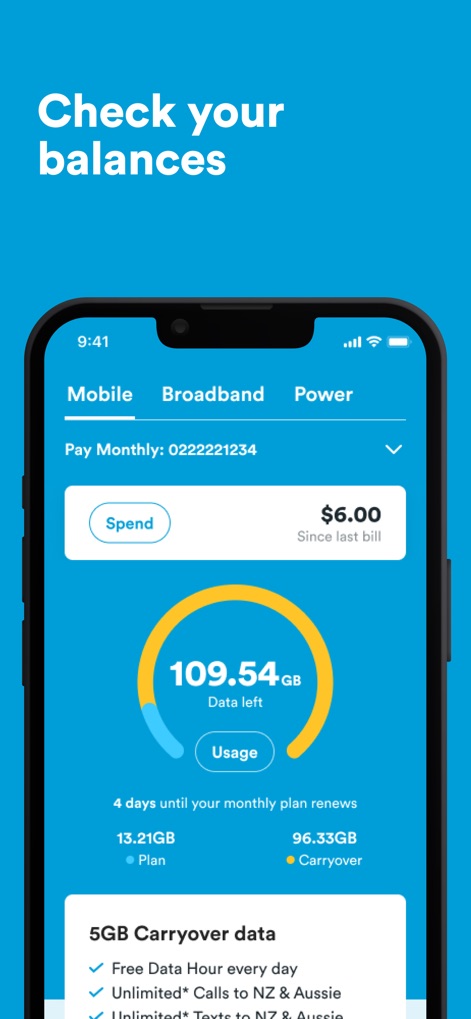
Users can monitor their remaining data with a clear circular gauge and review detailed breakdowns of their plan and carryover data across different service categories.
Data Usage At-a-Glance
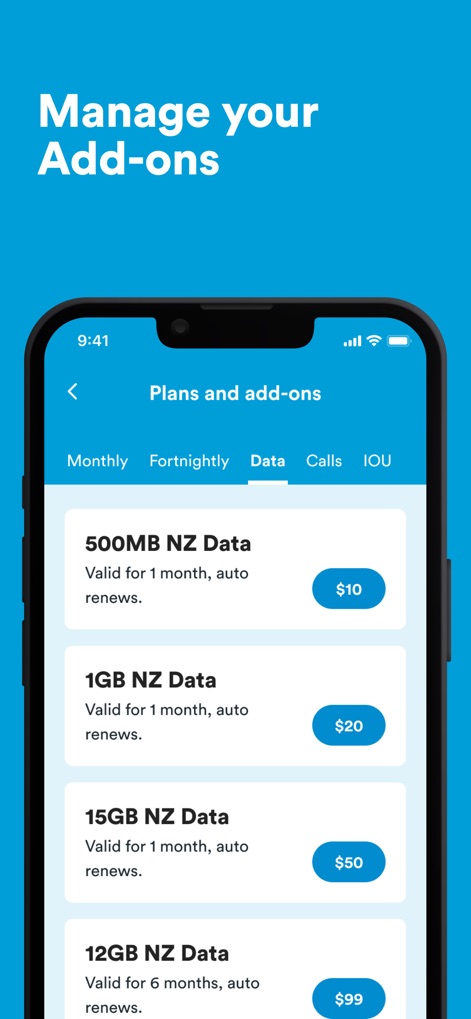
The app provides a comprehensive list of available data add-ons with their respective prices and allows users to filter options by payment frequency like 'Monthly' or 'Fortnightly'.
Flexible Plan Upgrades
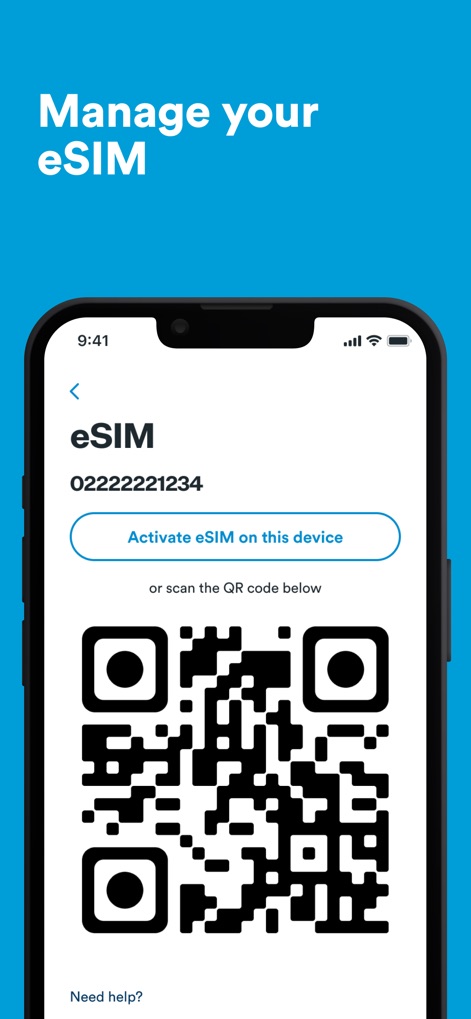
This feature simplifies eSIM management, allowing users to 'Activate eSIM on this device' or utilize a convenient QR code scan for quick setup.
Seamless eSIM Activation
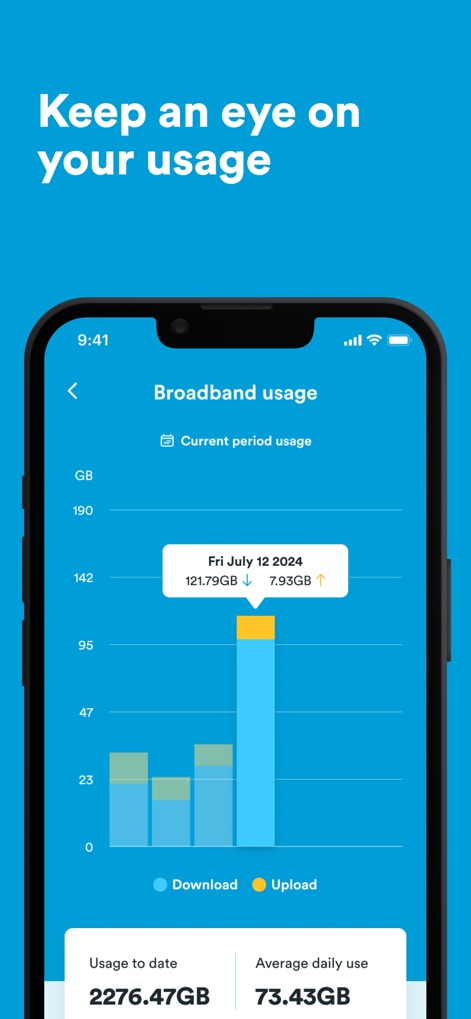
The app offers in-depth usage insights through a clear bar graph visualizing daily download and upload data, complemented by statistics on 'Usage to date' and 'Average daily use'.
Detailed Usage Insights
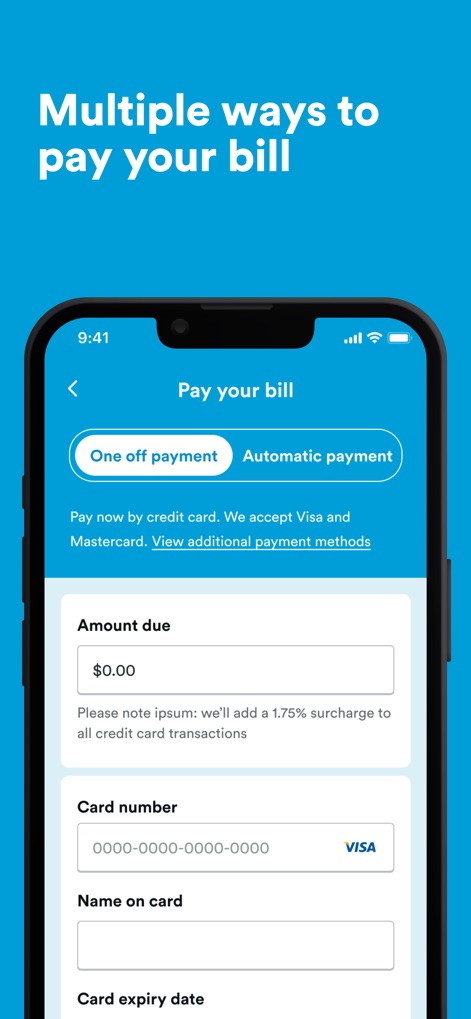
Users benefit from flexible payment methods, including toggling between 'One off payment' and 'Automatic payment' and secure input fields for credit card details.
Convenient Payment Options
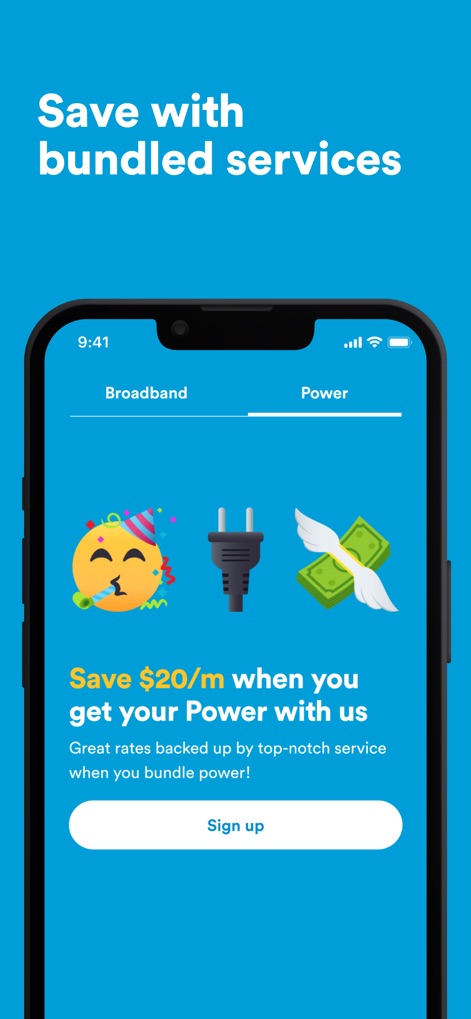
The app highlights exclusive savings opportunities, such as a '$20/m' discount for bundling power services, clearly presented with an inviting 'Sign up' button.
Smart Service Bundling
Description
Download
More Like This
Apps with similar features and user experience

Go Kinetic
Uniti Group Inc.

Desktop
DATACAKE SERVICOS EM TECNOLOGIA LTDA

Oi_e
TNL PCS S/A.

GFiber: The Google Fiber App
Google LLC

MyTelenet
Telenet

My CenturyLink
CenturyTel Service Group, LLC

TIM Modem
Telecom Italia spa

TurkNet
TurkNet Iletisim Hizmetleri A.S.

ACT Fibernet
Atria Convergence Technologies Private Limited
This page is not an official page of the app or its developer, but an independent editorial publication created for informational and commentary purposes. Unless expressly stated otherwise, neither the app nor its developer is affiliated with, endorsed by, sponsored by, authorized by, or otherwise officially connected with MWM, Apple, Google Play, the app publisher, or the app's developer, and nothing on this page implies that the app was developed using MWM's services. Any trademarks, logos, screenshots, and other content remain the property of their respective owners.