
This page is not an official page of the app or its developer, but an independent editorial publication created for informational and commentary purposes. Unless expressly stated otherwise, neither the app nor its developer is affiliated with, endorsed by, sponsored by, authorized by, or otherwise officially connected with MWM, Apple, Google Play, the app publisher, or the app's developer, and nothing on this page implies that the app was developed using MWM's services. Any trademarks, logos, screenshots, and other content remain the property of their respective owners.

TIM Modem
Empowering transatlantic property owners and businesses to remotely manage, optimize, and troubleshoot their Italian network with professional-grade diagnostics and instant Wi-Fi management.
Downloads
1M+User Rating
Total Ratings
66K+Publisher
Category
UtilitiesLocales
2Latest Version
9.0.2Size
43.1 MBFirst Released
Jun 19, 2010Complete Network Control, Anywhere in the World
Specifically designed for transatlantic management, the TIM Modem app puts the power of your Italian network in the palm of your hand, wherever you are in the US.
Remote Diagnostics & Reboots
Troubleshoot and restart your Italian modem from thousands of miles away to ensure your home or office stays online.
Smart Home Mapping
Visualize your Italian property's Wi-Fi coverage and monitor connected devices room-by-room with intuitive floor plan mapping.
Frequently Asked Questions
Everything you need to know about TIM Modem
What is the TIM Modem app for?
The TIM Modem app allows users to manage their TIM Modem, control their fixed line, and open technical assistance requests both via Wi-Fi and remotely.
How do I log in to the TIM Modem app?
To log in to the TIM Modem app, residential customers use MyTIM credentials, while business customers use TIM BUSINESS credentials.
Can I restart my TIM modem using the app?
Yes, the TIM Modem app allows users to view, manage, update, and restart their TIM modem for home or business locations.
Does the TIM Modem app perform internet speed tests?
Yes, the TIM Modem app verifies the internet line status and performs line speed tests, internet service reachability tests, and navigation tests. It also tests 4G/5G signals for FWA lines.
Can I manage my Wi-Fi settings with the TIM Modem app?
Yes, the TIM Modem app allows users to check, modify, turn on/off, and optimize Wi-Fi configurations. It also manages guest Wi-Fi, monitors device traffic, and shows Wi-Fi speed.
Does the TIM Modem app show connected Wi-Fi repeaters?
Yes, the TIM Modem app displays connected TIM Wi-Fi repeaters and the EasyMesh network, providing a comprehensive overview of the home network.
Can I check my Wi-Fi coverage with the TIM Modem app?
Yes, the TIM Modem app verifies and simulates Wi-Fi coverage for the modem and repeaters. It measures the actual Wi-Fi signal received in different rooms using the Wi-Fi coverage test.
What is the WiFi Plus service in the TIM Modem app?
The WiFi Plus service in the TIM Modem app allows users to control their Wi-Fi network's operation and check optimizations automatically performed by TIM.
Can I see devices connected to my TIM modem?
Yes, the TIM Modem app allows users to control and administer devices connected to the modem. Users can draw a home floor plan and view devices by room.
Can I manage USB sharing services on my TIM modem?
Yes, the TIM Modem app controls the status of USB sharing services on the TIM modem. This functionality is available only when the user is connected via Wi-Fi.
Can I check my VoIP service status with the TIM Modem app?
Yes, the TIM Modem app allows users to verify the status of the Voice over IP (VoIP) service on their TIM modem.
Does the TIM Modem app offer network check-ups?
Yes, the TIM Modem app performs periodic check-ups of the user's home network to ensure optimal performance and identify potential issues.
Can I report internet problems using the TIM Modem app?
Yes, the TIM Modem app allows users to diagnose their home line, report problems to technicians, or resolve common issues online for Internet, Mail, and Telephone services.
Does the TIM Modem app diagnose TIMvision services?
Yes, the TIM Modem app diagnoses active TV services like TIMvision, offering online troubleshooting or the option to report issues directly to technicians.
Does the TIM Modem app notify me about network outages?
Yes, the TIM Modem app notifies users of any fixed network outages in their TIM area. Users can also request SMS notifications upon fault resolution.
Can I track my support requests in the TIM Modem app?
Yes, the TIM Modem app allows users to manage their support requests and monitor their processing status directly within the application.
Who is Angie in the TIM Modem app?
Angie is TIM's digital assistant within the TIM Modem app. She helps users resolve technical issues related to their fixed line.
Does the TIM Modem app provide technical assistance guides?
Yes, the TIM Modem app offers useful information, technical assistance guides, and video tutorials to help users manage their services.
Can I access other TIM apps from the TIM Modem app?
Yes, the TIM Modem app provides quick access to other TIM services, including MyTIM, TIM BUSINESS, EZVIZ for TIM Cam, Community We TIM, TIM Party, and TIM Mail apps.
Can I find TIM stores using the TIM Modem app?
Yes, the TIM Modem app includes a feature to locate and search for nearby TIM stores, providing convenience for users.
Does the TIM Modem app simplify Wi-Fi configuration with a QR Code?
Yes, the TIM Modem app simplifies device Wi-Fi configuration by allowing users to scan the TIM modem's QR Code.
What are the requirements to use the TIM Modem app?
To use the TIM Modem app, users need a residential or business TIM fixed line and an Android smartphone/tablet. It works with any mobile operator.
Where can I find the privacy policy for the TIM Modem app?
The privacy policy and license conditions for the TIM Modem app are accessible within the Settings menu of the application.
The following screenshots and description are sourced directly from the app's official store listing and are the property of the app developer.
App Store
Screenshots
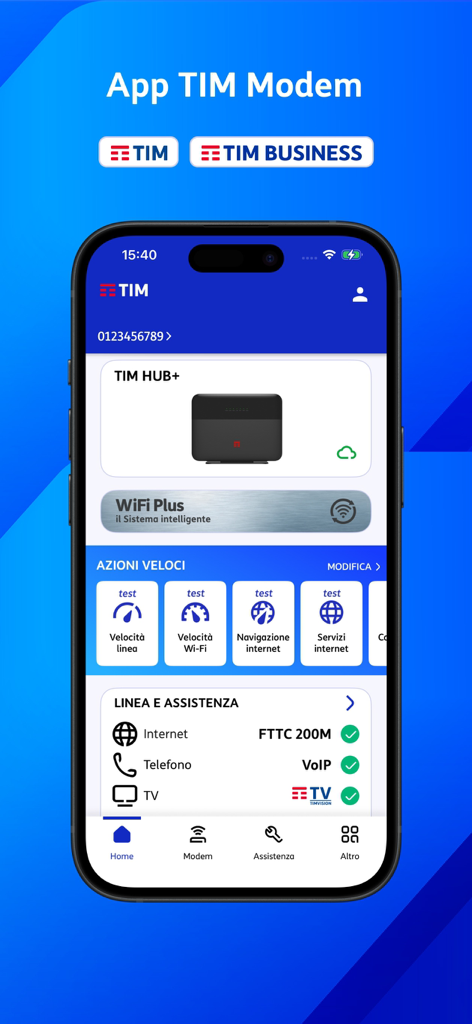
TIM Modem app dashboard showing modem status speed tests and network diagnostics
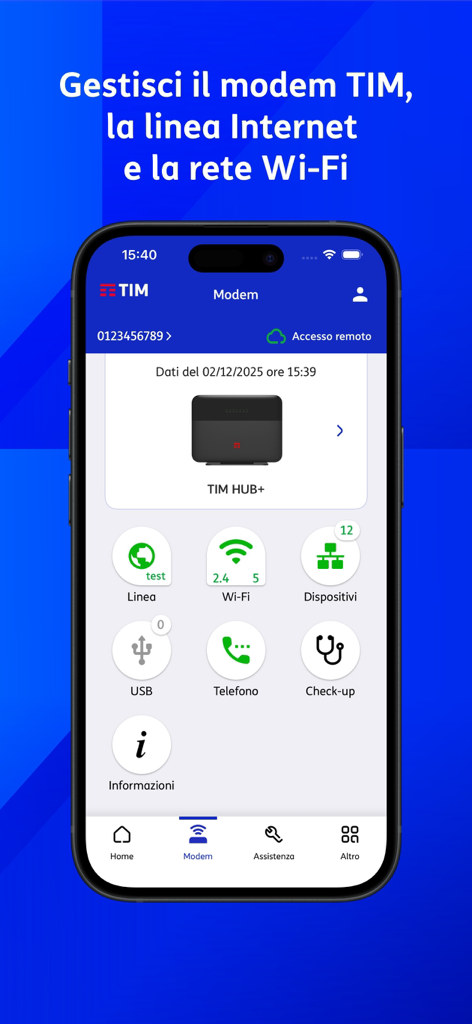
TIM Modem app dashboard on a smartphone showing remote network management options for TIM HUB plus modem
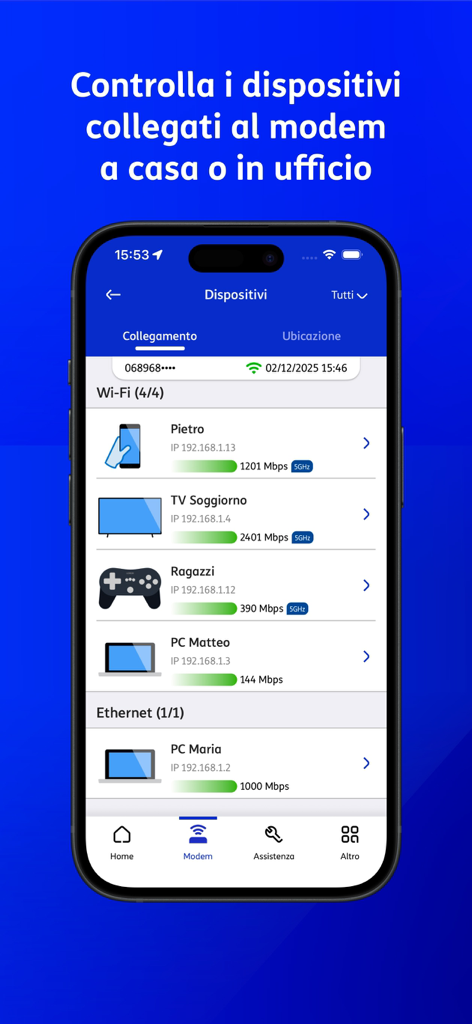
Interface of the TIM Modem app showing a list of devices connected via Wi-Fi and Ethernet with connection speeds
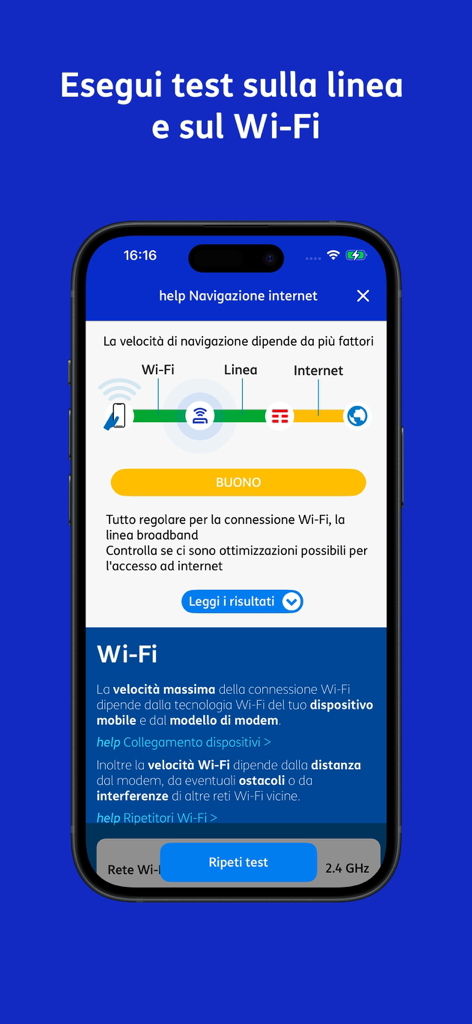
Mobile interface of TIM Modem app performing a network and wifi connection speed test.
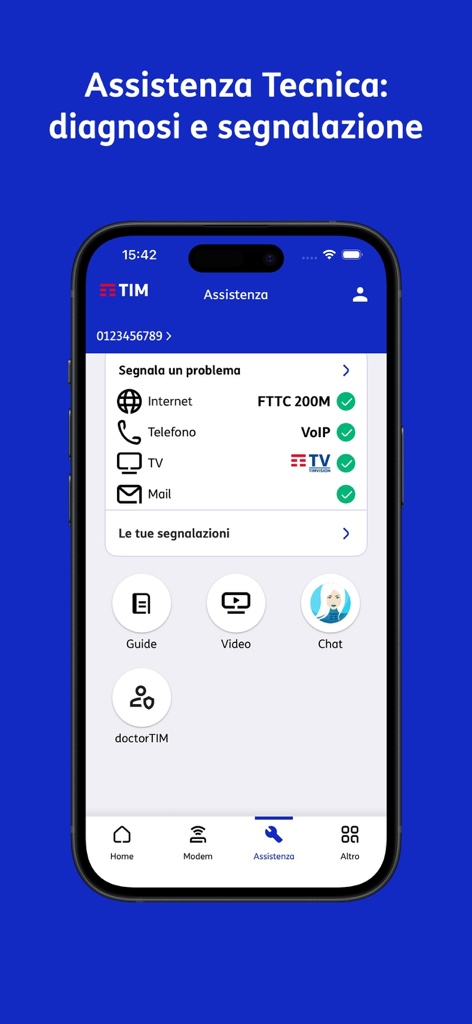
Technical support screen of the TIM Modem app showing service status and diagnostic tools for remote management.
Description
Download
More Like This
Apps with similar features and user experience

Go Kinetic
Uniti Group Inc.

Desktop
DATACAKE SERVICOS EM TECNOLOGIA LTDA

Oi_e
TNL PCS S/A.

GFiber: The Google Fiber App
Google LLC

MyTelenet
Telenet

My CenturyLink
CenturyTel Service Group, LLC

TurkNet
TurkNet Iletisim Hizmetleri A.S.

ACT Fibernet
Atria Convergence Technologies Private Limited

my Excitel
EXCITEL BROADBAND PRIVATE LIMITED
This page is not an official page of the app or its developer, but an independent editorial publication created for informational and commentary purposes. Unless expressly stated otherwise, neither the app nor its developer is affiliated with, endorsed by, sponsored by, authorized by, or otherwise officially connected with MWM, Apple, Google Play, the app publisher, or the app's developer, and nothing on this page implies that the app was developed using MWM's services. Any trademarks, logos, screenshots, and other content remain the property of their respective owners.