
This page is not an official page of the app or its developer, but an independent editorial publication created for informational and commentary purposes. Unless expressly stated otherwise, neither the app nor its developer is affiliated with, endorsed by, sponsored by, authorized by, or otherwise officially connected with MWM, Apple, Google Play, the app publisher, or the app's developer, and nothing on this page implies that the app was developed using MWM's services. Any trademarks, logos, screenshots, and other content remain the property of their respective owners.


My CenturyLink
Manage your bills, troubleshoot service, and protect your family with Secure WiFi controls—all from one easy-to-use app designed for your busy life.
Downloads
2M+User Rating
Total Ratings
135K+Publisher
Category
ProductivityLocales
1Latest Version
5.5.0Size
42.8 MBFirst Released
Feb 17, 2016Complete Control of Your Connected Home
Simplify your life with a single app to manage your billing, optimize your connection, and keep your family safe online.
Smart Parental Controls
Take charge of screen time by pausing devices, setting schedules, and filtering content for a safer home environment.
Effortless Account Management
Skip the phone queue. Pay bills, track orders, and upgrade your internet speed with just a few taps on your phone.
Frequently Asked Questions
Everything you need to know about My CenturyLink
What is the My CenturyLink app?
The My CenturyLink app provides comprehensive management of your CenturyLink account and services. It consolidates features like bill payment, service checks, settings management, and support into a single, convenient platform.
Can I pay my bill using the My CenturyLink app?
Yes, the My CenturyLink app allows users to view and manage their bill payments with ease. You can also set up and manage AutoPay directly within the application.
Does the My CenturyLink app support modem self-installation?
Yes, the My CenturyLink app facilitates quick connection of new service through its modem self-install feature. This streamlines the setup process for new users.
Can I check my internet speed with the My CenturyLink app?
Yes, the My CenturyLink app allows you to check your current services, including your internet speed. You can also explore options to upgrade your internet speed if available in your area.
Are there parental controls available in the My CenturyLink app?
Yes, for customers with compatible modems leased from CenturyLink, the My CenturyLink app offers Secure WiFi features including parental controls to guard against inappropriate web content.
How can I pause internet access for devices using the My CenturyLink app?
Yes, the My CenturyLink app enables users with Secure WiFi to pause and resume internet access for devices on their WiFi network. You can manage this from group details or individual device settings.
Does the My CenturyLink app provide personalized alerts?
Yes, the My CenturyLink app delivers personalized alerts. These alerts inform you about your order status or any interruptions to your internet service, keeping you updated in real-time.
Can I manage my WiFi network settings through the My CenturyLink app?
Yes, the My CenturyLink app allows you to view and manage your WiFi network details. You can access information such as network name, password, security type, and frequency band.
Does the My CenturyLink app offer self-help tools for troubleshooting?
Yes, the My CenturyLink app includes a Support section with self-help tools and videos. Users can visit this section to troubleshoot issues or optimize their service.
The following screenshots and description are sourced directly from the app's official store listing and are the property of the app developer.
App Store
Screenshots
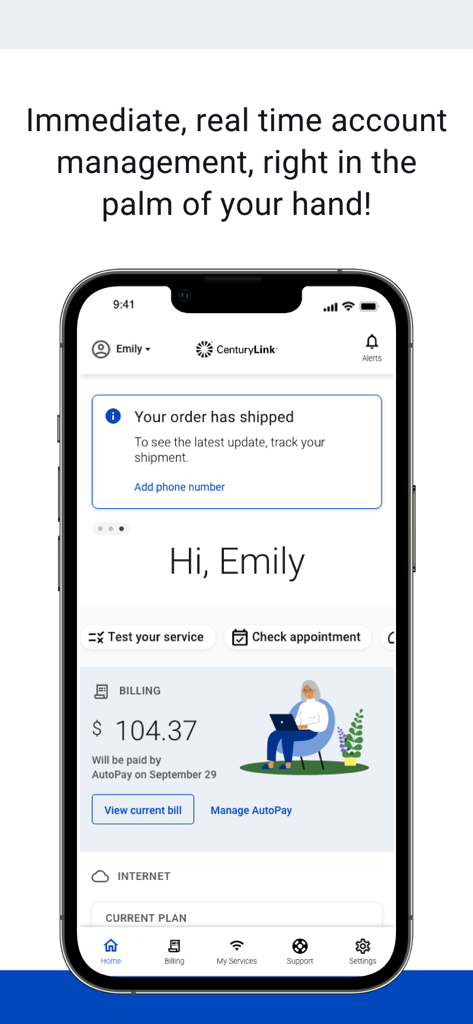
My CenturyLink app dashboard showing account billing and order status information
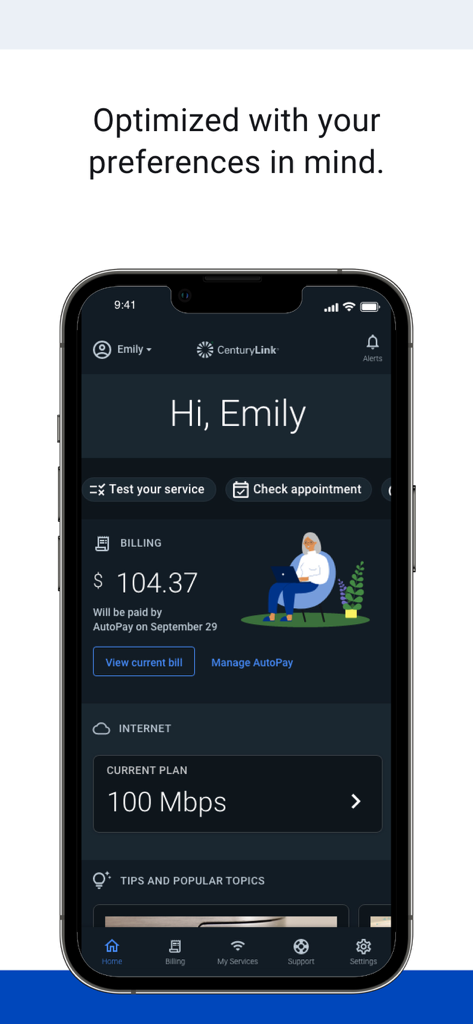
My CenturyLink app home screen with billing and internet service information
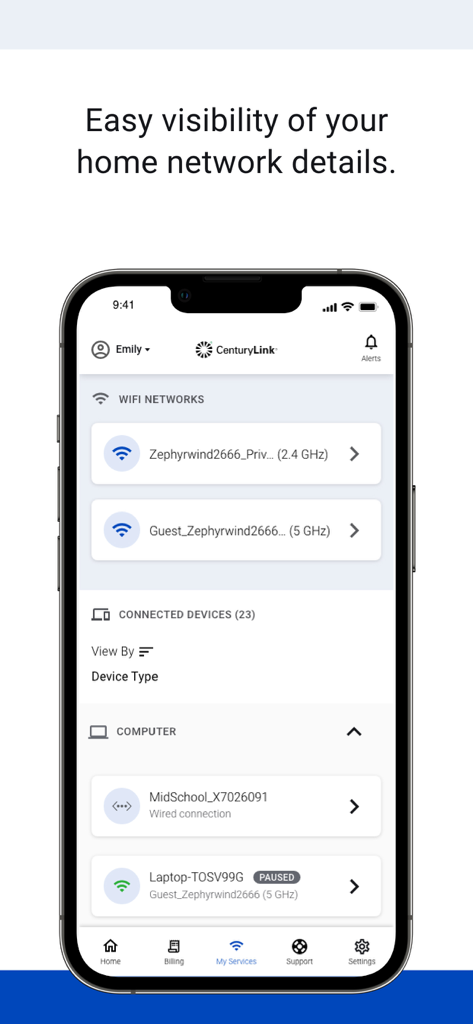
My CenturyLink app screen displaying home wifi networks and a list of connected devices
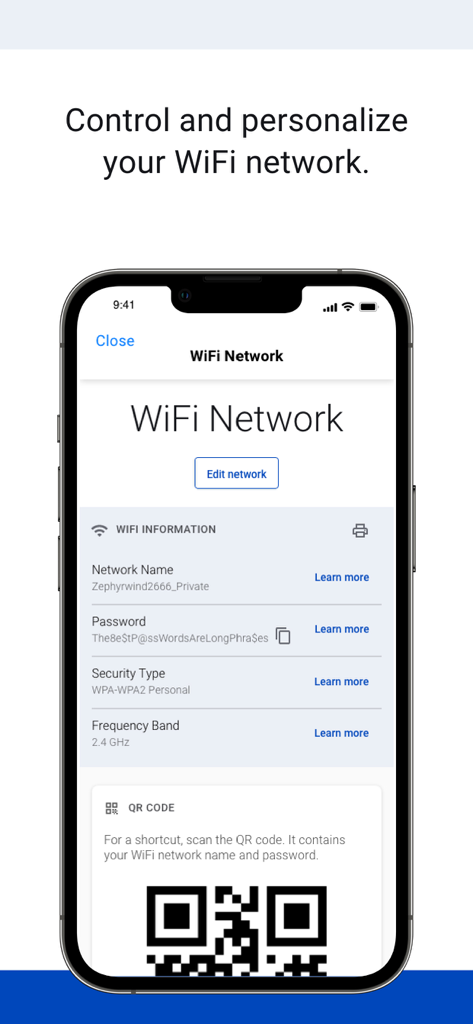
My CenturyLink app interface displaying WiFi network details and a sharing QR code
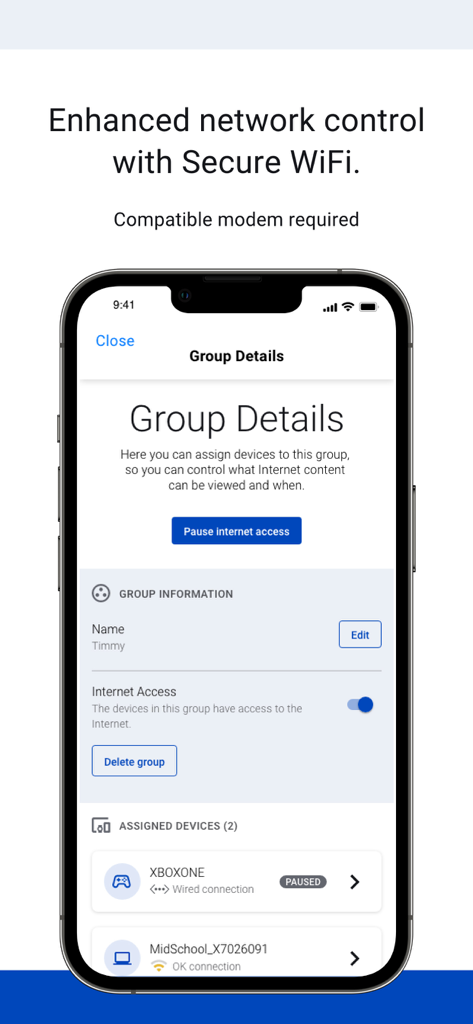
My CenturyLink app screen showing Secure WiFi settings to pause internet access for connected devices
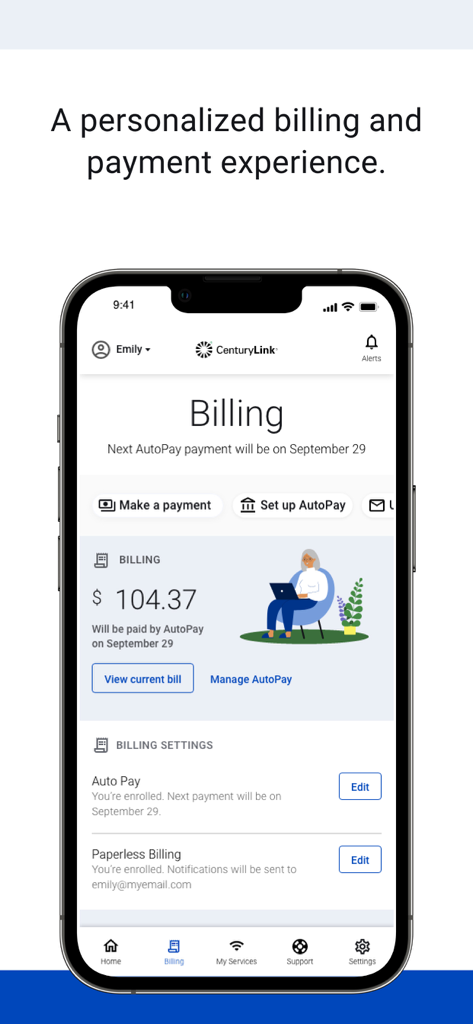
My CenturyLink app billing and payment management screen showing AutoPay details
Description
Download
More Like This
Apps with similar features and user experience

Desktop
DATACAKE SERVICOS EM TECNOLOGIA LTDA

Go Kinetic
Uniti Group Inc.

Oi_e
TNL PCS S/A.
GFiber: The Google Fiber App
Google LLC

MyTelenet
Telenet
TIM Modem
Telecom Italia spa

TurkNet
TurkNet Iletisim Hizmetleri A.S.

ACT Fibernet
Atria Convergence Technologies Private Limited

my Excitel
EXCITEL BROADBAND PRIVATE LIMITED
This page is not an official page of the app or its developer, but an independent editorial publication created for informational and commentary purposes. Unless expressly stated otherwise, neither the app nor its developer is affiliated with, endorsed by, sponsored by, authorized by, or otherwise officially connected with MWM, Apple, Google Play, the app publisher, or the app's developer, and nothing on this page implies that the app was developed using MWM's services. Any trademarks, logos, screenshots, and other content remain the property of their respective owners.