
This page is not an official page of the app or its developer, but an independent editorial publication created for informational and commentary purposes. Unless expressly stated otherwise, neither the app nor its developer is affiliated with, endorsed by, sponsored by, authorized by, or otherwise officially connected with MWM, Apple, Google Play, the app publisher, or the app's developer, and nothing on this page implies that the app was developed using MWM's services. Any trademarks, logos, screenshots, and other content remain the property of their respective owners.


my Excitel
Skip the hold music. Manage your billing, reset your connection, and resolve issues in seconds with the ultimate broadband self-care companion for your digital lifestyle.
Downloads
610K+User Rating
Total Ratings
12K+Publisher
Category
ProductivityLocales
1Latest Version
3.21.0Size
94.1 MBFirst Released
Feb 28, 2017Take Total Control of Your Connection
Skip the call center and manage your high-speed internet with a suite of tools built for the modern remote lifestyle.
One-Tap Billing & Management
Track your plan expiration and settle payments instantly to keep your home office and smart devices running without interruption.
Self-Service Troubleshooting
Reset your MAC address or check for area outages on the fly. Resolve connectivity issues in seconds with powerful DIY diagnostic tools.
Frequently Asked Questions
Everything you need to know about my Excitel
What is the primary function of the "my Excitel" app?
The "my Excitel" app helps users manage their internet services. It allows for online payments, requesting payment collection, updating account details, basic troubleshooting, and escalating connectivity issues.
Can I pay my Excitel internet bill online using the "my Excitel" app?
Yes, the "my Excitel" app allows users to pay their internet plan online directly from the application. It provides a convenient way to manage billing.
How do I check my current Excitel internet plan details and expiration date?
You can view your current Excitel internet plan and its expiration date within the "my Excitel" app. The home screen displays your active plan information, such as "Excitel Fiber 300 999".
Can I update my contact information or change my password in the "my Excitel" app?
Yes, the "my Excitel" app allows you to edit your contact phone number and e-mail address. You can also change your self-care password within the account management section.
Does the "my Excitel" app provide tools for troubleshooting internet issues?
Yes, the "my Excitel" app offers troubleshooting features. Users can view global issues, see "Last Attempt Failure Detail", and "Reset MAC" for their internet connection.
How can I request a payment collection service using the "my Excitel" app?
The "my Excitel" app allows you to request a payment pickup directly through a single button. This feature facilitates door-to-door cash payment collection services from an Excitel employee.
Can I communicate with customer support via live chat in the "my Excitel" application?
Yes, the "my Excitel" app includes a LiveChat feature. Users can contact customer service agents to report issues or get assistance directly through the chat interface.
How can I view my internet data usage in the "my Excitel" app?
The "my Excitel" app provides access to "Data Usage" details. This feature allows users to monitor their internet consumption directly within the application's quick access section.
The following screenshots and description are sourced directly from the app's official store listing and are the property of the app developer.
App Store
Screenshots
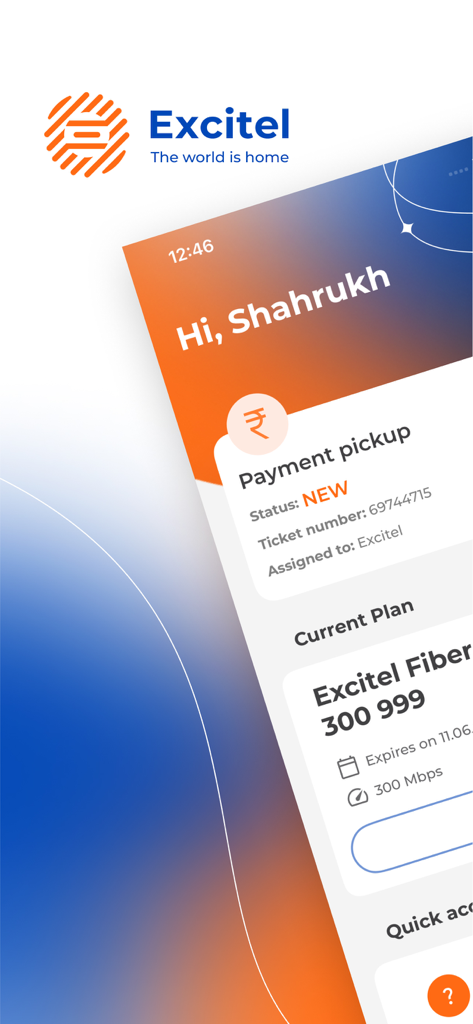
User dashboard on the my Excitel app displaying current fiber plan and payment pickup status
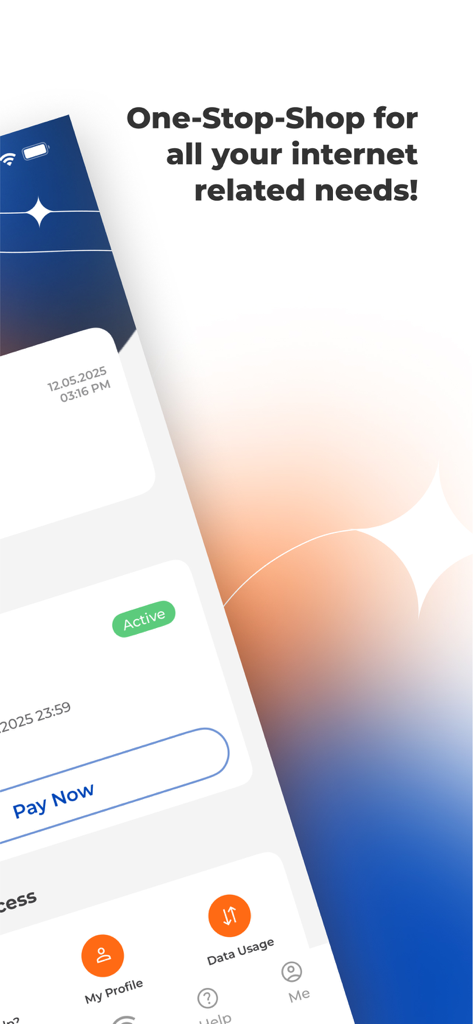
Overview of my Excitel app interface for internet management and payments
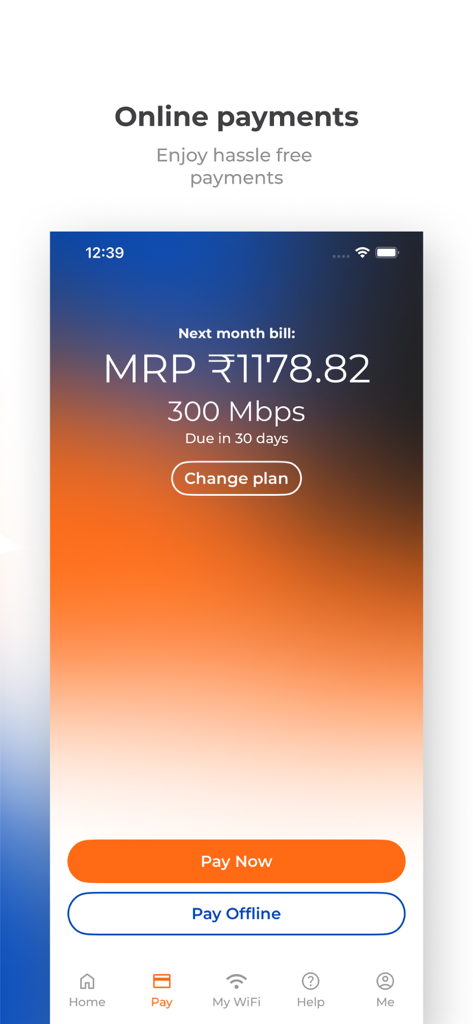
The online payment screen of the my Excitel app showing broadband bill amount and payment buttons
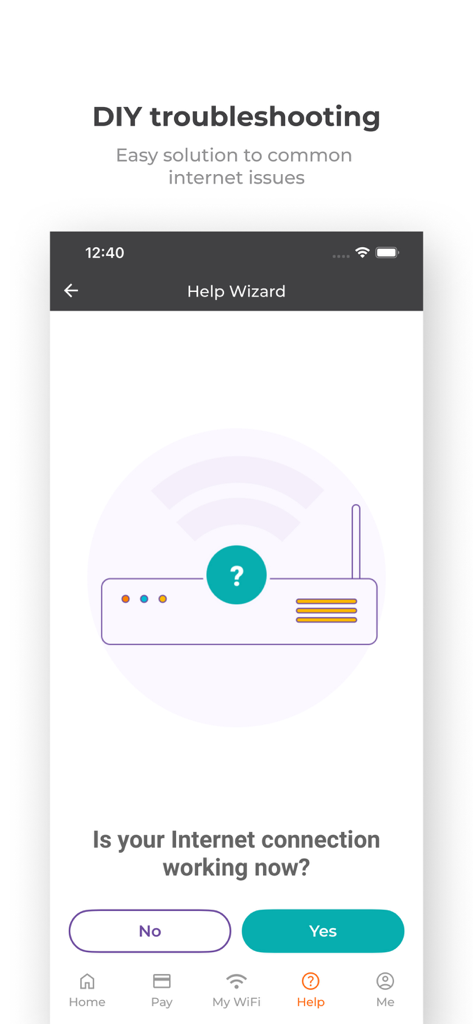
The my Excitel app DIY troubleshooting interface showing the Help Wizard for internet issues
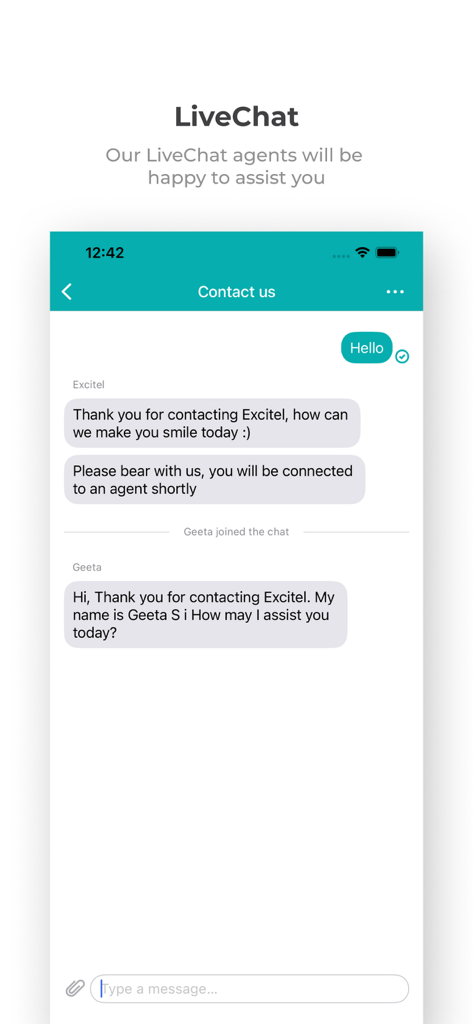
my Excitel app live chat interface with customer service agent
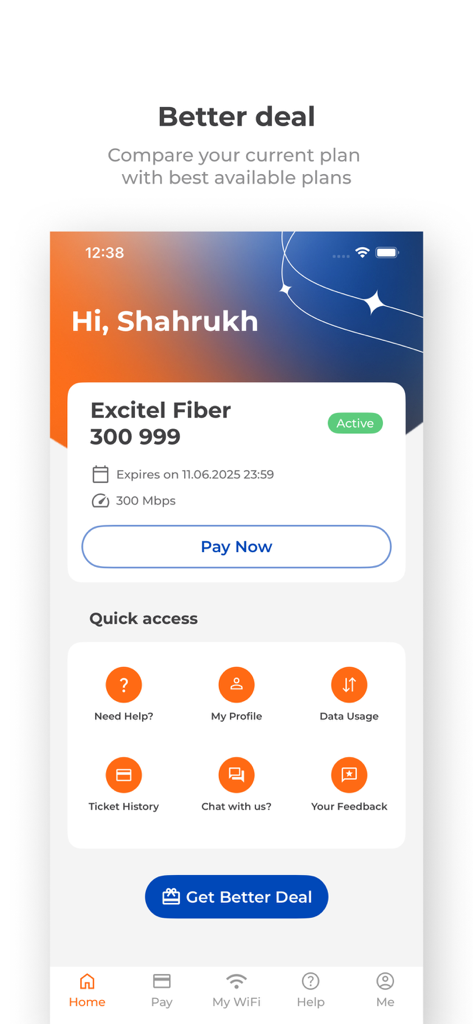
Interface of the my Excitel app displaying current fiber plan details, a payment button, and quick access utility icons
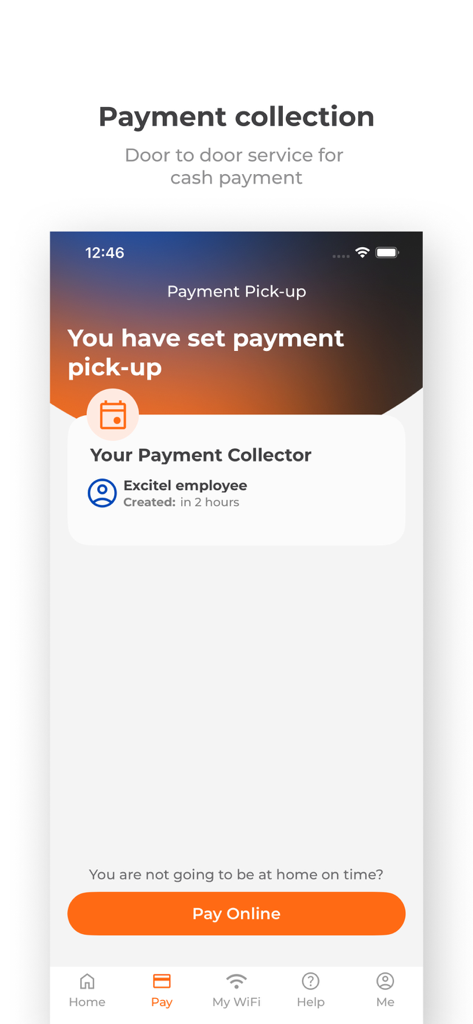
Interface of the my Excitel app showing a scheduled payment pickup and an option to pay online.
Description
Download
More Like This
Apps with similar features and user experience

Go Kinetic
Uniti Group Inc.

Desktop
DATACAKE SERVICOS EM TECNOLOGIA LTDA

Oi_e
TNL PCS S/A.

GFiber: The Google Fiber App
Google LLC

MyTelenet
Telenet

My CenturyLink
CenturyTel Service Group, LLC
TIM Modem
Telecom Italia spa

TurkNet
TurkNet Iletisim Hizmetleri A.S.

ACT Fibernet
Atria Convergence Technologies Private Limited
This page is not an official page of the app or its developer, but an independent editorial publication created for informational and commentary purposes. Unless expressly stated otherwise, neither the app nor its developer is affiliated with, endorsed by, sponsored by, authorized by, or otherwise officially connected with MWM, Apple, Google Play, the app publisher, or the app's developer, and nothing on this page implies that the app was developed using MWM's services. Any trademarks, logos, screenshots, and other content remain the property of their respective owners.