
This page is not an official page of the app or its developer, but an independent editorial publication created for informational and commentary purposes. Unless expressly stated otherwise, neither the app nor its developer is affiliated with, endorsed by, sponsored by, authorized by, or otherwise officially connected with MWM, Apple, Google Play, the app publisher, or the app's developer, and nothing on this page implies that the app was developed using MWM's services. Any trademarks, logos, screenshots, and other content remain the property of their respective owners.


GFiber: The Google Fiber App
The ultimate companion for your digital lifestyle. Run instant speed tests, manage your network settings, and share Wi-Fi with a single tap, all from the palm of your hand.
Downloads
464K+User Rating
Total Ratings
4K+Publisher
Category
UtilitiesLocales
2Latest Version
3.7.1Size
112.7 MBFirst Released
Apr 12, 2016Take Command of Your Digital Home
The GFiber app puts total control of your high-performance network in the palm of your hand, so you can focus on staying connected to what matters most.
Peak Performance Monitoring
Validate your connection with real-time speed tests and maintain peak performance with the ability to restart your router directly from your phone.
Seamless Guest Access
Eliminate the friction of long passwords. Share your Wi-Fi credentials with family and friends instantly to keep your social circle connected.
Frequently Asked Questions
Everything you need to know about GFiber: The Google Fiber App
What functions does the GFiber: The Google Fiber App provide?
The GFiber app allows users to manage internet service, run speed tests, adjust network settings, restart their router, and share Wi-Fi. It also provides account management, bill viewing, and access to customer support.
Can I manage my GFiber payments through the app?
Yes, users can manage their GFiber payments directly within the app. It provides options to view current balances, access previous statements, and manage payment methods.
How do I get support using the GFiber app?
The GFiber app offers multiple support options. Users can access the GFiber Help Center for common questions, utilize the in-app chat with a virtual assistant, or connect live for visual assistance.
Does the GFiber app allow me to check my internet speed?
Yes, the GFiber app enables users to run internet speed tests. It displays current download and upload speeds, and also offers a specific test for the device itself.
Can I restart my GFiber router using the mobile app?
Yes, the GFiber app includes a feature to restart the router remotely. This function is part of the essential tools for managing your GFiber internet service.
Is GFiber: The Google Fiber App available for all users?
No, The Google Fiber App is exclusively for GFiber customers. An active GFiber internet service subscription is a prerequisite for app usage.
Can I share my Wi-Fi password using the GFiber app?
Yes, the GFiber app facilitates sharing your Wi-Fi password. This feature allows users to easily provide network access to family and friends.
How does the GFiber app help monitor my network?
The GFiber app monitors network health, displaying the status of internet and Wi-Fi. It provides excellent ratings for connectivity, speed, and coverage, ensuring smooth operation.
Can I track my GFiber order and appointments in the app?
Yes, the GFiber app allows users to track package deliveries and manage installation appointments. It provides updates on order status and the technician's arrival time.
Has GFiber received any awards for customer satisfaction?
Yes, GFiber has received awards for customer satisfaction. It is recognized as a "2X WINNER" and "#1 in Customer Satisfaction for Residential Wired Internet Service in the South" by J.D. Power.
The following screenshots and description are sourced directly from the app's official store listing and are the property of the app developer.
App Store
Screenshots
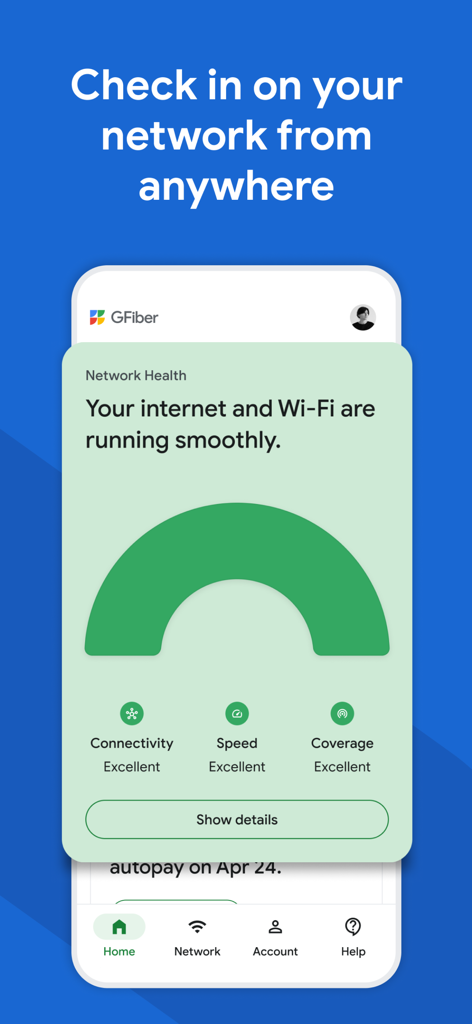
GFiber app interface showing excellent network health and connectivity status
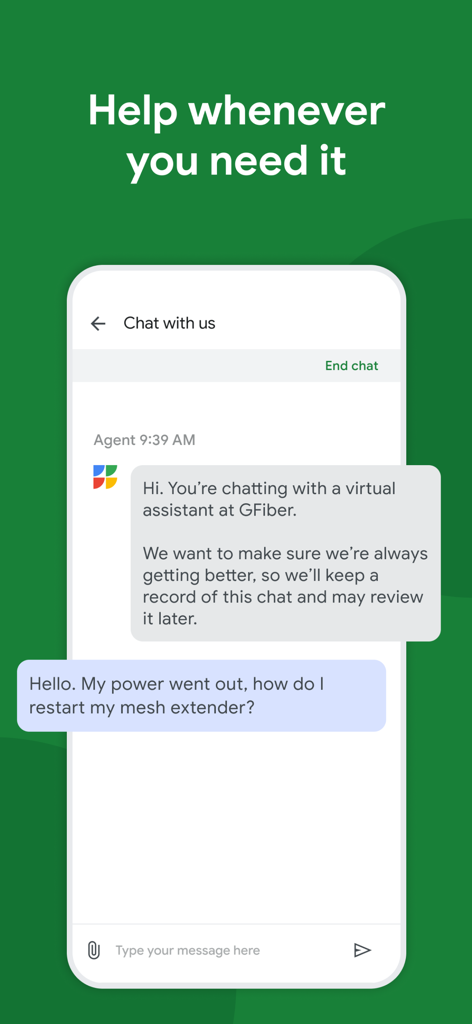
Screenshot of GFiber app chat interface showing a user asking a virtual assistant how to restart a mesh extender
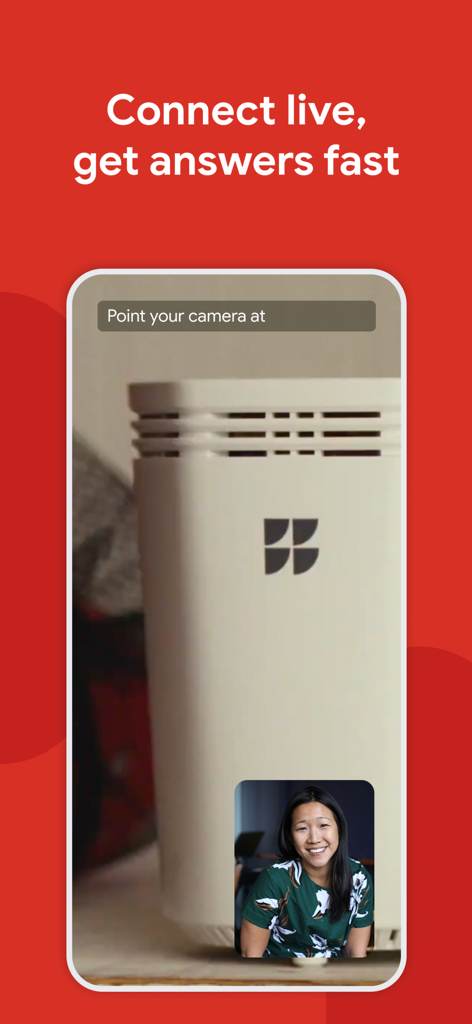
A person using the GFiber app live video support feature to troubleshoot their internet router
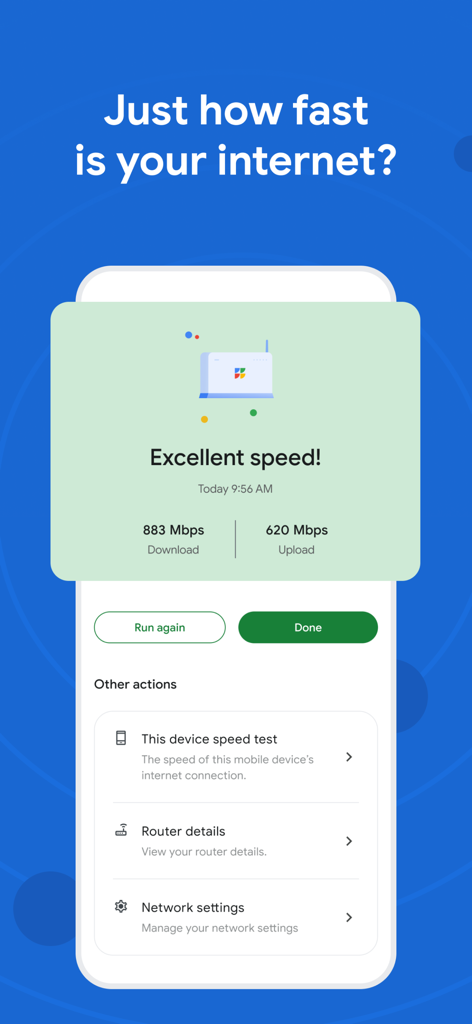
Google Fiber app interface showing excellent internet speed test results for download and upload
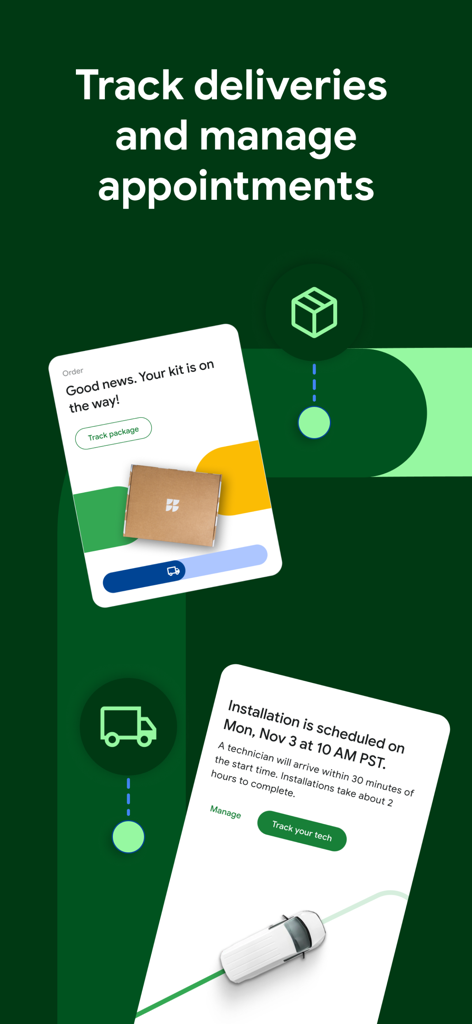
Interface of the GFiber app showing hardware delivery status and installation appointment management.

Google Fiber awards for top customer satisfaction from JD Power and CNET
Description
Download
More Like This
Apps with similar features and user experience

Desktop
DATACAKE SERVICOS EM TECNOLOGIA LTDA

Go Kinetic
Uniti Group Inc.

Oi_e
TNL PCS S/A.

MyTelenet
Telenet

My CenturyLink
CenturyTel Service Group, LLC

TIM Modem
Telecom Italia spa

TurkNet
TurkNet Iletisim Hizmetleri A.S.

ACT Fibernet
Atria Convergence Technologies Private Limited

my Excitel
EXCITEL BROADBAND PRIVATE LIMITED
This page is not an official page of the app or its developer, but an independent editorial publication created for informational and commentary purposes. Unless expressly stated otherwise, neither the app nor its developer is affiliated with, endorsed by, sponsored by, authorized by, or otherwise officially connected with MWM, Apple, Google Play, the app publisher, or the app's developer, and nothing on this page implies that the app was developed using MWM's services. Any trademarks, logos, screenshots, and other content remain the property of their respective owners.