
This page is not an official page of the app or its developer, but an independent editorial publication created for informational and commentary purposes. Unless expressly stated otherwise, neither the app nor its developer is affiliated with, endorsed by, sponsored by, authorized by, or otherwise officially connected with MWM, Apple, Google Play, the app publisher, or the app's developer, and nothing on this page implies that the app was developed using MWM's services. Any trademarks, logos, screenshots, and other content remain the property of their respective owners.


3CX
Take your business calls, team chats, and video conferences anywhere. Protect your personal privacy and stay connected to your team with a seamless, QR-code setup.
Downloads
3M+User Rating
Total Ratings
8K+Publisher
Category
BusinessLocales
12Latest Version
20.0.18Size
62.3 MBFirst Released
Jun 30, 2015Your Office Communication, Reimagined
3CX transforms your iPhone into a powerful business tool, allowing you to stay connected and productive whether you are at home, in the office, or on the move.
Full Office Extension
Take your desk phone anywhere. Make and receive crystal-clear calls using your office number and manage transfers with ease.
Total Privacy Shield
Keep your personal number private. Your business ID is shown on all calls, ensuring professional boundaries remain intact.
Frequently Asked Questions
Everything you need to know about 3CX
What is 3CX?
3CX is an app that allows users to connect to their office extension from any location. It supports calls, conference scheduling, chat with colleagues, and video calls directly from an iOS device.
How do I configure the 3CX app on my iOS device?
Install the 3CX app, accept the license, and authorize permissions. Open your web client or desktop app, click the QR code, and scan it with your iOS device camera. This configures your extension.
Does the 3CX app support video calls?
Yes, the 3CX app supports video calls from your iOS device. Users can video call colleagues and customers directly through the application to enhance communication.
Can users chat with colleagues using the 3CX app?
Yes, the 3CX app enables users to chat with colleagues and website visitors directly from their iOS device. This feature facilitates real-time text-based communication within the platform.
Is the 3CX app a standalone application for mobile?
No, the 3CX app is not a standalone application. It is only for use with 3CX V20 and requires an existing 3CX system for its full functionality.
What call management features does the 3CX app offer?
During a call, 3CX offers features such as Hold, Earpiece, Mute, New Call, Conference, Transfer, Record, and Keypad. Users can also initiate video calls directly from the call interface.
What device permissions does the 3CX app require upon installation?
The 3CX app requires permissions for the camera and microphone upon installation. These permissions are essential for enabling call functionality and video conferencing within the application.
The following screenshots and description are sourced directly from the app's official store listing and are the property of the app developer.
App Store
Screenshots
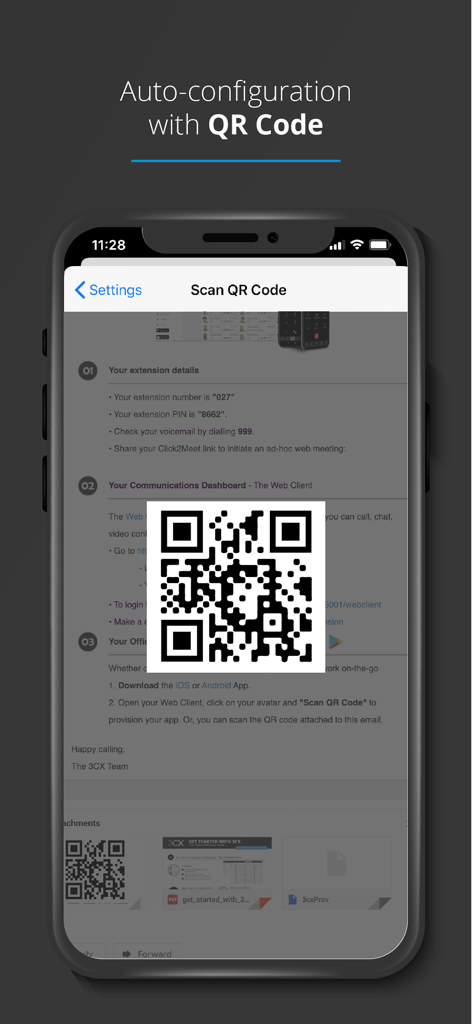
Smartphone screen showing 3CX app auto-configuration using a QR code scan
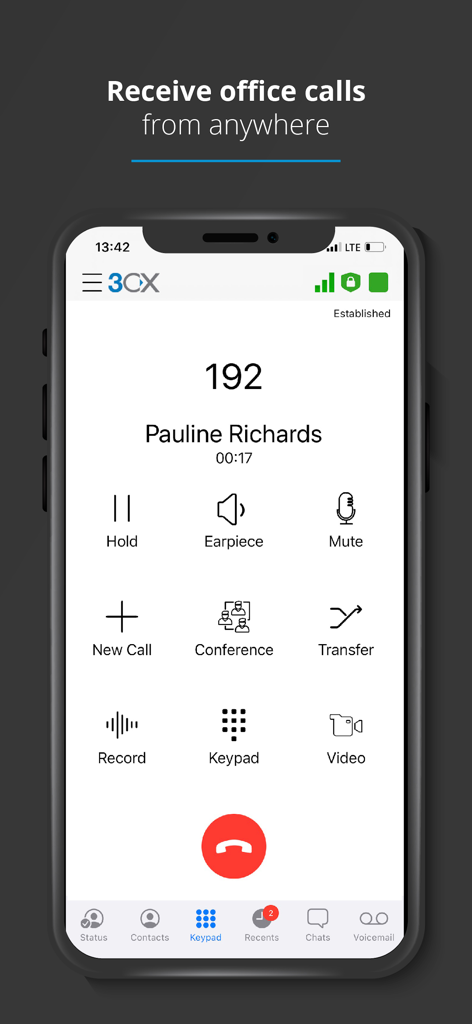
iPhone showing the 3CX app interface during an active business call with options for conference and transfer
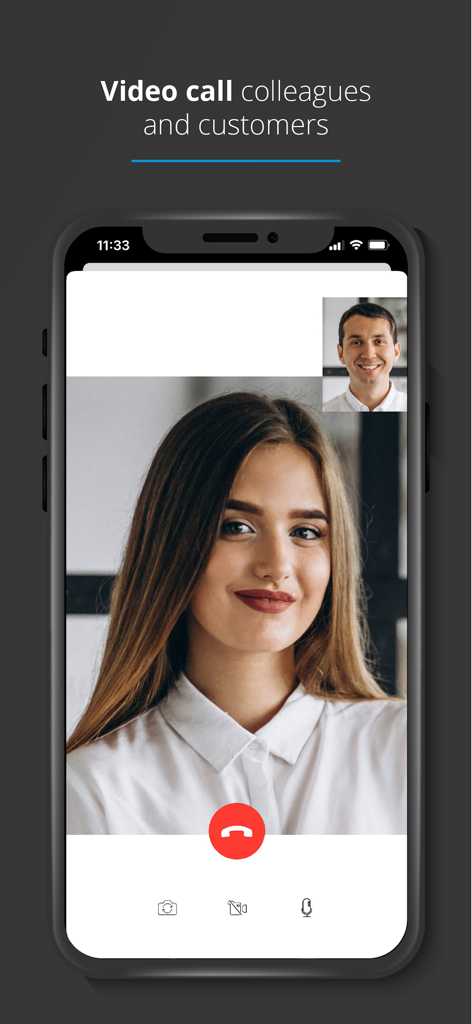
A screenshot of the 3CX app showing a business video call between two colleagues on an iPhone
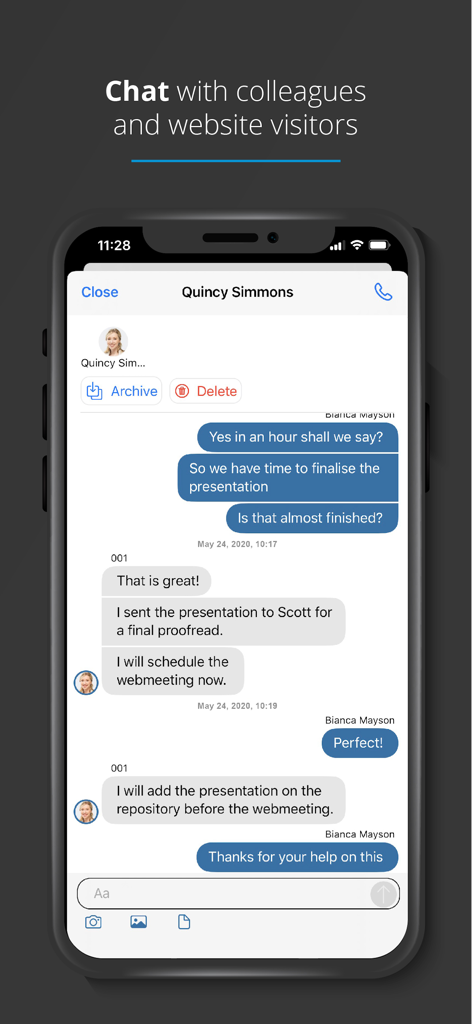
Interface of the 3CX mobile app showing a chat conversation between colleagues about project updates.
Description
Download
More Like This
Apps with similar features and user experience

Dialpad
Dialpad, Inc.

Cisco Jabber
Cisco

Bria Enterprise
CounterPath Corporation

Bria Mobile: VoIP Softphone
CounterPath Corporation

Bria - VoIP Softphone
CounterPath Corporation

Groundwire: VoIP SIP Softphone
Acrobits

Mango Talker
MANGO TELEKOM, OOO

Zoiper Lite voip soft phone
Securax

Talkyto - Twilio Calls & SMS
WEB rjesenja d.o.o.
This page is not an official page of the app or its developer, but an independent editorial publication created for informational and commentary purposes. Unless expressly stated otherwise, neither the app nor its developer is affiliated with, endorsed by, sponsored by, authorized by, or otherwise officially connected with MWM, Apple, Google Play, the app publisher, or the app's developer, and nothing on this page implies that the app was developed using MWM's services. Any trademarks, logos, screenshots, and other content remain the property of their respective owners.