3D Object & Room Scanner

3D Object & Room Scanner


Download on App Store
Logo of 3D Object & Room Scanner

3D Object & Room Scanner: Turn the Real World into 3D Models Instantly

Unlock the power of your iPhone's LiDAR sensor to capture everything from small trinkets to entire rooms. Export pro-grade STL, OBJ, and USDZ files for 3D printing, interior design, or game development in seconds.

Download on App Store

Publisher

Nicolo Stanciu

Category

Utilities

Downloads

400

User Rating

4.4/5

Total Ratings

100

Locales

34

Reality in High Definition

Discover the interface used by 400 users.
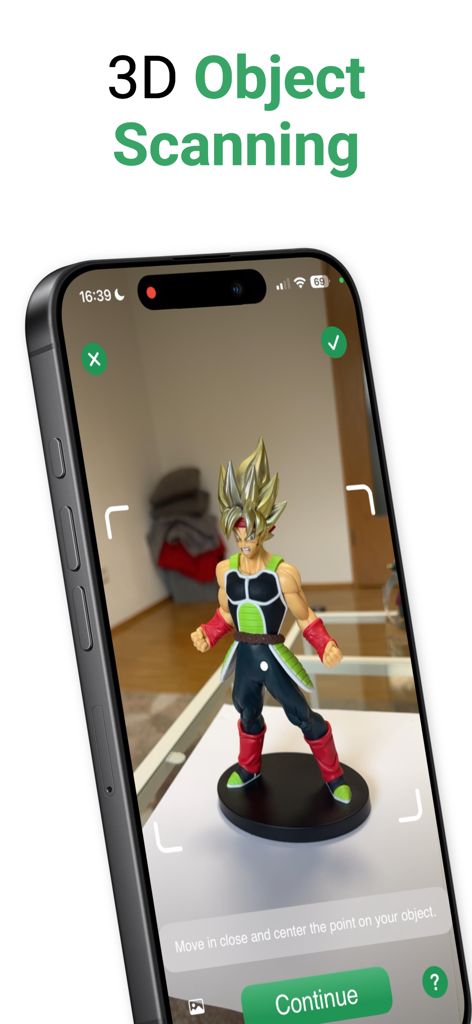
An iPhone screen capturing a 3D scan of a character figurine using a LiDAR-powered app.

An iPhone screen capturing a 3D scan of a character figurine using a LiDAR-powered app.

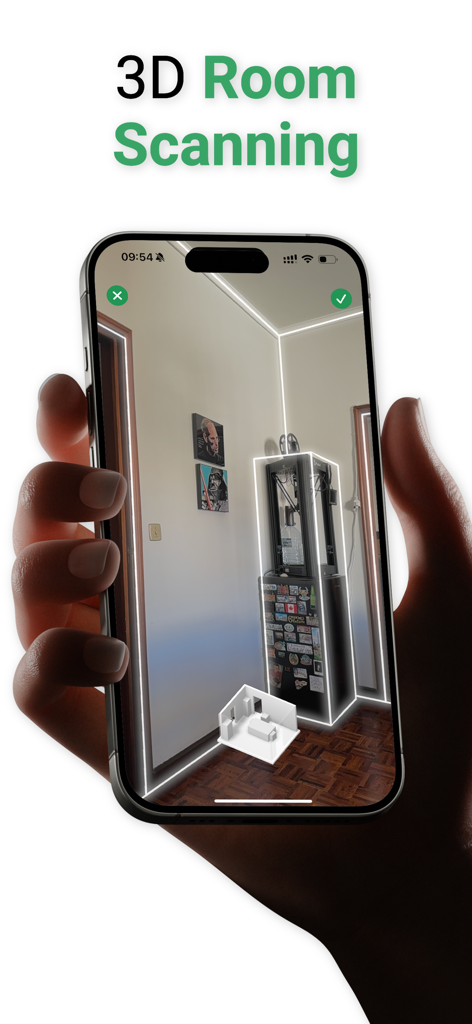
A hand holding an iPhone using the 3D Object and Room Scanner app to create a digital model of an interior room using LiDAR

A hand holding an iPhone using the 3D Object and Room Scanner app to create a digital model of an interior room using LiDAR

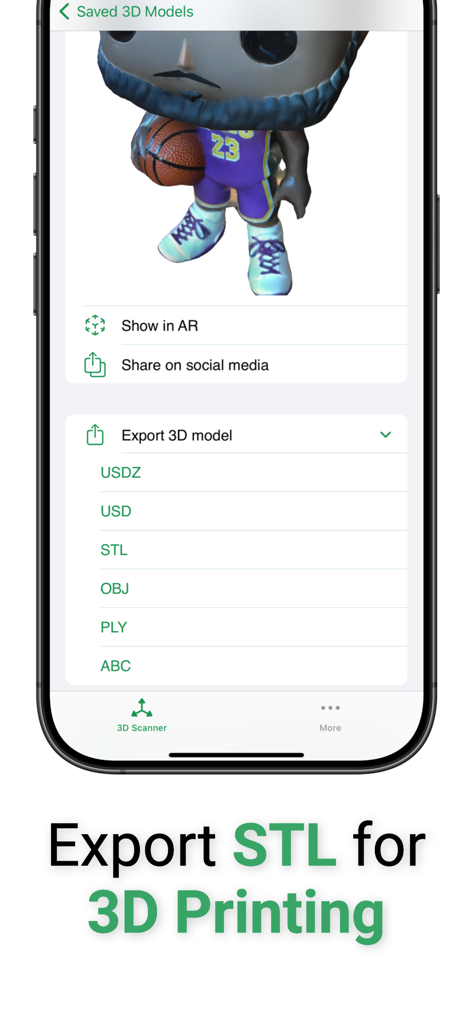
Interface of the 3D scanning app showing a captured 3D model of a figurine and a menu with export options including STL for 3D printing

Interface of the 3D scanning app showing a captured 3D model of a figurine and a menu with export options including STL for 3D printing

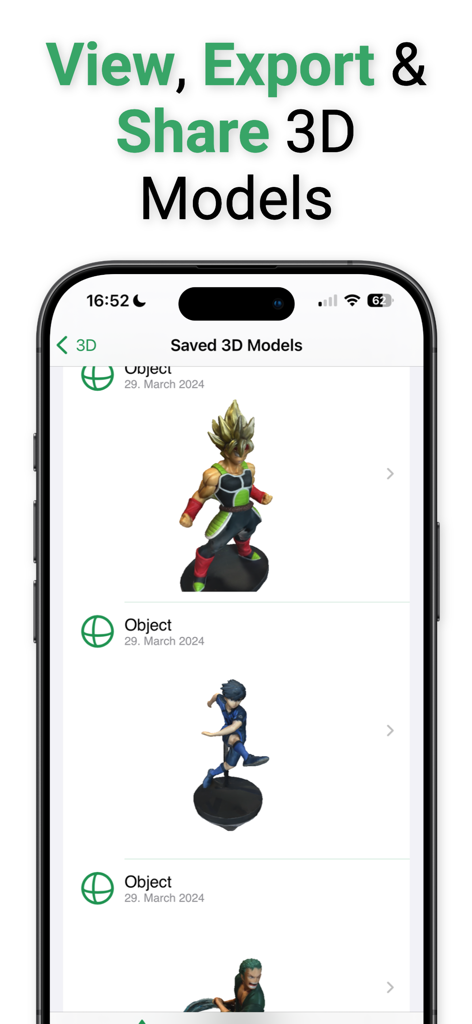
A mobile app interface displaying a list of saved 3D scans of anime action figures with options to view export and share.

A mobile app interface displaying a list of saved 3D scans of anime action figures with options to view export and share.

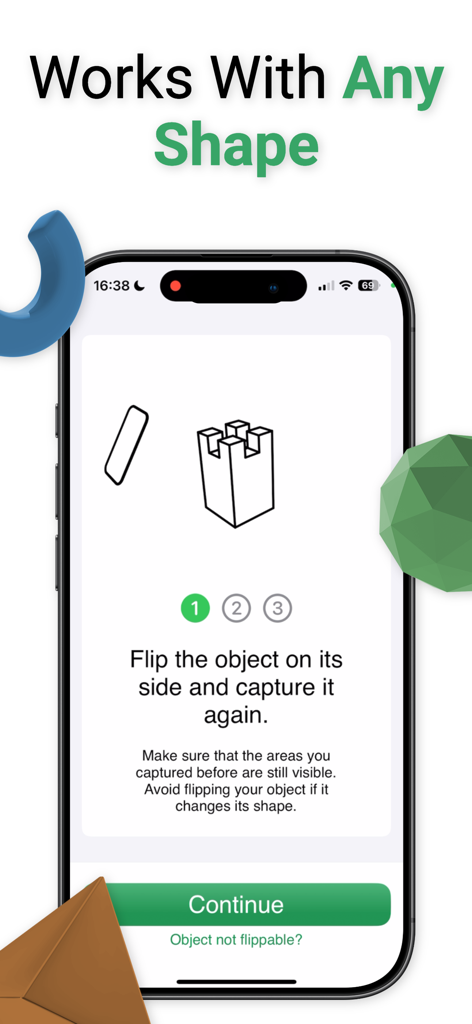
Smartphone interface showing 3D scanning instructions for various shapes.

Smartphone interface showing 3D scanning instructions for various shapes.

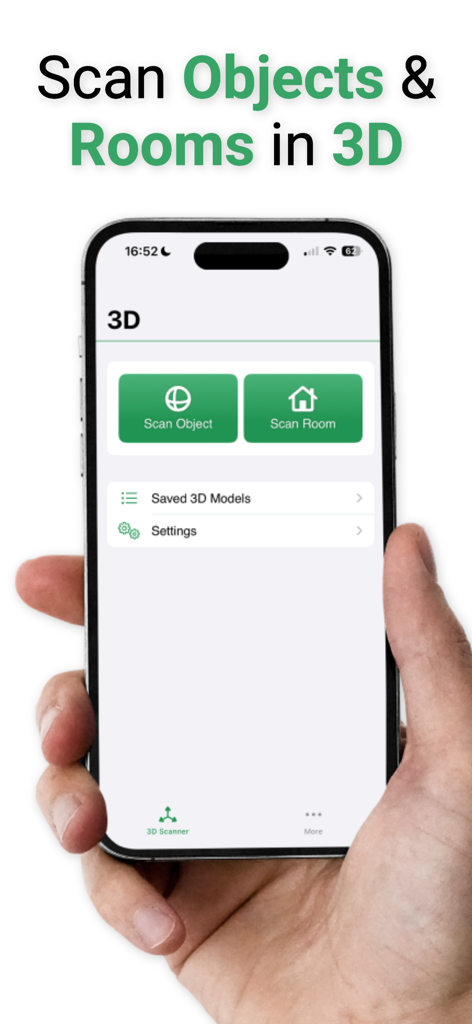
A hand holding an iPhone showing the main interface of a 3D scanner app with options to scan objects and rooms

A hand holding an iPhone showing the main interface of a 3D scanner app with options to scan objects and rooms

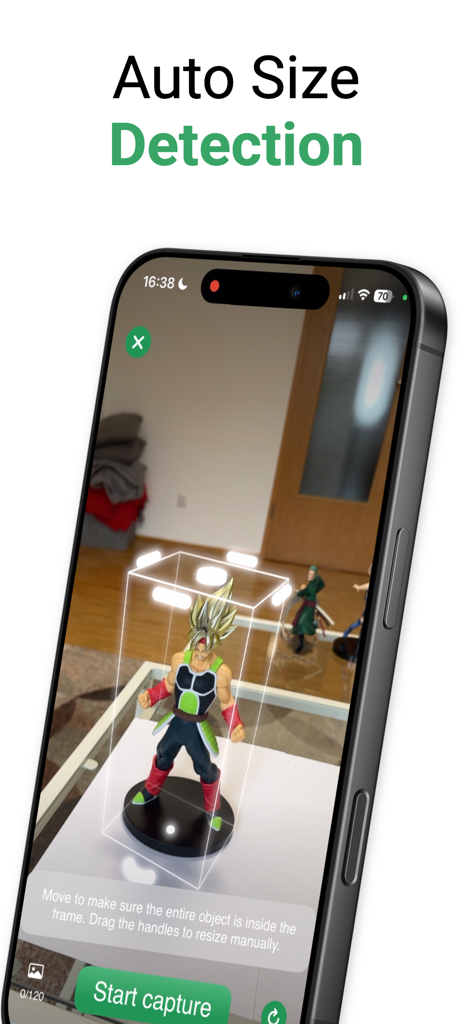
3D scanner app interface showing auto size detection for an action figure model

3D scanner app interface showing auto size detection for an action figure model

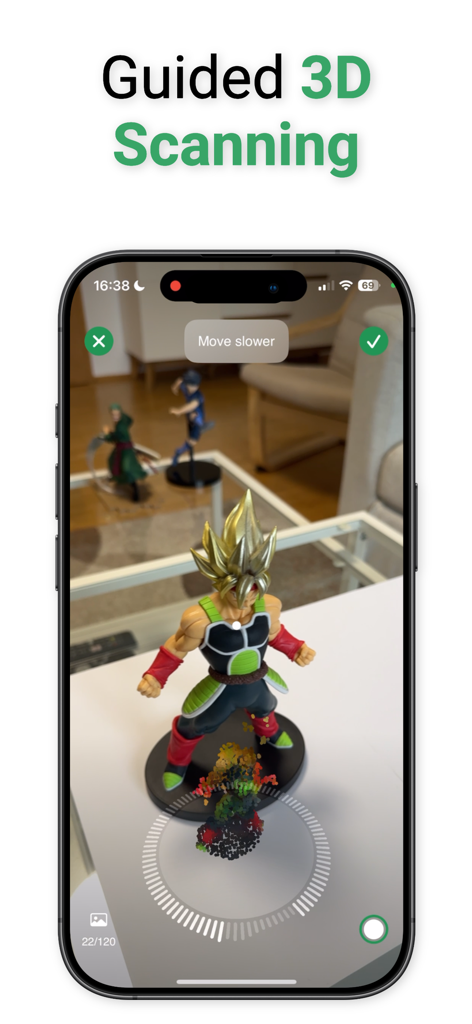
iPhone interface demonstrating guided 3D scanning of a physical action figure

iPhone interface demonstrating guided 3D scanning of a physical action figure

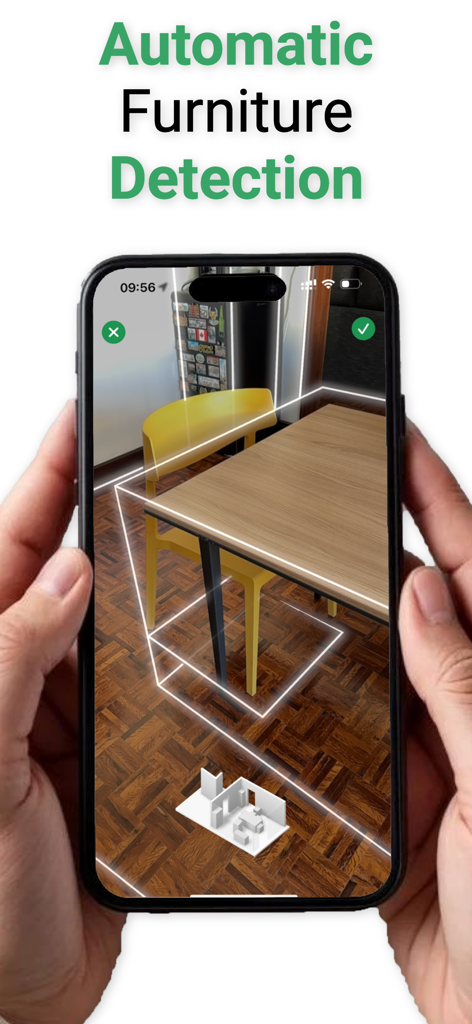
iPhone app screen showing automatic furniture detection with 3D bounding boxes around a table and chairs in an augmented reality room scan

iPhone app screen showing automatic furniture detection with 3D bounding boxes around a table and chairs in an augmented reality room scan

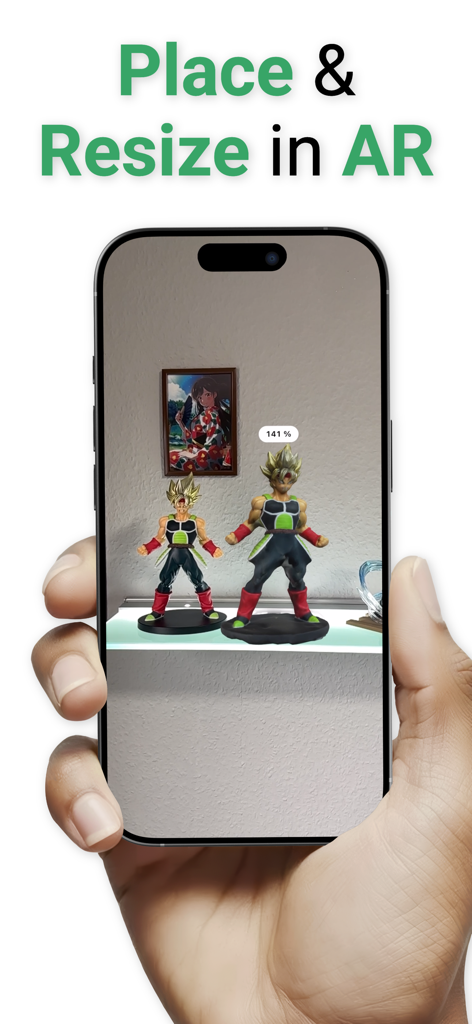
Smartphone screen showing a 3D scanned action figure being resized and placed in a real room via augmented reality

Smartphone screen showing a 3D scanned action figure being resized and placed in a real room via augmented reality

Professional 3D Scanning for Modern Creators

The tools that make this app stand out, trusted by 400 users.

📐

LiDAR-Powered Accuracy

Capture everything from small trinkets to entire rooms with 1:1 precision. Skip the tape measure and digitize physical spaces in seconds.

🖨️

Ready for 3D Printing

Export models in STL, OBJ, or USDZ formats. Seamlessly bridge the gap between your physical environment and your digital workshop or CAD software.

Visualize & Share in AR

Instantly preview your scans in your real-world space or record cinematic videos to showcase your creative process on social media.

About the app

Everything you need to know about 3D Object & Room Scanner.

Description

This app requires a Pro iPhone/iPad with a LiDAR sensor to function, such as iPhone 12 Pro or later. This is your go-to app for capturing everything in 3D, right from your iPhone. Using the latest from Apple's AR tech, it's all about making 3D scanning as straightforward as snapping a photo. Want to digitize your living room, create a 3D model of your favorite mug, or maybe design a custom game level with objects from the real world? We've got you covered. Please note: The exporting function of the app are is available for subscribers Here's what you can do: – Scan anything, from trinkets to entire spaces, and see it all in 3D. – Peek at your scans in AR to get a real feel of how they stand in space. – Exporting? Easy. Choose from formats like USDZ, STL, PLY, ABC or OBJ, ready to use in other projects and 3D printing. – Grab a video of your 3D model to show off on social media. Yep, it's that simple. – iCloud Sync: Your 3D models always in sync with your devices. This app is perfect for everyone from hobbyists playing around with 3D printing, designers looking for an easy way to capture real-world objects, to friends just wanting to have fun and explore AR. So, give "3D Scanner" a try, and let's start scanning the world together, one object at a time. Terms of Use: https://www.apple.com/legal/internet-services/itunes/dev/stdeula/

Latest Version

2.0.1

Size

34.8 MB

First Released

Apr 24, 2024

Ready to Bring Your Physical World Into 3D?

Unleash the full potential of your Pro device's LiDAR sensor. Start scanning, previewing in AR, and exporting for 3D printing or professional design projects today.

Download on App Store

App information, icons, screenshots, and descriptions displayed on this page are sourced from the Apple App Store and are the property of their respective developers. Download estimates and rankings are based on MWM's proprietary models and may not reflect actual figures. This page is provided for informational and analytical purposes only.

Believe this page infringes your intellectual property? File a dispute