
This page is not an official page of the app or its developer, but an independent editorial publication created for informational and commentary purposes. Unless expressly stated otherwise, neither the app nor its developer is affiliated with, endorsed by, sponsored by, authorized by, or otherwise officially connected with MWM, Apple, Google Play, the app publisher, or the app's developer, and nothing on this page implies that the app was developed using MWM's services. Any trademarks, logos, screenshots, and other content remain the property of their respective owners.


a11yTools - Web Accessibility
The essential toolkit for developers and designers to audit, validate, and document WCAG compliance directly in Safari. Catch accessibility errors on the go with visual overlays and comprehensive testing suites.
Downloads
47K+User Rating
Total Ratings
0Publisher
Category
Developer ToolsLocales
1Latest Version
6.6Size
12.1 MBFirst Released
Mar 14, 2018Master Web Compliance on the Go
The essential toolkit for developers and designers to audit, test, and ensure ADA compliance directly within mobile Safari.
Seamless Safari Integration
Run accessibility audits instantly using the Safari Share Extension without ever leaving the browser or copying URLs.
Visual Error Reporting
Overlay accessibility errors directly on your UI and capture screenshots to share visual proof with your development team.
Frequently Asked Questions
Everything you need to know about a11yTools - Web Accessibility
What is a11yTools used for?
a11yTools is a collection of HTML Web Accessibility Testing Tools for iPhone and iPad, designed for quick and easy accessibility testing of web content.
How does a11yTools perform accessibility testing?
a11yTools allows users to visit a webpage, tap '+ Add', and select a specific HTML accessibility element or feature for testing. Tests can be stacked for comprehensive analysis.
How can I reset a page's a11yTools output?
To reset the page and remove a11yTools output, users can either tap the Refresh button within the app or shake their iPhone.
Does a11yTools work with Safari?
Yes, a11yTools works with Safari. It includes Share Action Extensions, enabling users to activate the tool directly from Safari's share button.
What accessibility features are included in a11yTools?
a11yTools includes features for testing Images, Headings, Forms, ARIA, Data Tables, Iframes, Landmarks, Language, Lists, Links, Broken Links, Titles, Tabindex, Grayscale, Contrast, and the WCAG 2.2 Checklist.
Does a11yTools have a WCAG 2.2 Checklist?
Yes, a11yTools features a WCAG 2.2 Checklist. It is filterable by A, AA, AAA levels and allows users to expand for normative wording and mark items as done.
Is a11yTools a one-time purchase or a subscription?
a11yTools is a one-time purchase. There are no recurring subscriptions; the payment is charged to your iTunes Account upon confirmation of purchase.
Can a11yTools perform color contrast testing?
Yes, a11yTools performs color contrast testing. It features a Color Contrast Tester that calculates contrast ratios and provides results for both text and non-text elements.
Where can I find the Terms of Use for a11yTools?
The Terms of Use for a11yTools are available on the developer's website. The full link is http://www.pauljadam.com/terms.html.
Where can I find the Privacy Policy for a11yTools?
The Privacy Policy for a11yTools is available on the developer's website. The full link is http://www.pauljadam.com/privacy.html.
The following screenshots and description are sourced directly from the app's official store listing and are the property of the app developer.
App Store
Screenshots
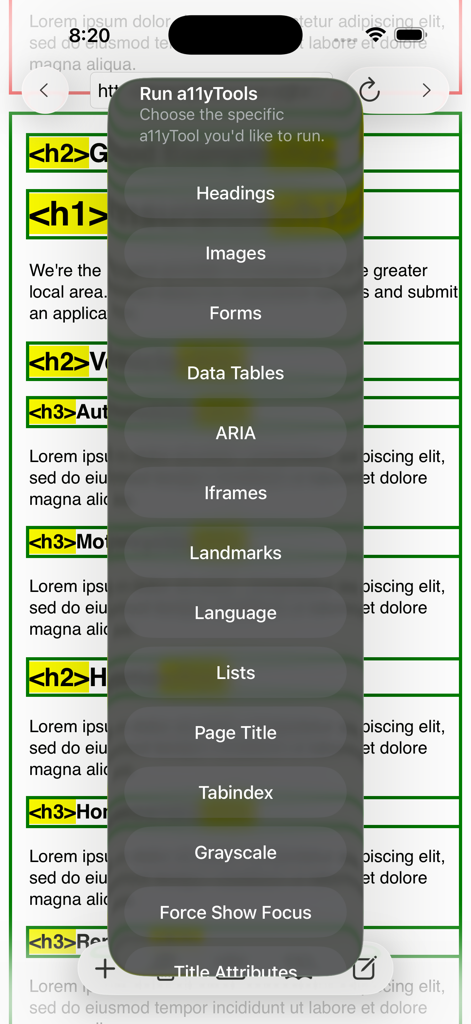
A menu of accessibility testing tools including Headings, Images, and Forms overlaid on a webpage.
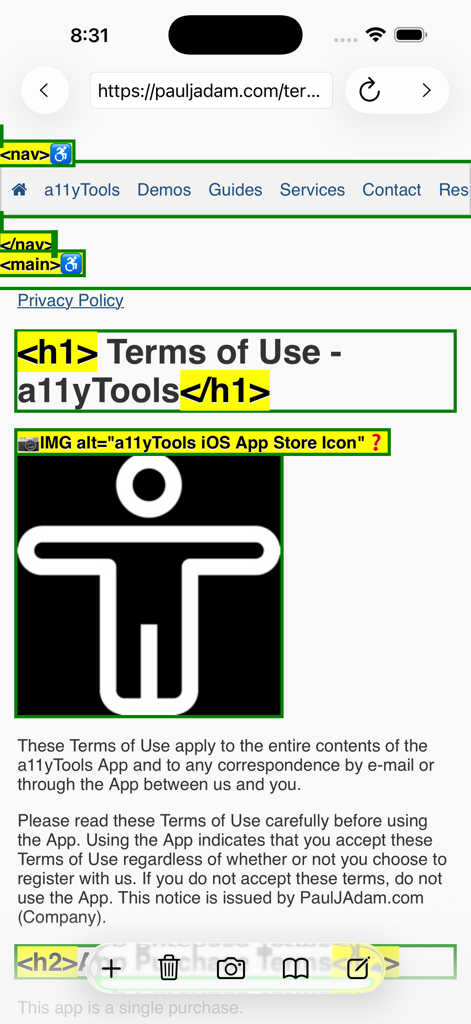
a11yTools app displaying visual accessibility tags and image alt text overlays on a webpage in Safari
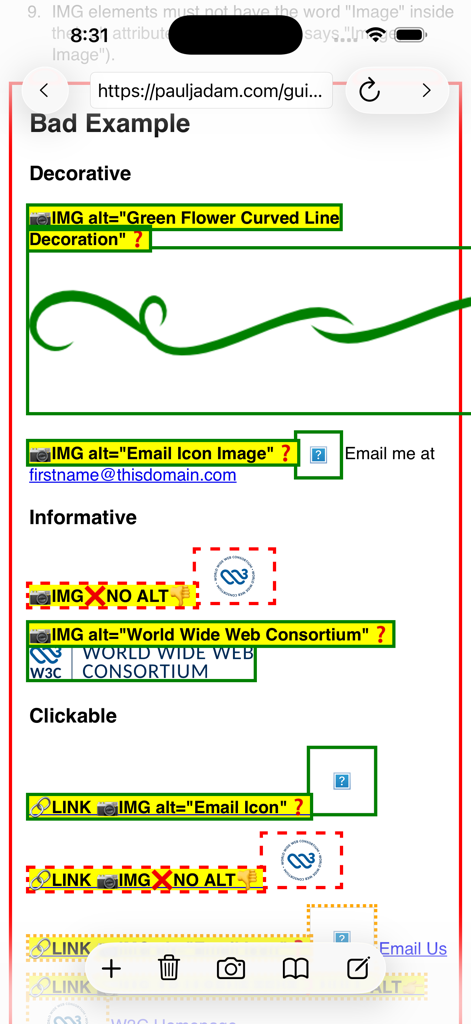
Accessibility audit overlay showing image alternative text attributes and errors on a mobile website.
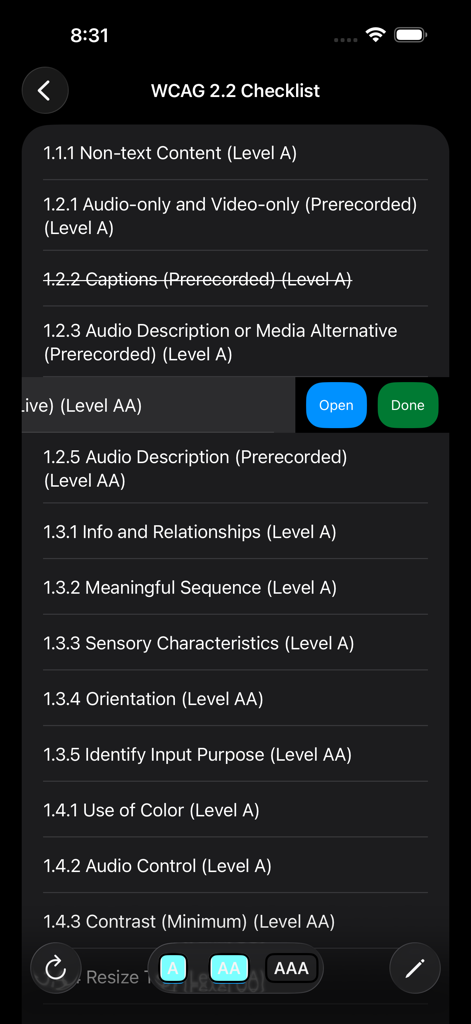
WCAG 2.2 checklist screen in the a11yTools app showing accessibility compliance standards and filters
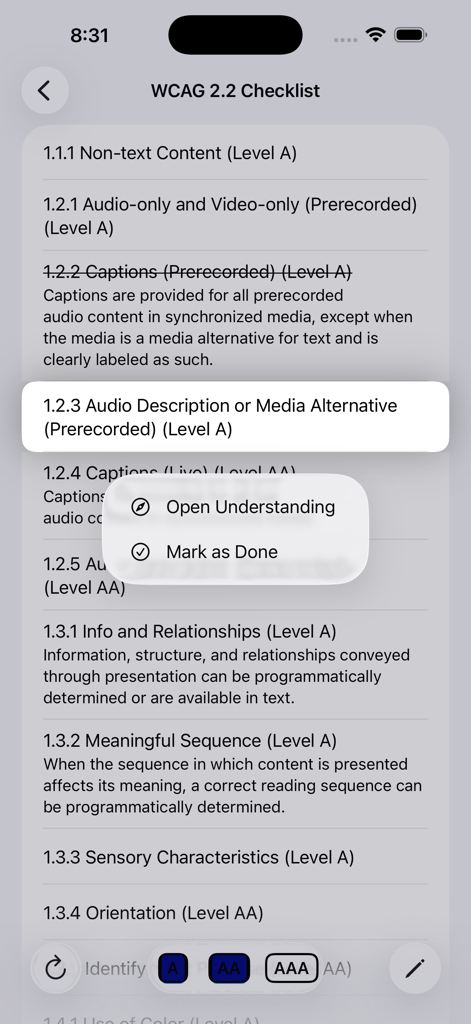
WCAG 2.2 checklist screen in the a11yTools app showing accessibility guidelines and compliance options
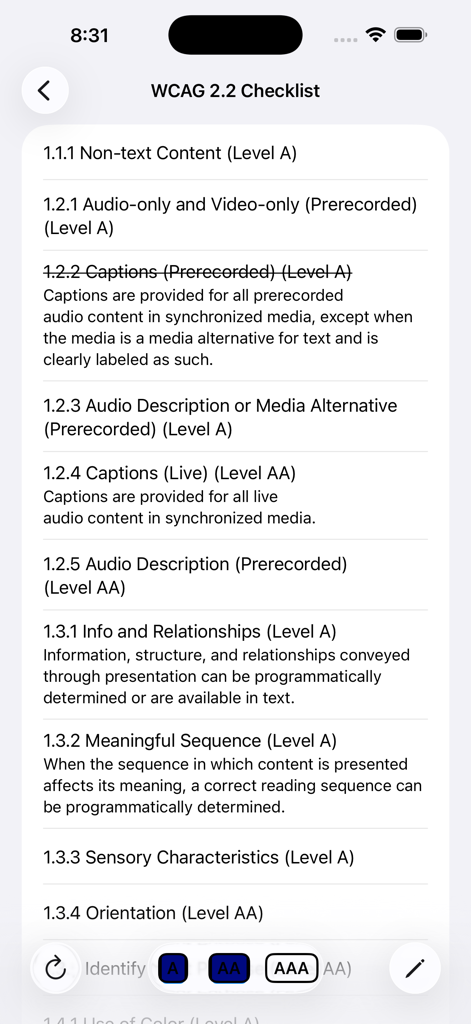
WCAG 2.2 checklist within the a11yTools web accessibility app
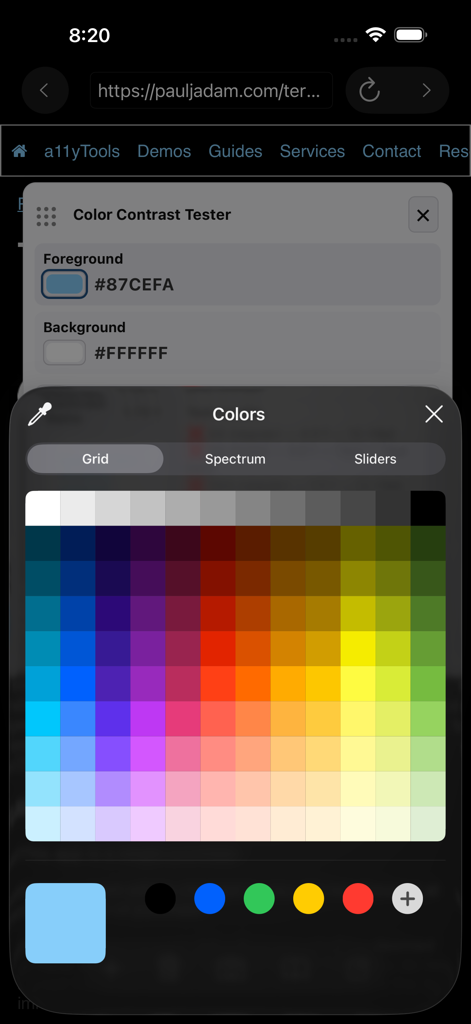
Color contrast tester interface in the a11yTools app showing foreground and background color selection with a color picker grid.
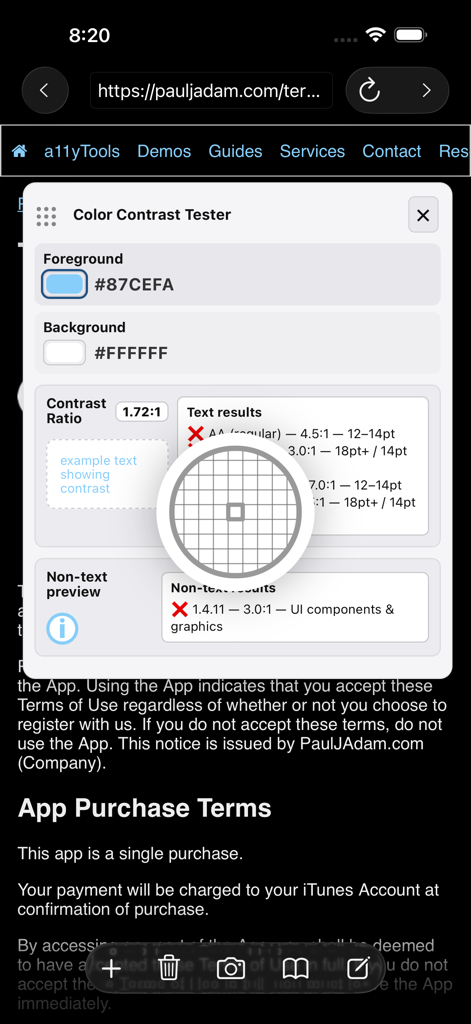
Mobile color contrast tester overlay showing a 1.72 to 1 ratio and WCAG failure results for accessibility testing.
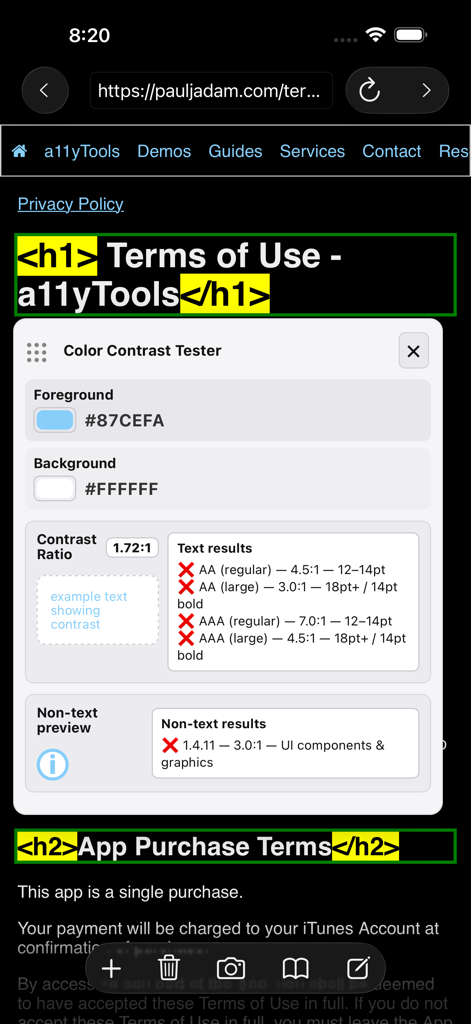
A mobile webpage overlay showing the a11yTools color contrast tester and highlighted HTML heading tags.
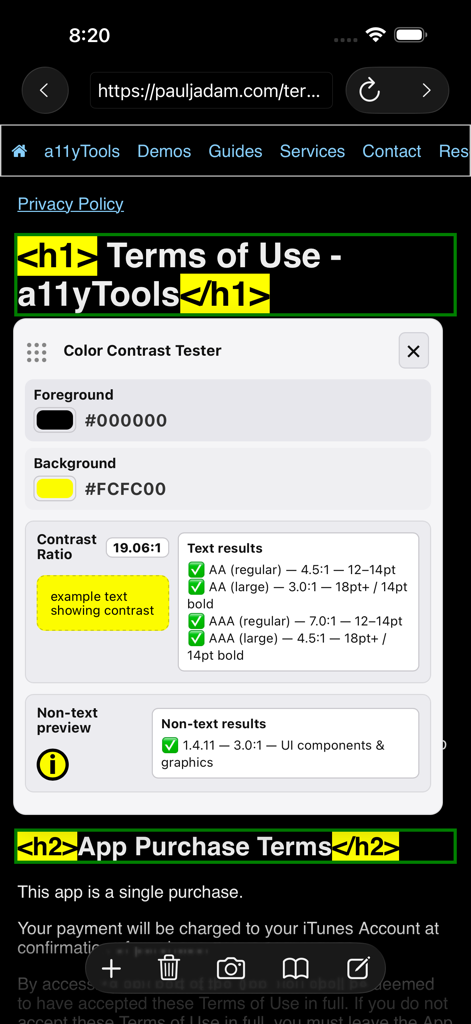
a11yTools interface showing color contrast ratio and highlighted headings on a mobile site
Description
Download
More Like This
Top-ranked apps in the same category

TestFlight
Apple Inc.

Replit: Vibe Code Apps
Replit, Inc

GitHub
GitHub

O-KAM Pro
Shenzhen VeePai IoT Intelligent Technology LLC

Apple Developer
Apple Inc.

Expo Go
650 Industries, Inc.

Scriptable
Simon Stovring

App Store Connect
Apple Inc.

Sekai: Create · Remix · Play
Versa AI, Inc.
This page is not an official page of the app or its developer, but an independent editorial publication created for informational and commentary purposes. Unless expressly stated otherwise, neither the app nor its developer is affiliated with, endorsed by, sponsored by, authorized by, or otherwise officially connected with MWM, Apple, Google Play, the app publisher, or the app's developer, and nothing on this page implies that the app was developed using MWM's services. Any trademarks, logos, screenshots, and other content remain the property of their respective owners.