Add Logo Watermark on Photos
Download on App Store

This page is not an official page of the app or its developer, but an independent editorial publication created for informational and commentary purposes. Unless expressly stated otherwise, neither the app nor its developer is affiliated with, endorsed by, sponsored by, authorized by, or otherwise officially connected with MWM, Apple, Google Play, the app publisher, or the app's developer, and nothing on this page implies that the app was developed using MWM's services. Any trademarks, logos, screenshots, and other content remain the property of their respective owners.


Logo of Add Logo Watermark on Photos
Download on App Store

Add Logo Watermark on Photos

The essential tool for micro-entrepreneurs and creators to secure images instantly. Set up your logo once and let our auto-stamping technology handle the rest for every photo you take or upload.

Key Figures

Downloads

54K+

User Rating

4.6/5

Total Ratings

100

Publisher

Chirag Gabani

Category

Photo & Video

Locales

1

Latest Version

1.1.6

Size

28.4 MB

First Released

Feb 1, 2019
Features

Protect Your Work & Build Your Brand

The all-in-one branding toolkit designed for micro-entrepreneurs to secure their creative assets and maintain a professional edge on social media.

Set-and-Forget Automation

Maximize your efficiency with one-time setup. Our app automatically stamps your logo on every new photo so you can focus on growing your business.

Dual-Layer Custom Branding

Combine your visual logo with custom text handles. Perfect for driving traffic back to your Etsy shop, real estate listing, or social profile.

The following screenshots and description are sourced directly from the app's official store listing and are the property of the app developer.

App Store

Screenshots
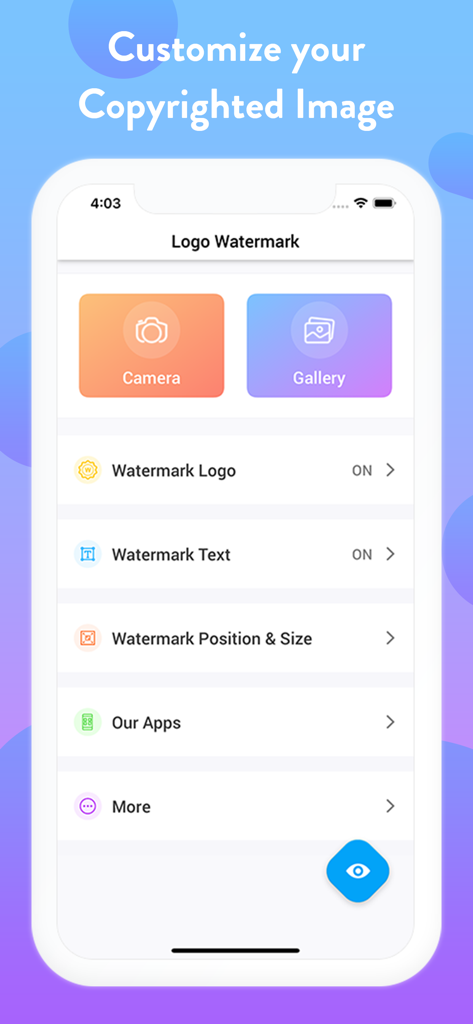
Add Logo Watermark on Photos - Interface of the watermark app showing camera and gallery options with logo and text customization settings

Interface of the watermark app showing camera and gallery options with logo and text customization settings

Add Logo Watermark on Photos - A professional portrait of a woman with makeup and a photography logo watermark

A professional portrait of a woman with makeup and a photography logo watermark

Add Logo Watermark on Photos - A collage showing various types of logo and text watermarks applied to different professional and personal images

A collage showing various types of logo and text watermarks applied to different professional and personal images

Add Logo Watermark on Photos - Interface of a mobile app showing a grid of logo options for watermarking photos

Interface of a mobile app showing a grid of logo options for watermarking photos

Add Logo Watermark on Photos - Two photos demonstrating a white logo watermark on a barber shop photo and an orange text watermark on a travel photo.

Two photos demonstrating a white logo watermark on a barber shop photo and an orange text watermark on a travel photo.

Add Logo Watermark on Photos - Two photos demonstrating the use of combined logo and text watermarks for image branding
Two photos demonstrating the use of combined logo and text watermarks for image branding

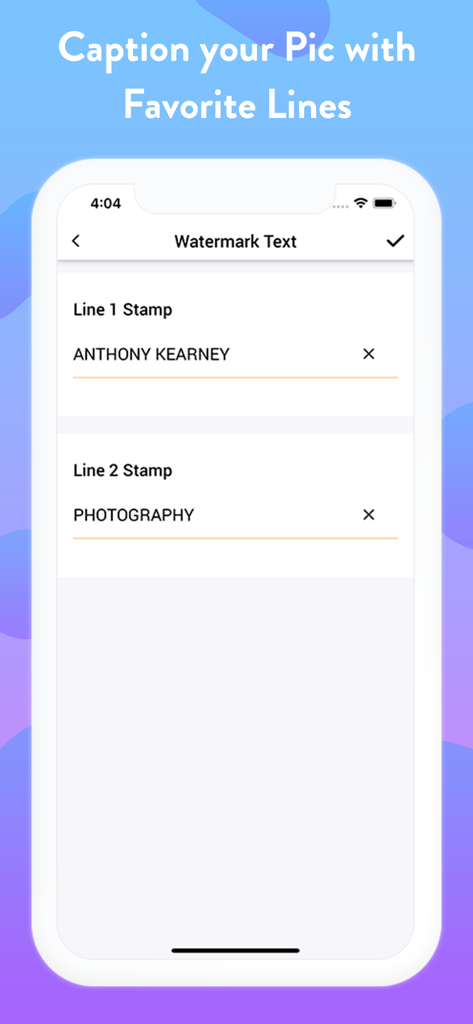
Add Logo Watermark on Photos - A mobile app interface showing fields to input two lines of custom watermark text.
A mobile app interface showing fields to input two lines of custom watermark text.

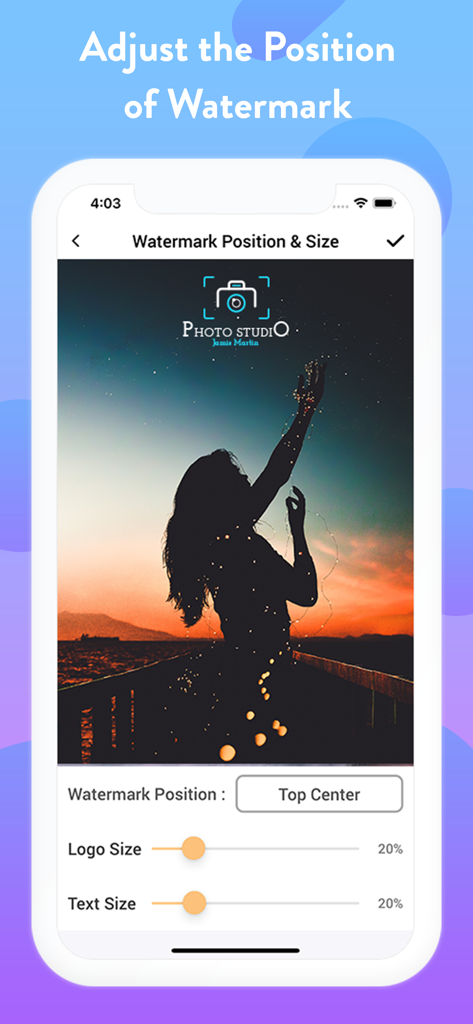
Add Logo Watermark on Photos - Interface of the watermark app showing controls to adjust logo position and size on a photo

Interface of the watermark app showing controls to adjust logo position and size on a photo

Add Logo Watermark on Photos - A wedding couple portrait with a professional photographer watermark logo and text

A wedding couple portrait with a professional photographer watermark logo and text

Add Logo Watermark on Photos - Three photos demonstrating various logo and text watermarks for branding and copyright protection.

Three photos demonstrating various logo and text watermarks for branding and copyright protection.

Description

With this Logo Watermark App, you can Auto Add Logo Copyright on Photos captured using your Phone’s Built-in Camera as well as on your Gallery Photos. This stamping app facilitates you to imprint your Images in two distinct ways. ~ Single Stamp - Add Logo Watermark on Photos ~ Double Stamp - Add Logo and Text on Photos Get the setup done at once & your favorite copyright image is ready to roll out! > How to add watermark to Photos? 1) Just Open this Application 2) Choose if you want to: - Auto Stamp on Camera Photos or, - Add stamps on Photos in your Gallery 2)Turn On the Watermark toggle and Upload/Add Logo, - Adjust its transparency & size 3) Next, you can Copyright with Text (Optional) - Customize it by choosing the Text Toggle accordingly - Set the Text Size (S - XXXL), Text Color, Text Style & Text Position 4) Adjust the Watermark Position Accordingly Bravo! > Stamp LOGO and TEXT on photos: The best part is you can customize Signature text separately, i.e., Line 1 and Line 2 at four different positions around your Watermark Logo. Turn the Toggle On for which you wish to add text; add it with both the line spaces or only with the single one. It is definitely going to make your image look enticing. Taking your stamped images a level up, you can even customize your digital signature watermark with many options like - Adjustable Font Size - Changeable Font Colours - Varieties of Font Style - Flexible Font Position When all the edits and customization is done, if you want to sneak peak about how your watermark photo will look like, you can “Preview” your stamped image before adding it permanently to your pictures. > Why Pick Us? - Twice the benefits of protecting both your CAMERA & GALLERY Pics - Again, Double advantage of adding both LOGO & TEXT to photos - Well! This is the only App here to facilitate Dual Text Alignment - Quick and Handy with Super Flexible Settings - Auto processes after One-Time Setup - Simple and Elegant User-Interface Sounds cool right? NOTE: When you secure images with logo, you can easily identify it. It also answers the ownership of an image for a particular business, person, product or service. You can protect it in many ways such as text & logo copyright on photo, images etc which has distinct shades of lightness and darkness No matter which profession or field you belong to, imprinting your images is the most convenient way to authorize your pictures. As you can easily protect, secure as well as frame up pics elegantly with just a few taps. > Why should you Add Logo Watermark on Photos? We've gathered a tiny catalog of uses making up your work as simple as ABC! Have a look below: > How to Copyright Image? There are numerous ways when to represent your identity on any pic. Imprinting a copyright watermark to your image with this stamping app will make your job easy. > To Enhance your Brand: Another major benefit of stamping photos is "BRANDING"! Photos are usually Watermark stamped with company name behind also for the purpose of creating their brand awareness among everyone. Isn’t it? > To Protect Image Theft: Anything which goes viral online can easily be stolen & used without your permission. To Copyright your photos in this situation, to secure images with logo will be an indirect indication that this photo cannot be used. > Gain Credits: Many times photographers just don’t demand financial recognition, but all they need is appreciation and credits for their work. Watermarking their images with their own copyright logo with signature text can grab the credits they wish. All these features summed up to give you FULL ADVANTAGE in one Install! So if you are looking to markup your photographs elegantly, there can’t be a better Watermarking Application than this photo stamping app for Camera and Gallery both. Don't believe us? Well! Give it a try then! Download NOW to add Logo Watermark Stamp on all of your Favorite photographs and make them look Absolutely Gorgeous!

Download

Download on App Store

This page is not an official page of the app or its developer, but an independent editorial publication created for informational and commentary purposes. Unless expressly stated otherwise, neither the app nor its developer is affiliated with, endorsed by, sponsored by, authorized by, or otherwise officially connected with MWM, Apple, Google Play, the app publisher, or the app's developer, and nothing on this page implies that the app was developed using MWM's services. Any trademarks, logos, screenshots, and other content remain the property of their respective owners.








