
Advancer AD20


Stop guessing about check engine lights. Empower your DIY spirit with real-time health checks, maintenance light resets, and in-depth engine data to save time and money on every trip.
Publisher
Category
UtilitiesDownloads
1K+User Rating
Total Ratings
0Locales
14Discover the interface used by 1K+ users.
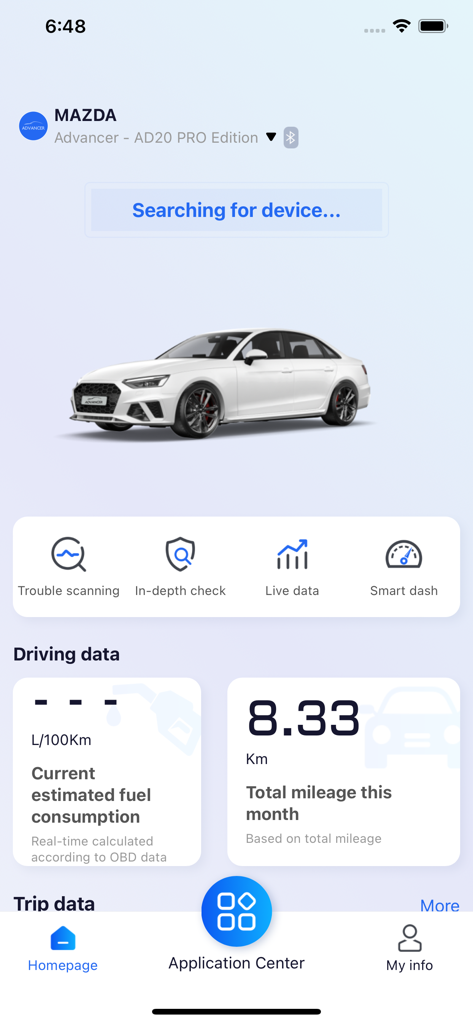
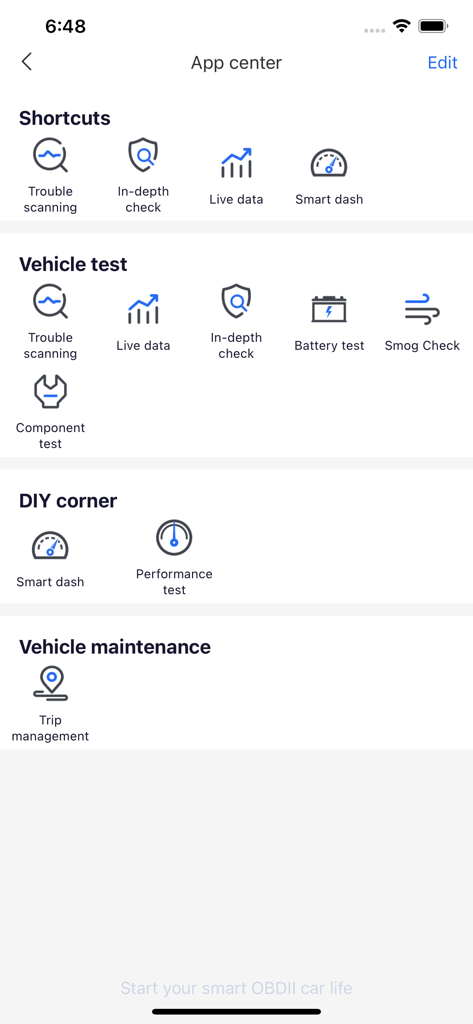
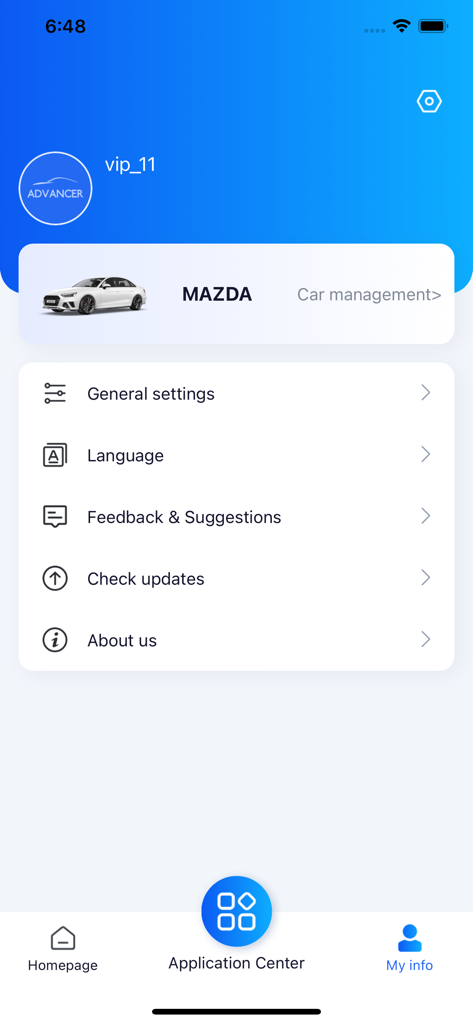
The tools that make this app stand out, trusted by 1K+ users.
Instantly decode 'Check Engine' lights and get maintenance advice so you can walk into the repair shop with confidence and avoid overcharges.
Take charge of your car's service. Reset oil life and maintenance reminders yourself after a tune-up, skipping the expensive dealership trip.
Track battery health, coolant levels, and fuel efficiency in real-time to ensure your vehicle is always ready for the daily commute or a long trip.
Everything you need to know about Advancer AD20.
Description
Latest Version
1.15
Size
426.4 MB
First Released
Dec 6, 2022
Join thousands of self-reliant drivers who save money by diagnosing their own vehicles. Download Advancer AD20 now to turn your iPhone into a professional-grade mechanic and drive with total peace of mind.
Everything you need to know about Advancer AD20
The Advancer AD20 is a smart OBD Dongle that communicates with iOS devices via Bluetooth 5.0. It provides vehicle health checks, diagnosis, and driving habit analysis through the Advancer app, ensuring comprehensive car monitoring.
The Advancer app offers OBD-II diagnosis, in-depth vehicle checks, live data monitoring, maintenance light reset, trip recording, and driving habits analysis. These features help users understand vehicle status and performance.
Advancer AD20 performs diagnosis by reading and categorizing fault codes (DTCs) stored in the vehicle's ECU via standard OBD-II protocols. It displays fault causes and maintenance suggestions directly in the app.
Yes, the Advancer AD20 Pro supports in-depth checks across all vehicle systems, including engine, brakes, and steering. The standard AD20 model only supports in-depth checks for the engine system.
Yes, the Advancer app provides live data demonstrating real-time vehicle status when the car is started. This includes battery voltage, engine speed, coolant temperature, engine load, and fuel trimming information.
The Advancer AD20 utilizes built-in G-sensors to record sharp turns, emergency brakes, and sudden accelerations. The app then analyzes and displays this data, offering insights to improve driving skills.
Yes, the Advancer app includes a maintenance light reset function. It can reset the maintenance counter and turn off the dashboard reminder light after the user completes the vehicle's required maintenance.
The Advancer app records various driving statistics per trip, such as average speed, fuel consumption, mileage, maximum engine revolution speed, and maximum coolant temperature. It helps monitor trip efficiency.
Advancer AD20 uses Bluetooth 5.0 for communication with iOS devices. This ensures a stable and efficient wireless connection for transmitting vehicle data to the Advancer app for analysis.
Core diagnostic features like 'In-depth check' are accessible from the Advancer app's Homepage as shortcuts. They are also located within the 'Application Center' under the 'Vehicle test' section for detailed operations.
Top-ranked apps in the same category

Google LLC

Google LLC

China Mobile Online Services Co., Ltd.

Google LLC

Servicos e Informacoes do Brasil

DEEP FLOW SOFTWARE SERVICES - FZCO

Servicos e Informacoes do Brasil

Microsoft Corporation

YUNFAN TECHNOLOGY CO., LIMITED
App information, icons, screenshots, and descriptions displayed on this page are sourced from the Apple App Store and are the property of their respective developers. Download estimates and rankings are based on MWM's proprietary models and may not reflect actual figures. This page is provided for informational and analytical purposes only.
Believe this page infringes your intellectual property? File a dispute