
This page is not an official page of the app or its developer, but an independent editorial publication created for informational and commentary purposes. Unless expressly stated otherwise, neither the app nor its developer is affiliated with, endorsed by, sponsored by, authorized by, or otherwise officially connected with MWM, Apple, Google Play, the app publisher, or the app's developer, and nothing on this page implies that the app was developed using MWM's services. Any trademarks, logos, screenshots, and other content remain the property of their respective owners.


AI Culling — PhotoPicker Pro
Leverage smart AI to detect blur and closed eyes while culling directly from SSDs or SD cards. Seamlessly sync your ratings and flags to Lightroom with full XMP support.
Downloads
13K+User Rating
Total Ratings
100Publisher
Category
Photo & VideoLocales
23Latest Version
3.5.4Size
65.1 MBFirst Released
Jun 8, 2013Cull Smarter, Not Harder
Stop wasting hours at your desk. PhotoPicker Pro is the high-performance workflow tool designed for photographers who need to sort, rate, and review shots on the move.
AI-Powered Assistant
Let our smart engine detect blur, closed eyes, and duplicates for you. Spend less time sorting and more time creating.
Zero-Import Workflow
Connect your SSD or SD card and cull directly from the source. No need to duplicate files or clog your iPhone storage.
The following screenshots and description are sourced directly from the app's official store listing and are the property of the app developer.
App Store
Screenshots
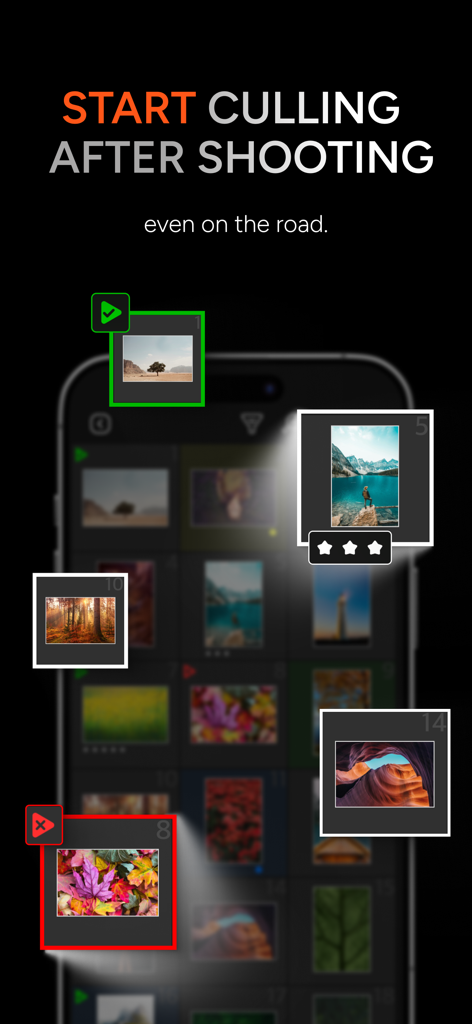
Mobile interface of AI Culling PhotoPicker Pro showing photo selection and star ratings on the go

Mobile app interface displaying AI categorized photo groups like duplicates blurred and closed eyes for efficient culling
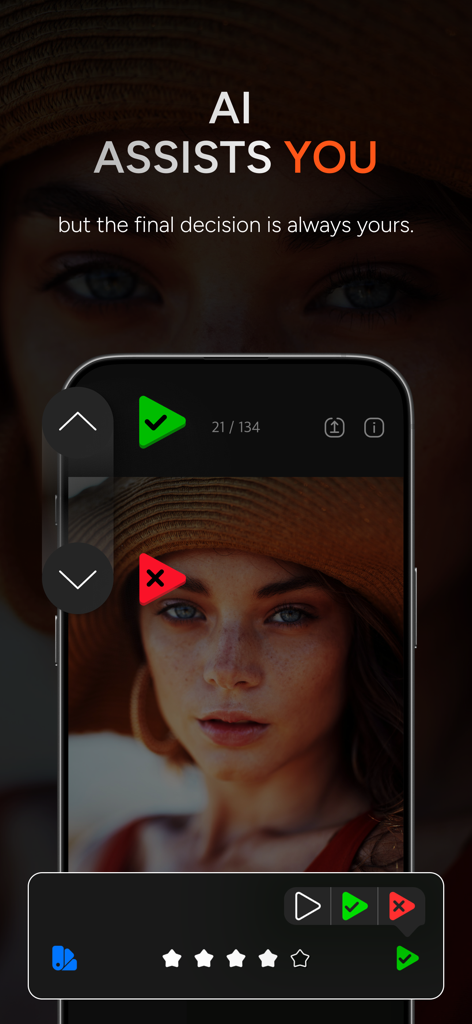
Smartphone screen showing the AI Culling PhotoPicker Pro app interface for reviewing and rating photos.
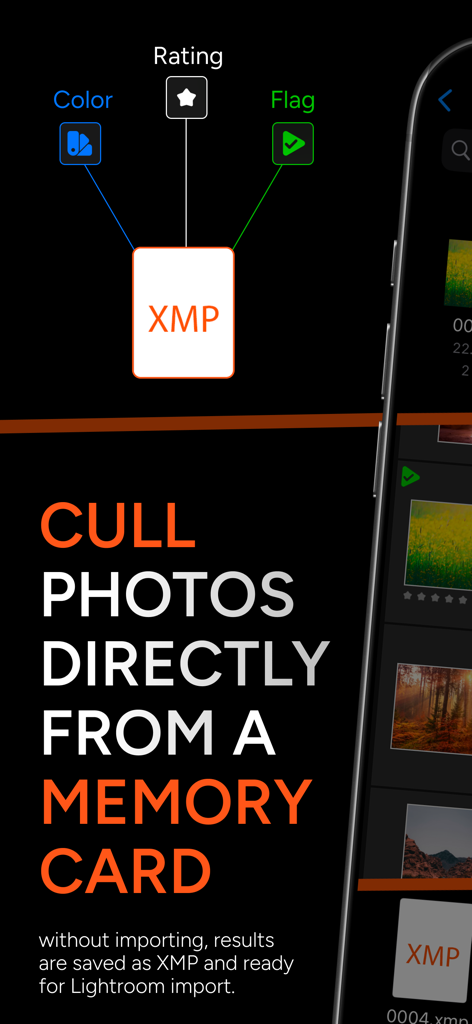
PhotoPicker Pro app interface showing direct photo culling from a memory card with XMP sidecar file support for Lightroom
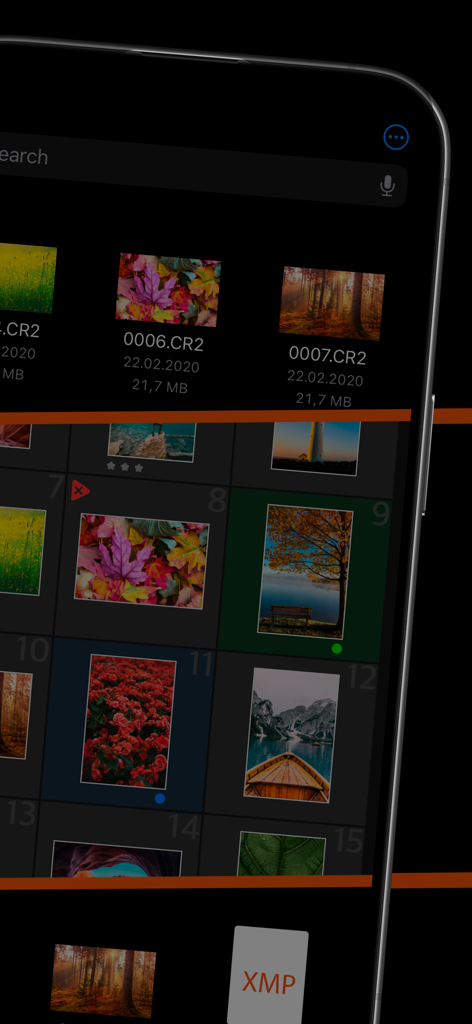
Mobile app interface showing RAW image culling and XMP metadata integration
Description
Download
More Like This
Top-ranked apps in the same category

CapCut: Photo & Video Editor
BYTEDANCE PTE. LTD.

Instagram, Inc.

YouTube
Google LLC

Canva: AI Photo & Video Editor
Canva Pty Ltd

Snapchat
Snap, Inc.

快手
Beijing Kwai Technology Co., Ltd.

Edits: Video Editor
Instagram, Inc.

Meitu- AI Photo & Video Editor
Xiamen Meitu Technology Co., Ltd.

Google Photos: Backup & Edit
Google LLC
This page is not an official page of the app or its developer, but an independent editorial publication created for informational and commentary purposes. Unless expressly stated otherwise, neither the app nor its developer is affiliated with, endorsed by, sponsored by, authorized by, or otherwise officially connected with MWM, Apple, Google Play, the app publisher, or the app's developer, and nothing on this page implies that the app was developed using MWM's services. Any trademarks, logos, screenshots, and other content remain the property of their respective owners.