
This page is not an official page of the app or its developer, but an independent editorial publication created for informational and commentary purposes. Unless expressly stated otherwise, neither the app nor its developer is affiliated with, endorsed by, sponsored by, authorized by, or otherwise officially connected with MWM, Apple, Google Play, the app publisher, or the app's developer, and nothing on this page implies that the app was developed using MWM's services. Any trademarks, logos, screenshots, and other content remain the property of their respective owners.


AKASO GO
No more missed shots or clunky edits. This app puts Hollywood in your pocket, making every extreme moment instantly shareable.
Downloads
750k+User Rating
Total Ratings
18.1KPublisher
Category
Photo & VideoLocales
9Latest Version
3.11.8Size
190.3 MBFirst Released
Oct 9, 2019Evaluating core functionalities for remote control, content creation, and social sharing.
AKASO GO App: Feature Analysis for Adventure Enthusiasts
Remote Camera Control
The app provides comprehensive remote control capabilities, enabling users to capture footage from a distance and adjust camera settings effortlessly.
Direct Social Media Sharing
It provides direct integration for sharing edited content to various social media platforms, streamlining the process of sharing adventures with friends and family.
Live Video Preview
This tool features live video preview directly on the mobile device, allowing users to frame shots perfectly and monitor recordings in real-time.
Professional Video Editing Tools
The app integrates professional-grade video editing tools, offering features like transitions, special effects, and music integration to enhance raw footage.
Media Download & Management
It allows users to preview captured videos and photos and download them directly to their smartphone, saving camera storage and facilitating mobile-first workflows.
Video Trimming & Cutting
This tool enables precise video trimming and cutting, allowing users to quickly remove unnecessary segments and focus on the most impactful moments.
Frequently Asked Questions
Everything you need to know about AKASO GO
Can I control my AKASO action camera remotely with the AKASO GO app?
Yes, the AKASO GO app allows you to remotely control your AKASO action camera. You can capture moments and adjust camera settings directly from your phone.
Does AKASO GO allow users to preview videos from their AKASO camera?
Yes, the AKASO GO app enables users to preview their video and photo files directly on their phone, saving storage space and time before downloading.
What video editing features does the AKASO GO app offer?
The AKASO GO app provides a powerful editing suite including professional effects, transitions, special effects, music, and precise cutting tools to create stunning videos.
Can I share videos from AKASO GO directly to social media?
Yes, AKASO GO allows one-click sharing of your edited videos and cherished moments directly to social media platforms like Twitter, YouTube, Facebook, and Instagram.
Is it possible to adjust AKASO camera settings using the AKASO GO app?
Yes, the AKASO GO app provides remote control functionality, allowing you to easily adjust your AKASO action camera's settings directly from your phone.
What types of professional effects are available in AKASO GO for video editing?
AKASO GO offers various professional effects for video editing, including transitions, special effects, filters, subtitles, stickers, and the ability to add music.
The following screenshots and description are sourced directly from the app's official store listing and are the property of the app developer.
App Store
Screenshots
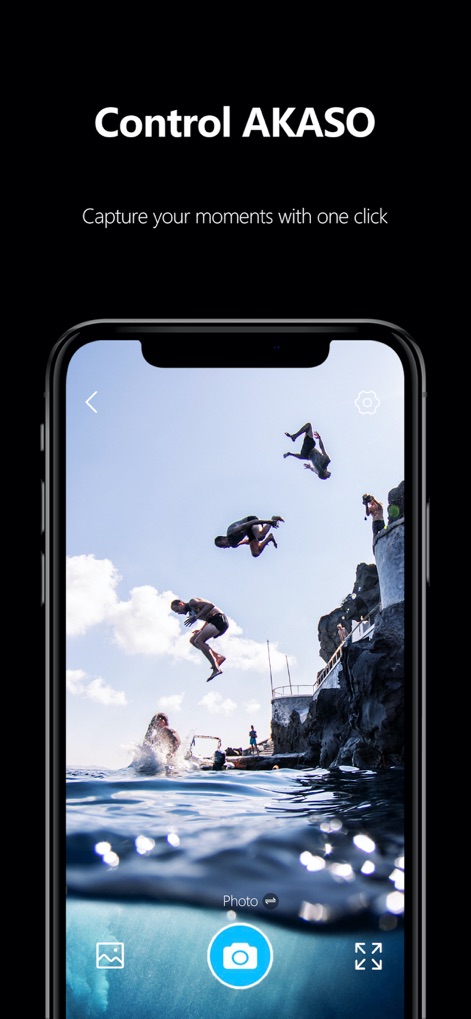
The app provides a live preview of the action and an intuitive central camera button for effortless remote capture.
Remote Camera Control

Users can easily navigate their captured content using the grid view and switch between "Video" and "Photo" tabs.
Media Management

This tool features a comprehensive editing timeline at the bottom and a range of icons for "Subtitle" and "Sticker" additions.
Advanced Editing Tools
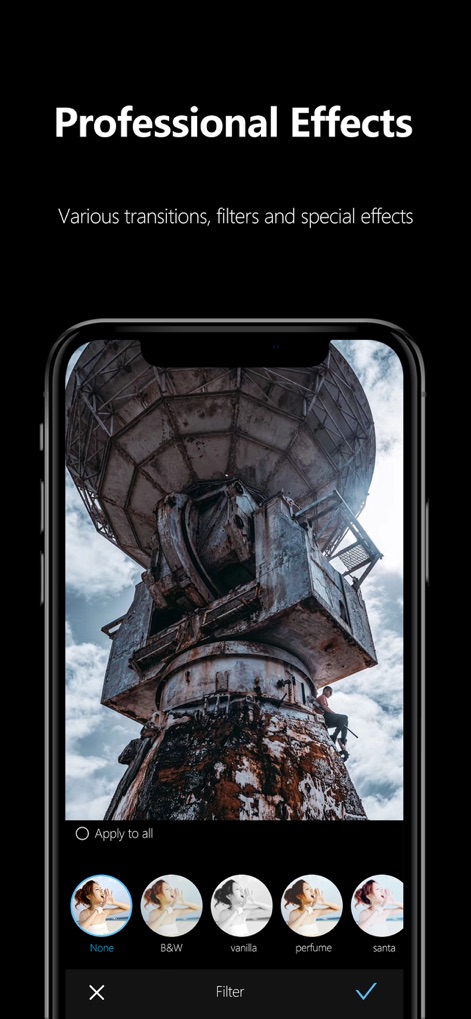
The app showcases a diverse filter selection carousel and offers a prominent "Apply to all" option for consistent visual styling.
Professional Effects Gallery

Users can enhance their videos with a variety of curated music track options and adjust audio levels using the clear volume slider.
Integrated Music Library
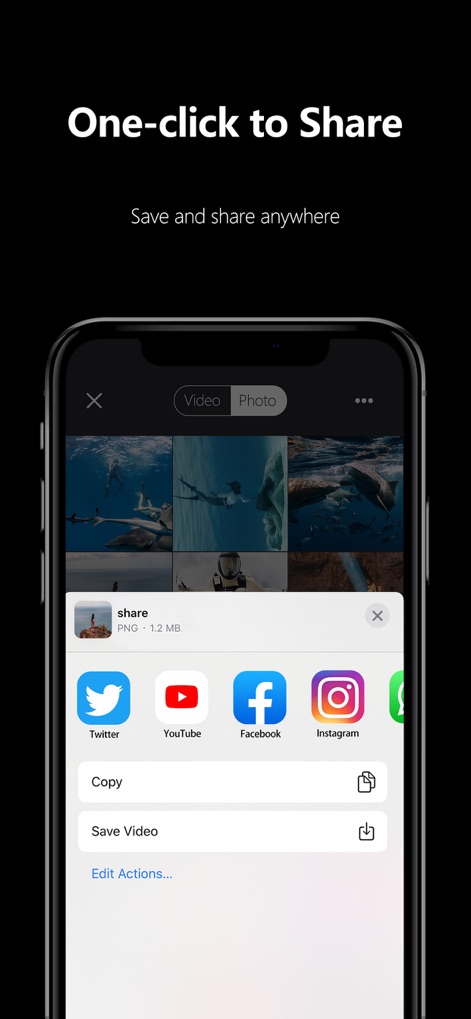
The tool enables seamless content distribution through direct social media icons for platforms like Instagram and includes a convenient "Save Video" option.
Instant Social Sharing
Description
Download
More Like This
Apps with similar features and user experience

GoPro Quik
GoPro, Inc.

LightCut - AI Video Editor
Yue-Jie Innovations Science and Technology Co. , Ltd.

Insta360
Istone Innovation Limited

Myk - for GoPro Video Editing
AI Motion, Inc.

Eklipse.gg
MAINSPRING TECHNOLOGY PTE. LTD.

Insta360 GO
Shenzhen Arashi Vision Co., Ltd.
This page is not an official page of the app or its developer, but an independent editorial publication created for informational and commentary purposes. Unless expressly stated otherwise, neither the app nor its developer is affiliated with, endorsed by, sponsored by, authorized by, or otherwise officially connected with MWM, Apple, Google Play, the app publisher, or the app's developer, and nothing on this page implies that the app was developed using MWM's services. Any trademarks, logos, screenshots, and other content remain the property of their respective owners.