
This page is not an official page of the app or its developer, but an independent editorial publication created for informational and commentary purposes. Unless expressly stated otherwise, neither the app nor its developer is affiliated with, endorsed by, sponsored by, authorized by, or otherwise officially connected with MWM, Apple, Google Play, the app publisher, or the app's developer, and nothing on this page implies that the app was developed using MWM's services. Any trademarks, logos, screenshots, and other content remain the property of their respective owners.


All-in-One Year Calendar Pro
The ultimate iPad command center for busy professionals and families. Sync every schedule, track shifts, and master your long-term goals with powerful color-coded markups and a complete macro-view of your life.
Downloads
38K+User Rating
Total Ratings
700Publisher
Category
ProductivityLocales
1Latest Version
7.3Size
49.7 MBFirst Released
Aug 3, 2010Visualize Your Entire Year at a Glance
Master your long-term schedule with a powerful high-level overview designed for the visual planner. From school holidays to fiscal deadlines, see everything in one place.
Visual Highlighting & Markups
Use colors, icons, and hand-drawn scribbles to categorize your life. Instantly track shift work, school breaks, or goals without reading a single line of text.
Professional Command Center
Two-way sync with Google Calendar, Outlook, and Apple Reminders. Merge your work deadlines and family events into one beautiful, bird's-eye view.
Frequently Asked Questions
Everything you need to know about All-in-One Year Calendar Pro
Is All-in-One Year Calendar Pro a free app?
No, All-in-One Year Calendar Pro requires a subscription to use. A fully-functional one-month free trial is available for all new users before payment is charged to their iTunes account.
How do I add markups in All-in-One Year Calendar Pro?
Users add markups in All-in-One Year Calendar Pro using the floating markup toolbox. This allows applying icons, background colors, text colors, and up to eight bonus markup styles per day.
Does All-in-One Year Calendar Pro sync with external calendars?
Yes, All-in-One Year Calendar Pro syncs with existing local and iOS supported external calendars like iCloud, Google Calendar, Yahoo, Exchange server, Outlook, and CalDAV.
Can I set alarms for reminders in All-in-One Year Calendar Pro?
Yes, All-in-One Year Calendar Pro allows users to add up to five alarms per reminder. This includes options for notifying before or after the task is due.
Can I customize the appearance of All-in-One Year Calendar Pro?
Yes, All-in-One Year Calendar Pro offers extensive appearance customization. Users can choose from over 50 fonts, apply wallpapers, select text colors, and enable optional grid lines.
Can I create multiple calendars in All-in-One Year Calendar Pro?
Yes, All-in-One Year Calendar Pro supports creating additional year calendars. These can be configured independently for extra tracking or multiple users, and they sync via iCloud.
How can I share my calendar from All-in-One Year Calendar Pro?
All-in-One Year Calendar Pro allows users to export their calendar, markup legend, or notes. Options include saving, emailing, printing via AirPrint, creating PDFs, tweeting, and posting to Facebook.
Does All-in-One Year Calendar Pro display holidays?
Yes, All-in-One Year Calendar Pro displays holidays. Users can select desired countries and holidays from a list of 41 nations to be shown on their calendar.
Can I add daily notes in All-in-One Year Calendar Pro?
Yes, All-in-One Year Calendar Pro supports adding free-form daily notes with a single tap. Users can record details such as working hours or project names.
Does All-in-One Year Calendar Pro sync birthdays with contacts?
Yes, All-in-One Year Calendar Pro displays and allows adding birthdays, anniversaries, and custom-labeled dates. These are synced directly with the Contacts app.
The following screenshots and description are sourced directly from the app's official store listing and are the property of the app developer.
App Store
Screenshots
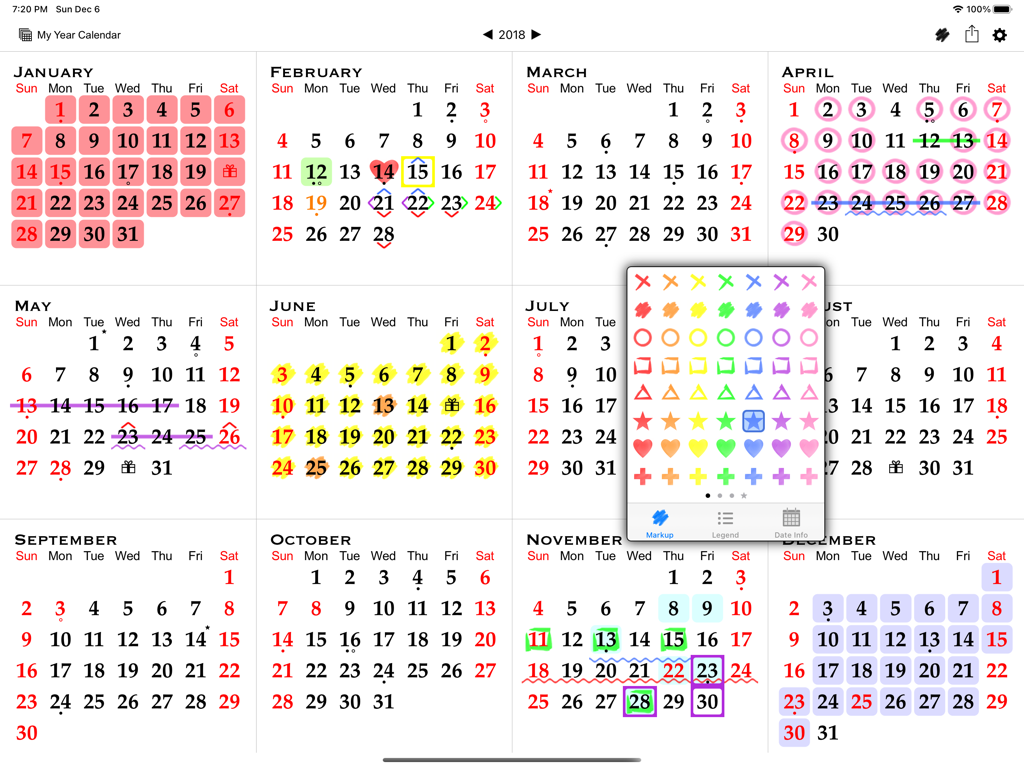
Full year calendar view on iPad with a floating markup toolbox for color-coding and planning dates.
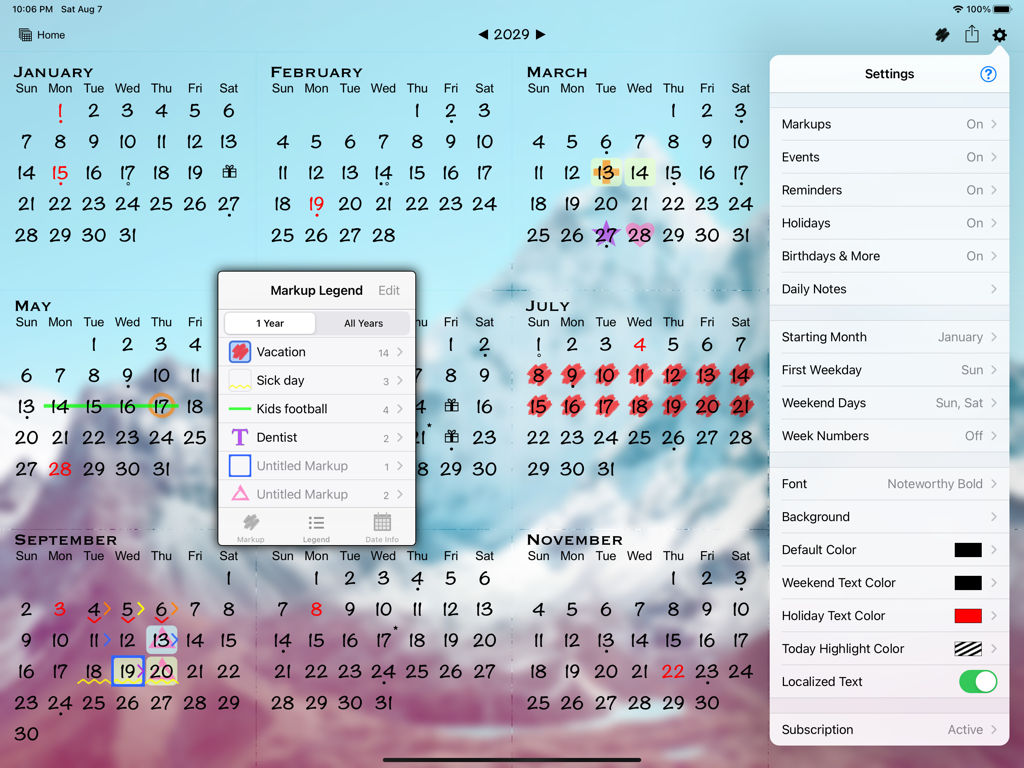
All-in-One Year Calendar Pro iPad app showing yearly view with markup legend and customization settings
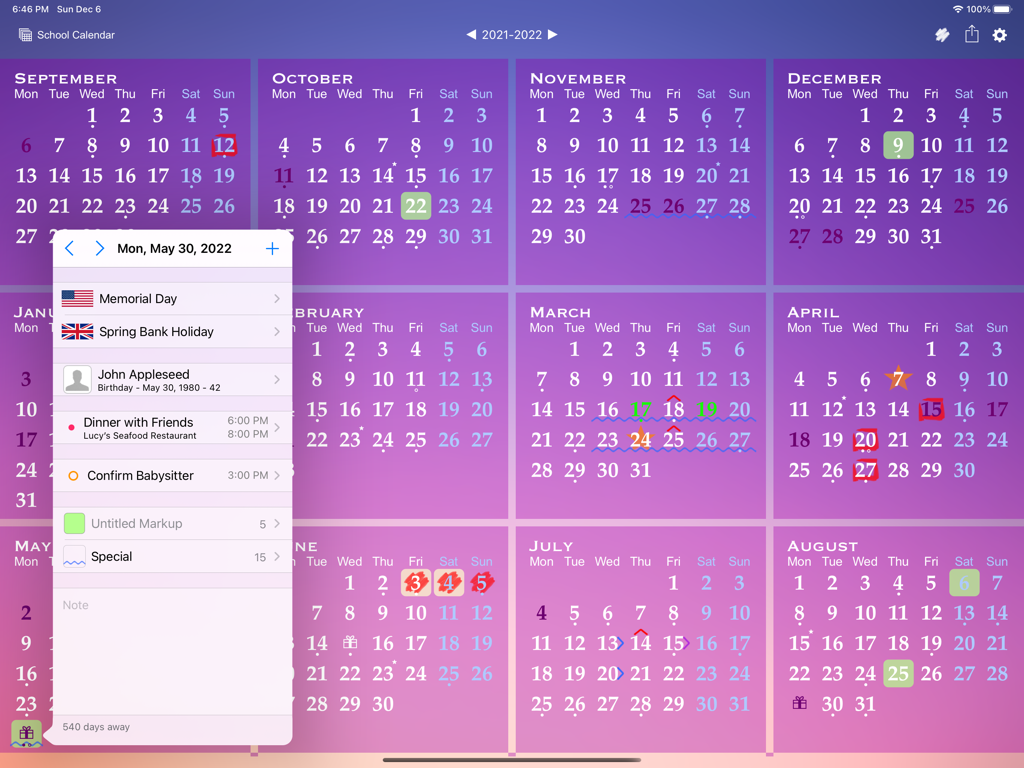
Full year calendar view on an iPad featuring a detailed day event popup and color coded markups.
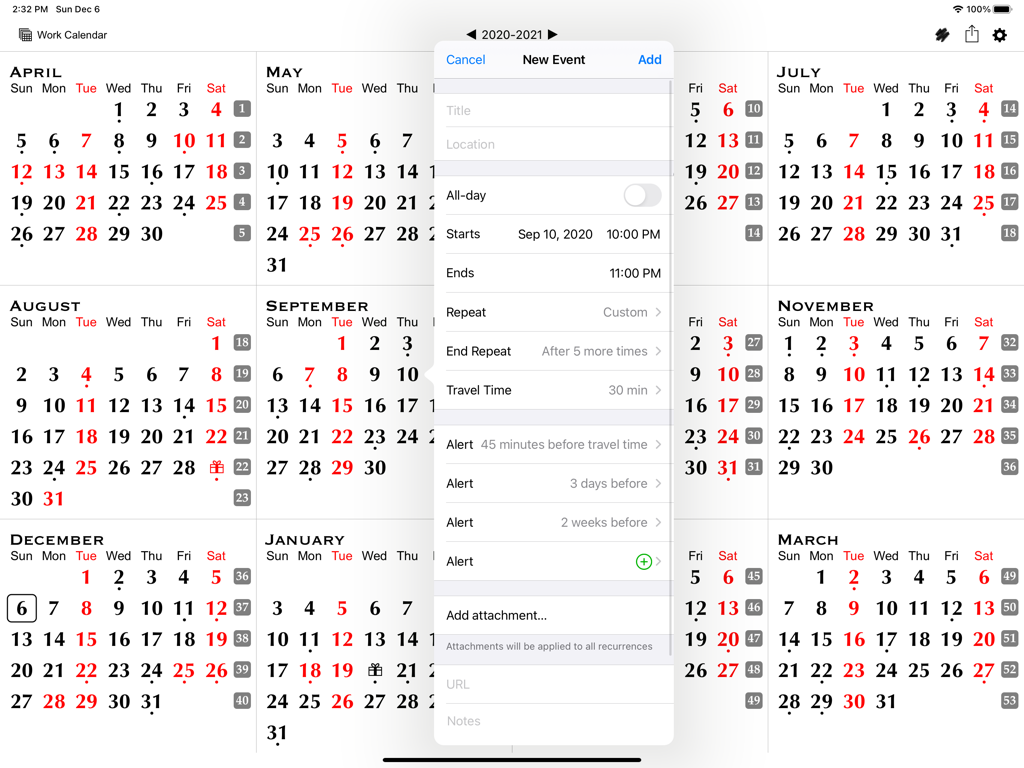
Yearly calendar view on an iPad with a new event creation dialog box showing scheduling and alert options
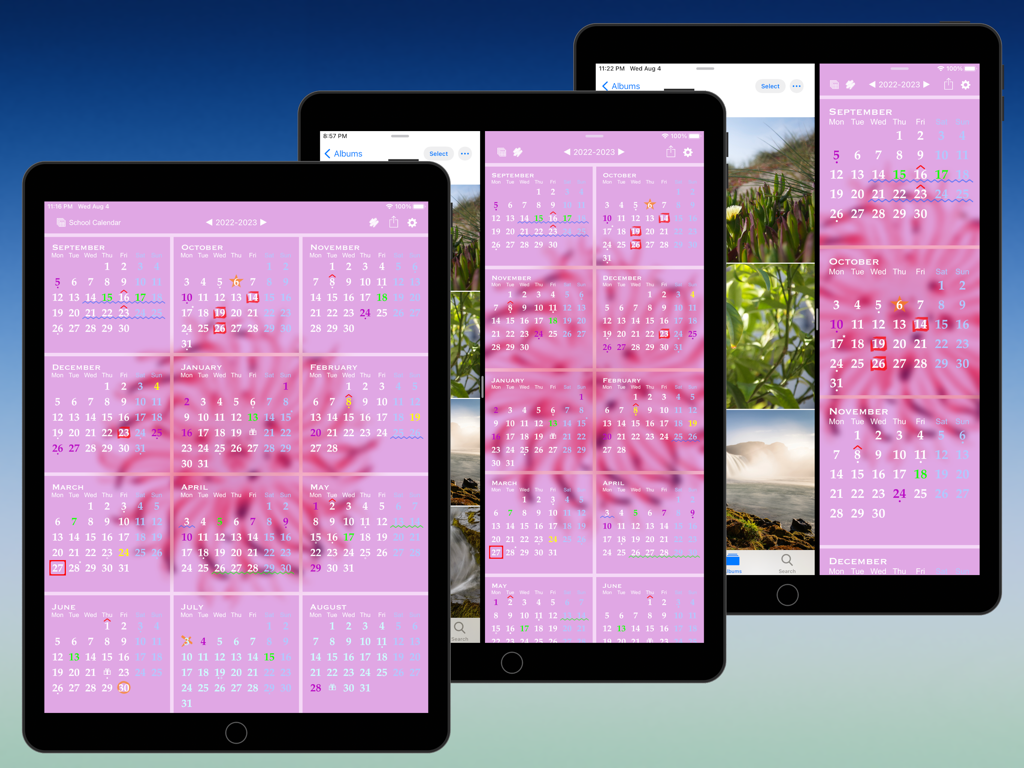
All-in-One Year Calendar Pro app on iPad showing yearly planning with color-coded markups and split view multitasking
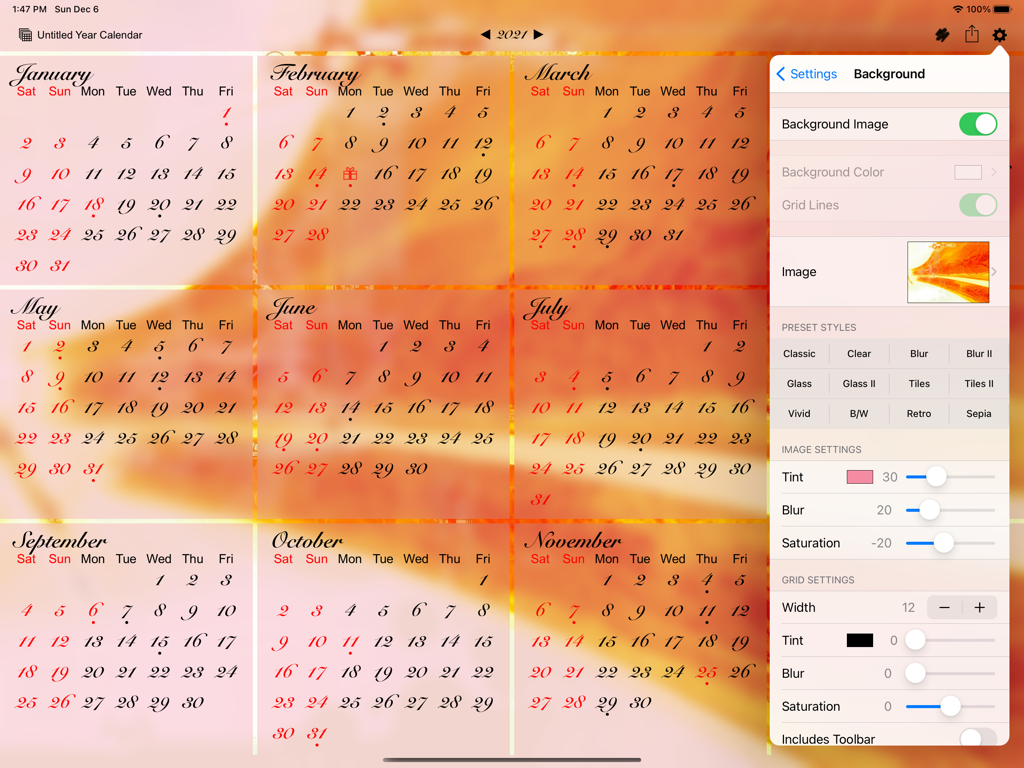
iPad app interface showing a year calendar view with a custom background image and appearance settings menu
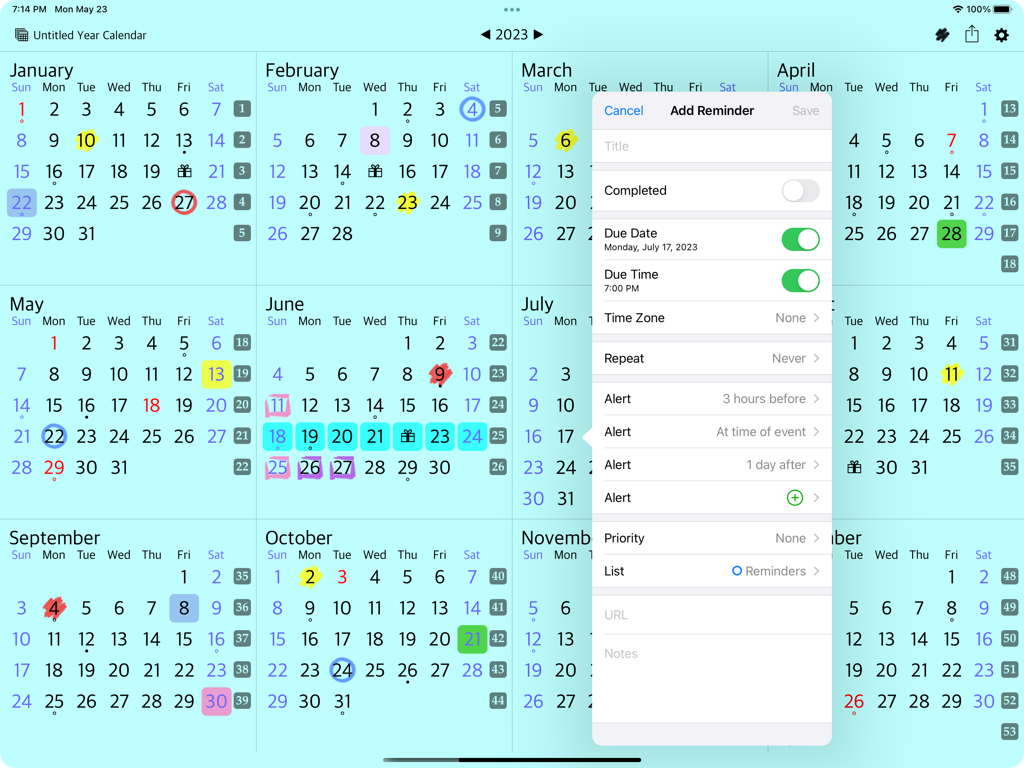
Full year calendar view on iPad showing a reminder creation window with date and alert options
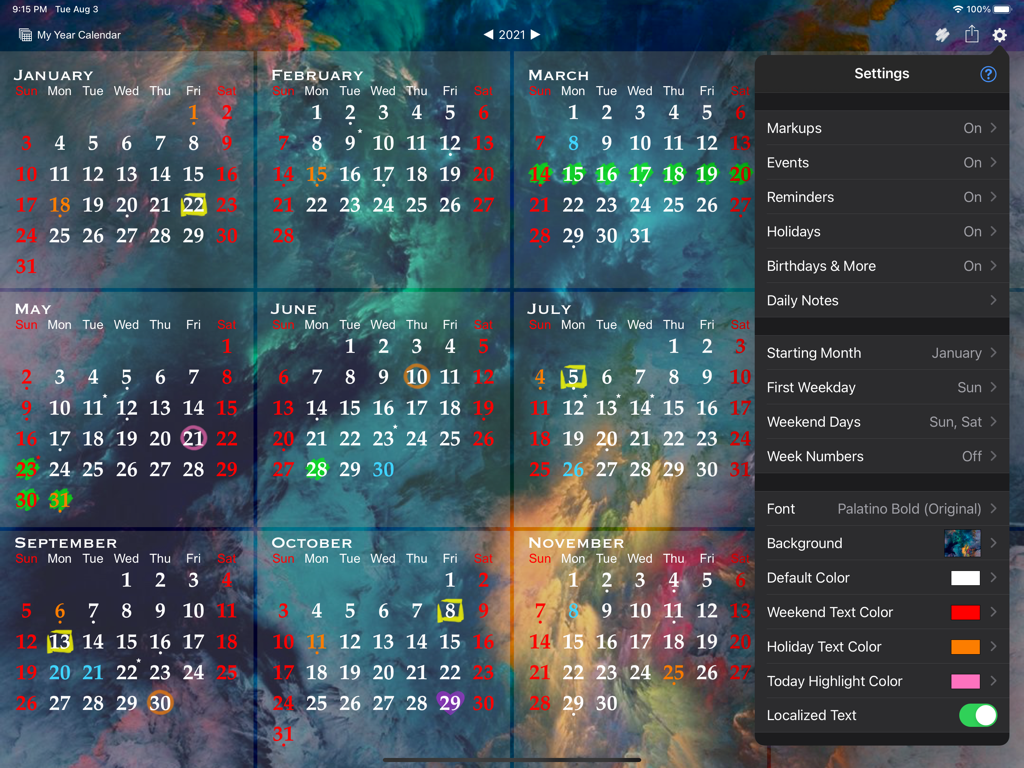
Interface of the All-in-One Year Calendar Pro app on iPad showing a full year view with a customization settings menu.
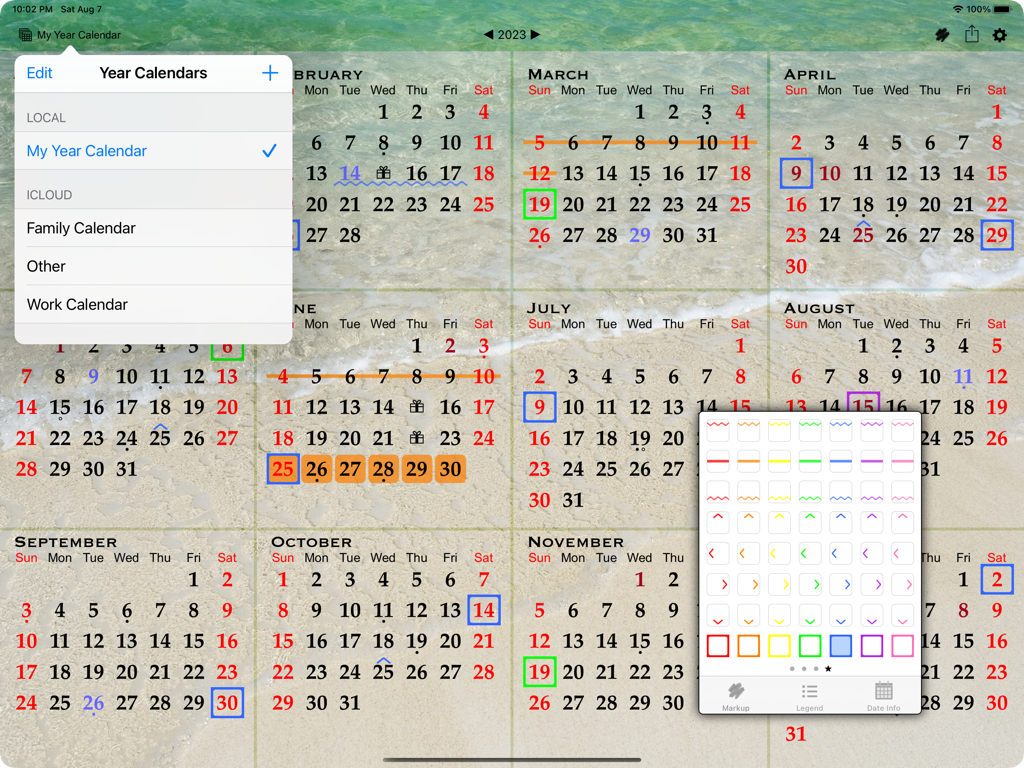
A full-year calendar view on an iPad showing color-coded dates and a floating markup toolbox with various pen and highlighter styles.
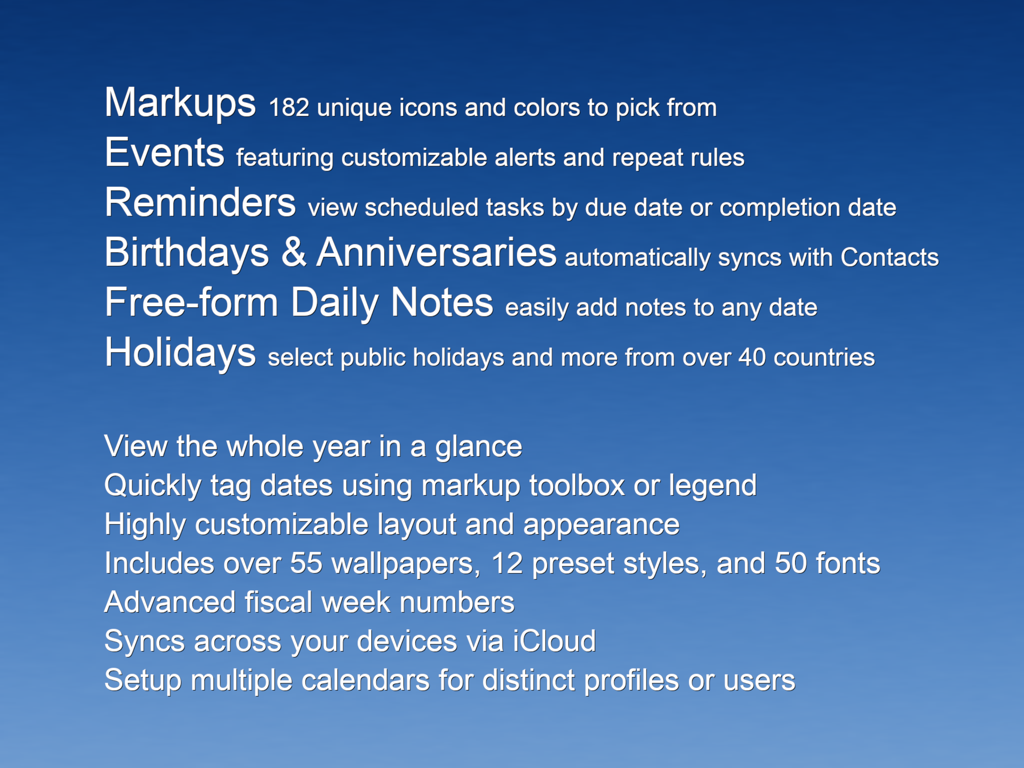
A summary list of features for the All-in-One Year Calendar Pro app including markups events reminders and holiday sync on a blue background
Description
Download
More Like This
Top-ranked apps in the same category

ChatGPT
OpenAI OpCo, LLC

Google Gemini
Google LLC

Grok
X.AI Corporation

Gmail - Email by Google
Google LLC

千问 - 阿里最强大模型官方AI助手
Shanghai Zhixin Puhui Technology Co., Ltd.

Google Drive
Google LLC

Microsoft Authenticator
Microsoft Corporation

Google Sheets
Google LLC

Google Docs
Google LLC
This page is not an official page of the app or its developer, but an independent editorial publication created for informational and commentary purposes. Unless expressly stated otherwise, neither the app nor its developer is affiliated with, endorsed by, sponsored by, authorized by, or otherwise officially connected with MWM, Apple, Google Play, the app publisher, or the app's developer, and nothing on this page implies that the app was developed using MWM's services. Any trademarks, logos, screenshots, and other content remain the property of their respective owners.