Alon Dictaphone-Voice Recorder

Alon Dictaphone-Voice Recorder

Download on App Store
Logo of Alon Dictaphone-Voice Recorder

ALON Dictaphone: Professional Audio Recording & Precise Dictation

Capture every detail with studio-grade quality. Edit, transcribe, and sync your meetings or lectures across all your professional cloud workflows.

Download on App Store

Publisher

ALON Software Limited

Category

Business

Downloads

379K+

User Rating

4.1/5

Total Ratings

8K+

Locales

30

Precision in Focus

Discover the interface used by 379K+ users.
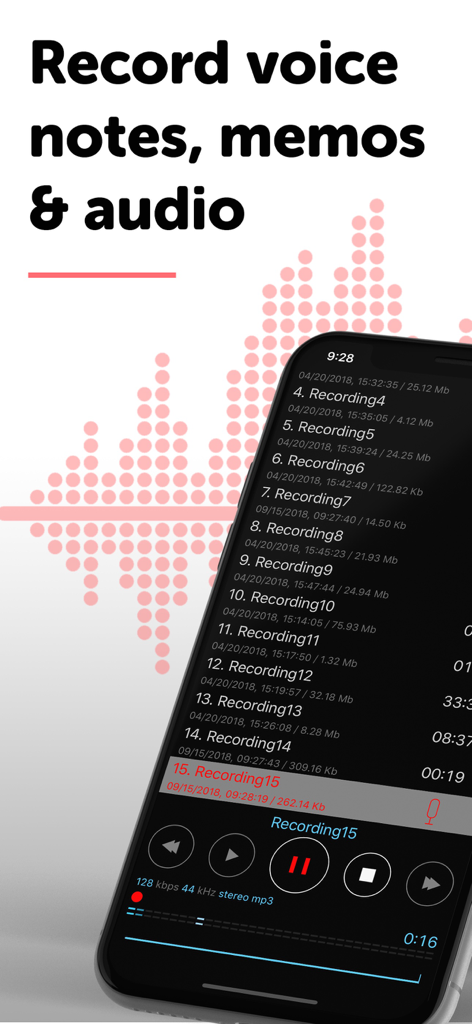
ALON Dictaphone app interface showing a list of voice recordings and audio playback controls.

ALON Dictaphone app interface showing a list of voice recordings and audio playback controls.

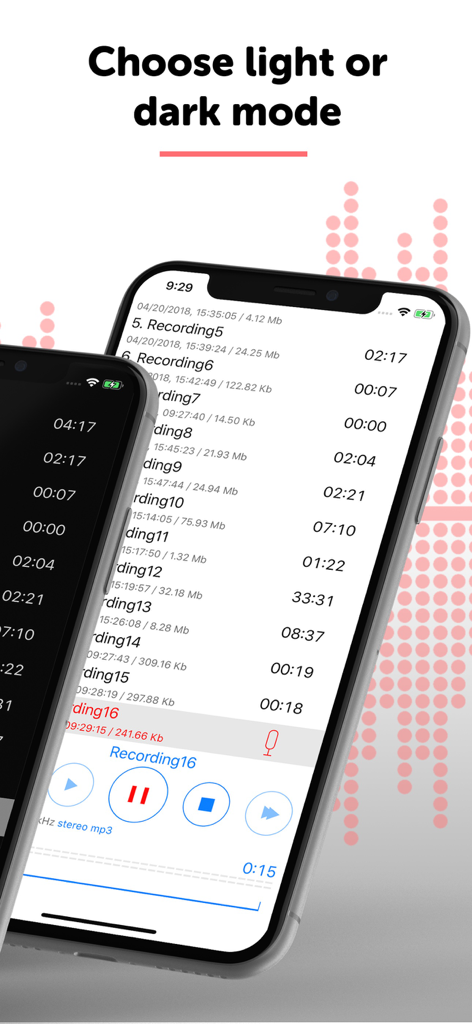
Side by side comparison of ALON Dictaphone voice recorder app in light and dark mode themes

Side by side comparison of ALON Dictaphone voice recorder app in light and dark mode themes

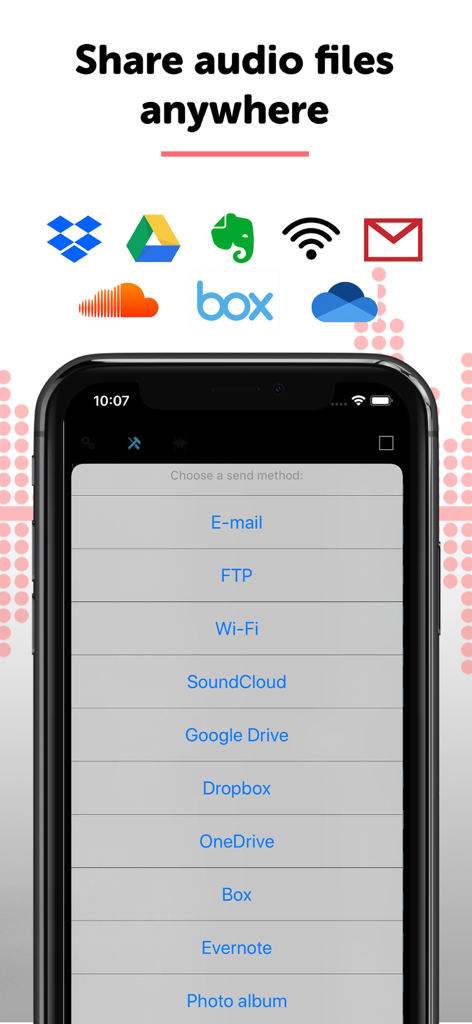
Sharing options for audio recordings including FTP, Dropbox, Google Drive, and Evernote in the ALON Dictaphone app.

Sharing options for audio recordings including FTP, Dropbox, Google Drive, and Evernote in the ALON Dictaphone app.

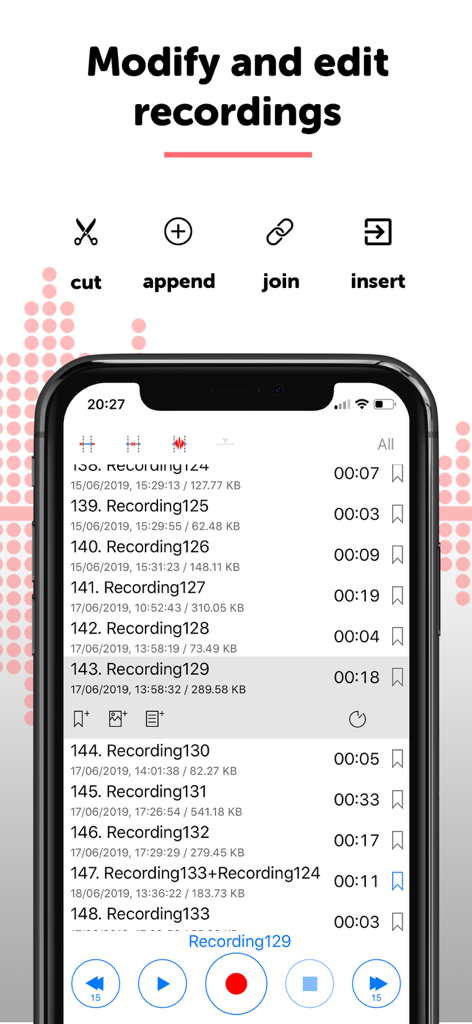
ALON Dictaphone app interface showing a list of voice recordings with options to cut append join and insert audio

ALON Dictaphone app interface showing a list of voice recordings with options to cut append join and insert audio

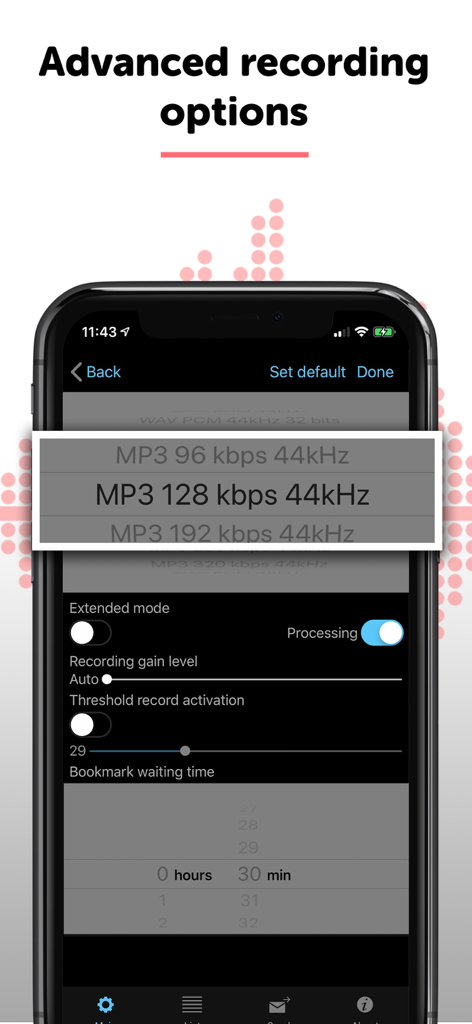
Advanced recording options in ALON Dictaphone showing audio bitrate selection and gain control settings.

Advanced recording options in ALON Dictaphone showing audio bitrate selection and gain control settings.

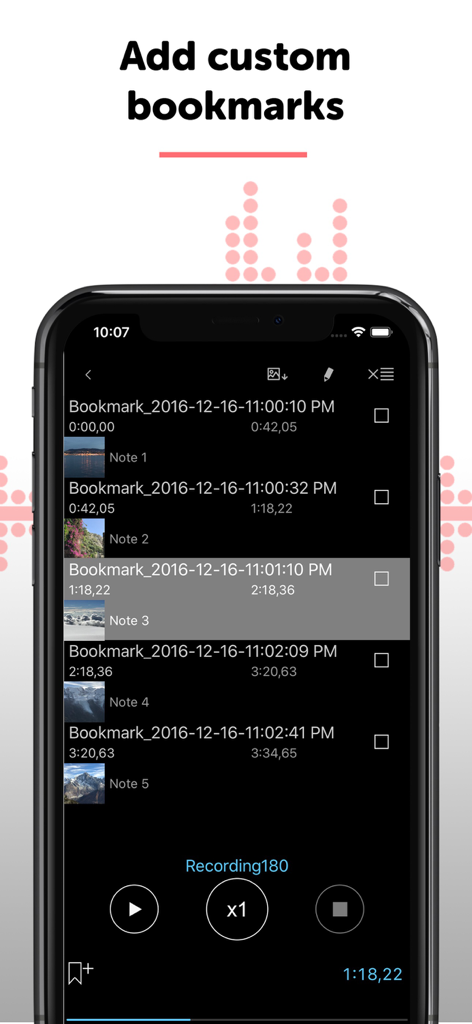
Screenshot of the ALON Dictaphone app interface showing a list of custom bookmarks with timestamps, thumbnail photos, and text notes.

Screenshot of the ALON Dictaphone app interface showing a list of custom bookmarks with timestamps, thumbnail photos, and text notes.

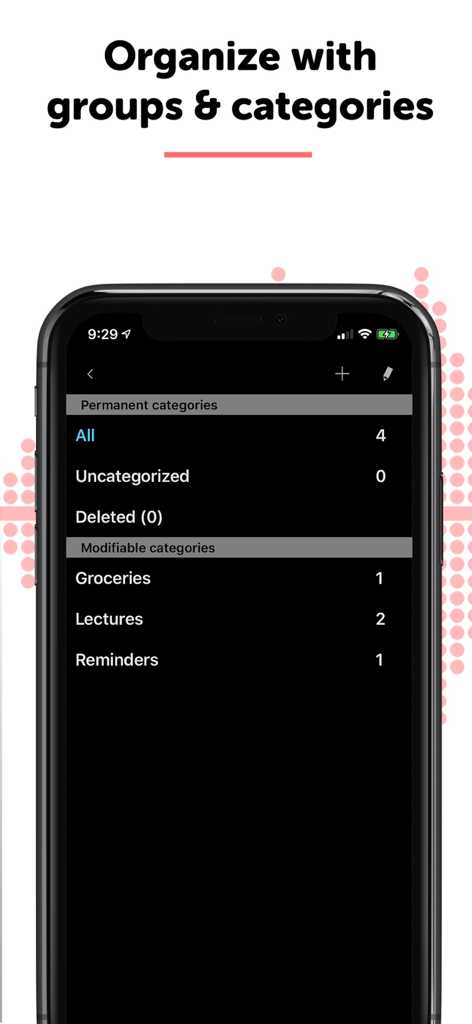
Interface of the ALON Dictaphone app showing organized voice recording categories like Lectures and Reminders

Interface of the ALON Dictaphone app showing organized voice recording categories like Lectures and Reminders

Precision Tools for High-Stakes Audio

The tools that make this app stand out, trusted by 379K+ users.

✂️

Precision Non-Destructive Editing

Perfect your dictations on the fly. Append, trim, or overwrite audio segments without starting over, ensuring your reports and notes are flawless.

🎙️

Studio-Grade Fidelity & Control

Record in crystal-clear 48kHz/320kbps quality. Adjust microphone gain and toggle voice-activated recording to capture every detail in any environment.

☁️

Enterprise Workflow Integration

Convert audio to text with built-in transcription and instantly sync recordings via FTP, SharePoint, or Dropbox to stay productive across all your devices.

About the app

Everything you need to know about Alon Dictaphone-Voice Recorder.

Description

ALON Dictaphone is the professional audio voice dictation app for those who want the highest quality dictation and audio recording device available. You can use ALON Dictaphone to dictate notes and memos quickly as well as record meeting, lecture, interview, and day-to-day sounds using your phone’s microphone. Time to free up your hands and get rid of the traditional notepad! Ditch your notebook and start audio recording everything you need, from a to-do list to a critical memo. In addition, you can share your entire meeting and lecture notes with anyone. It's super quick and easy to start sharing your audio recording with your friends, family, classmates and co-workers. Key Features: • Highest quality recordings (up to 48000 Hz/320kbps) • MP3, WAV formats all dictation and note taking • Edit options: Append, Trim, Cut, Overwrite, Insert, combine recordings • Stereo support • External microphone support • iTunes file sharing • Uploading recordings to Dropbox, SoundCloud, GoogleDrive, OneDrive, SharePoint, YouTube, Box, Evernote, FTP/HTTP/WebDAV servers • Adjust microphone gain sensitivity • Background sound recording and playback at different speeds (x0.5, x0.8, x1,...) • Option for auto-syncing audio recordings with Dropbox • Sync audio recordings, audio bookmarks and preferences with iCloud • Bookmarks(Time, Photo, Text note) • Transcribe audio to text Additional Features: • Sort audio recordings (by their name, by duration, by size, by date creation, and by type) • Bluetooth and external headset support • Import recordings from other applications (which support such option) • Export recordings to other applications (which support such option) • Record/Playback when your device is in a sleep mode • Pauses automatically on incoming phone calls • Playback/record timer • Fast forward/rewind • Simple editing with audio bookmarking • Opportunity to create a play route from the bookmarks • Voice activated recording - stop recording during silence • Send or delete multiple recordings at a time • Categorize and sort recordings • Adjust playback speed • And more... There is a comprehensive help manual in the app that describes and walks through all of the application's features. When you need an audio recording, you can use ALON Dictaphone to record and share meeting notes, class lectures, or even the sound of ocean waves crashing. Use your voice to dictate notes, memos, and to do lists. No more fussing with a notepad and taking notes by hand! ALON Dictaphone brings high quality audio voice recording to the palm of your hand, enabling you to dictate all your notes and memos. Download ALON Dictaphone today and get free upgrades in the future! This application is not for recording phone calls! ALON Software would love to hear your suggestions & feedback on how to improve our Audio Voice Dictation Recorder! Please continue to send questions, suggestions and ideas to https://alonsoftware.com/support.php. Visit us at https://www.alonsoftware.com/dictaphone_apple.php to learn more.

Latest Version

2.5.2

Size

74.0 MB

First Released

Feb 6, 2012

Upgrade to Professional-Grade Audio Recording

Ditch the notepad and join over 379,000 professionals using ALON Dictaphone for high-fidelity dictation, precision editing, and instant cloud synchronization.

Download on App Store

App information, icons, screenshots, and descriptions displayed on this page are sourced from the Apple App Store and are the property of their respective developers. Download estimates and rankings are based on MWM's proprietary models and may not reflect actual figures. This page is provided for informational and analytical purposes only.

Believe this page infringes your intellectual property? File a dispute