
This page is not an official page of the app or its developer, but an independent editorial publication created for informational and commentary purposes. Unless expressly stated otherwise, neither the app nor its developer is affiliated with, endorsed by, sponsored by, authorized by, or otherwise officially connected with MWM, Apple, Google Play, the app publisher, or the app's developer, and nothing on this page implies that the app was developed using MWM's services. Any trademarks, logos, screenshots, and other content remain the property of their respective owners.


Awesome Voice Recorder PRO AVR
The #1 business-grade tool for studio-quality recording, instant transcription, and elite file management designed for high-stakes professionals and students.
Downloads
369K+User Rating
Total Ratings
6K+Publisher
Category
BusinessLocales
23Latest Version
8.4.0Size
45.1 MBFirst Released
Jul 6, 2014The Professional Standard for Voice Management
Stop settling for basic recording tools. AVR PRO empowers professionals and students with studio-quality audio, instant transcription, and elite organization.
Instant Voice-to-Text
Skip the manual typing. Transform lectures, interviews, and meetings into accurate text transcripts to streamline your documentation workflow.
Smart Folder Organization
Stop digging through files. Categorize recordings by project and automatically sync with iCloud, Dropbox, or Google Drive for instant access.
The following screenshots and description are sourced directly from the app's official store listing and are the property of the app developer.
App Store
Screenshots
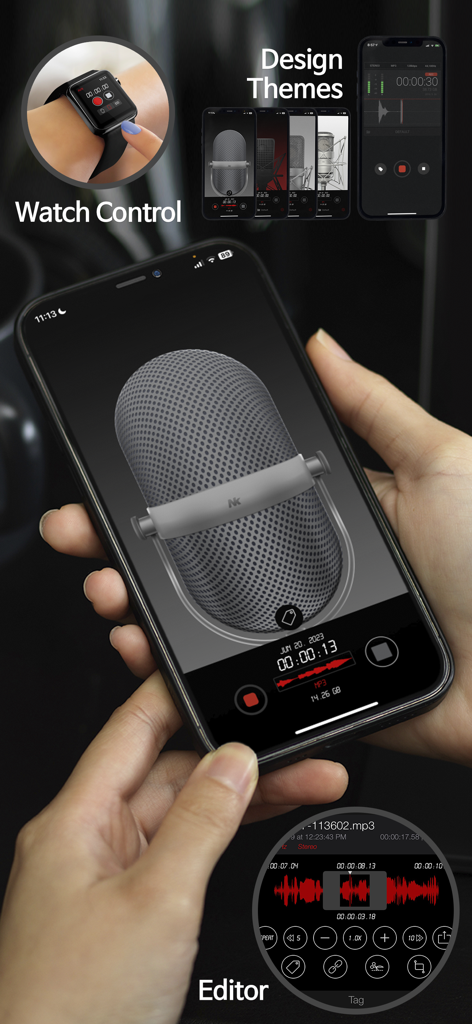
Awesome Voice Recorder PRO app interface on iPhone and Apple Watch showing recording features, design themes, and audio editor.
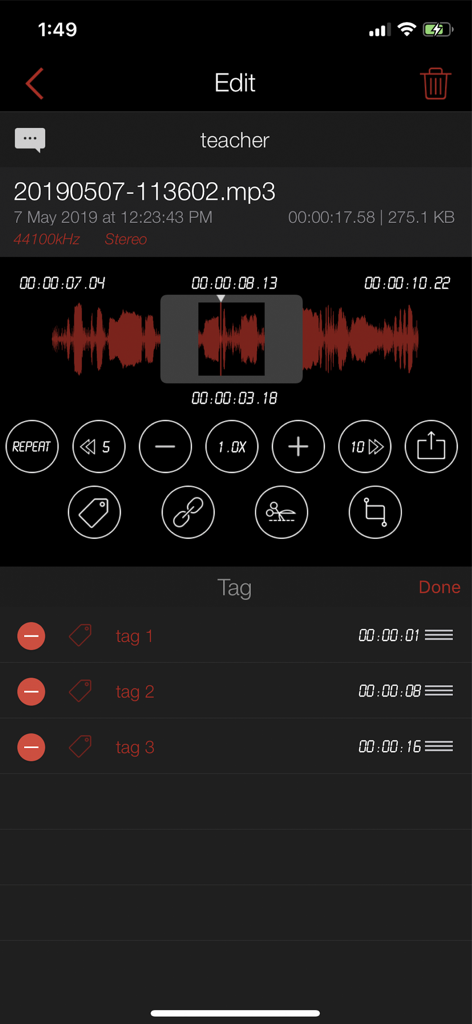
Interface of Awesome Voice Recorder PRO showing audio waveform editing and a list of tags
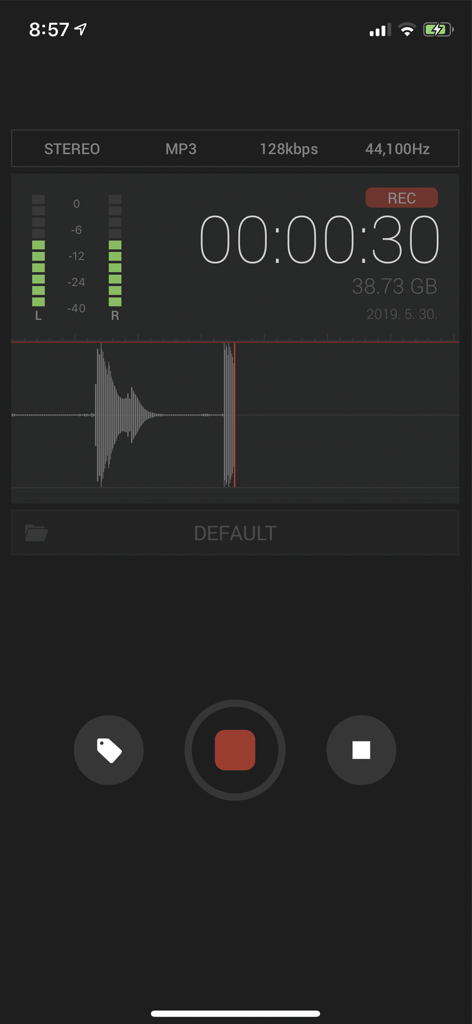
Awesome Voice Recorder PRO AVR interface showing an active audio recording with waveform and stereo meters
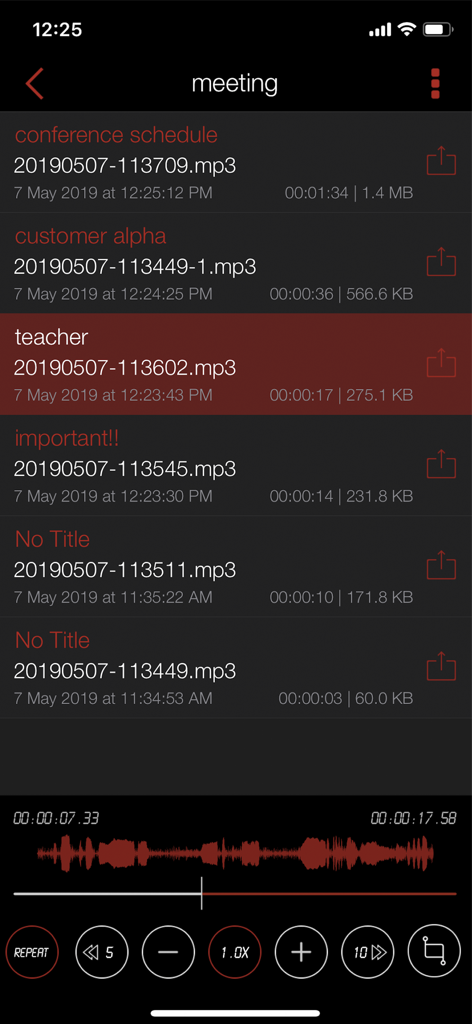
Voice recording list and audio playback interface in Awesome Voice Recorder PRO.
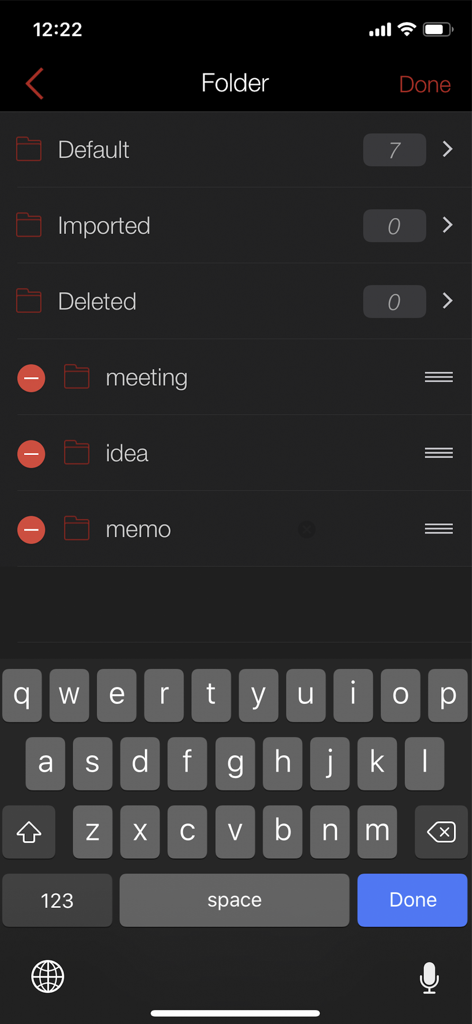
Folder management screen in Awesome Voice Recorder PRO showing organized recording categories
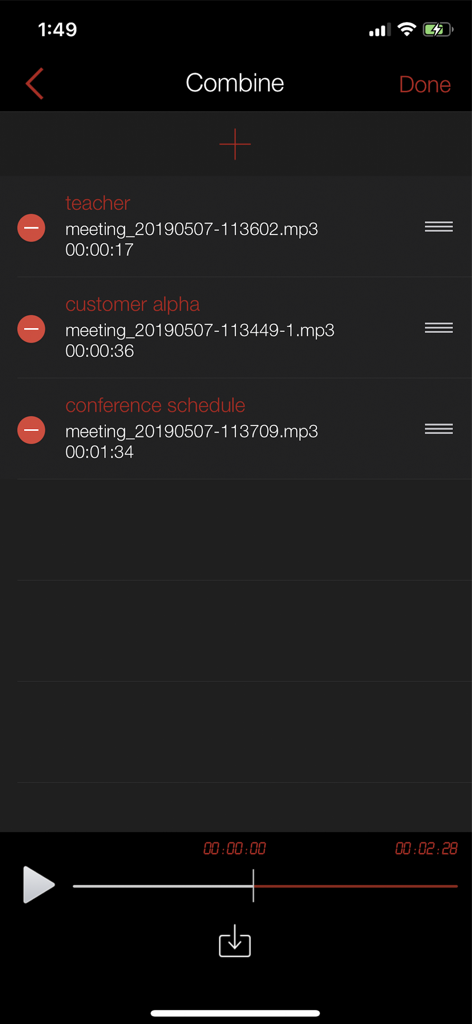
Interface of Awesome Voice Recorder PRO showing the feature to combine multiple audio recordings into one file.
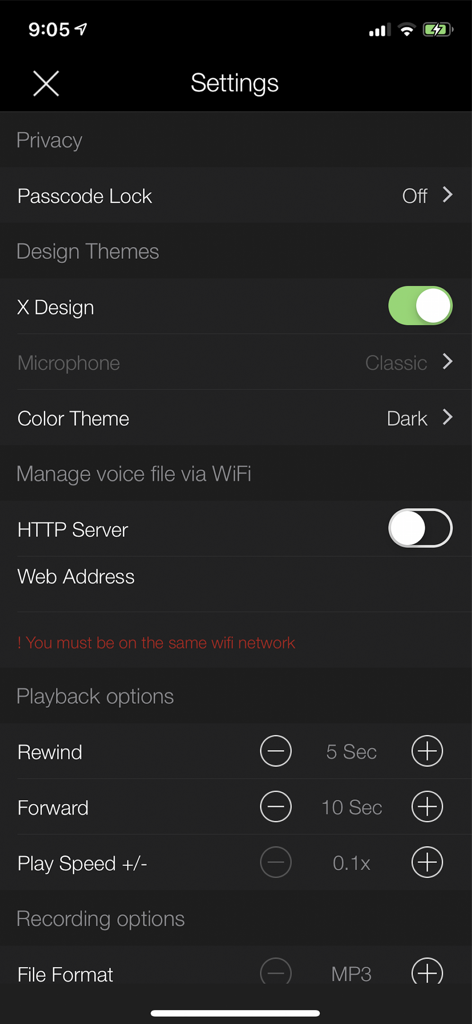
Settings screen of Awesome Voice Recorder PRO app showing options for recording formats, playback speed, and design themes.
Description
Download
More Like This
Apps with similar features and user experience

Voice Recorder Lite: Record HD
LiveBird Technologies Private Limited

PCM Recorder Lite
Kohei Yasui

Voice recorder - Voz
Hieu Nguyen

MOTIV Audio
Shure Incorporated

Voice recorder: Audio editor
Hieu Nguyen

Voice Recorder - Audio Record
LiveBird Technologies Private Limited

Voice Memos & Sound Recorder
Protection & Security App LLC

Voice Recorder & Memos
SMM service, s.r.o.
Voice Recorder — Audio Memos
Viktor Sukhoy
This page is not an official page of the app or its developer, but an independent editorial publication created for informational and commentary purposes. Unless expressly stated otherwise, neither the app nor its developer is affiliated with, endorsed by, sponsored by, authorized by, or otherwise officially connected with MWM, Apple, Google Play, the app publisher, or the app's developer, and nothing on this page implies that the app was developed using MWM's services. Any trademarks, logos, screenshots, and other content remain the property of their respective owners.