
This page is not an official page of the app or its developer, but an independent editorial publication created for informational and commentary purposes. Unless expressly stated otherwise, neither the app nor its developer is affiliated with, endorsed by, sponsored by, authorized by, or otherwise officially connected with MWM, Apple, Google Play, the app publisher, or the app's developer, and nothing on this page implies that the app was developed using MWM's services. Any trademarks, logos, screenshots, and other content remain the property of their respective owners.

Voice recorder: Audio editor
Capture crystal-clear lectures, meetings, and creative ideas with no time limits. Record in the background, trim your audio on the fly, and share instantly—the reliable choice for students and professionals.
Downloads
3M+User Rating
Total Ratings
10K+Publisher
Category
UtilitiesLocales
33Latest Version
4.15Size
46.3 MBFirst Released
Apr 25, 2018Professional Recording Made Simple
From lecture halls to boardrooms, capture every detail with high-quality MP3 recording and intuitive editing tools tailored for your productivity.
Studio-Quality MP3 Audio
Record in universal MP3 format with adjustable sample rates to ensure your files are crystal clear and compatible with every device.
Seamless Background Recording
Never miss a word. Record while you take notes or use other apps, with reliable performance even when your display is turned off.
Frequently Asked Questions
Everything you need to know about Voice recorder: Audio editor
What is the "Voice recorder: Audio editor" app?
Yes, "Voice recorder: Audio editor" is an application for high-quality voice recording. It allows users to record meetings, notes, speeches, lectures, and songs with a simple and easy-to-use interface.
Can I record calls using the Voice recorder: Audio editor app?
No, the Voice recorder: Audio editor app does not support call recording functionality. This feature is explicitly stated as not available within the application's capabilities.
Does Voice recorder: Audio editor have time limits for recordings?
No, the Voice recorder: Audio editor app does not impose time limits on recordings. Recording duration is only restricted by the available storage space on your internal storage or SD card.
What file formats does the Voice recorder: Audio editor app support for recordings?
The Voice recorder: Audio editor app supports high-quality MP3 format files for recordings. It allows for encoding with an adjustable sample rate between 8-44 kHz.
How do I adjust the recording quality in Voice recorder: Audio editor?
The Voice recorder: Audio editor allows users to adjust recording quality. Options include selecting the channel (Mono or Stereo) and setting the frame rate (e.g., 16 kHz, 24 kHz, 32 kHz).
Can I edit recordings in the Voice recorder: Audio editor app?
Yes, the Voice recorder: Audio editor app includes editing functions. Users can cut unwanted parts of recording files, specifically using features like Trim, Remove middle, and Duplicate selection.
How can I share recordings from the Voice recorder: Audio editor?
The Voice recorder: Audio editor provides a share function for recorded files. Users can share recordings via email, SMS, MMS, Facebook, WhatsApp, Dropbox, and other platforms.
Does "Voice recorder: Audio editor" support background recording?
Yes, the "Voice recorder: Audio editor" app supports recording in the background. It continues to record even when the device display is off, ensuring uninterrupted capture of audio.
Where are the recorded files stored in the Voice recorder: Audio editor app?
The Voice recorder: Audio editor app stores recorded files on either the internal storage of your device or an inserted SD card. The app also displays the remaining storage space.
Can I adjust the microphone sensitivity in Voice recorder: Audio editor?
Yes, the Voice recorder: Audio editor app provides a microphone tool. This feature allows users to adjust the sensitivity of the microphone for optimal recording quality.
The following screenshots and description are sourced directly from the app's official store listing and are the property of the app developer.
App Store
Screenshots
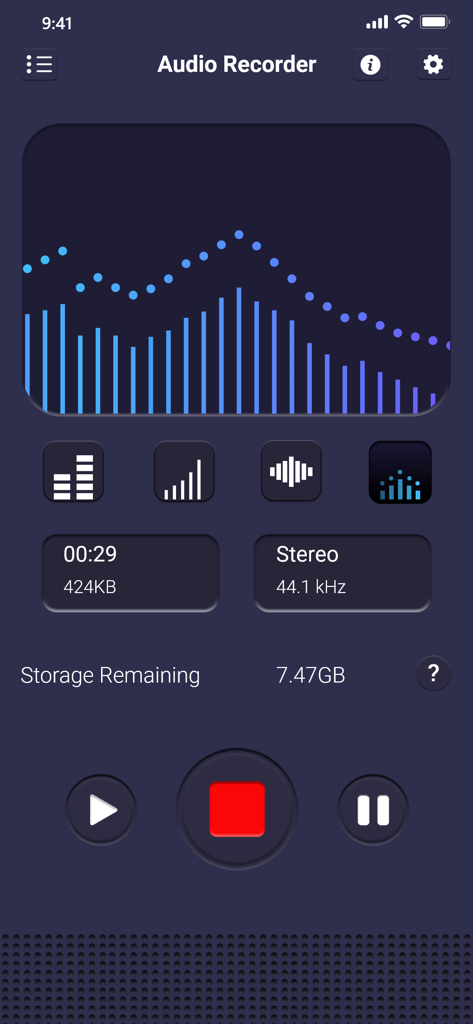
Voice recorder app interface showing a blue audio visualizer, recording time, and remaining storage space
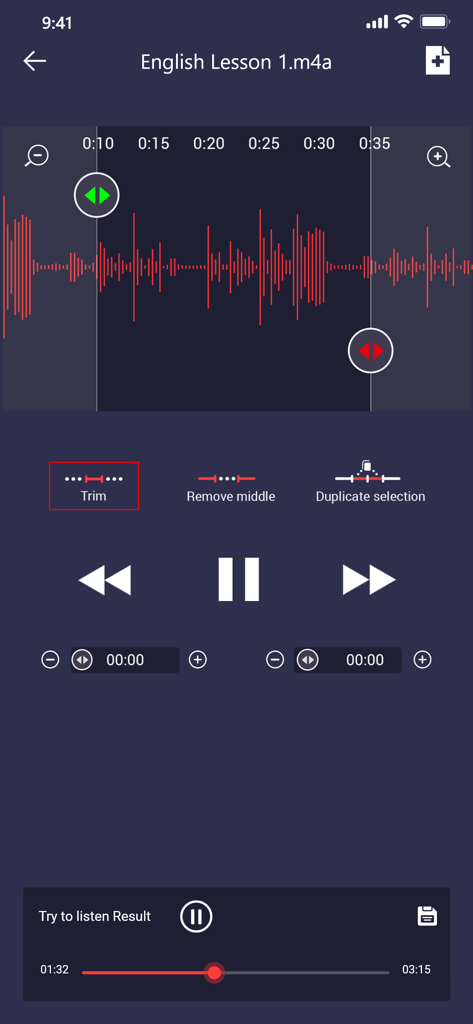
Interface of the voice recorder app showing an audio waveform with tools to trim and edit a recording.
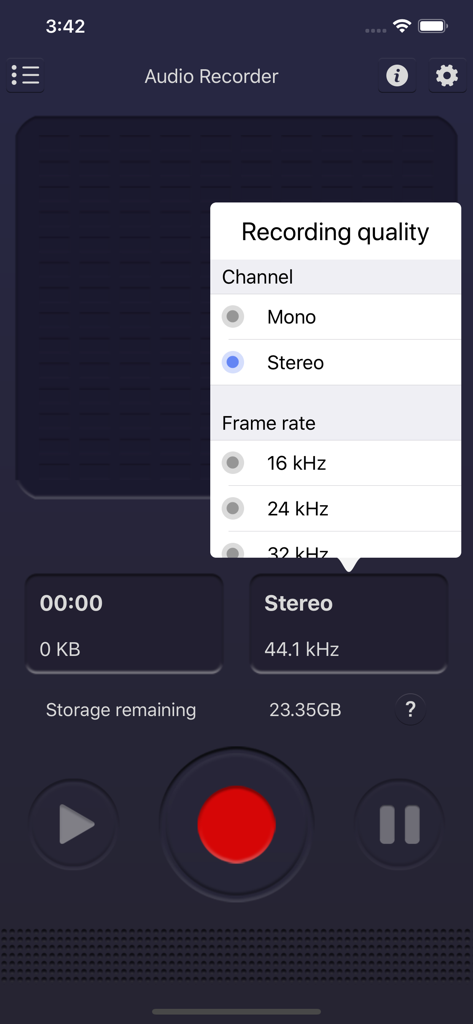
Voice recorder app recording quality settings menu for mono stereo and frame rate
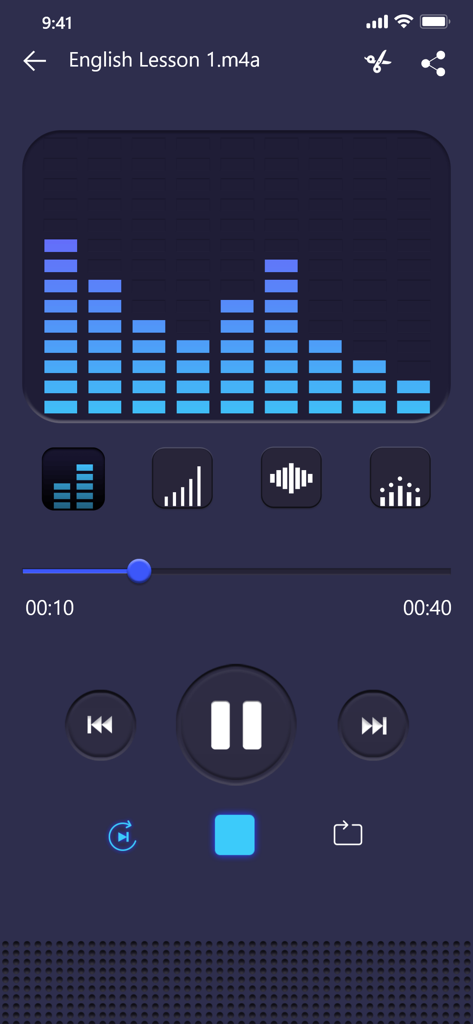
Voice recorder app playback interface with a blue bar-chart audio visualizer
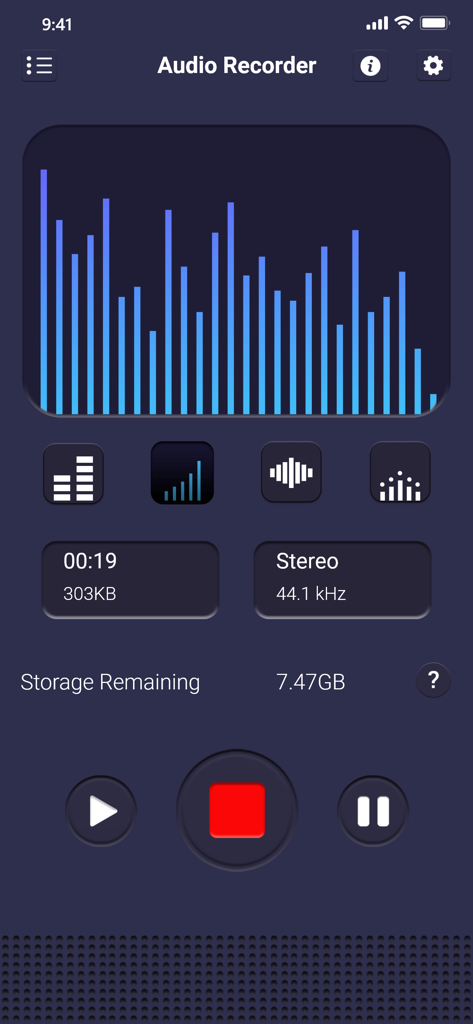
Voice recorder app screen showing real time audio visualization and recording stats
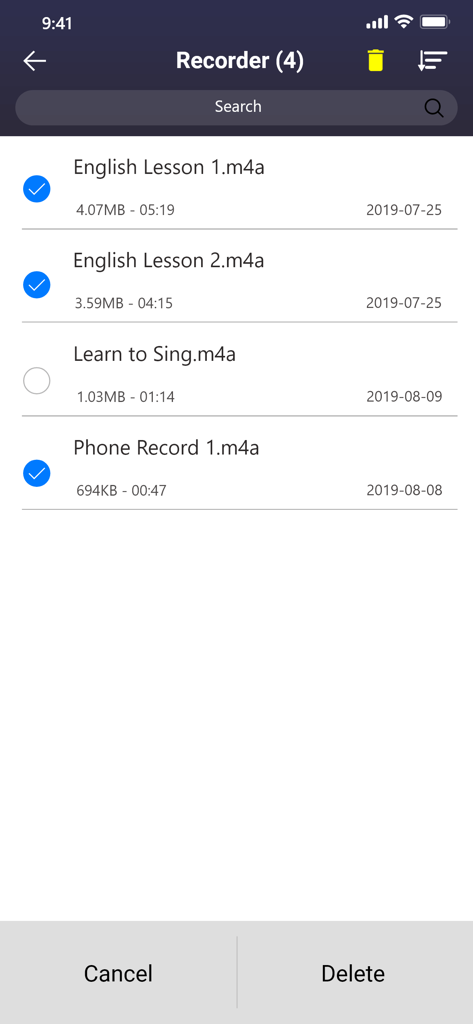
The file management screen of the voice recorder app showing a list of recordings with several items selected for deletion.
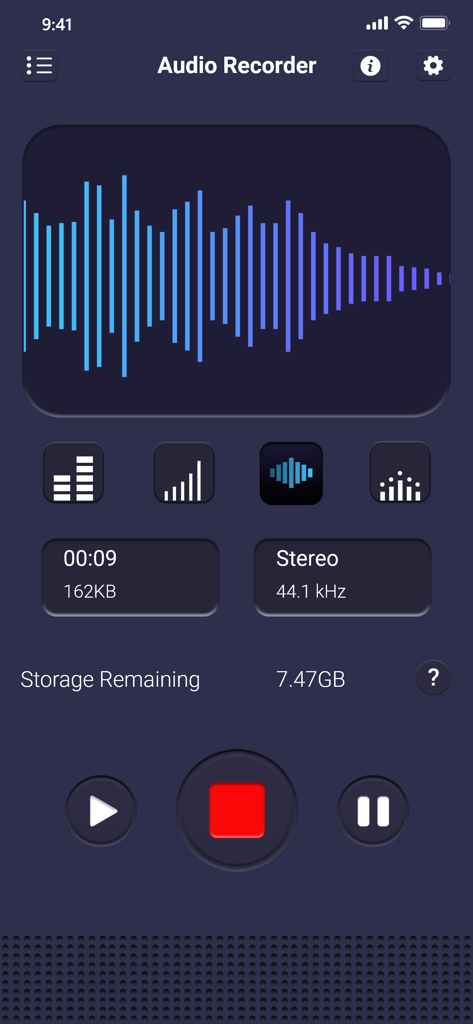
Voice recorder app interface with audio waveform and recording controls
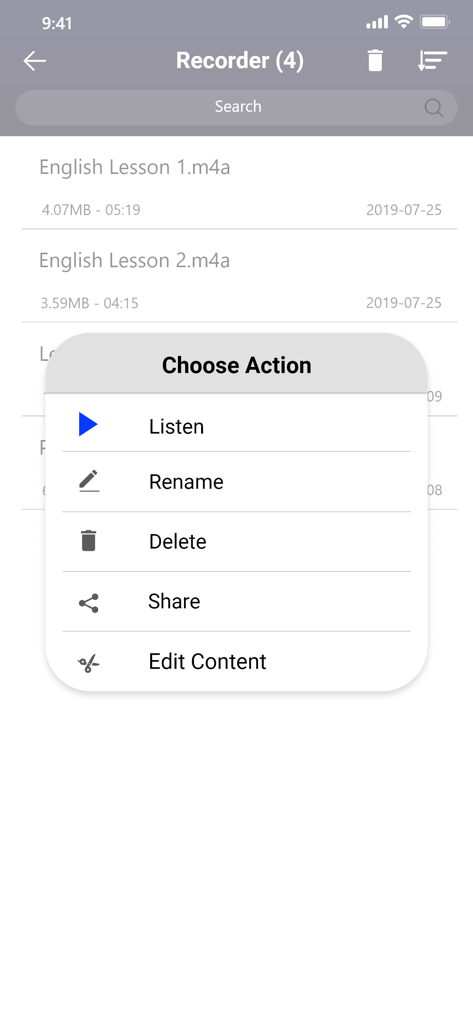
Voice recorder app interface showing options to listen rename delete share and edit audio files
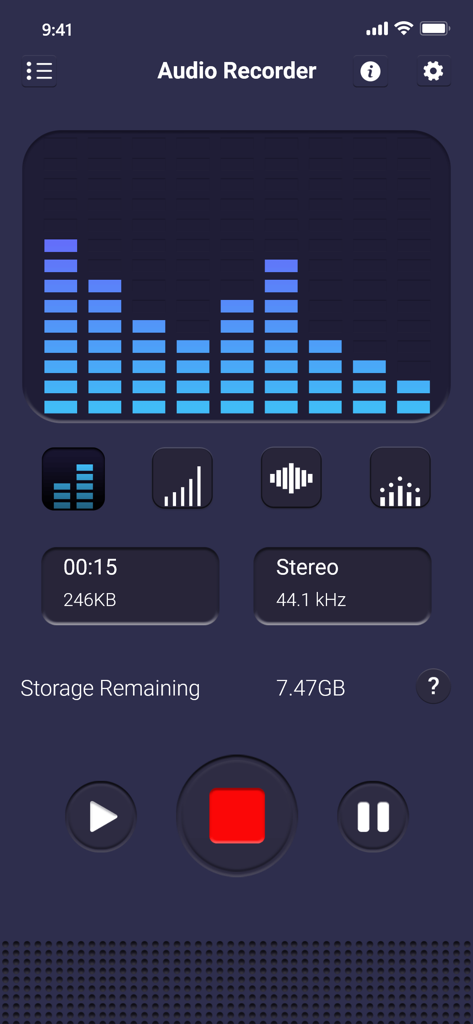
User interface of the voice recorder app showing an audio equalizer and recording details
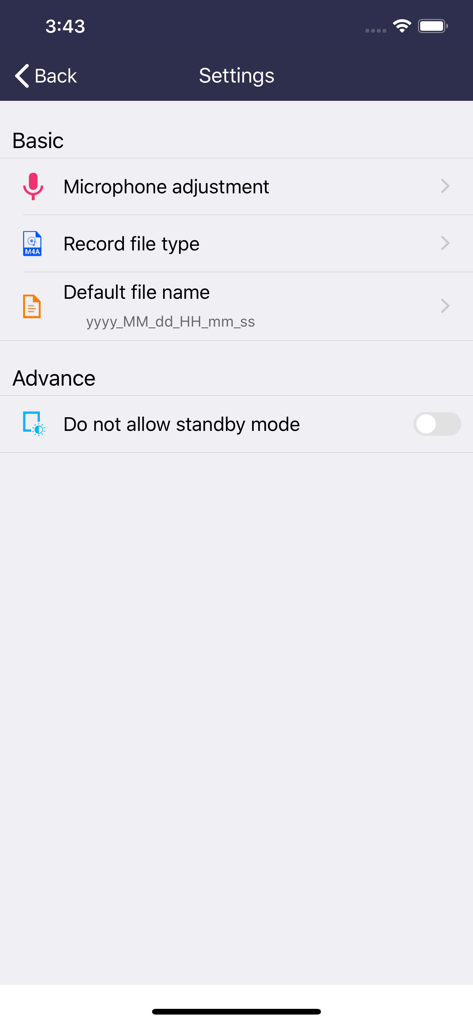
Settings menu of the voice recorder app showing options for microphone adjustment, record file type, and default file name.
Description
Download
More Like This
Apps with similar features and user experience

Voice Recorder Lite: Record HD
LiveBird Technologies Private Limited

PCM Recorder Lite
Kohei Yasui

Voice recorder - Voz
Hieu Nguyen

MOTIV Audio
Shure Incorporated

Voice Recorder - Audio Record
LiveBird Technologies Private Limited

Awesome Voice Recorder PRO AVR
Newkline Co., Ltd.

Voice Memos & Sound Recorder
Protection & Security App LLC

Voice Recorder & Memos
SMM service, s.r.o.
Voice Recorder — Audio Memos
Viktor Sukhoy
This page is not an official page of the app or its developer, but an independent editorial publication created for informational and commentary purposes. Unless expressly stated otherwise, neither the app nor its developer is affiliated with, endorsed by, sponsored by, authorized by, or otherwise officially connected with MWM, Apple, Google Play, the app publisher, or the app's developer, and nothing on this page implies that the app was developed using MWM's services. Any trademarks, logos, screenshots, and other content remain the property of their respective owners.