
This page is not an official page of the app or its developer, but an independent editorial publication created for informational and commentary purposes. Unless expressly stated otherwise, neither the app nor its developer is affiliated with, endorsed by, sponsored by, authorized by, or otherwise officially connected with MWM, Apple, Google Play, the app publisher, or the app's developer, and nothing on this page implies that the app was developed using MWM's services. Any trademarks, logos, screenshots, and other content remain the property of their respective owners.


PCM Recorder Lite
Capture crystal-clear interviews, lectures, and music with lossless PCM quality up to 192kHz. The trusted tool for high-fidelity recording and precise playback control.
Downloads
2M+User Rating
Total Ratings
70K+Publisher
Category
BusinessLocales
2Latest Version
5.5.3Size
12.0 MBFirst Released
May 26, 2011Professional Recording Made Simple
Go beyond basic voice memos with studio-grade audio quality, advanced playback controls, and reliable file management designed for professionals and students alike.
Uncompromising Lossless Quality
Capture every nuance with high-fidelity PCM (WAV) format and sampling rates up to 192kHz—perfect for interviews, music, and legal depositions.
Efficient Review & Playback
Save time by adjusting playback speeds from 0.5x to 2.0x. Use quick-skip buttons to navigate long lectures and find key information instantly.
Frequently Asked Questions
Everything you need to know about PCM Recorder Lite
What audio formats does PCM Recorder Lite support for recording?
PCM Recorder Lite supports recording in high-quality linear PCM (WAV) and high-compressed AAC (M4A) formats. Users can choose between these lossless and lossy compression options.
Can I record audio in the background using PCM Recorder Lite?
Yes, PCM Recorder Lite enables background recording. This feature allows users to capture audio continuously while operating other apps or when the device screen is off.
Does PCM Recorder Lite allow unlimited recording time?
Yes, PCM Recorder Lite offers unlimited recording time. Individual recordings are limited to a maximum file size of 2GB, depending on available device storage.
How can I adjust the playback speed in PCM Recorder Lite?
PCM Recorder Lite provides variable playback speed options. Users can adjust the speed to 0.5x, 0.8x, 1.2x, 1.5x, or 2.0x using the player controls.
Can I edit audio recordings within PCM Recorder Lite?
Yes, PCM Recorder Lite allows users to edit audio recordings. Features include cutting out audio data, deleting selected areas, and converting WAV files to AAC format.
How do I transfer recordings from PCM Recorder Lite to my computer?
Recordings from PCM Recorder Lite can be transferred to a PC. Users synchronize the app with iTunes to retrieve and manage their recorded files on a computer.
Does PCM Recorder Lite include an equalizer for playback?
Yes, PCM Recorder Lite's Advanced Player includes an equalizer. This allows users to fine-tune audio characteristics like bass, vocal, and treble during playback.
The following screenshots and description are sourced directly from the app's official store listing and are the property of the app developer.
App Store
Screenshots
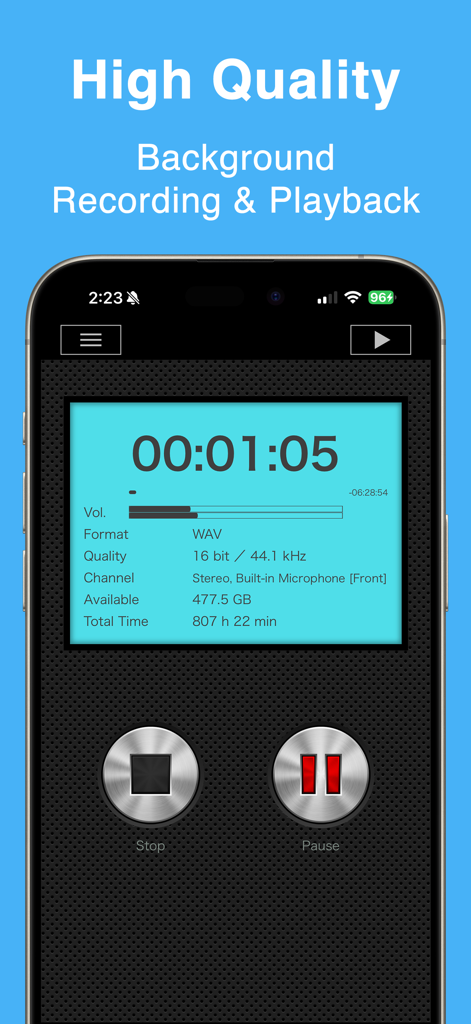
PCM Recorder Lite app screen showing high quality background recording in WAV format.
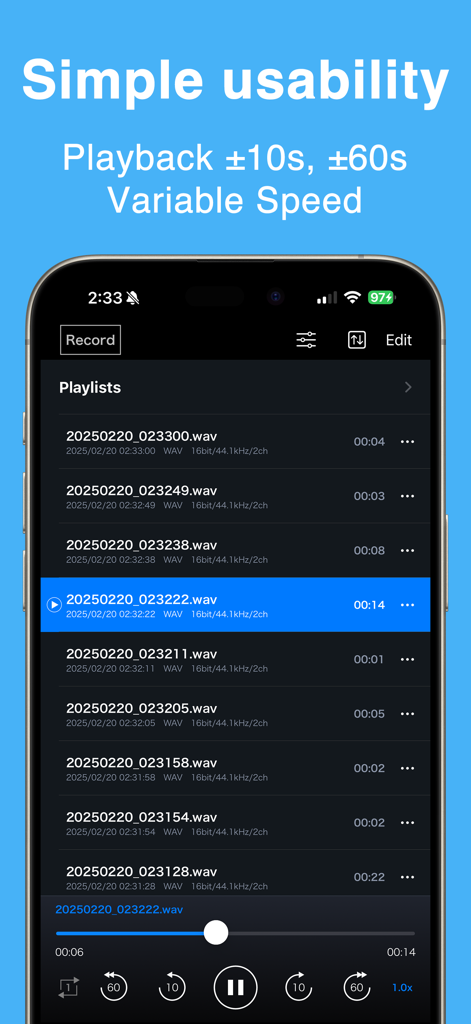
PCM Recorder Lite app interface showing a list of audio recordings and playback controls
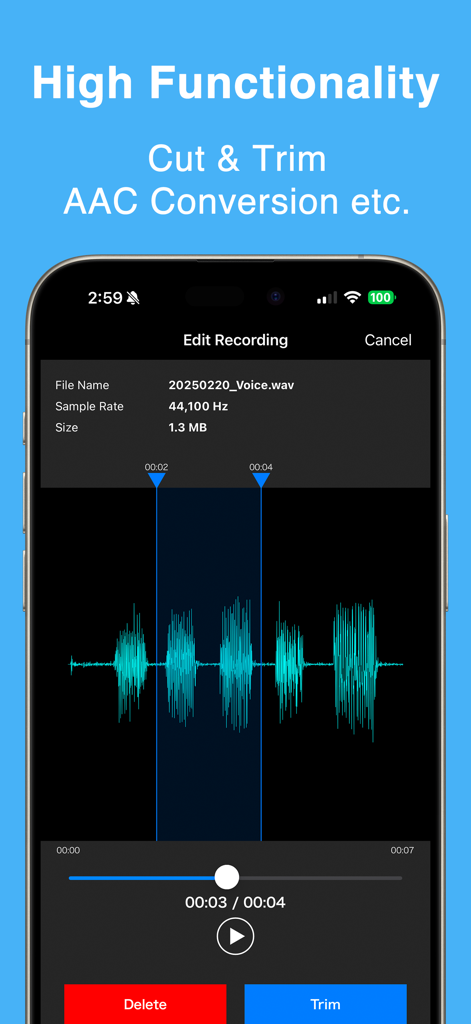
PCM Recorder Lite editing screen with audio waveform and trim options
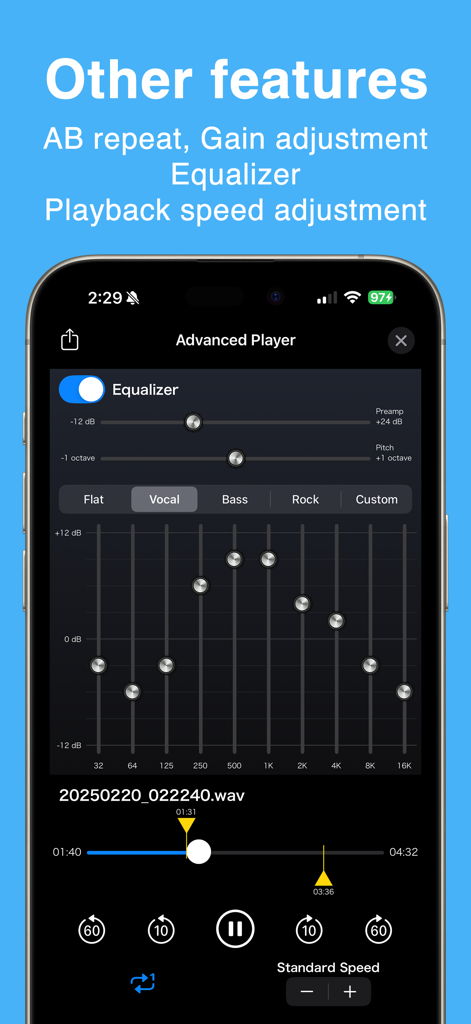
PCM Recorder Lite app screenshot showing advanced playback features including an equalizer and speed adjustment controls
Description
Download
More Like This
Apps with similar features and user experience

Voice Recorder Lite: Record HD
LiveBird Technologies Private Limited

Voice recorder - Voz
Hieu Nguyen

MOTIV Audio
Shure Incorporated

Voice recorder: Audio editor
Hieu Nguyen

Voice Recorder - Audio Record
LiveBird Technologies Private Limited

Awesome Voice Recorder PRO AVR
Newkline Co., Ltd.

Voice Memos & Sound Recorder
Protection & Security App LLC

Voice Recorder & Memos
SMM service, s.r.o.
Voice Recorder — Audio Memos
Viktor Sukhoy
This page is not an official page of the app or its developer, but an independent editorial publication created for informational and commentary purposes. Unless expressly stated otherwise, neither the app nor its developer is affiliated with, endorsed by, sponsored by, authorized by, or otherwise officially connected with MWM, Apple, Google Play, the app publisher, or the app's developer, and nothing on this page implies that the app was developed using MWM's services. Any trademarks, logos, screenshots, and other content remain the property of their respective owners.