
This page is not an official page of the app or its developer, but an independent editorial publication created for informational and commentary purposes. Unless expressly stated otherwise, neither the app nor its developer is affiliated with, endorsed by, sponsored by, authorized by, or otherwise officially connected with MWM, Apple, Google Play, the app publisher, or the app's developer, and nothing on this page implies that the app was developed using MWM's services. Any trademarks, logos, screenshots, and other content remain the property of their respective owners.

Voice Recorder - Audio Record
From university lectures to high-stakes boardrooms, capture crystal-clear 44.1KHz audio with advanced noise reduction and seamless cloud integration for a frictionless workflow.
Downloads
734K+User Rating
Total Ratings
33K+Publisher
Category
BusinessLocales
10Latest Version
8.5Size
35.4 MBFirst Released
Nov 20, 2014Capture Every Detail with Professional Clarity
A high-fidelity recording suite engineered for the demanding workflows of students, journalists, and professionals.
Studio-Grade Audio Quality
Record in crystal-clear 44.1KHz quality with active noise reduction and full support for external Tascam or Bluetooth microphones.
Frictionless Cloud Workflow
Stay organized with auto-uploads to Dropbox and iCloud, allowing you to sync, trim, and share your files across devices instantly.
Frequently Asked Questions
Everything you need to know about Voice Recorder - Audio Record
What is Voice Recorder - Audio Record?
Voice Recorder - Audio Record is an iOS app designed for recording, playing back, and editing audio. It features noise reduction, multiple playback options, and sharing capabilities for various events.
Can Voice Recorder - Audio Record record audio in the background?
Yes, Voice Recorder - Audio Record supports background recording. The app continues recording even if a call or other interruption occurs during an active recording session.
What audio quality options are available in Voice Recorder - Audio Record?
Voice Recorder - Audio Record offers three audio quality options: Low (8KHz), Medium (22.05KHz), and High (44.1KHz). Users can select their preferred recording quality.
Does Voice Recorder - Audio Record support external microphones?
Yes, Voice Recorder - Audio Record supports external input devices. This includes Bluetooth microphones and other external mics, with Tascam mics specifically tested for compatibility.
Can I trim audio recordings in Voice Recorder - Audio Record?
Yes, Voice Recorder - Audio Record allows users to trim audio recordings. You can select a specific segment of a recording and precisely trim it to your desired length.
How can I share recordings from Voice Recorder - Audio Record?
Voice Recorder - Audio Record provides multiple sharing options, including email, Dropbox (with auto-upload), iCloud Drive, iTunes file sharing, and AirDrop for iOS and Mac devices.
Does Voice Recorder - Audio Record support auto-upload to cloud services?
Yes, Voice Recorder - Audio Record supports auto-uploading recordings to Dropbox. This feature can be enabled to automatically save new recordings to your connected cloud storage.
What playback speed options does Voice Recorder - Audio Record offer?
Voice Recorder - Audio Record offers playback speed controls. Users can adjust the playback speed to 0.5x, 1x (normal), or 2x to suit their listening preferences.
Is Voice Recorder - Audio Record a universal app for Apple devices?
Yes, Voice Recorder - Audio Record is a universal app. It provides full compatibility and support for both iPhone and iPad devices, ensuring a consistent user experience.
What audio formats does Voice Recorder - Audio Record support for recording?
Voice Recorder - Audio Record supports WAV, CAF, and M4A audio formats for recording. Users can select their desired recording format within the app's settings.
The following screenshots and description are sourced directly from the app's official store listing and are the property of the app developer.
App Store
Screenshots
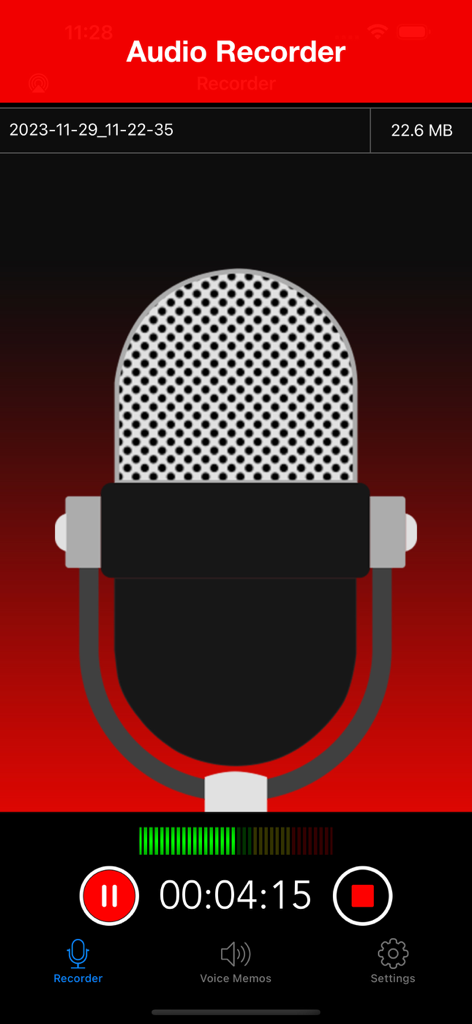
Active recording screen of the Voice Recorder app with a large microphone illustration and progress timer
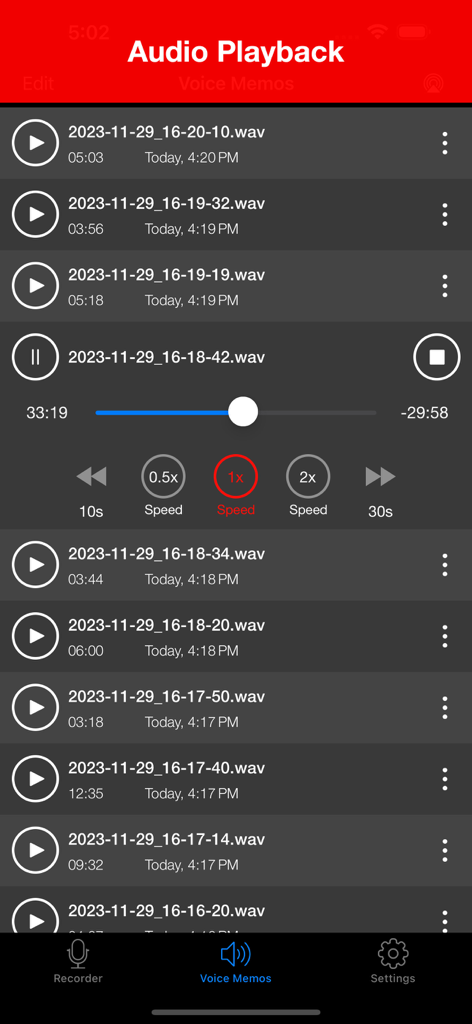
The audio playback interface of the Voice Recorder app showing a list of recorded memos and media controls including playback speed.
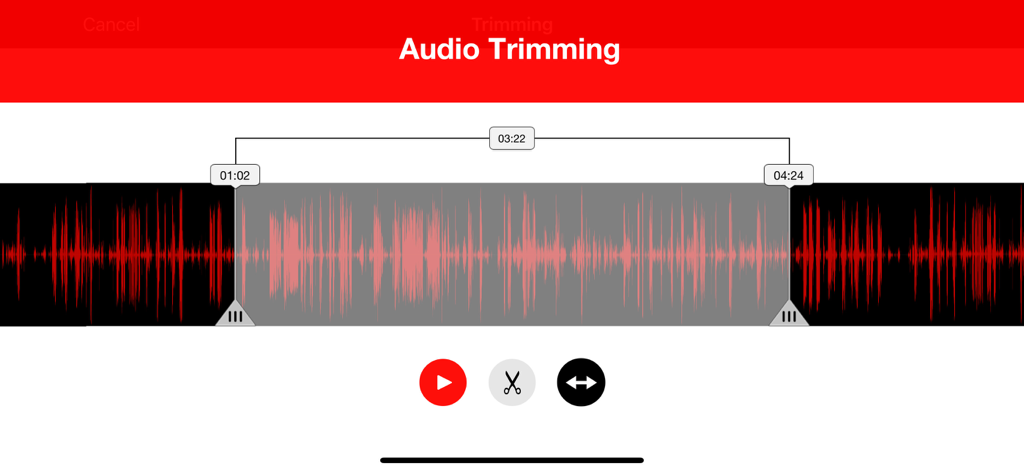
Audio trimming interface showing a red waveform with selection markers and editing tools
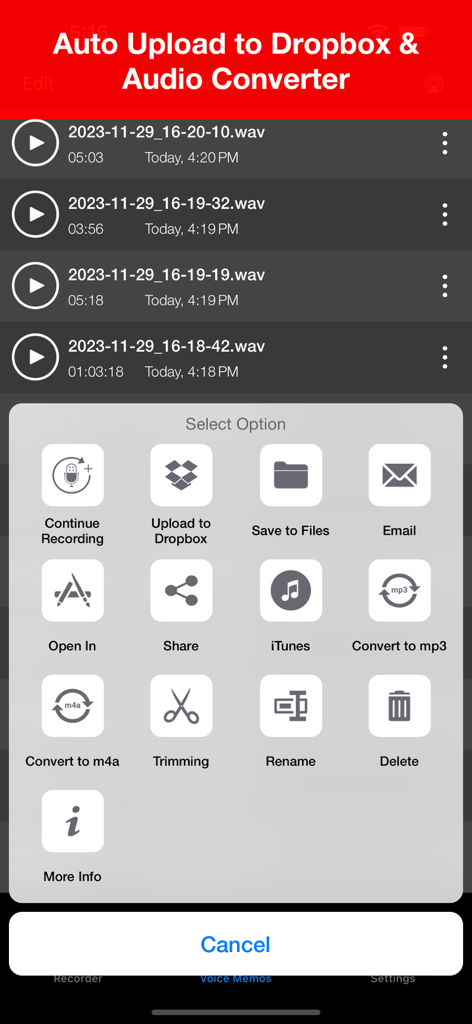
Voice recorder app interface showing options to upload to Dropbox and convert audio files
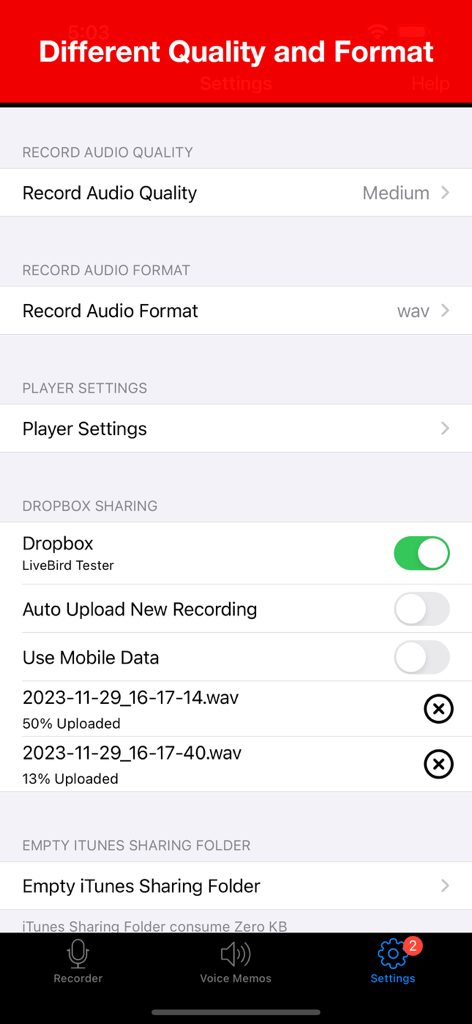
Voice Recorder app settings screen showing options for audio quality format and Dropbox cloud synchronization
Description
Download
More Like This
Apps with similar features and user experience

Voice Recorder Lite: Record HD
LiveBird Technologies Private Limited

PCM Recorder Lite
Kohei Yasui

Voice recorder - Voz
Hieu Nguyen

MOTIV Audio
Shure Incorporated

Voice recorder: Audio editor
Hieu Nguyen

Awesome Voice Recorder PRO AVR
Newkline Co., Ltd.

Voice Memos & Sound Recorder
Protection & Security App LLC

Voice Recorder & Memos
SMM service, s.r.o.
Voice Recorder — Audio Memos
Viktor Sukhoy
This page is not an official page of the app or its developer, but an independent editorial publication created for informational and commentary purposes. Unless expressly stated otherwise, neither the app nor its developer is affiliated with, endorsed by, sponsored by, authorized by, or otherwise officially connected with MWM, Apple, Google Play, the app publisher, or the app's developer, and nothing on this page implies that the app was developed using MWM's services. Any trademarks, logos, screenshots, and other content remain the property of their respective owners.