
This page is not an official page of the app or its developer, but an independent editorial publication created for informational and commentary purposes. Unless expressly stated otherwise, neither the app nor its developer is affiliated with, endorsed by, sponsored by, authorized by, or otherwise officially connected with MWM, Apple, Google Play, the app publisher, or the app's developer, and nothing on this page implies that the app was developed using MWM's services. Any trademarks, logos, screenshots, and other content remain the property of their respective owners.

Voice Recorder — Audio Memos
Capture high-quality audio, convert speech to text instantly, and manage your recordings with professional tools designed for maximum productivity.
Downloads
1M+User Rating
Total Ratings
4K+Publisher
Category
BusinessLocales
9Latest Version
3.3.4Size
64.7 MBFirst Released
Dec 2, 2022Maximize Your Efficiency with Professional Audio Tools
Record, transcribe, and manage your meetings or lectures with a high-performance toolkit designed for professionals and students who value their time.
Smart AI Transcription
Stop wasting hours typing notes. Convert your recordings into accurate text instantly, making your interviews and lectures searchable and actionable.
Seamless Format Conversion
Switch between MP3, MP4, and WAV formats effortlessly. Ensure your audio is always ready for Slack, email, or any professional presentation.
Frequently Asked Questions
Everything you need to know about Voice Recorder — Audio Memos
What is Voice Recorder — Audio Memos?
Voice Recorder — Audio Memos is a versatile tool for capturing high-quality audio recordings, managing them effortlessly, and converting audio into various formats. It provides intuitive solutions for notes, interviews, and memorable moments.
Can Voice Recorder — Audio Memos capture high-quality recordings?
Yes, Voice Recorder — Audio Memos captures high-quality voice recordings with just one tap. It provides an intuitive and efficient solution for audio capture.
Does Voice Recorder — Audio Memos include audio editing tools?
Yes, Voice Recorder — Audio Memos includes editing tools. Users can edit audio files directly within the app, boost volume, and convert recordings to different formats.
Can users boost recording volume in Voice Recorder — Audio Memos?
Yes, users can boost volume for clear playback within Voice Recorder — Audio Memos. The app features a volume booster control, adjustable up to +24db.
What audio and video formats does Voice Recorder — Audio Memos support for conversion?
Voice Recorder — Audio Memos supports conversion to/from MP3, MP4, MOV, WAV, AVI. It also supports M4A, AIFF, FLAC, CAF, MPV, MPEG, and WEBM output formats.
Does Voice Recorder — Audio Memos offer transcription services?
Yes, Voice Recorder — Audio Memos offers transcription services. It accurately turns audio into text and supports multiple transcription languages, such as English, Dutch, and French.
What is the difference between the free and paid versions of Voice Recorder — Audio Memos?
The free version allows limited recordings with basic functions like listening and playback speed adjustment. A paid subscription unlocks unlimited access to all features, including editing and conversion.
How do I manage my Voice Recorder — Audio Memos subscription?
Users manage or disable auto-renewal for Voice Recorder — Audio Memos subscriptions in their Apple ID account settings. This is accessible anytime after purchase.
Can recordings be shared from Voice Recorder — Audio Memos?
Yes, recordings can be shared across devices directly from Voice Recorder — Audio Memos. The app provides a share option within its recording management interface.
Can I adjust the playback speed of recordings in Voice Recorder — Audio Memos?
Yes, users can adjust the playback speed of recordings in Voice Recorder — Audio Memos. This functionality is available in both the free and paid versions, ranging from 0.25 to 2.
Where can I find the Privacy Policy for Voice Recorder — Audio Memos?
The Privacy Policy for Voice Recorder — Audio Memos is available at https://pp.voicerecorder-mp3-convertor.site/. Users agree to it by using the application.
Does Voice Recorder — Audio Memos have a voice changer feature?
Yes, Voice Recorder — Audio Memos includes a voice changer feature. Users can transform their voice with fun effects using this tool.
The following screenshots and description are sourced directly from the app's official store listing and are the property of the app developer.
App Store
Screenshots
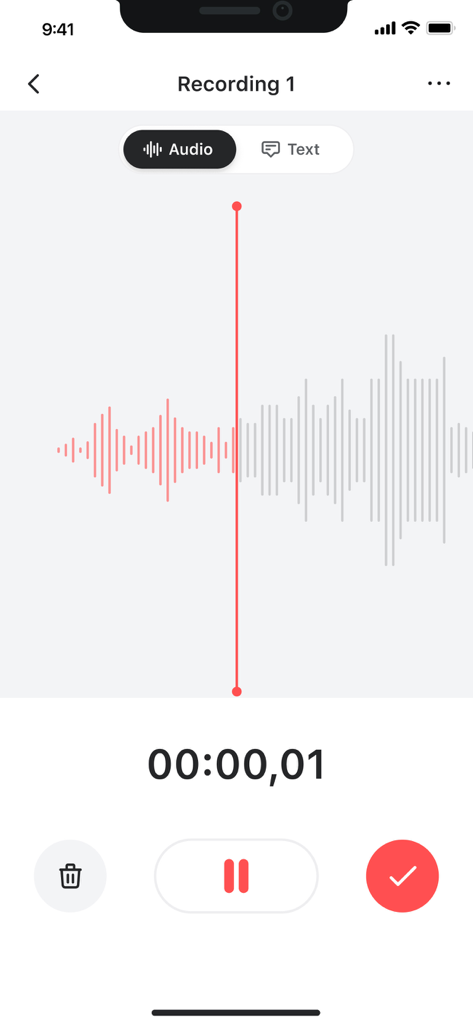
User interface of the Voice Recorder app showing an audio recording with a waveform display and playback controls
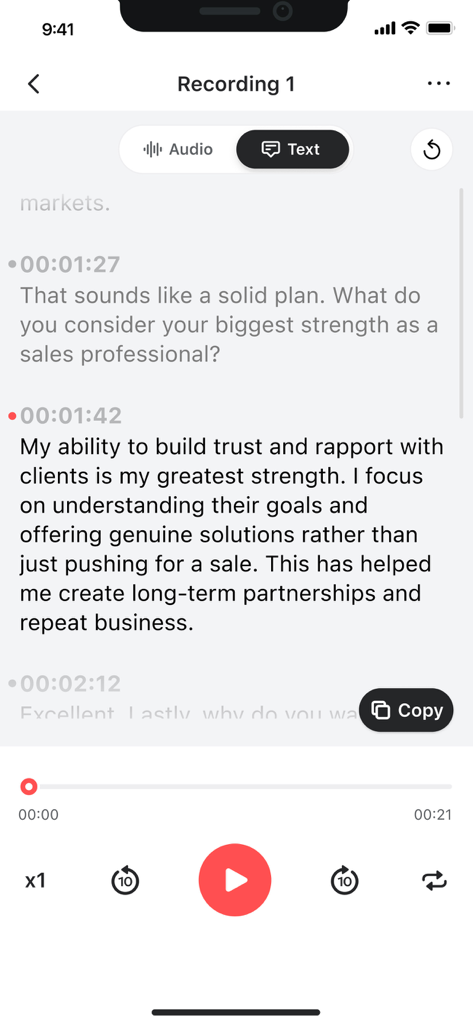
Mobile app interface showing a text transcription of a recorded interview with timestamps and playback controls
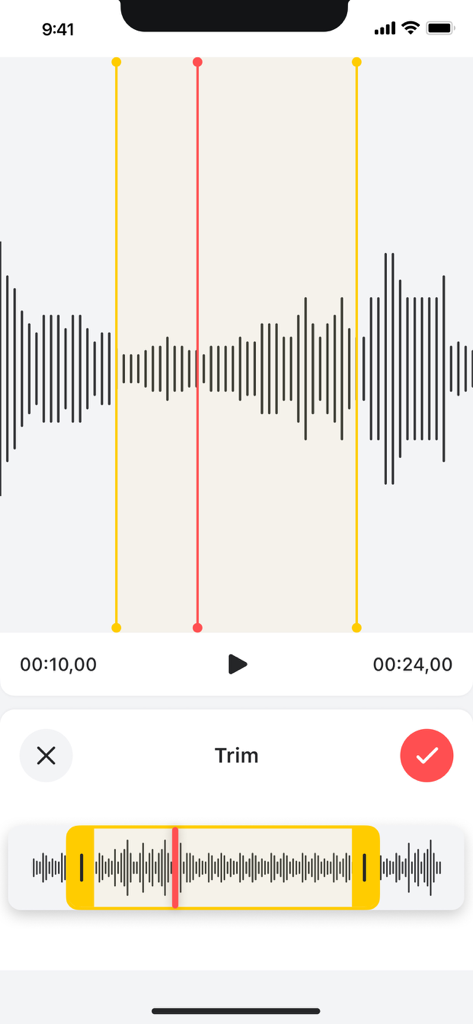
Mobile app interface showing the audio trimming feature with waveform visualization and selection handles
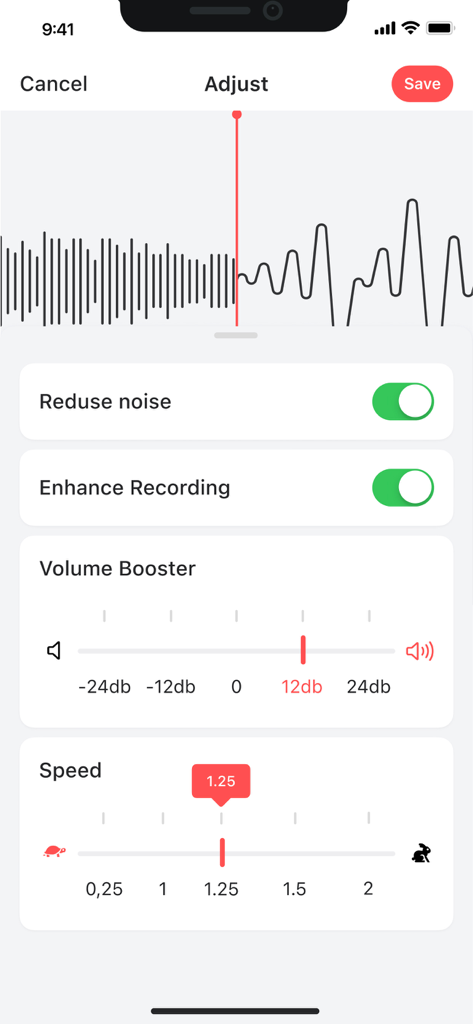
Interface for adjusting voice memos with noise reduction, volume boost, and playback speed options.
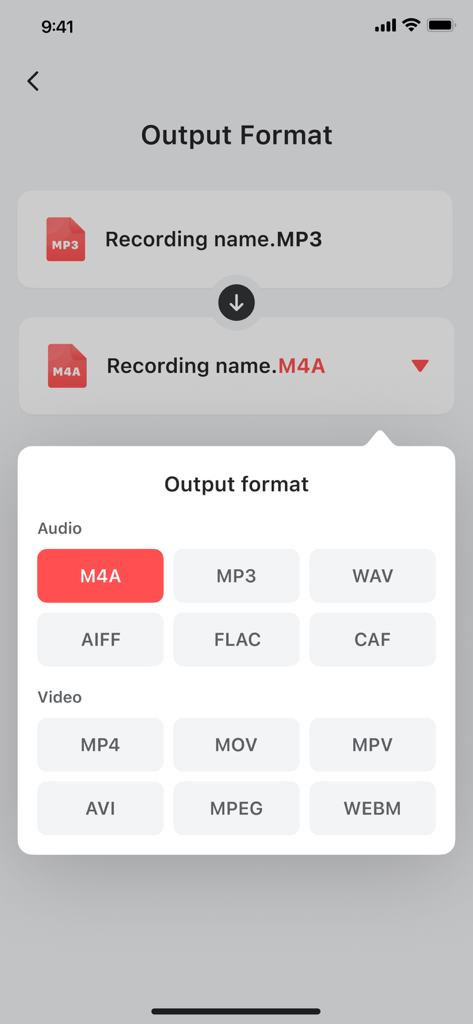
Interface of Voice Recorder app showing audio and video output format conversion options
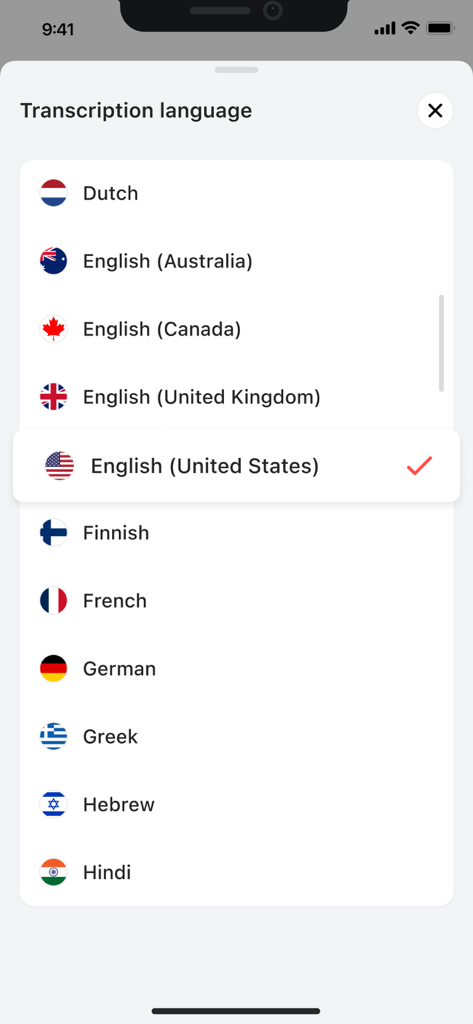
List of available transcription languages in the Voice Recorder app including English French and German
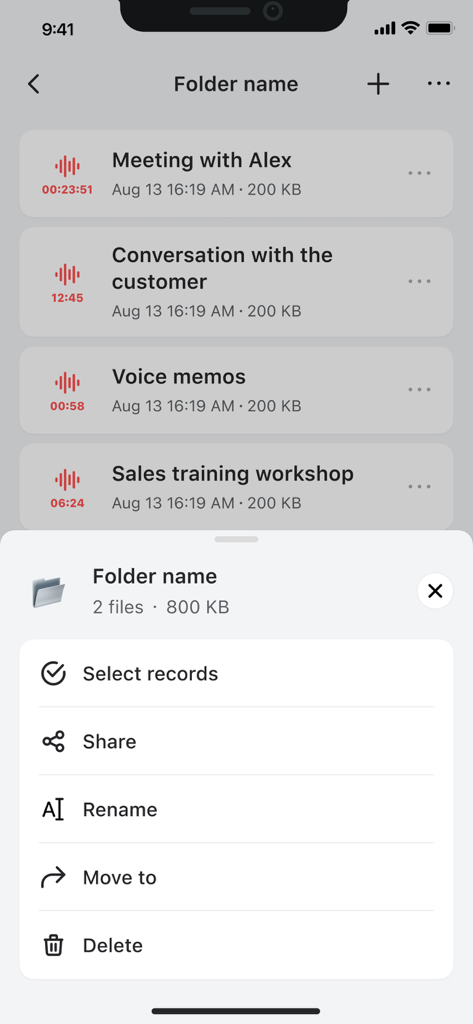
List of voice recordings with a folder management menu showing options like share rename and move
Description
Download
More Like This
Apps with similar features and user experience

Voice Recorder Lite: Record HD
LiveBird Technologies Private Limited

PCM Recorder Lite
Kohei Yasui

Voice recorder - Voz
Hieu Nguyen

MOTIV Audio
Shure Incorporated

Voice recorder: Audio editor
Hieu Nguyen

Voice Recorder - Audio Record
LiveBird Technologies Private Limited

Awesome Voice Recorder PRO AVR
Newkline Co., Ltd.

Voice Memos & Sound Recorder
Protection & Security App LLC

Voice Recorder & Memos
SMM service, s.r.o.
This page is not an official page of the app or its developer, but an independent editorial publication created for informational and commentary purposes. Unless expressly stated otherwise, neither the app nor its developer is affiliated with, endorsed by, sponsored by, authorized by, or otherwise officially connected with MWM, Apple, Google Play, the app publisher, or the app's developer, and nothing on this page implies that the app was developed using MWM's services. Any trademarks, logos, screenshots, and other content remain the property of their respective owners.