
Anker


Take total control of your power ecosystem. Monitor SOLIX solar banks, manage Prime power stations, and optimize your portable gear with real-time data and remote access from anywhere.
Publisher
Category
UtilitiesDownloads
546K+User Rating
Total Ratings
5K+Locales
9Discover the interface used by 546K+ users.
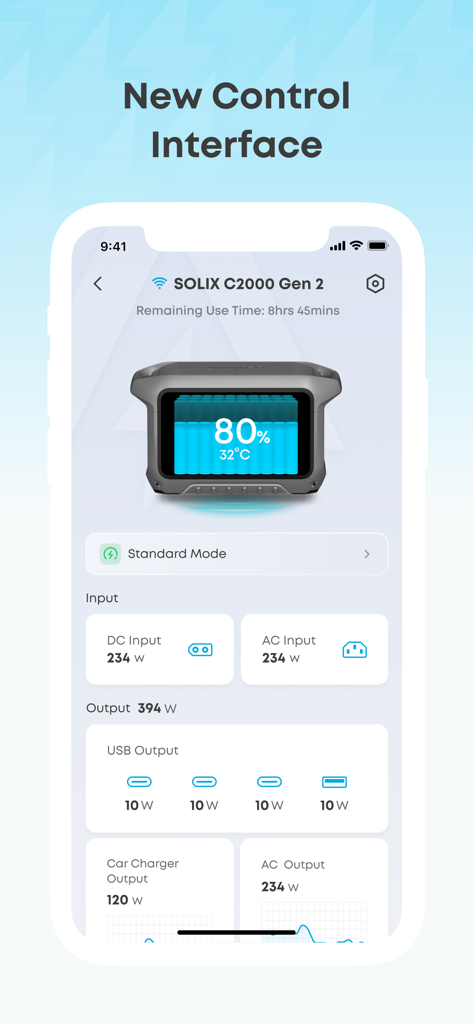
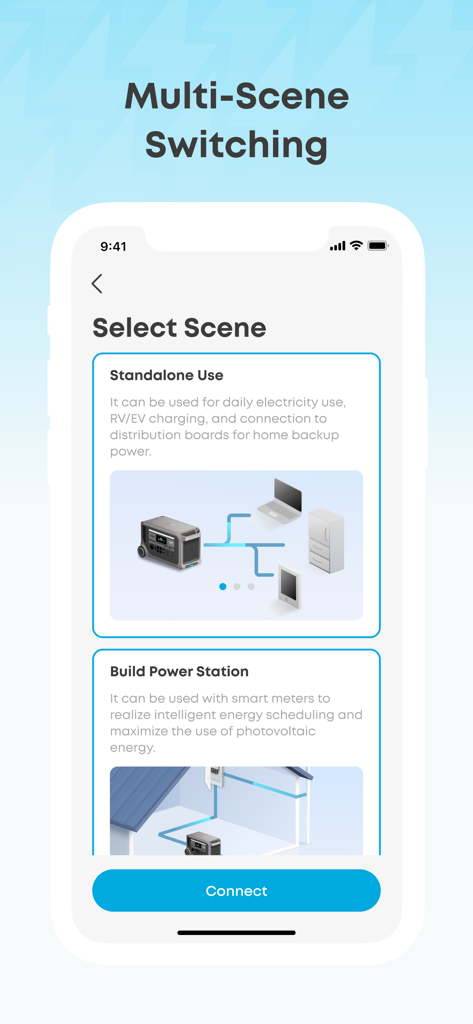
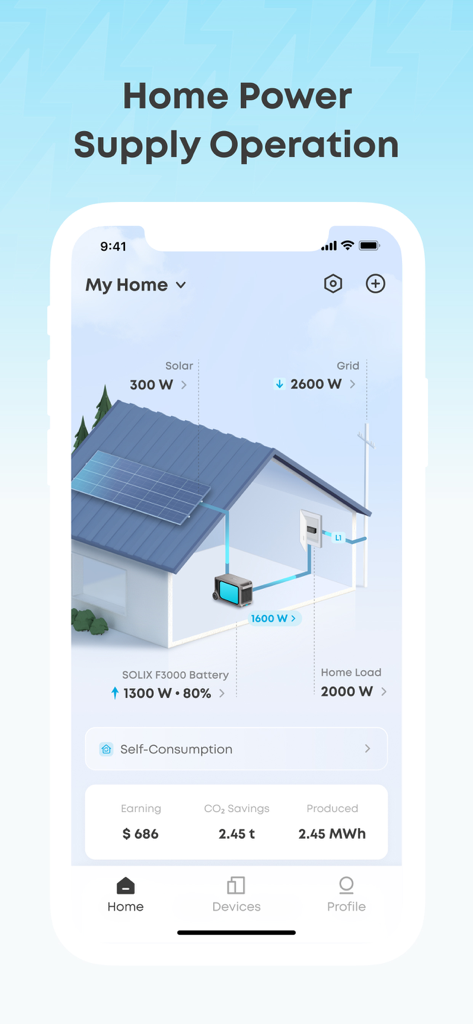
The tools that make this app stand out, trusted by 546K+ users.
Track solar yield, storage status, and discharge rates with precision data, ensuring you always have enough power for your next adventure or home emergency.
Manage your energy from anywhere—remotely toggle ports, adjust electric cooler temperatures, or set charging schedules to optimize your hardware usage.
Keep your equipment at peak efficiency with seamless over-the-air (OTA) updates that unlock new features and maximize the long-term health of your batteries.
Everything you need to know about Anker.
Description
Latest Version
3.15.0
Size
362.7 MB
First Released
Nov 10, 2022
Join over 500,000 tech enthusiasts and homeowners who manage their Anker energy ecosystem with precision. Download now to take total control of your power, from pocket-sized chargers to home solar storage.
Everything you need to know about Anker
The Anker app allows users to connect, control, view, and update their supported Anker power banks, outdoor energy storage devices, photovoltaics, and other Anker products.
Yes, the Anker app enables users to control their devices remotely and adjust output power for each device from anywhere.
Yes, the Anker app allows users to view the status of each connected device at a glance, including battery percentage, temperature, and power input/output.
The Anker app facilitates home power supply operation by displaying solar and grid input, battery status, home load, and tracking earnings, CO2 savings, and energy produced.
Yes, the Anker app provides over-the-air (OTA) firmware and software updates for supported Anker products, ensuring they are easily and quickly updated.
The Anker app supports numerous Anker products such as 767 PowerHouse, MI60 Microinverter, SOLIX F1200, Prime Power Banks, Home Power Panel, and Smart Plugs, among others.
Yes, the Anker app features multi-scene switching, offering options like "Standalone Use" for daily electricity or RV/EV charging, and "Build Power Station" for intelligent energy scheduling with smart meters.
Yes, the Anker app's control interface displays real-time input power from DC and AC sources, as well as output power for USB, car charger, and AC outlets.
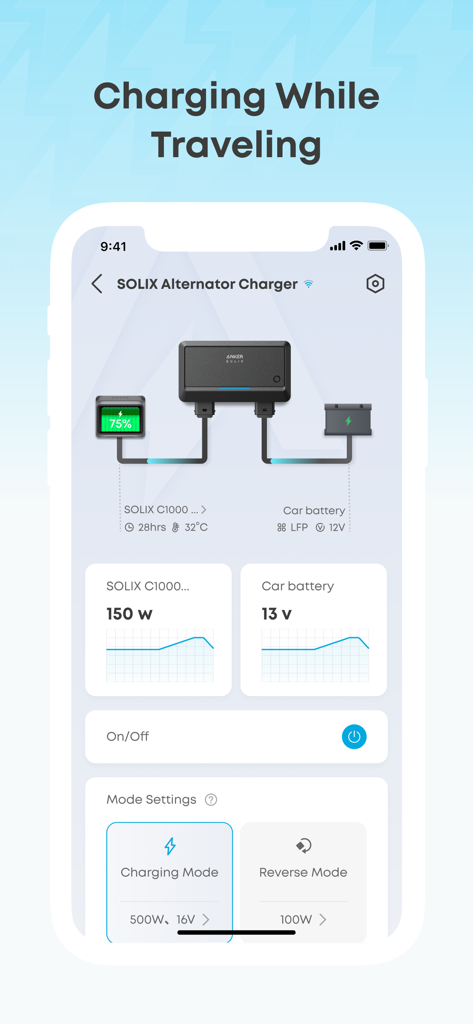
The Anker app supports charging while traveling, allowing users to monitor devices like the SOLIX Alternator Charger, view battery status, and select charging or reverse modes.
Apps with similar features and user experience

Beijing Xiaomi Co., Ltd

Space Exploration Technologies Corp.

Shanghai Lunkuo Technology Co., Ltd

HESUNG INNOVATION LIMITED

Securitas Direct

Automated Pet Care Products Inc.

Merkury Innovations LLC

ADT LLC

X-Sense USA LLC.
App information, icons, screenshots, and descriptions displayed on this page are sourced from the Apple App Store and are the property of their respective developers. Download estimates and rankings are based on MWM's proprietary models and may not reflect actual figures. This page is provided for informational and analytical purposes only.
Believe this page infringes your intellectual property? File a dispute
