
This page is not an official page of the app or its developer, but an independent editorial publication created for informational and commentary purposes. Unless expressly stated otherwise, neither the app nor its developer is affiliated with, endorsed by, sponsored by, authorized by, or otherwise officially connected with MWM, Apple, Google Play, the app publisher, or the app's developer, and nothing on this page implies that the app was developed using MWM's services. Any trademarks, logos, screenshots, and other content remain the property of their respective owners.

Starlink
From rural homesteads to off-grid adventures, take full control of your connection. Use advanced AR tools to find the perfect setup, monitor real-time performance, and stay connected where traditional cable can’t reach.
Downloads
9M+User Rating
Total Ratings
234K+Publisher
Category
UtilitiesLocales
21Latest Version
2026.02.2Size
231.9 MBFirst Released
Oct 26, 2020Master Your Connection from the Palm of Your Hand
The Starlink app provides everything you need to set up, monitor, and optimize your high-speed internet, no matter how far off the grid you go.
Precision Signal Placement
Eliminate the guesswork using built-in AR tools to scan for obstructions and find the perfect spot for your Starlink to ensure maximum uptime.
Real-Time Performance Stats
Track your latency, download speeds, and connection stability with live data insights designed for users who demand peak professional performance.
Frequently Asked Questions
Everything you need to know about Starlink
How does the Starlink app help with installation?
The Starlink app helps users identify the optimal installation location to ensure the best quality of service. It also checks for obstructions that can interfere with service connectivity.
Can I monitor my Starlink service status using the app?
Yes, the Starlink app allows users to monitor their service status. It shows if the connection is 'Online' and provides access to connectivity statistics such as ping success, latency, and throughput.
Does the Starlink app show connected devices on my network?
Yes, the Starlink app identifies devices connected to your network. It displays a list of connected devices, such as iPhones, Pixels, and iPads, along with the total number of devices.
How can I troubleshoot my Starlink internet connection with the app?
The Starlink app provides tools to troubleshoot connectivity issues. Users can access detailed statistics including ping success, latency, power draw, throughput, and events & outages to diagnose problems.
What information about my Starlink service plan is available in the app?
The Starlink app allows users to review their service plan details. This includes the service location, the active service plan type (e.g., Residential), and current data usage information.
Can the Starlink app help set up new hardware?
Yes, the Starlink app guides users through the setup process for their Starlink hardware. It is designed to facilitate the initial setup and configuration of the system.
The following screenshots and description are sourced directly from the app's official store listing and are the property of the app developer.
App Store
Screenshots
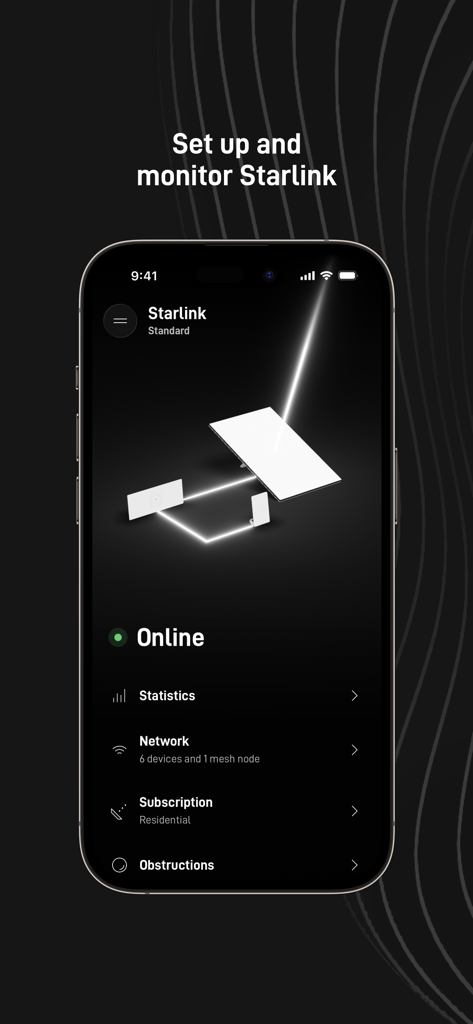
Starlink mobile app interface showing online status and hardware monitoring
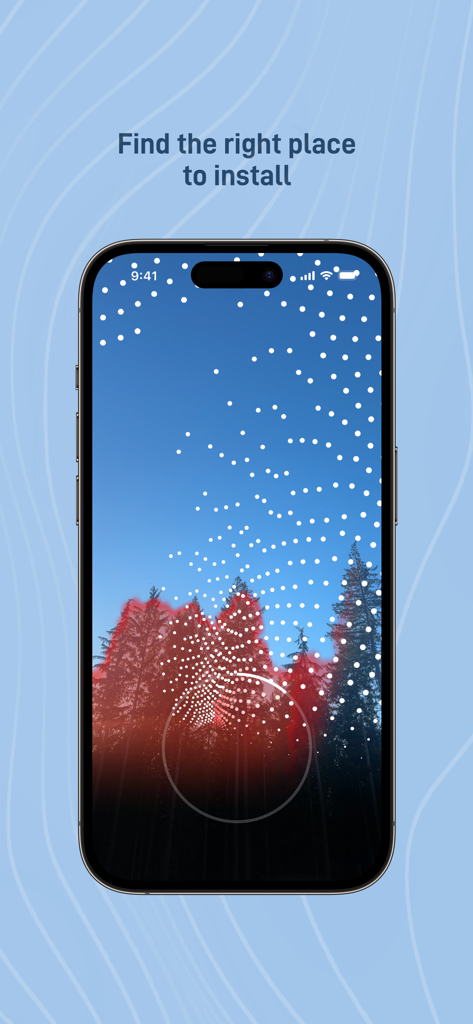
Starlink app augmented reality tool identifying tree obstructions for satellite dish installation.
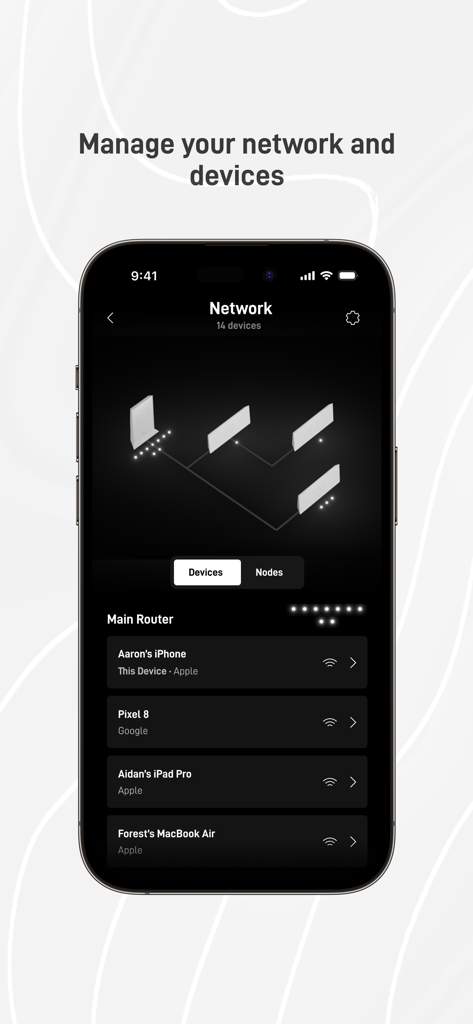
Starlink app screen showing network topology and a list of connected devices like iPhone and MacBook
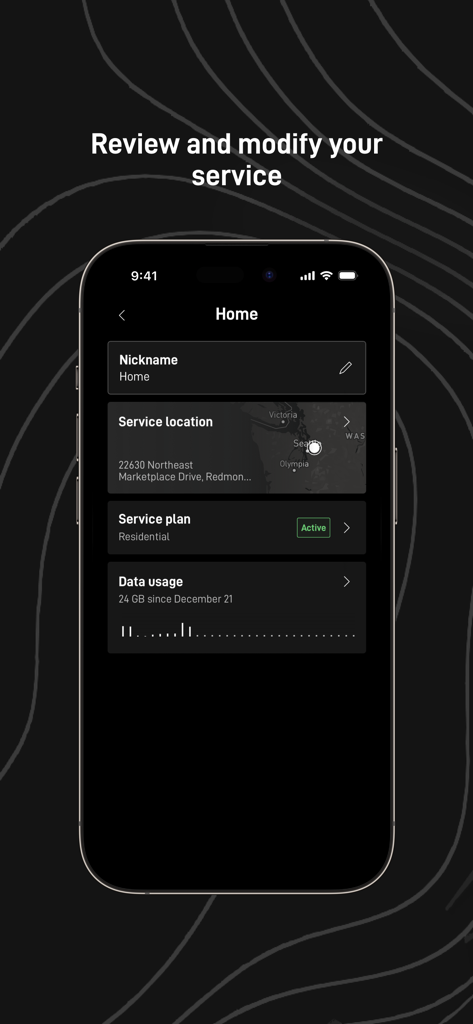
Starlink mobile app interface showing service location residential plan status and data usage statistics
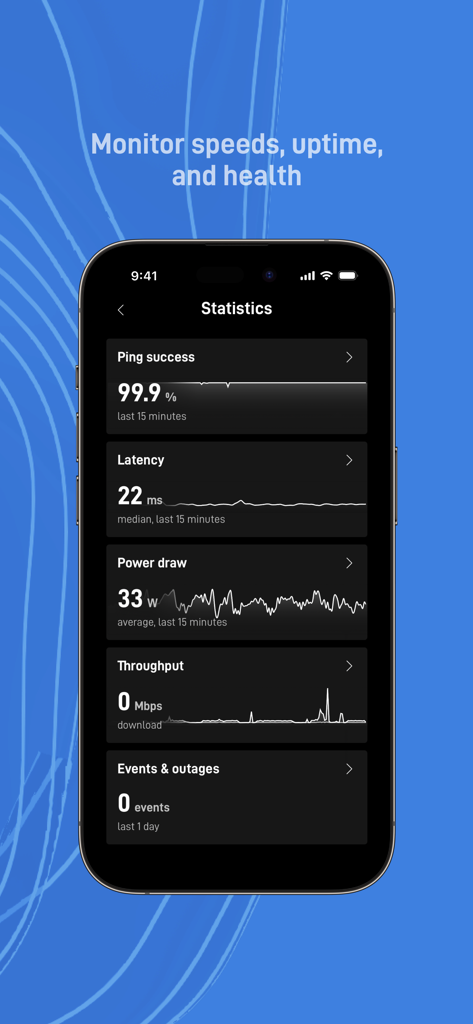
Starlink mobile app interface showing network performance statistics like ping success and latency
Description
Download
More Like This
Apps with similar features and user experience

小米音箱
Beijing Xiaomi Co., Ltd

Bambu Handy
Shanghai Lunkuo Technology Co., Ltd

DREO
HESUNG INNOVATION LIMITED

My Verisure
Securitas Direct

Whisker
Automated Pet Care Products Inc.

geeni
Merkury Innovations LLC

ADT+
ADT LLC

X-Sense Home Security
X-Sense USA LLC.

Autel Charge
Autel Digital Power Co., Ltd.
This page is not an official page of the app or its developer, but an independent editorial publication created for informational and commentary purposes. Unless expressly stated otherwise, neither the app nor its developer is affiliated with, endorsed by, sponsored by, authorized by, or otherwise officially connected with MWM, Apple, Google Play, the app publisher, or the app's developer, and nothing on this page implies that the app was developed using MWM's services. Any trademarks, logos, screenshots, and other content remain the property of their respective owners.