
This page is not an official page of the app or its developer, but an independent editorial publication created for informational and commentary purposes. Unless expressly stated otherwise, neither the app nor its developer is affiliated with, endorsed by, sponsored by, authorized by, or otherwise officially connected with MWM, Apple, Google Play, the app publisher, or the app's developer, and nothing on this page implies that the app was developed using MWM's services. Any trademarks, logos, screenshots, and other content remain the property of their respective owners.


geeni
Control your lights, cameras, and wellness from anywhere with no hub required. Experience the convenience of a smarter home designed for your real life.
Downloads
9M+User Rating
Total Ratings
500K+Publisher
Category
UtilitiesLocales
61Latest Version
4.0.5Size
244.4 MBFirst Released
Nov 18, 2016One App, Total Home Harmony
Control your lighting, security cameras, and health metrics from a single, intuitive interface—no expensive hubs or professional installation required.
Smart Home, Simplified
Manage lights, plugs, and cameras from anywhere in the world. No complicated bridges—just plug in and connect directly to your home Wi-Fi.
Automate Your Daily Life
Set custom schedules to save on energy bills or create 'scenes' for movie nights and security. Your home works on your time, automatically.
Frequently Asked Questions
Everything you need to know about geeni
How does the Geeni app control smart home devices?
The Geeni app provides individual device control, allowing users to set bulb colors, schedule smart switches, and monitor cameras. It also allows grouping devices by room for easy management.
Does the Geeni app require a smart home hub?
No, the Geeni app does not require a smart home hub. Each Geeni device connects directly to your home Wi-Fi network, ensuring a simple and instant setup process.
What health metrics can the Geeni app track?
The Geeni app tracks health metrics such as weight, BMI, body fat percentage, basal metabolic rate, bone mass, and visceral fat grade. It can also sync health data with Apple Health.
Can Geeni app users share device control with others?
Yes, the Geeni app includes an account sharing feature. Users can select which specific smart devices friends, guests, roommates, or family members are authorized to control.
What is the purpose of smart scenes in the Geeni app?
Smart scenes in the Geeni app enable users to create automated actions for their smart devices. This feature allows for customized routines and integrated environmental control.
Does the Geeni app allow scheduling for smart devices?
Yes, the Geeni app allows scheduling. Users can set specific times for their smart devices to turn on and off, which enhances both control and security within their home.
Can Geeni devices be controlled remotely?
Yes, Geeni devices support remote control. The app utilizes cloud-based services, allowing users to log in from any phone and manage their smart home devices from anywhere globally.
What types of smart devices are compatible with the Geeni app?
The Geeni app is compatible with various smart devices, including Smart Power, Smart Lighting, WiFi Cameras, Smart Appliances, Smart Doorbells, and Smart Sensors.
How do Geeni users adjust smart bulb colors?
Geeni users adjust smart bulb colors directly within the app. The interface allows selecting a color from a spectrum or choosing from predefined moods for customized lighting.
The following screenshots and description are sourced directly from the app's official store listing and are the property of the app developer.
App Store
Screenshots
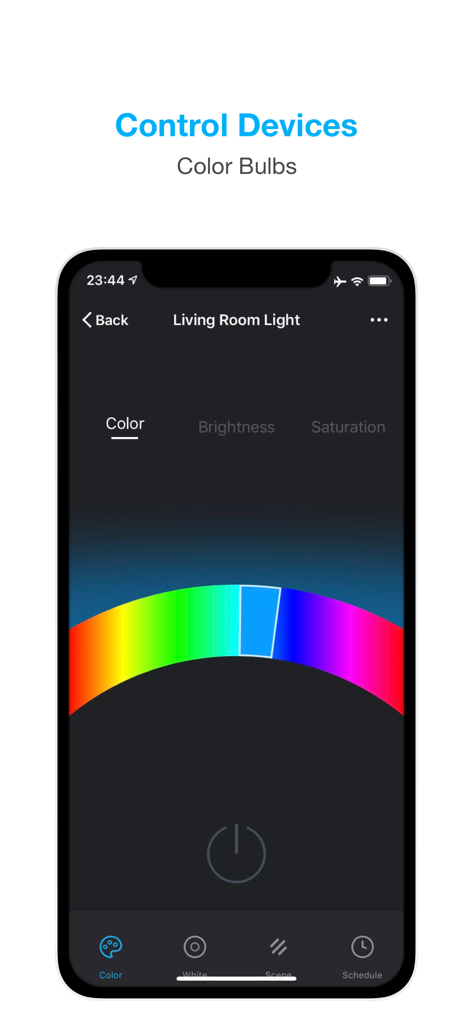
Geeni app interface showing the color selection wheel for a smart bulb in a living room.
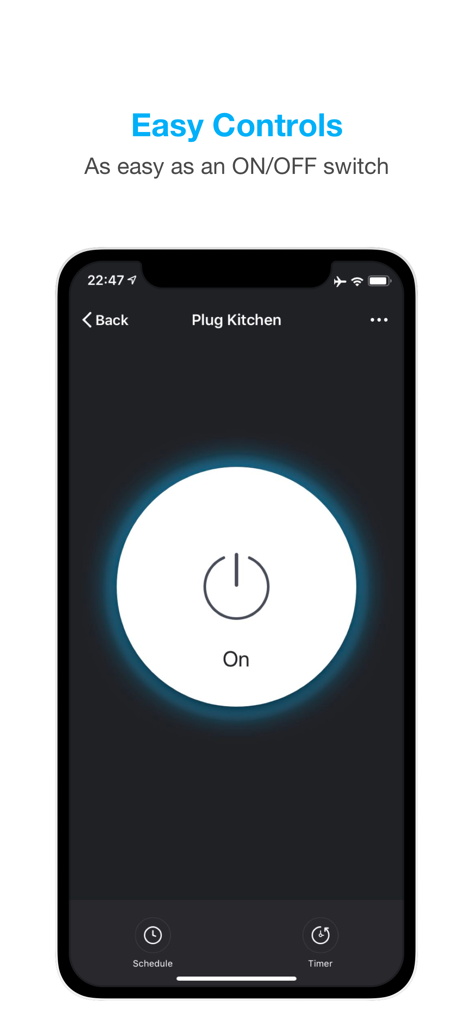
Geeni app interface showing a simple on off switch for a kitchen smart plug
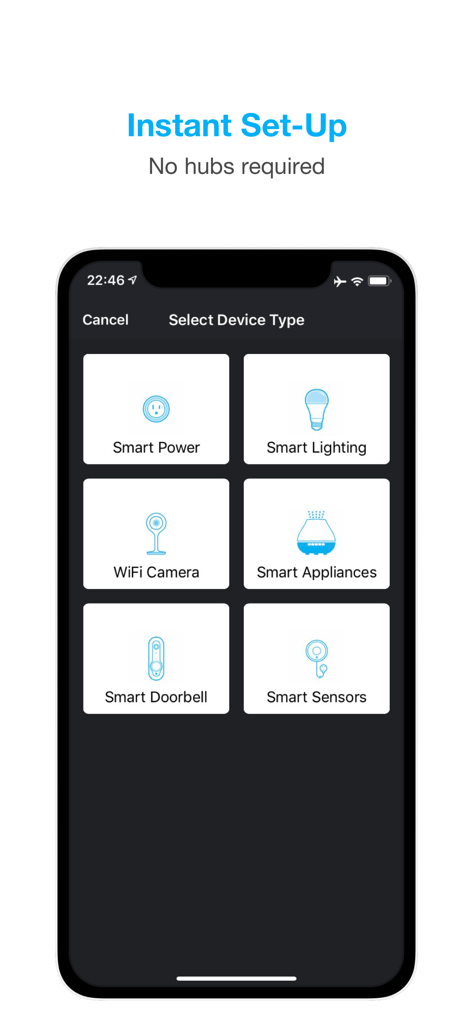
A smartphone screen from the Geeni app displaying options to select device types like smart power, lighting, cameras, and doorbells for instant setup.
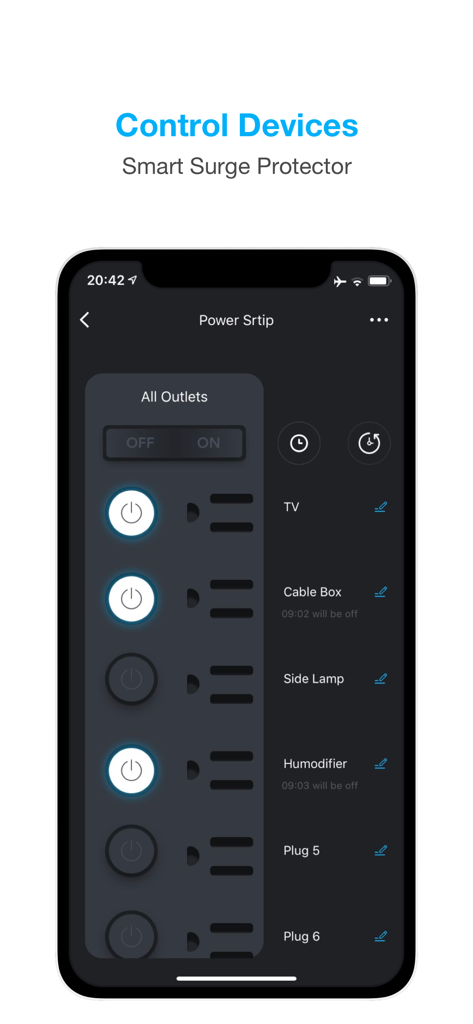
Geeni app interface showing control settings for a smart surge protector with individual outlet switches
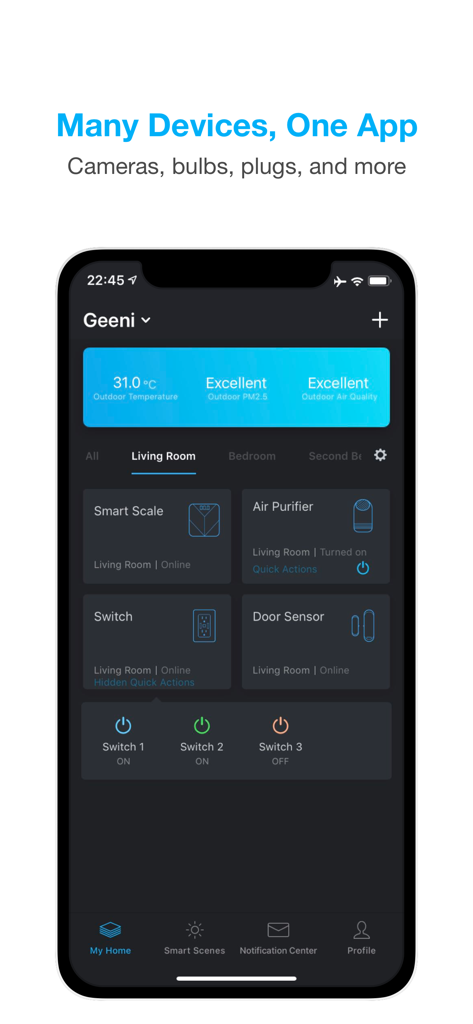
Smartphone screen showing the Geeni app dashboard with controls for a smart scale air purifier and light switches
Description
Download
More Like This
Apps with similar features and user experience

小米音箱
Beijing Xiaomi Co., Ltd

Starlink
Space Exploration Technologies Corp.

Bambu Handy
Shanghai Lunkuo Technology Co., Ltd

DREO
HESUNG INNOVATION LIMITED

My Verisure
Securitas Direct

Whisker
Automated Pet Care Products Inc.

ADT+
ADT LLC

X-Sense Home Security
X-Sense USA LLC.

Autel Charge
Autel Digital Power Co., Ltd.
This page is not an official page of the app or its developer, but an independent editorial publication created for informational and commentary purposes. Unless expressly stated otherwise, neither the app nor its developer is affiliated with, endorsed by, sponsored by, authorized by, or otherwise officially connected with MWM, Apple, Google Play, the app publisher, or the app's developer, and nothing on this page implies that the app was developed using MWM's services. Any trademarks, logos, screenshots, and other content remain the property of their respective owners.