
This page is not an official page of the app or its developer, but an independent editorial publication created for informational and commentary purposes. Unless expressly stated otherwise, neither the app nor its developer is affiliated with, endorsed by, sponsored by, authorized by, or otherwise officially connected with MWM, Apple, Google Play, the app publisher, or the app's developer, and nothing on this page implies that the app was developed using MWM's services. Any trademarks, logos, screenshots, and other content remain the property of their respective owners.

ADT+
Protect what matters most. Manage your ADT security system, Google Nest cameras, and smart home devices seamlessly with the app designed for your peace of mind.
Downloads
499K+User Rating
Total Ratings
36K+Publisher
Category
LifestyleLocales
1Latest Version
4.0.0Size
213.9 MBFirst Released
Dec 16, 2022Smart Security & Total Control
ADT+ seamlessly integrates professional security with Google Nest and smart home management, giving you absolute peace of mind through a single, intuitive interface.
Professional Protection Anywhere
Arm or disarm your system and receive instant alerts on your mobile device, ensuring your home is secure whether you are at the office or on vacation.
Trusted Neighbor™ Access
Securely grant temporary home access to dog walkers, contractors, or neighbors via the app, eliminating the need for hidden keys or shared codes.
Frequently Asked Questions
Everything you need to know about ADT+
How does the ADT+ app enhance home security?
The ADT+ app provides secure mobile access to your ADT home security system. It allows you to arm and disarm your system, monitor your home virtually anywhere, and manage access for peace of mind.
Can I control my smart home devices with the ADT+ app?
Yes, the ADT+ app allows you to control Google Nest devices and other compatible smart devices. You can turn lights on/off, lock/unlock smart locks, adjust thermostats, and open/close garage doors.
What is ADT+ Trusted Neighbor™?
Trusted Neighbor™ is an ADT+ service allowing eligible customers to grant secure, temporary home access to trusted individuals. This feature helps monitor your home while you are away.
Does the ADT+ app support live video streaming?
Yes, the ADT+ app supports live video streaming from your Nest Cams and Doorbells. You can also speak to visitors with two-way talk functionality directly through the app.
Can I view recorded video history in the ADT+ app?
Yes, the ADT+ app allows you to view event video history. You can see what your cameras captured, including person, animal, or motion detection events, whether you are home or away.
What kind of alerts does the ADT+ app provide?
The ADT+ app provides personalized alerts and emails for events like arming, disarming, and intelligent alerts from your smart home devices. It detects people, animals, and vehicles from Google Nest devices.
Can I automate security and smart home devices with ADT+?
Yes, you can set up custom Rules within the ADT+ app to create automations. These automations apply to your security system and compatible smart Z-Wave devices for enhanced home management.
What internet requirements are there for ADT+ app features?
Some ADT+ features, including mobile notifications, remote control, video streaming, and video recording, require a working internet and Wi-Fi connection. This ensures proper functionality of these services.
The following screenshots and description are sourced directly from the app's official store listing and are the property of the app developer.
App Store
Screenshots
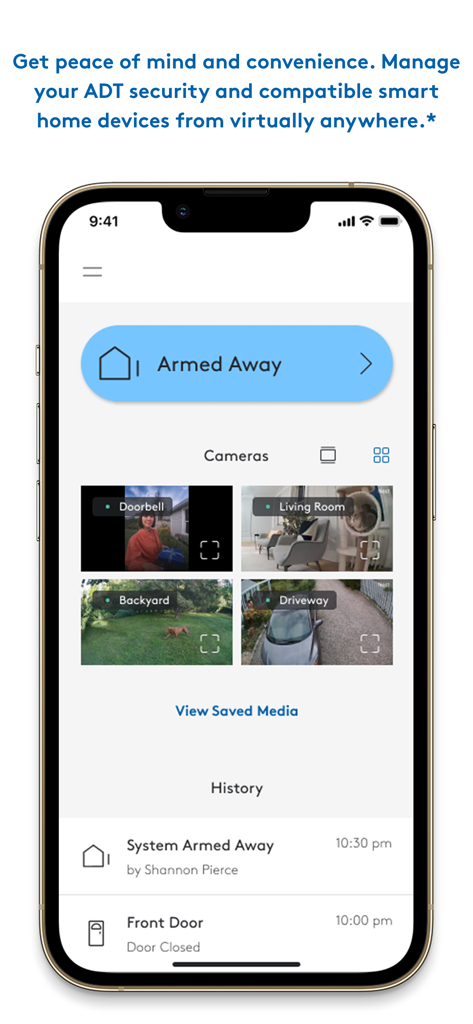
ADT+ app interface on a smartphone showing armed status and multiple live camera views including doorbell and backyard
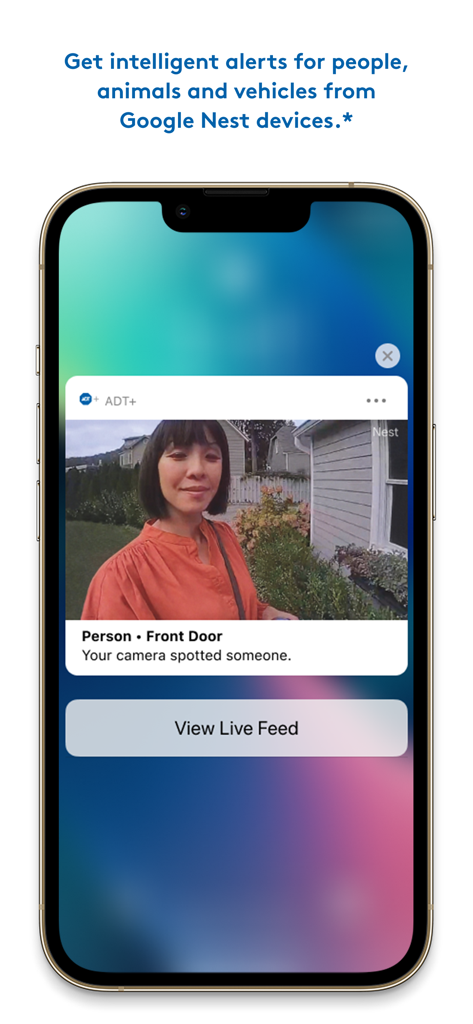
ADT plus app notification on an iPhone showing a person detected at the front door through a Google Nest camera
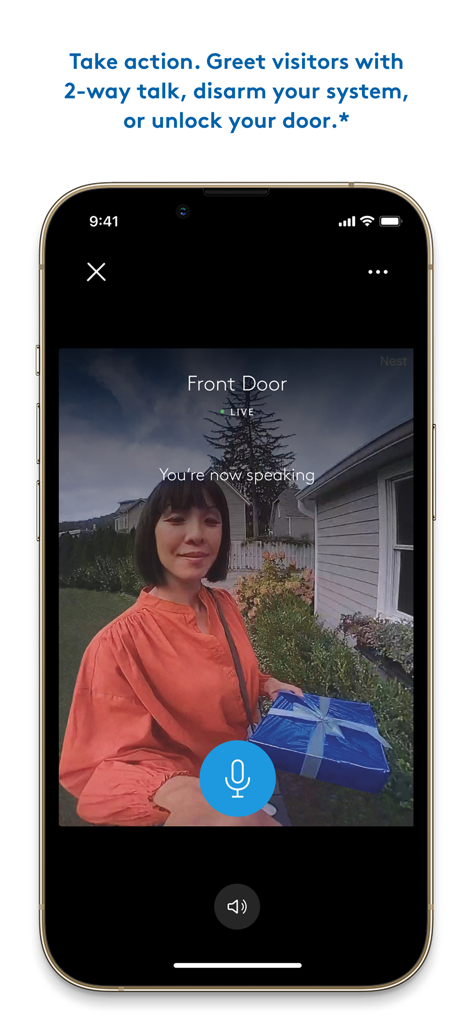
ADT plus app interface showing a live front door camera feed with two way talk feature active while a visitor holds a package
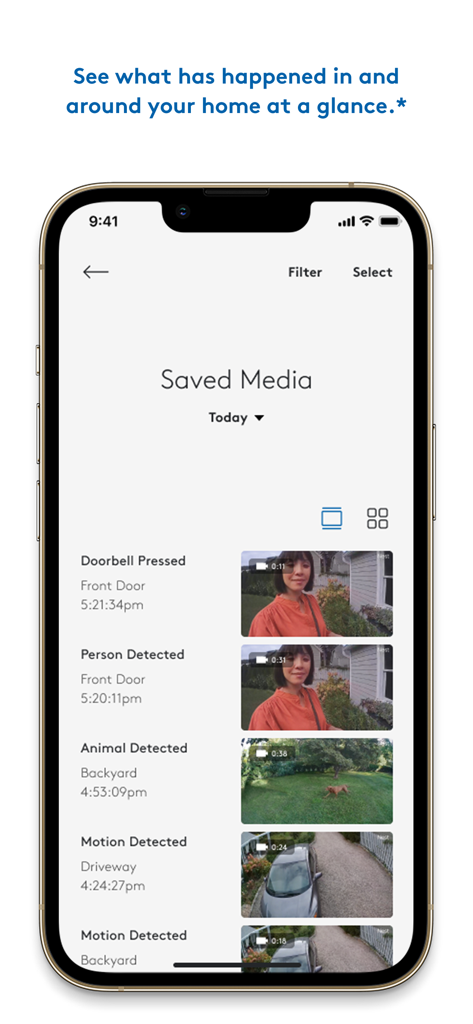
Interface of the ADT plus app showing a list of saved security camera video events like motion detection and doorbell presses.
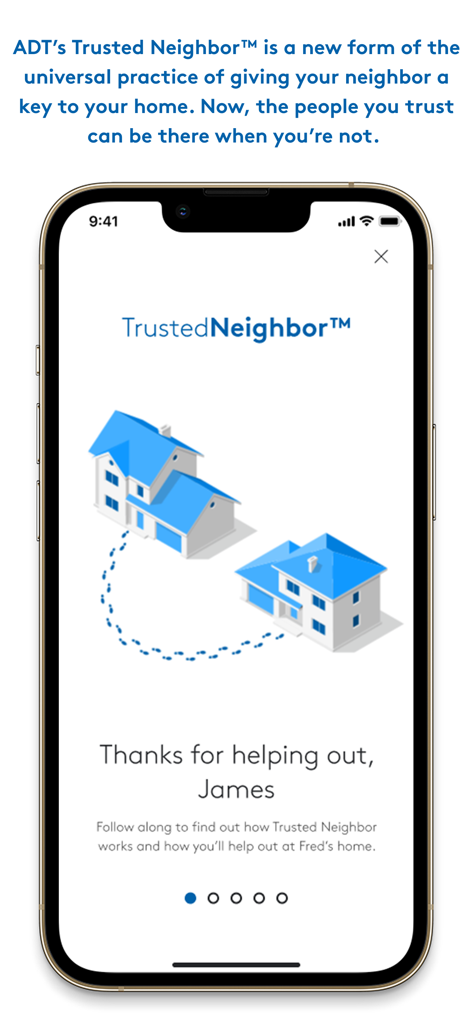
ADT plus app interface showcasing the Trusted Neighbor feature for secure home access sharing
Description
Download
More Like This
Apps with similar features and user experience

小米音箱
Beijing Xiaomi Co., Ltd

Starlink
Space Exploration Technologies Corp.

Bambu Handy
Shanghai Lunkuo Technology Co., Ltd

DREO
HESUNG INNOVATION LIMITED

My Verisure
Securitas Direct

Whisker
Automated Pet Care Products Inc.

geeni
Merkury Innovations LLC

X-Sense Home Security
X-Sense USA LLC.
Autel Charge
Autel Digital Power Co., Ltd.
This page is not an official page of the app or its developer, but an independent editorial publication created for informational and commentary purposes. Unless expressly stated otherwise, neither the app nor its developer is affiliated with, endorsed by, sponsored by, authorized by, or otherwise officially connected with MWM, Apple, Google Play, the app publisher, or the app's developer, and nothing on this page implies that the app was developed using MWM's services. Any trademarks, logos, screenshots, and other content remain the property of their respective owners.