
This page is not an official page of the app or its developer, but an independent editorial publication created for informational and commentary purposes. Unless expressly stated otherwise, neither the app nor its developer is affiliated with, endorsed by, sponsored by, authorized by, or otherwise officially connected with MWM, Apple, Google Play, the app publisher, or the app's developer, and nothing on this page implies that the app was developed using MWM's services. Any trademarks, logos, screenshots, and other content remain the property of their respective owners.

Any GIF Maker - Video to GIF
Transform your videos into professional GIFs with aesthetic filters, precise FPS control, and batch management. Designed for social media creators and productivity seekers who demand total creative control.
Downloads
3K+User Rating
Total Ratings
0Publisher
Category
ProductivityLocales
19Latest Version
3.17Size
92.3 MBFirst Released
May 2, 2024Turn Every Moment Into a Masterpiece
From aesthetic social loops to professional screen captures, our all-in-one studio gives you the precision tools to create, edit, and organize GIFs that stand out in any feed.
Aesthetic Precision Editing
Go beyond basics with 11 vintage filters and 9 pro-adjustment tools. Fine-tune your FPS, resolution, and overlays to match your unique digital vibe.
Seamless Video-to-GIF Conversion
Instantly transform clips from Photos, Dropbox, or iCloud. Frame-perfect trimming and cropping make it easy to turn inside jokes into high-quality reactions.
Frequently Asked Questions
Everything you need to know about Any GIF Maker - Video to GIF
How does Any GIF Maker - Video to GIF create GIFs?
Any GIF Maker - Video to GIF converts videos into GIFs. Users can import content from Photos, iTunes, Wi-Fi, Dropbox, or other apps and enhance GIFs with stickers, text, and filters.
What import sources does Any GIF Maker - Video to GIF support?
Any GIF Maker - Video to GIF supports importing from Photos, iTunes, Wi-Fi, Dropbox, and other applications. It also allows importing local and network files directly into the app.
Can users add text to GIFs with Any GIF Maker - Video to GIF?
Yes, Any GIF Maker - Video to GIF allows users to add text to their GIFs. Users can customize text color, background color, rotation, and scaling directly within the app.
Does Any GIF Maker - Video to GIF support adding stickers and image overlays?
Yes, Any GIF Maker - Video to GIF supports adding stickers and local image overlays. Both stickers and image overlays allow for rotation and scaling adjustments.
Can I crop videos in Any GIF Maker - Video to GIF?
Yes, Any GIF Maker - Video to GIF includes video cropping features. It supports original proportions, free cropping, rotation, mirroring, and 90-degree rotation.
Does Any GIF Maker - Video to GIF offer video trimming?
Yes, Any GIF Maker - Video to GIF provides a video trimming function. Users can precisely cut videos to their desired length before GIF conversion.
Can I adjust export settings for GIFs in Any GIF Maker - Video to GIF?
Yes, Any GIF Maker - Video to GIF allows users to modify the Frames Per Second (FPS) and zoom resolution during GIF export. This provides control over GIF quality and size.
What image adjustments are available in Any GIF Maker - Video to GIF?
Any GIF Maker - Video to GIF offers 9 types of adjustments. These include Brightness, Contrast, Exposure, Saturation, Highlight, Shadow, Warmth, Vignette, and Sharpen, for fine-tuning GIF visuals.
Does Any GIF Maker - Video to GIF support batch management of files?
Yes, Any GIF Maker - Video to GIF supports batch management for videos and GIF files. Features include archiving, sharing, saving, deleting, and sorting multiple files simultaneously.
Can I archive files with a password using Any GIF Maker - Video to GIF?
Yes, Any GIF Maker - Video to GIF enables users to archive files to Zip/7z formats with an optional password. This secures batch-managed video and GIF files.
How can I contact support for Any GIF Maker - Video to GIF?
Users can contact support for Any GIF Maker - Video to GIF by sending an email to support@movie-zilla.org. The developers welcome feedback to improve the app.
Where can I find the Privacy Policy for Any GIF Maker - Video to GIF?
The Privacy Policy for Any GIF Maker - Video to GIF is available at https://store.movie-zilla.org/privacy.html. Users can review the app's data handling practices there.
The following screenshots and description are sourced directly from the app's official store listing and are the property of the app developer.
App Store
Screenshots
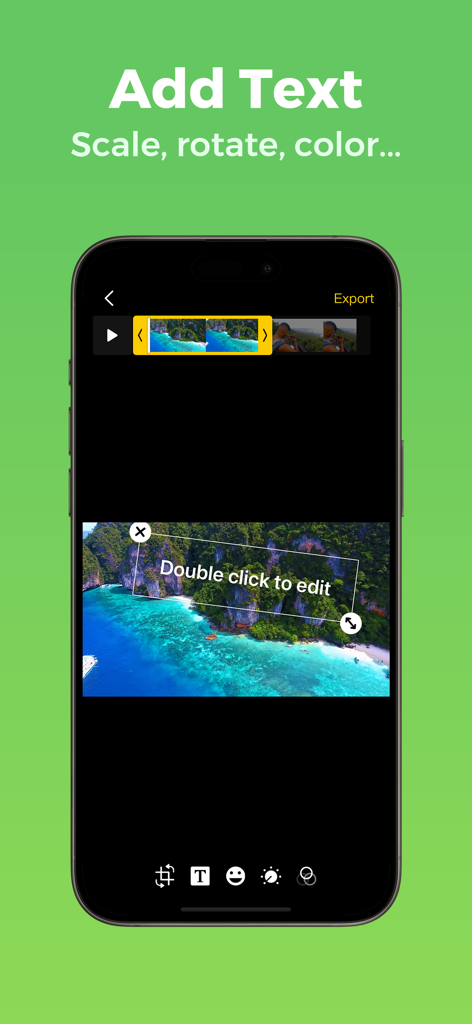
Interface of the Any GIF Maker app showing the text editing tool for adding and scaling text on a video clip.
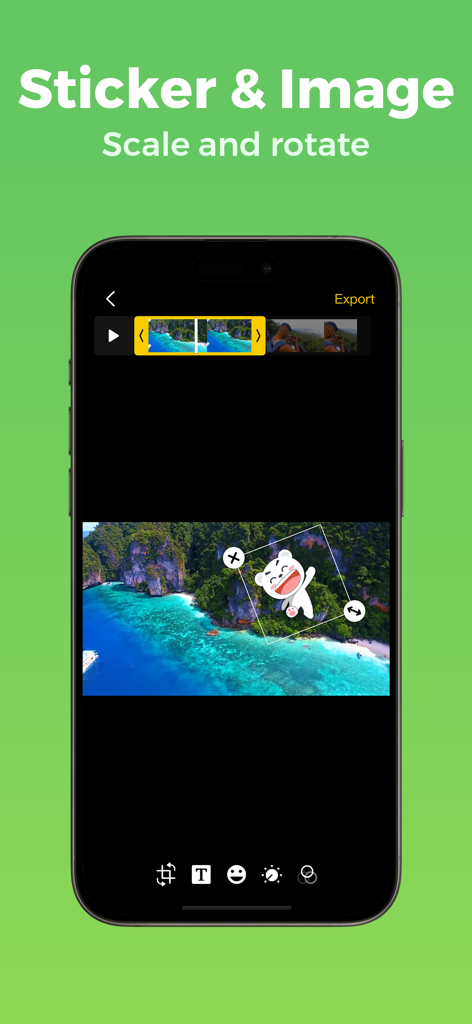
Any GIF Maker app interface showing the sticker scaling and rotation tool on a video clip
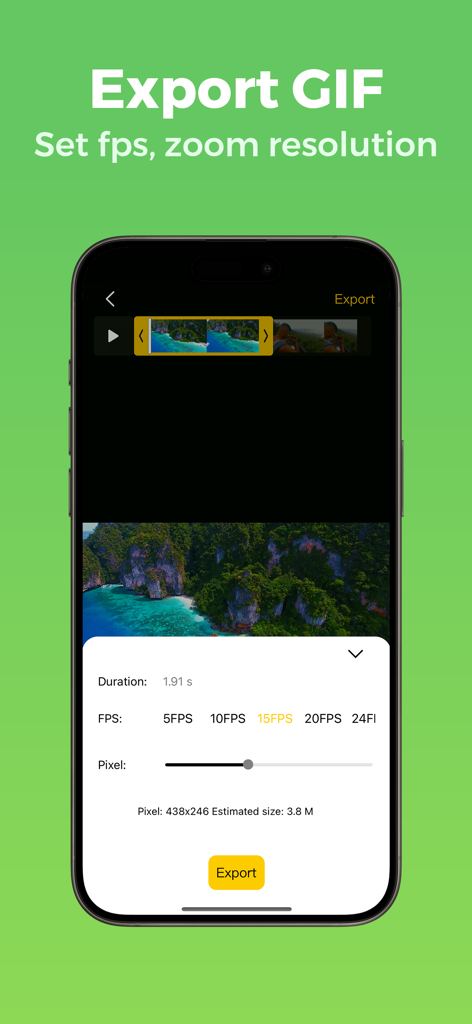
Export GIF settings screen showing FPS and resolution controls in the Any GIF Maker app
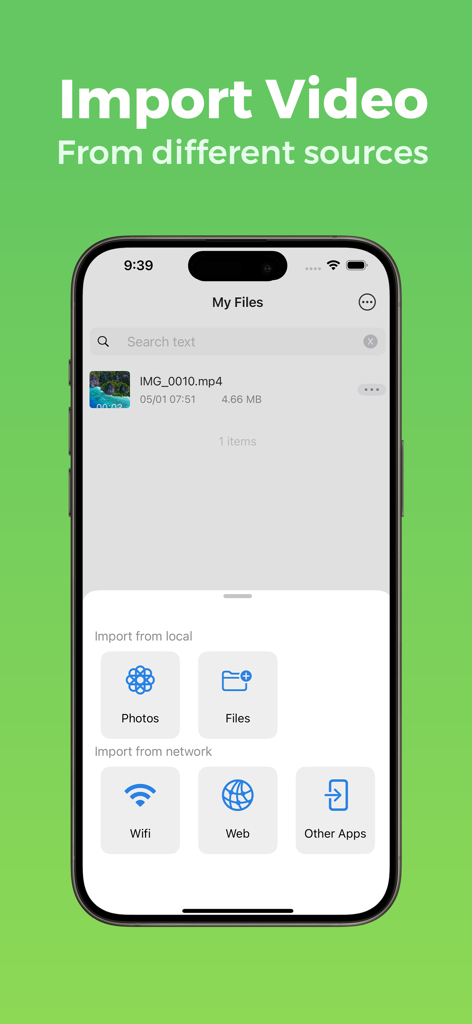
Any GIF Maker app interface showing multiple video import sources including Photos Files Wifi and Web
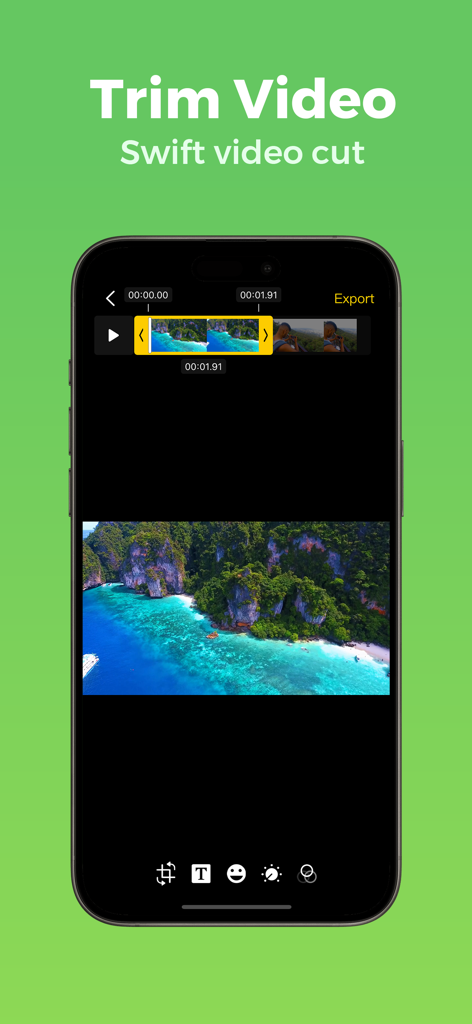
Any GIF Maker app interface showing the video trimming and cutting tool.
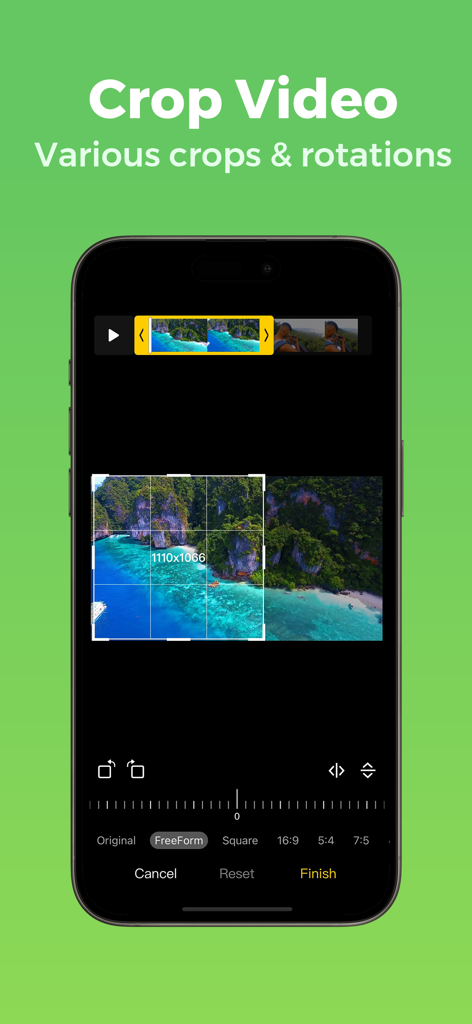
Any GIF Maker app interface for cropping and rotating video clips
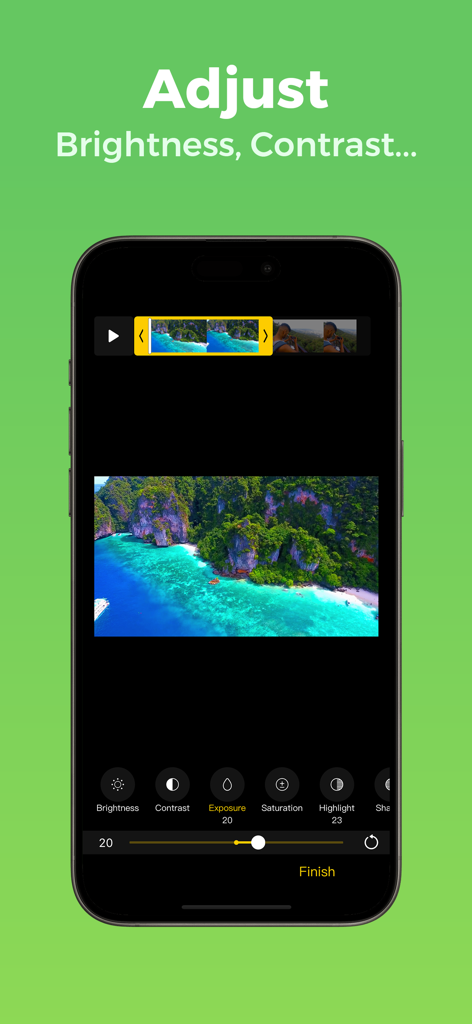
Mobile app interface showing manual brightness contrast and exposure adjustments for video editing
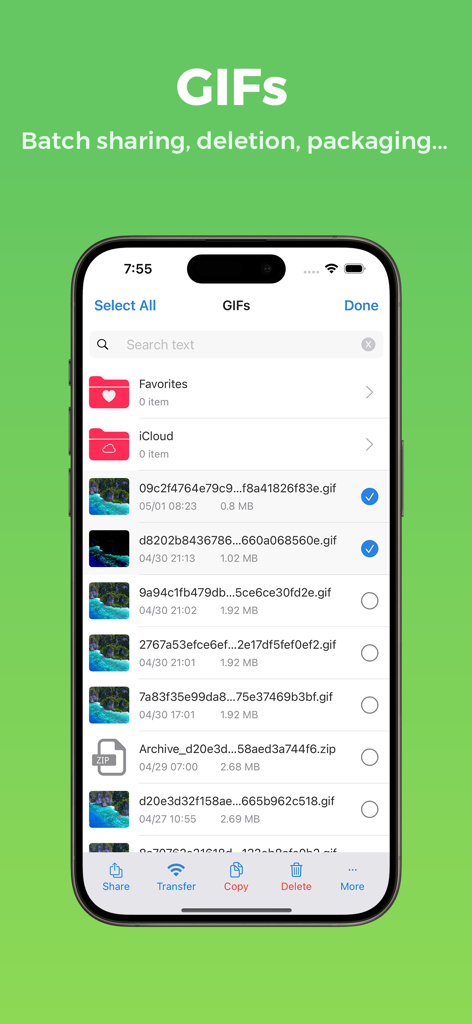
Any GIF Maker app interface showing a list of GIF files with batch management options like share and delete
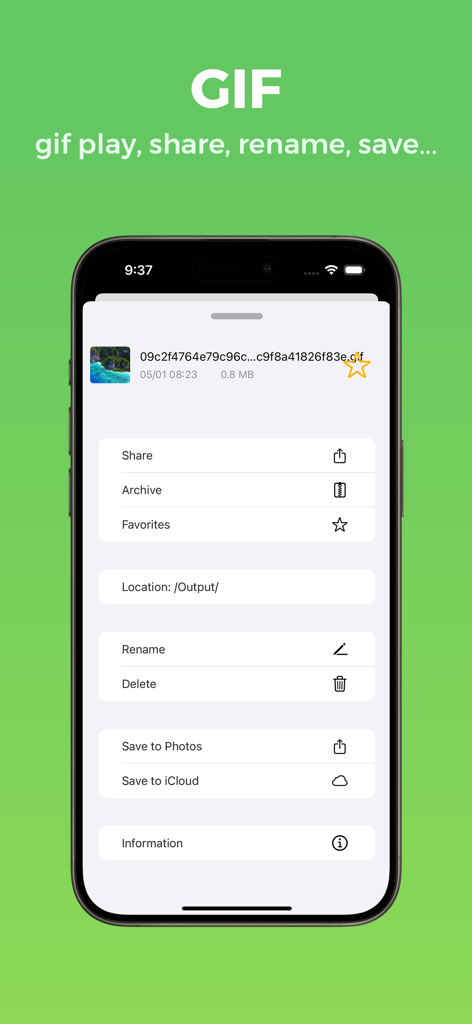
Any GIF Maker app interface for sharing and managing GIF files
Description
Download
More Like This
Top-ranked apps in the same category

ChatGPT
OpenAI OpCo, LLC

Google Gemini
Google LLC

Grok
X.AI Corporation

Gmail - Email by Google
Google LLC

千问 - 阿里最强大模型官方AI助手
Shanghai Zhixin Puhui Technology Co., Ltd.

Google Drive
Google LLC

Microsoft Authenticator
Microsoft Corporation

Google Sheets
Google LLC

Google Docs
Google LLC
This page is not an official page of the app or its developer, but an independent editorial publication created for informational and commentary purposes. Unless expressly stated otherwise, neither the app nor its developer is affiliated with, endorsed by, sponsored by, authorized by, or otherwise officially connected with MWM, Apple, Google Play, the app publisher, or the app's developer, and nothing on this page implies that the app was developed using MWM's services. Any trademarks, logos, screenshots, and other content remain the property of their respective owners.