Anytime Mailbox Virtual Mail
Download on App Store

This page is not an official page of the app or its developer, but an independent editorial publication created for informational and commentary purposes. Unless expressly stated otherwise, neither the app nor its developer is affiliated with, endorsed by, sponsored by, authorized by, or otherwise officially connected with MWM, Apple, Google Play, the app publisher, or the app's developer, and nothing on this page implies that the app was developed using MWM's services. Any trademarks, logos, screenshots, and other content remain the property of their respective owners.


Logo of Anytime Mailbox Virtual Mail
Download on App Store

Anytime Mailbox Virtual Mail

Break free from your physical mailbox. Scan, forward, or shred your mail with a swipe—designed for digital nomads, remote professionals, and privacy-conscious entrepreneurs who value geographic independence.

Key Figures

Downloads

0

User Rating

4.2/5

Total Ratings

0

Publisher

Bugo, LLC

Category

Lifestyle

Locales

-

Latest Version

3.75

Size

78.1 MB

First Released

May 4, 2016
Features

Master Your Mail from Anywhere

Transform your physical snail mail into a high-speed digital workflow. Open, scan, forward, or shred your mail with a single tap, no matter where your work takes you.

Global Access, Local Presence

Choose from over 600 prestigious business addresses. Access your postal mail instantly on your phone, whether you are in a NYC office or a beach in Bali.

Reach 'Inbox Zero' for Paper

Use intuitive swipe gestures to label, organize, or bulk-shred junk mail. Request high-res scans of important documents to view and share as PDFs instantly.

The following screenshots and description are sourced directly from the app's official store listing and are the property of the app developer.

App Store

Screenshots
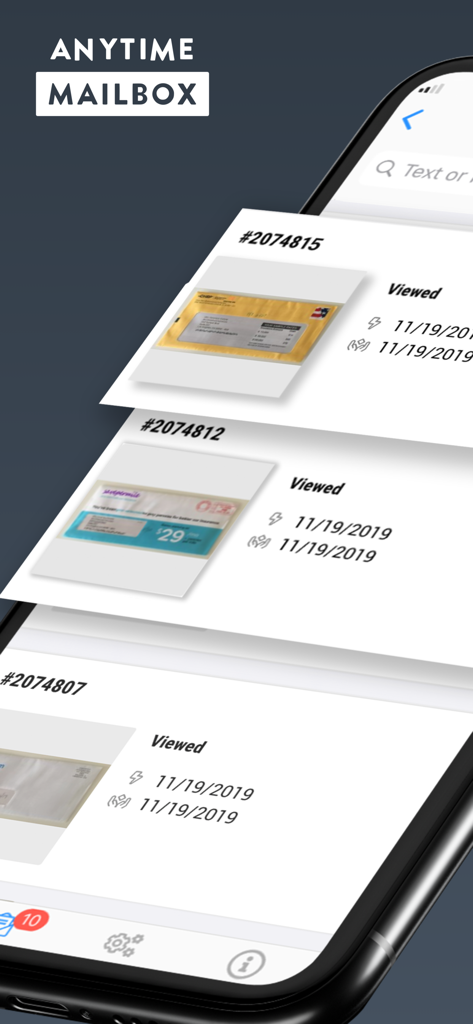
Anytime Mailbox Virtual Mail - Mobile app interface of Anytime Mailbox showing a list of scanned postal mail items with unique tracking numbers and status updates
Mobile app interface of Anytime Mailbox showing a list of scanned postal mail items with unique tracking numbers and status updates

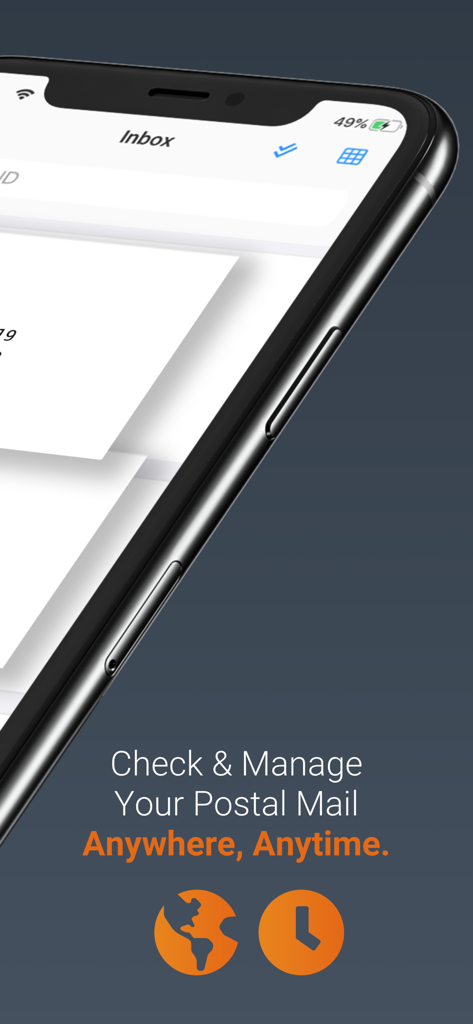
Anytime Mailbox Virtual Mail - Anytime Mailbox app interface on an iPhone for managing postal mail remotely
Anytime Mailbox app interface on an iPhone for managing postal mail remotely

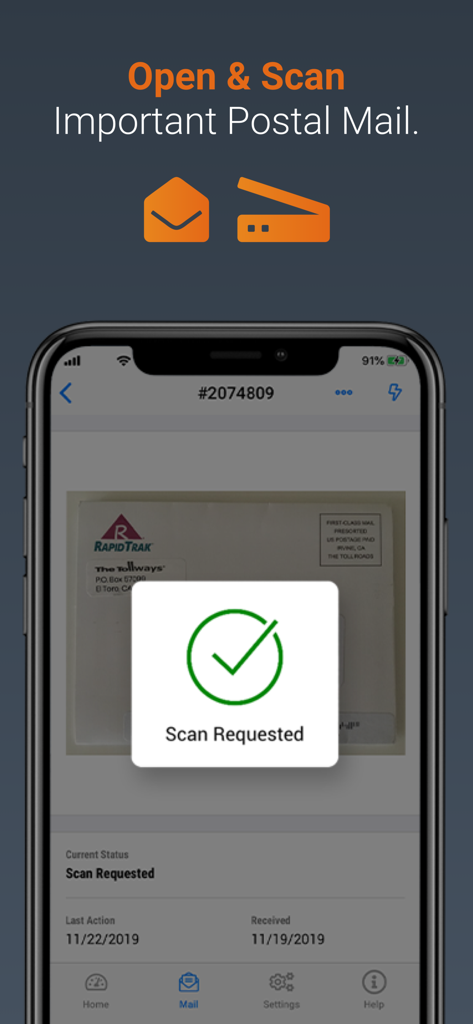
Anytime Mailbox Virtual Mail - Anytime Mailbox app screen showing a scan request for physical mail
Anytime Mailbox app screen showing a scan request for physical mail

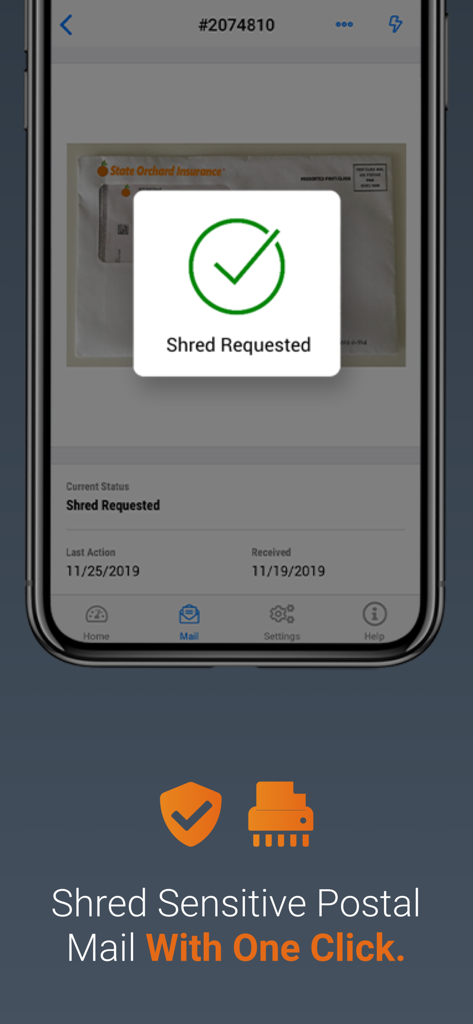
Anytime Mailbox Virtual Mail - A mobile interface of the Anytime Mailbox app showing a confirmation message for a mail shredding request
A mobile interface of the Anytime Mailbox app showing a confirmation message for a mail shredding request

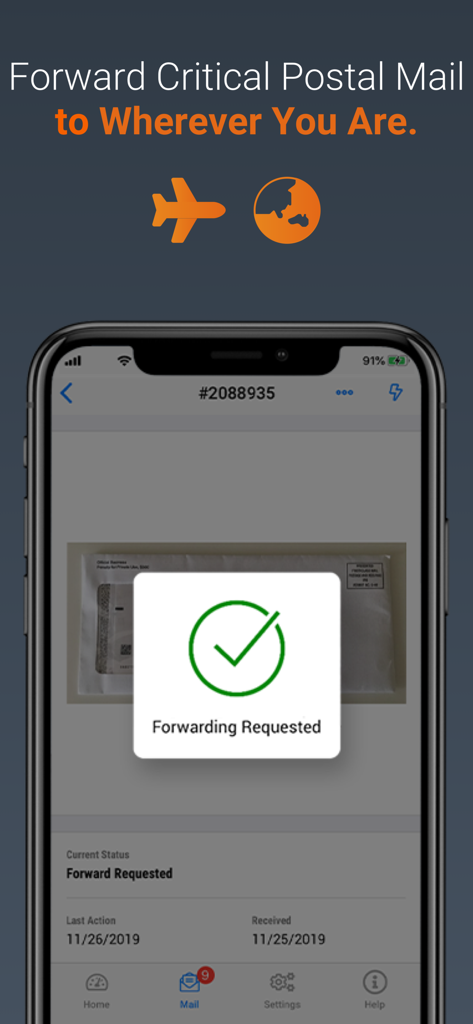
Anytime Mailbox Virtual Mail - Anytime Mailbox app screen showing a successful mail forwarding request confirmation for a digital nomad
Anytime Mailbox app screen showing a successful mail forwarding request confirmation for a digital nomad

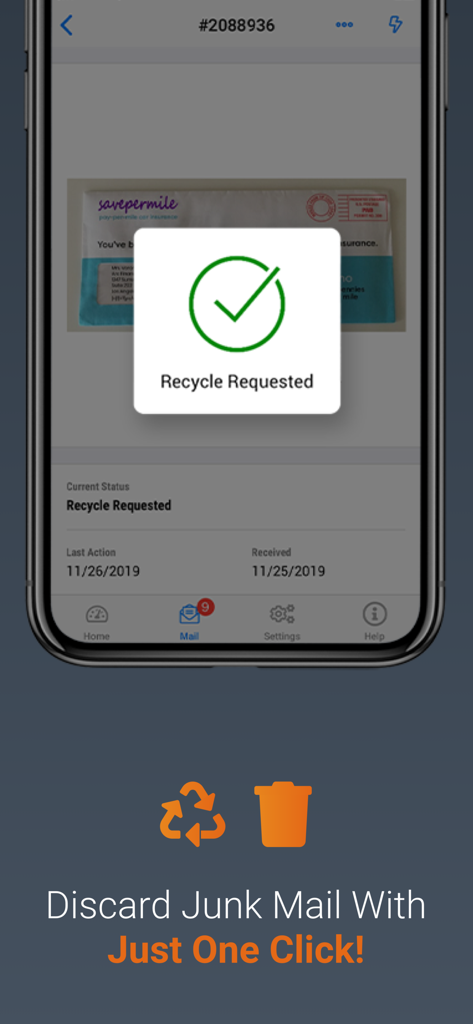
Anytime Mailbox Virtual Mail - Anytime Mailbox app interface showing a recycle request confirmation to discard junk mail with one click.
Anytime Mailbox app interface showing a recycle request confirmation to discard junk mail with one click.

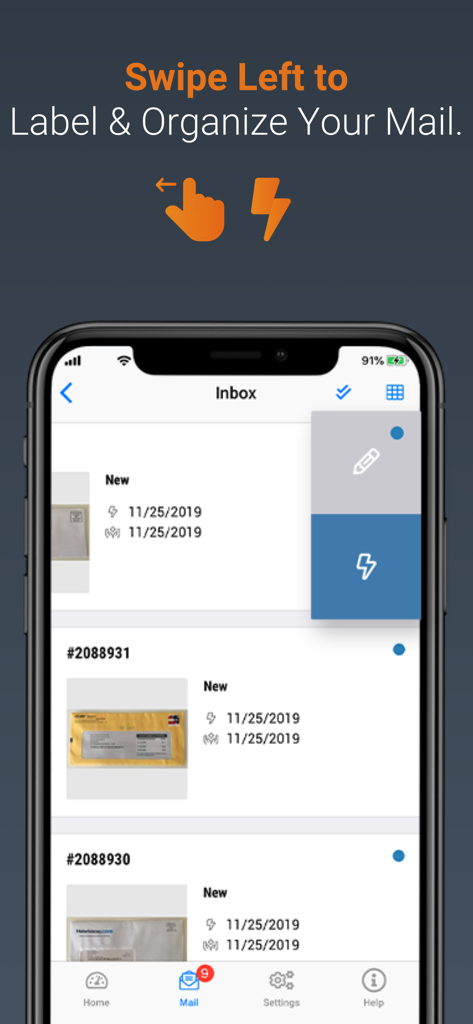
Anytime Mailbox Virtual Mail - Anytime Mailbox app screen showing the swipe gesture to label and organize digital mail items
Anytime Mailbox app screen showing the swipe gesture to label and organize digital mail items

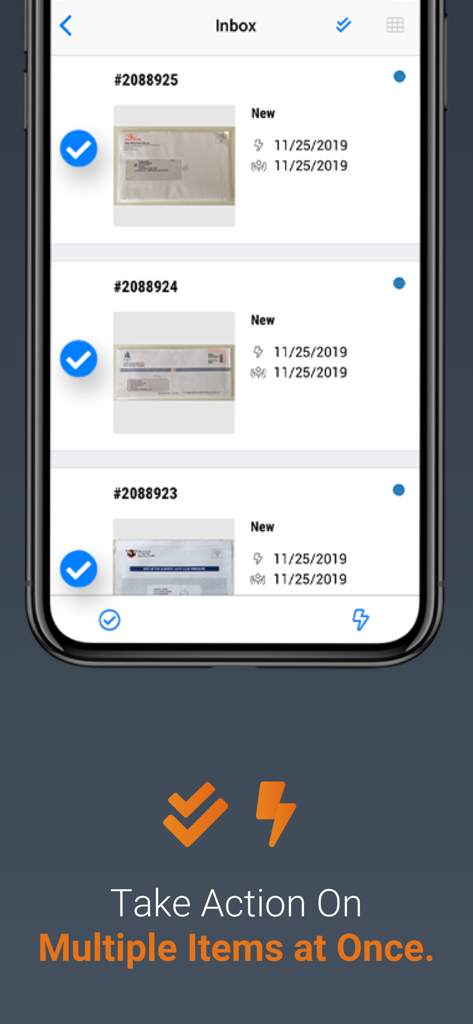
Anytime Mailbox Virtual Mail - A mobile app interface showing multiple physical mail items selected for batch processing and bulk actions.
A mobile app interface showing multiple physical mail items selected for batch processing and bulk actions.

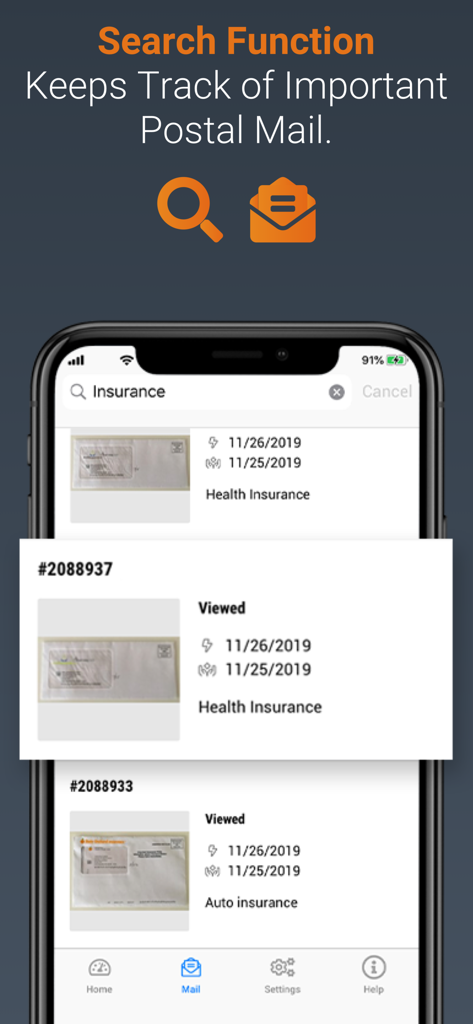
Anytime Mailbox Virtual Mail - Search function interface in the Anytime Mailbox app for organizing digital postal mail

Search function interface in the Anytime Mailbox app for organizing digital postal mail

Description

With Anytime Mailbox, you can manage your postal mail right on your phone. No more daily trips to the mailbox. No more piles of junk mail on the kitchen table. No more sorting and shredding and forgetting. Stop wasting time and handle it all in a breeze — open & scan, forward, shred, or discard — keep what you need and get rid of the junk quickly and easily right from your phone. Anytime, anywh``ere. Take Your Snail Mail (or Postal Mail) Digital • Optimize your life by giving yourself one less thing to do. • Every mail item is assigned a digital ID number — never miss a single piece of mail • Discard your pile of mail in one click Manage Your Mail From Wherever You Are • If you can check your phone, you can check your postal mail • Get your postal mail sent to a real address in a location of your choosing • Tap and swipe rather than tearing, sorting, or shredding View Your Postal Mail & Take Actions • Open & Scan: View PDFs of your mail and share with others • Forward: Send the physical piece of mail to wherever you are or will be • Recycle: Easily ditch your junk mail • Shred: Safely eliminate postal mail with sensitive information Keep Your Address Private • Use your digital mailbox to protect your home address • Stash your pile of mail somewhere else until you’re ready for it or need it Your Mailbox For Life • Perfect for the digital nomad, ex-pats, remote workers, those with home-based businesses, or anyone else who doesn’t want to deal with their physical mail the old way any longer NEW ANYTIME MAILBOX APP FEATURES Swipe to Label & Organize Your Mail • Simply swipe right on any mail item to label it or take an action. This allows you to easily organize your mail and create digital “piles.” • To label an item, simply click on the pencil icon and name the item for quick reference. • Then click the check mark in the top right and that’s it! Your mail is labeled. New Search Function • Easily find your labeled mail items by using the new search function at the top. • Simply type in what you’re looking for with text or a mail ID! Take Actions More Easily • Now you can simply swipe right on a mail item to take an action. • Click the lightning bolt icon and select the action you’d like to take — that’s it! Take Action on Multiple Items at Once • You can now take action on multiple mail items at once by clicking on the double check icon, located top right. • Select all the mail items you’d like to take action on and click the lightning bolt when you’re ready. Enhanced Viewing of Scanned Mail • It’s now easier to open and view scanned mail items. • Simply scroll down to view them all, and swipe right on an item to view in a larger format. • This will work in your inbox, action required, or recently completed folders. • The items will contain all of the information you need to see and you can take actions from there. Anytime Mailbox offers over 600 locations in major metropolitan areas such as: Atlanta, Austin, Boston, Chicago, Denver, Las Vegas, Los Angeles, Miami, Nashville, New Orleans, New York, Orlando, Philadelphia, Portland (OR), San Diego, San Francisco, Santa Monica, Seattle, Washington (DC), and many more. For a complete list of sites visit our website at www.anytimemailbox.com.

Download

Download on App Store

This page is not an official page of the app or its developer, but an independent editorial publication created for informational and commentary purposes. Unless expressly stated otherwise, neither the app nor its developer is affiliated with, endorsed by, sponsored by, authorized by, or otherwise officially connected with MWM, Apple, Google Play, the app publisher, or the app's developer, and nothing on this page implies that the app was developed using MWM's services. Any trademarks, logos, screenshots, and other content remain the property of their respective owners.