AnyTrans: Move Photos and Files Anywhere, Instantly and Wirelessly
The ultimate bridge for your digital life. Effortlessly transfer data between iPhone, PC, and cloud drives without cables, limits, or complex software.
Publisher
iMobie Inc.
Category
Utilities
Downloads
0
User Rating
2.7/5
Total Ratings
0
Locales
7
A Closer Look
Discover the interface used by 0 users.
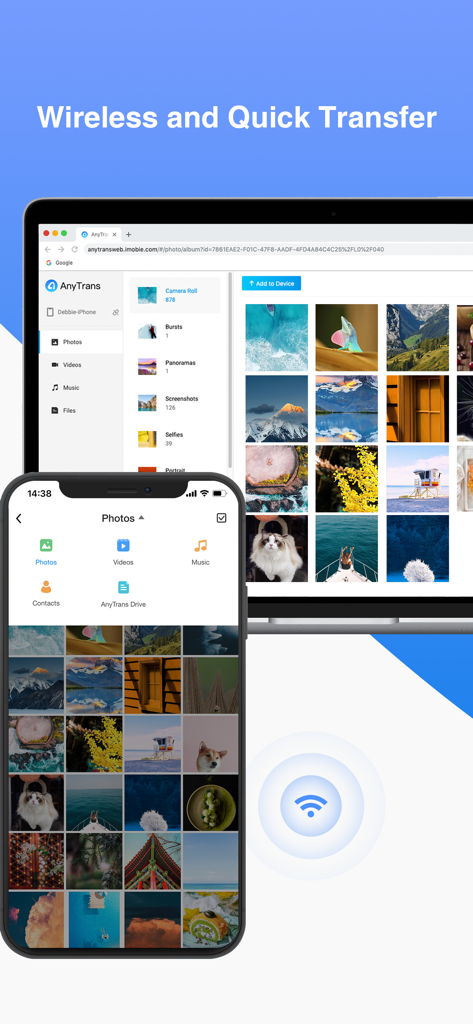
AnyTrans app showing wireless photo transfer between iPhone and computer
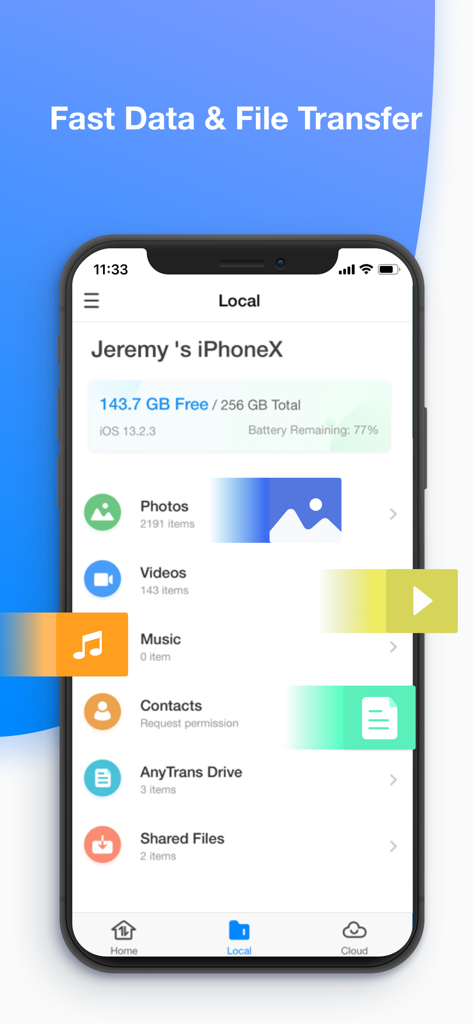
AnyTrans app showing iPhone local storage and file categories like photos and videos
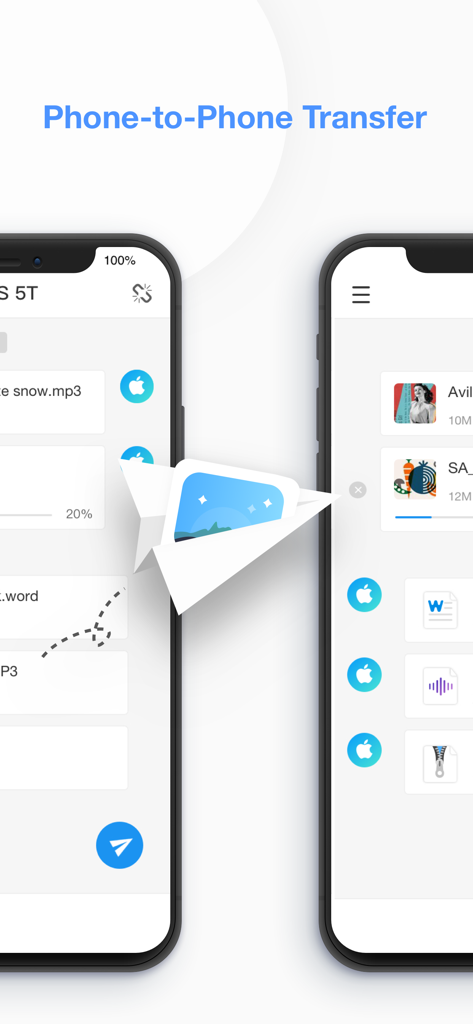
Interface of AnyTrans app showing wireless file transfer between two smartphones
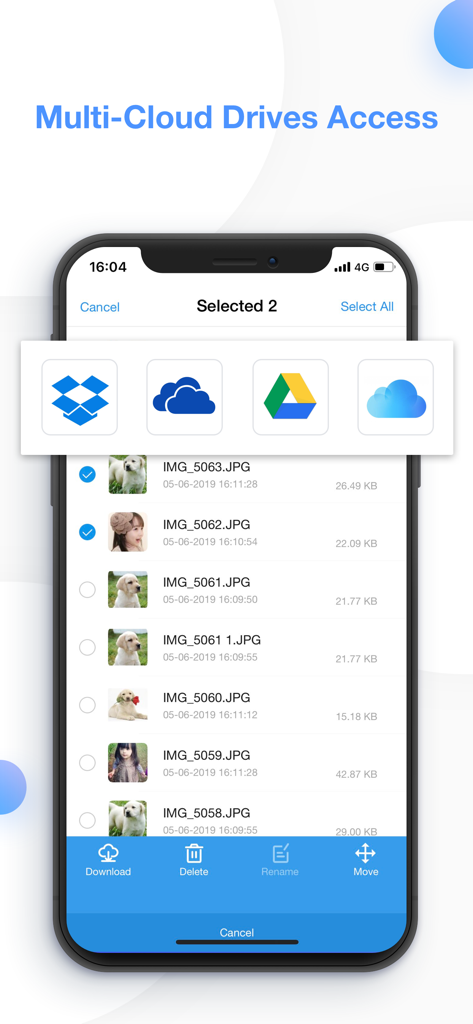
AnyTrans app interface showing multi-cloud access to manage files across Dropbox OneDrive Google Drive and iCloud
Your Entire Digital Life, Seamlessly Connected
The tools that make this app stand out, trusted by 0 users.
💻
Seamless PC & Mac Integration
The perfect solution for iPhone users on Windows. Move photos, 4K videos, and music wirelessly to your computer without the complexity of iTunes or Finder.
☁️
Unified Multi-Cloud Command
Stop switching apps. Manage iCloud, Google Drive, OneDrive, and Dropbox in one place. Upload, download, and organize files with secure 256-bit SSL encryption.
📲
Expert Device Migration
Upgrading to a new iPhone? Transfer your contacts, messages, and media instantly. It’s the fastest, most stable way to switch devices without losing a single byte of data.
About the app
Everything you need to know about AnyTrans: Send Files Anywhere.
Description
AnyTrans is an iOS content transfer app to transfer files across iPhone, iPad, other phones/tablets, computer, even cloud drives. AnyTrans can manage diverse categories of data on computer in a more stable way. No matter you want to send photos, share videos, transfer music, copy contacts, or upload files to cloud, it goes wirelessly and instantly. You can send files to anywhere in any way you like!
1. Fast File Transfer from Phone to Phone
- Copy data/files from iPhone to iPhone, iPhone to iPad, iPhone to other phones/tablets.
- Move data/files from old phone to the new iPhone/iPad for device switch without erasing data.
- Browse iPhone/iPad photos, music, videos, movies, contacts by category to back up and share files you want.
- Direct phone-to-phone transfer via same wifi or hotspot. And simply air content to start file transfer.
- Compatible with all iPhone/iPad/iPod touch running iOS 9.0 and above, including iOS 14.
2. Wireless transfer between iPhone/iPad and Computer- Export photo, music, movie, document, etc. whatever data & files from iPhone/iPad to computer.- Manage your content in the safest way on computer. (Selectively back up iPhone/iPad to computer without USB using)- Air display iPhone/iPad video, movie, music from iPhone/iPad to computer, and play it on the big screen.- Import photos, music, contacts, files like PDF, Word, etc., from PC/Mac to iPhone/iPad without installing any program on computer.- Work with all web browsers running IE 9 or later, such as Google Chrome, Safari, Firefox, Opera, etc.
3. File Explorer and File Downloader for Multiple Cloud Drives
- View files and folders from iCloud Drive, Google Drive, OneDrive, Dropbox within one single app on iPhone/iPad.
- Send, move, delete, rename, upload or download photos, videos, documents, and more from Google Drive, Dropbox, iCloud Drive, etc.
- Back up photos/live photo/music, save files/documents, copy videos/movies and more to cloud drives.
- Protected by 256-bit SSL encryption when uploading and downloading files/documents.
- AnyTrans never retains any of your data or information on our servers.
4. File Manager and File Organizer for iPhone/iPad Contents
- Organize iPhone/iPad pictures, live photo, live photo video, music, videos, contacts, documents, zip files by category, and share it as you want, no quality loss.
- Built in an mp3 player and video player to play music, videos, or movies in MP3, MP4, MOV, M4A, or other formats.
- Access and play music synced from iTunes library or music shared from others.
- Quickly delete multiple contacts at once, and share files with friends, including large files.
- View iPhone/iPad free storage space, and battery remaining status.
We're always pleased to hear from you! If you have any feedback, questions, or concerns, please email us at cs@imobie.com
Or connect with us for the latest news and tips:
Facebook: https://www.facebook.com/iMobie
Twitter: https://twitter.com/iMobie_Inc
YouTube: https://www.youtube.com/user/iMobieInc
Latest Version
3.7.2
Size
29.7 MB
First Released
Oct 24, 2018
Stop Fighting with Cables. Start Transferring Smarter.
Whether you're switching to a new iPhone or backing up 4K videos to your PC, get the ultimate bridge for your digital life. Fast, secure, and 100% wireless.
App information, icons, screenshots, and descriptions displayed on this page are sourced from the Apple App Store and are the property of their respective developers. Download estimates and rankings are based on MWM's proprietary models and may not reflect actual figures. This page is provided for informational and analytical purposes only.
Believe this page infringes your intellectual property? File a dispute