
This page is not an official page of the app or its developer, but an independent editorial publication created for informational and commentary purposes. Unless expressly stated otherwise, neither the app nor its developer is affiliated with, endorsed by, sponsored by, authorized by, or otherwise officially connected with MWM, Apple, Google Play, the app publisher, or the app's developer, and nothing on this page implies that the app was developed using MWM's services. Any trademarks, logos, screenshots, and other content remain the property of their respective owners.


乐播投屏
Device limitations evaporate. This app hands users the power to project, collaborate, and share fluidly across any screen, anywhere.
Downloads
25M+User Rating
Total Ratings
47.5KPublisher
Category
UtilitiesLocales
3Latest Version
5.11.10Size
359.4 MBFirst Released
Jul 15, 2016Key Features of '乐播投屏'
An analytical overview of capabilities enhancing productivity and entertainment for diverse users.
Multi-device Collaboration & Interactive Whiteboard
This tool features multi-person whiteboard interaction, remote document annotation, real-time voice communication, and synchronized meeting record sharing. It supports simultaneous multi-device projection in meetings and student demonstrations in teaching.
Remote Screen Casting & Cross-Regional Collaboration
It allows users to control their home TV remotely, supporting remote meeting projections, online class synchronization, and family viewing sharing, offering "one-click screen casting" whether traveling or at home.
Scan-to-Cast & Easy Connection
It allows users to quickly connect to a TV via WeChat scan, without needing the same WiFi or app download, simplifying emergency projections and temporary online class sharing.
High-Definition & Lag-Free Casting with Broad Compatibility
The app provides support for 4K/1080P high-definition quality, ensuring smooth casting for games, live streams, and short videos without lag. It is compatible with multiple devices like phones, computers, and tablets, covering a vast number of TVs.
Comprehensive File Type Support & Seamless Device Switching
The app provides support for various file types, including web pages, PPT, PDF, Excel, videos, and images, enabling direct projection of office documents and learning materials with seamless switching across multiple devices.
Remote Screen Sharing & Guidance
This tool allows users to share their screen with friends for activities like watching videos or shopping, and easily guide parents in using smartphones, enabling real-time synchronization and communication.
Frequently Asked Questions
Everything you need to know about 乐播投屏
Does 乐播投屏 (Le Bo Tou Ping) require devices to be on the same WiFi network for screen mirroring?
Yes, 乐播投屏 (Le Bo Tou Ping) allows screen mirroring without requiring devices to be on the same WiFi network. Users can connect instantly by scanning a WeChat QR code.
Does 乐播投屏 (Le Bo Tou Ping) support multi-person collaboration?
Yes, 乐播投屏 (Le Bo Tou Ping) supports multi-person collaboration features such as whiteboard interaction, remote document annotation, real-time voice communication, and simultaneous multi-device casting.
What file types can 乐播投屏 (Le Bo Tou Ping) cast?
乐播投屏 (Le Bo Tou Ping) supports casting various file types including webpages, PPT, PDF, Excel, videos, and images. It facilitates seamless switching between multiple devices for presentations.
Does 乐播投屏 (Le Bo Tou Ping) offer remote screen mirroring capabilities?
Yes, 乐播投屏 (Le Bo Tou Ping) enables remote screen mirroring, allowing users to control their home TV from different locations. It supports remote meetings, online classes, and family movie sharing.
What resolution does 乐播投屏 (Le Bo Tou Ping) support for screen mirroring?
乐播投屏 (Le Bo Tou Ping) supports 4K/1080P HD picture quality. It ensures smooth casting for games, live streams, and short videos without lagging. It is compatible with phones, computers, and tablets.
Can users share their screen with friends using 乐播投屏 (Le Bo Tou Ping)?
Yes, 乐播投屏 (Le Bo Tou Ping) allows users to share their screen with friends. This feature enables real-time synchronization for activities like browsing social media or providing remote guidance.
How does the auto-renewal for 乐播投屏 (Le Bo Tou Ping) membership work?
乐播投屏 (Le Bo Tou Ping) subscriptions automatically renew monthly. Payment is charged to the iTunes account 24 hours before the cycle ends. The subscription renews unless canceled at least 24 hours prior.
How can I cancel my 乐播投屏 (Le Bo Tou Ping) auto-renewing subscription?
To cancel a 乐播投屏 (Le Bo Tou Ping) subscription, access 'Settings', then 'iTunes Store & App Store', tap 'Apple ID', and select '乐播投屏' to cancel the subscription manually at least 24 hours before renewal.
The following screenshots and description are sourced directly from the app's official store listing and are the property of the app developer.
App Store
Screenshots
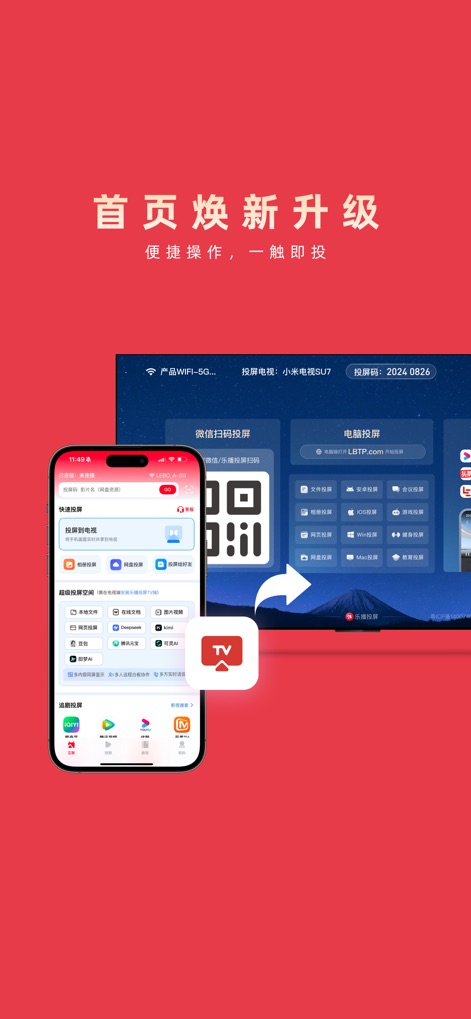
Effortless Casting Setup
Discover how the app streamlines screen mirroring with instant WeChat QR code scanning and a comprehensive range of casting options displayed on both mobile and desktop interfaces.
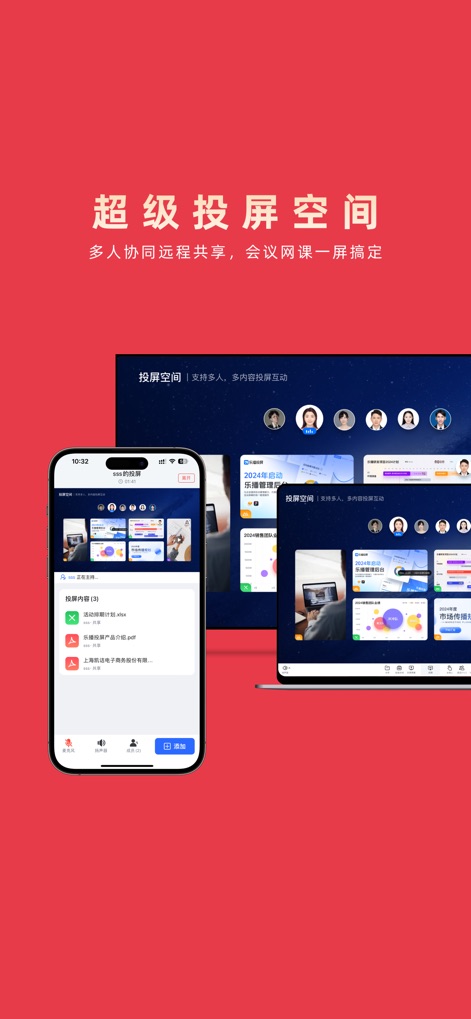
Collaborative Workspace
Explore the app's powerful collaborative features, enabling multi-user interaction through shared documents like PPTs and interactive whiteboard functionalities.
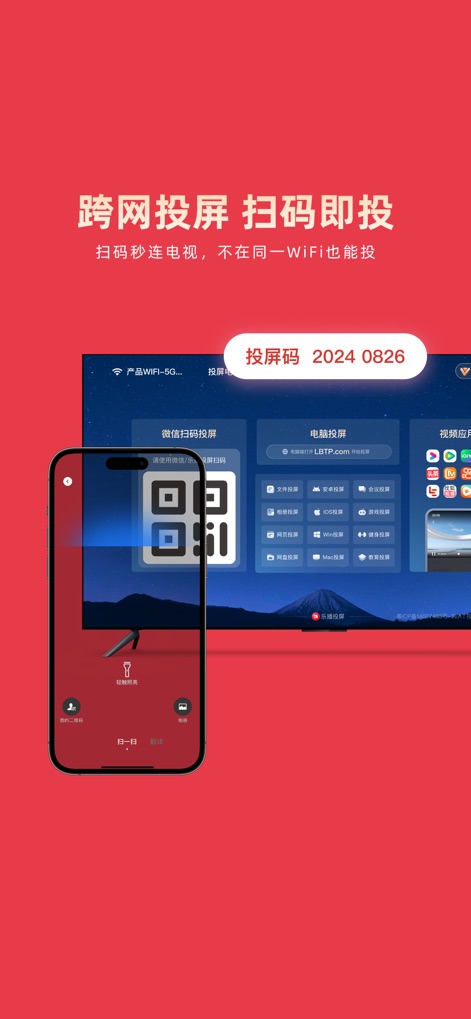
Seamless Cross-Network
Observe the app's innovative cross-network casting capabilities, allowing users to connect instantly by scanning a QR code and utilizing a unique casting PIN for device pairing.
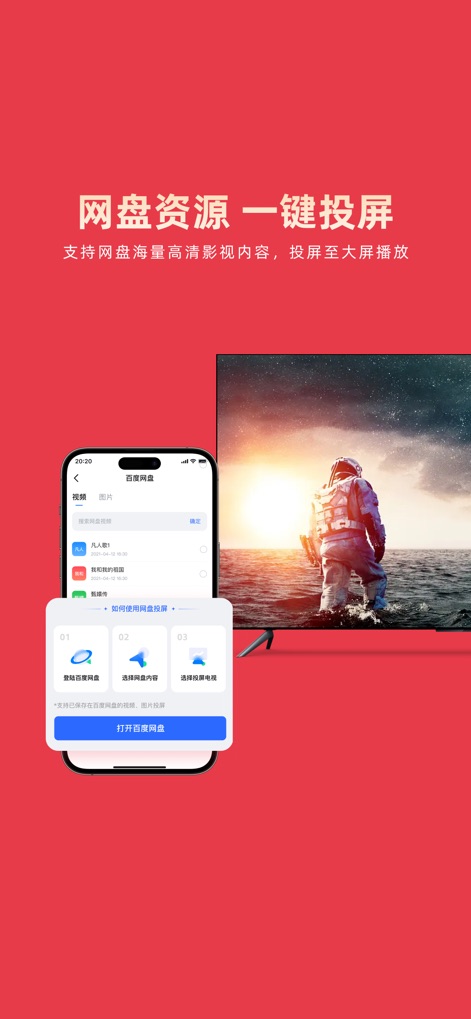
Cloud Content Casting
Witness the ease of casting directly from cloud storage, as the app integrates with popular services like Baidu Netdisk to display rich visual content on any large screen.
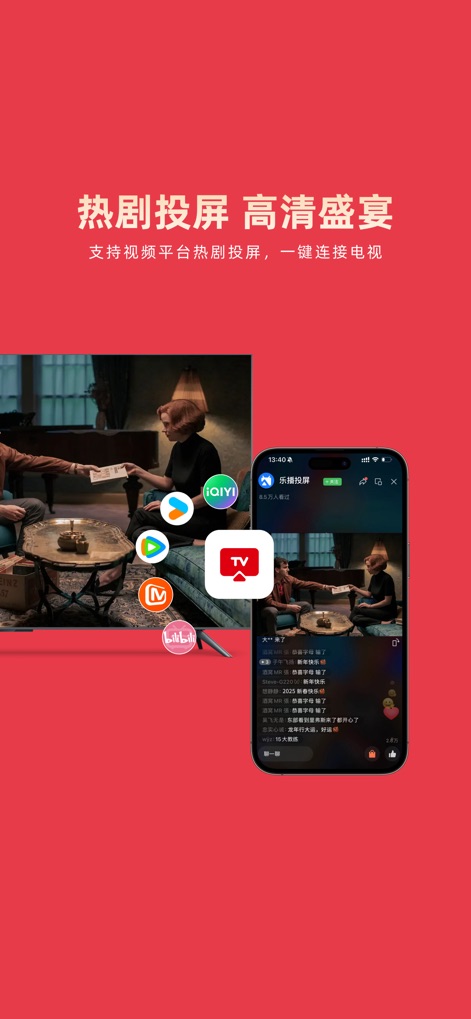
Entertainment Hub
Experience the ultimate entertainment hub, where the app enables effortless casting from popular video streaming platforms and delivers a high-definition visual feast to any connected display.
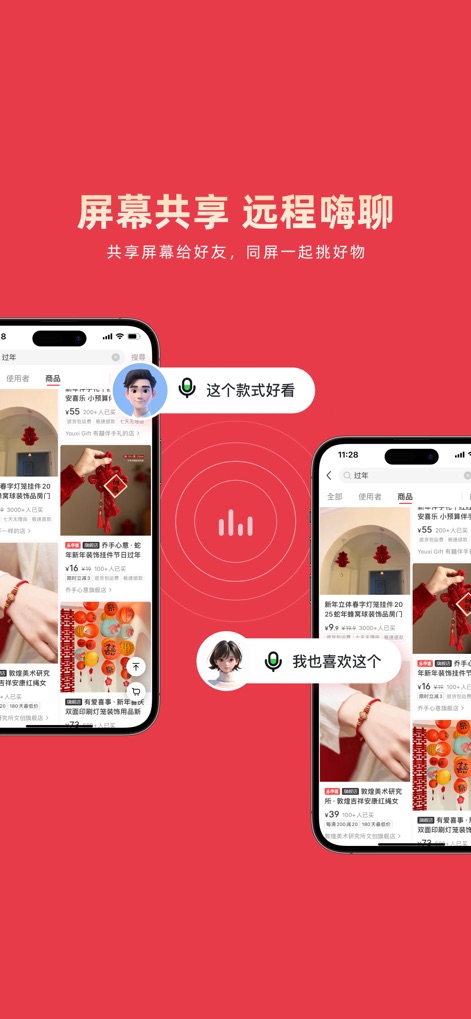
Interactive Screen Sharing
Discover the app's interactive screen sharing for social experiences, allowing users to simultaneously browse e-commerce apps and communicate via integrated voice chat bubbles.
Description
Download
More Like This
Apps with similar features and user experience

Web Video Cast | Browser to TV
InstantBits Inc

PigeonCast:Send by Google Cast
Sichuan FalconAI Technology Co., Ltd.

Screen Mirroring • Smart TV
Mihkel Pikk

Screen Mirroring | Cast to TV
Ozuna Limited

Screen Mirroring・Smart View TV
TOGGLE APPS SP Z O O

UbeCast: Music Streamer & PiP
AER SOFTWARE COMPANY LIMITED

AirDroid Cast-screen mirroring
SAND STUDIO CORPORATION LIMITED

Miracast: Screen Mirroring TV
Hainan Delta Software Co., Ltd

Screen Mirroring・Air Cast TV
Dalma Innovation Solutions d.o.o.
This page is not an official page of the app or its developer, but an independent editorial publication created for informational and commentary purposes. Unless expressly stated otherwise, neither the app nor its developer is affiliated with, endorsed by, sponsored by, authorized by, or otherwise officially connected with MWM, Apple, Google Play, the app publisher, or the app's developer, and nothing on this page implies that the app was developed using MWM's services. Any trademarks, logos, screenshots, and other content remain the property of their respective owners.