This page is not an official page of the app or its developer, but an independent editorial publication created for informational and commentary purposes. Unless expressly stated otherwise, neither the app nor its developer is affiliated with, endorsed by, sponsored by, authorized by, or otherwise officially connected with MWM, Apple, Google Play, the app publisher, or the app's developer, and nothing on this page implies that the app was developed using MWM's services. Any trademarks, logos, screenshots, and other content remain the property of their respective owners.

ARI (Auto Repair Software)
Stop the paperwork and manage your entire repair business from your pocket. From VIN decoding to professional invoicing, get the tools you need to save time, impress clients, and grow your revenue.
Key Figures
Downloads
7K+
User Rating
4.8/5
Total Ratings
300
Publisher
Constantin Coutun
Category
Productivity
Locales
6
Latest Version
v15.7
Size
90.0 MB
First Released
Jan 10, 2017
Features
Everything You Need to Run Your Shop Like a Pro
Stop the paperwork and start growing your business. ARI gives you the powerful tools of a dealership right in your pocket, designed specifically for independent mechanics and shop owners.
Instant Vehicle Identification
Skip the manual entry. Scan VINs or license plates to instantly pull vehicle specs, engine details, and CarFax history reports directly to your phone.
Professional Invoices & Payments
Look like a premium dealership. Generate custom invoices, capture digital signatures, and accept credit cards or PayPal on the spot to get paid faster.
The following screenshots and description are sourced directly from the app's official store listing and are the property of the app developer.
App Store
Screenshots
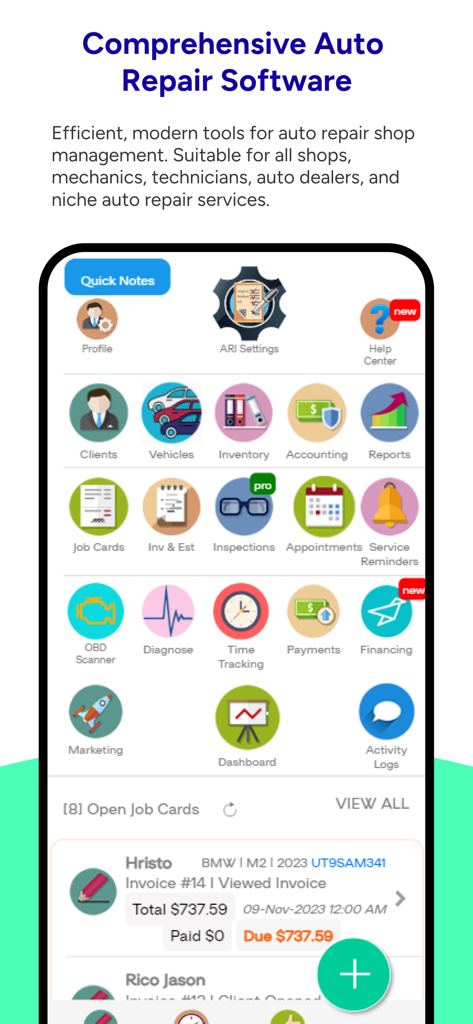
Dashboard of the ARI auto repair software showing shop management tools and open job cards
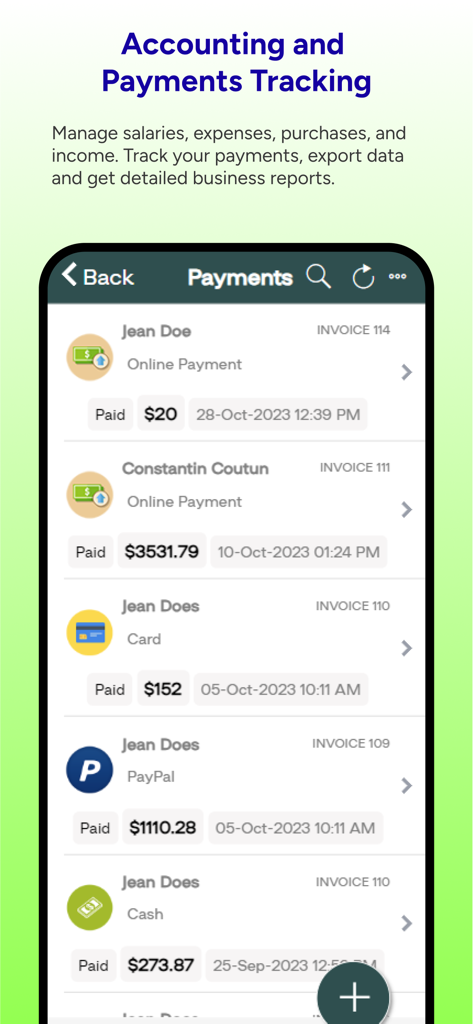
Accounting and payments tracking interface in the ARI auto repair app showing paid invoices for various clients.
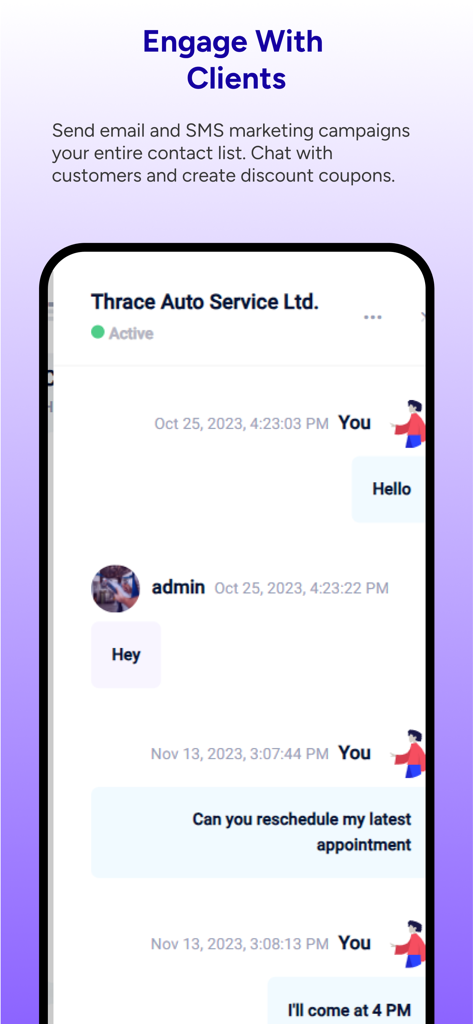
ARI auto repair app client chat and engagement interface
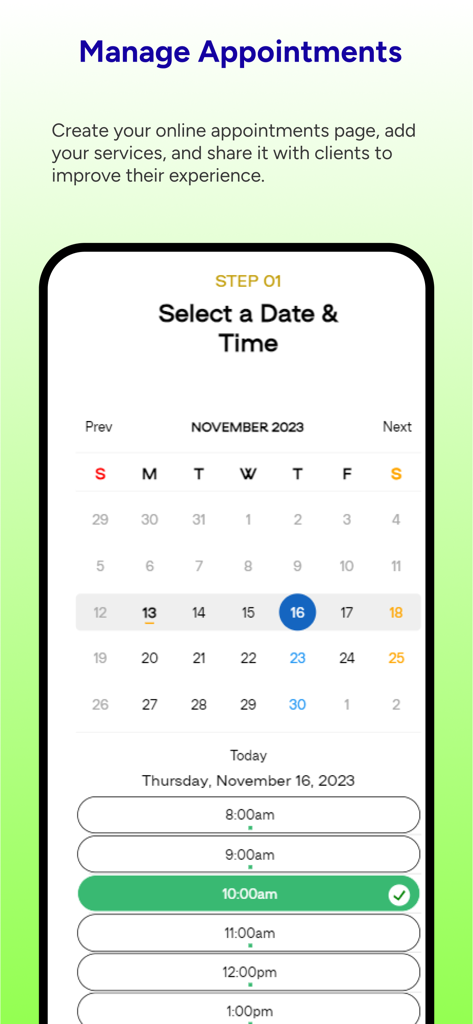
ARI auto repair app interface for online appointment booking and scheduling
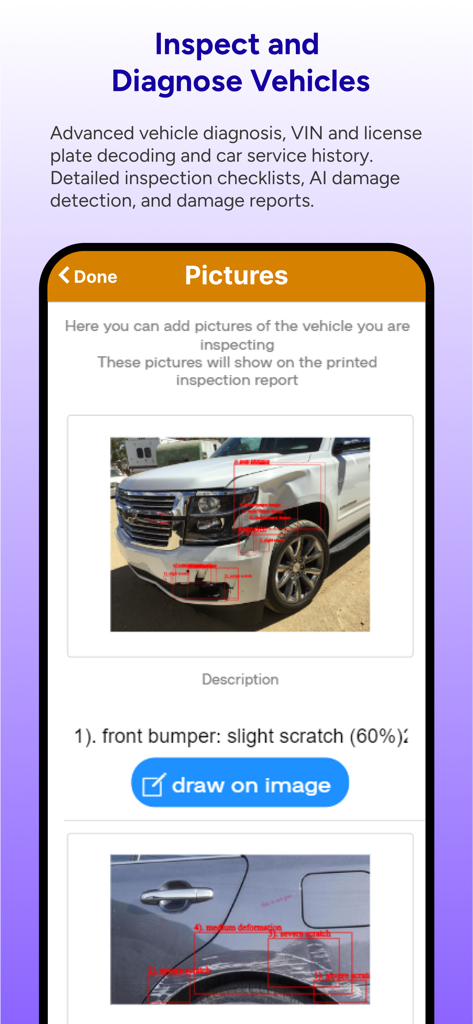
ARI auto repair app interface for vehicle inspection and AI damage detection on car photos
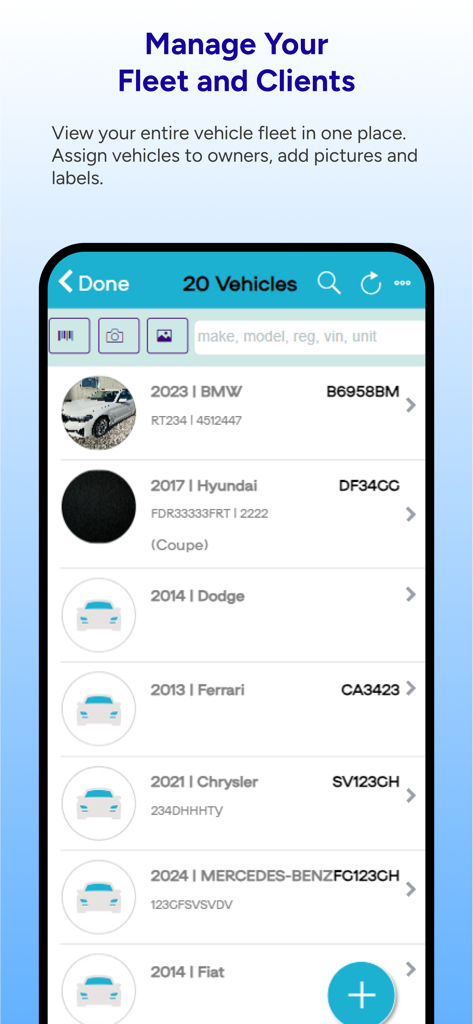
Mobile app screen showing a list of vehicles for fleet and client management in the ARI auto repair software.
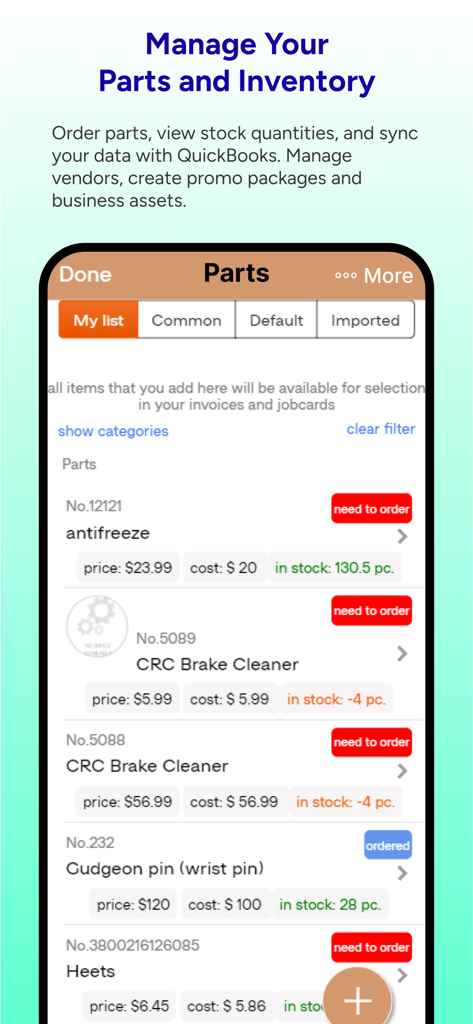
ARI app interface showing auto parts inventory and stock level management.
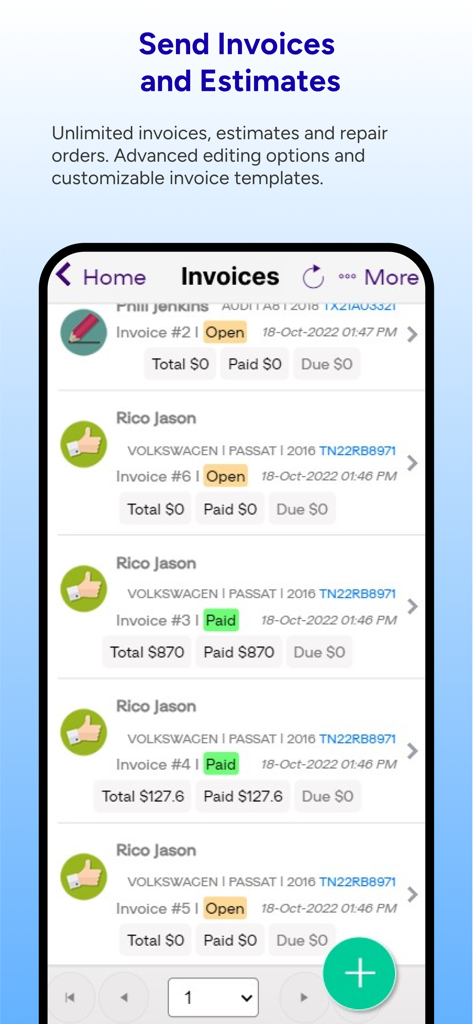
A mobile interface of the ARI auto repair software showing a list of client invoices with vehicle details and payment status.
Description
ARI is one of the most renowned auto repair software on the automotive market. Thousands of shop owners and mechanics trust ARI with their repair activities and daily tasks.
The app is designed for mobile mechanics, auto shop owners, independent technicians, auto dealers, or anyone who needs to manage their auto repair business efficiently.
Main Features:
1. Client Management
Keep record of all your clients. Generate billing statements, assign vehicles and create invoices and estimates instantly.
2. Vehicle Management
- VIN decoder: decode any vehicle identification number so you can easily add vehicle details to your database. Get info such as make, model, year, trim type, engine, and much more.
- license plate reader: leverage CarFax integration to get info about a vehicle from its license plate
- car service history: retrieve previous service history from almost any vehicle by using CarFax history reports.
- advanced diagnosis: get information such as OBD port locator, upcoming maintenance items, DTC errors, TSB info, full maintenance reports and recommendations, repair labor times, and vehicle labor estimates.
3. Inventory Management
ARI comes with a list of 400+ default car parts; however, you can create your own inventory. There are no limits on how many items you can add to your inventory.
- parts: keep track of part numbers and stock data. Use barcode scanner to add, edit, or remove parts from your inventory;
- tires: are you selling tires in your auto repair shop? Use ARI to manage your tire inventory.
- services: keep track of all your labor items by adding descriptions and price per hour.
- canned services: group parts and labor items to create easy-to-use packages when building your jobcards or auto repair invoices
4. Accounting
- expenses: log all your auto repair shop's expenses such as employee salaries, vendor payments, utility bills, and more
- purchases: create purchase orders for your auto parts. Send the order to your parts suppliers and update your inventory automatically when parts are received.
- income: keep track of all your income and never miss a payment or invoice.
5. JobCards
Assign work, track labor times, and approve or deny service items right from your favorite auto repair software.
6. Estimates/Quotes
Send professional-looking vehicle repair estimates to your clients and upsell your services with our deferred services program.
7. Invoices
a). 7 fully-customizable invoicing templates
b).Signature support
c). Logo
d). Print mobile
e). Multiple tax values.
You can add up to 3 types of taxes and customize their name and values.
f). Payment Options
The app accepts Cash, Check, Credit Card, and PayPall payment options. You can collect payments from your clients on the spot.
8. Service Reminders
- Schedule service reminders and the app will send automatic emails to your clients reminding them when the service is due.
9. Vehicle Inspections
- Upsell your clients with detailed inspection reports
10. Online booking
- Allow your clients to book your auto repair services online. View all appointments inside the ARI's calendar.
3. Reporting
- Income & Expense
- Sales & Purchases
- Inventory & Net Profit
- Employees & Salaries
MULTIPLE languages supported (EN, RU, PL, SPA, RO, IND, GR, DA, GER, IT, JPN, )
CUSTOMER SUPPORT:
- available 24/7 via email
Payment will be charged to iTunes Account at confirmation of purchase
Subscription automatically renews unless auto-renew is turned off at least 24-hours before the end of the current period
The account will be charged for renewal within 24-hours prior to the end of the current period, and identify the cost of the renewal
Subscriptions may be managed by the user and auto-renewal may be turned off by going to the user's Account Settings after purchase
Terms and conditions and privacy policy, visit http://www.utilitymobileapps.com/terms_conditions/
This page is not an official page of the app or its developer, but an independent editorial publication created for informational and commentary purposes. Unless expressly stated otherwise, neither the app nor its developer is affiliated with, endorsed by, sponsored by, authorized by, or otherwise officially connected with MWM, Apple, Google Play, the app publisher, or the app's developer, and nothing on this page implies that the app was developed using MWM's services. Any trademarks, logos, screenshots, and other content remain the property of their respective owners.









