ARKitchen Kitchen Design
Download on App Store

This page is not an official page of the app or its developer, but an independent editorial publication created for informational and commentary purposes. Unless expressly stated otherwise, neither the app nor its developer is affiliated with, endorsed by, sponsored by, authorized by, or otherwise officially connected with MWM, Apple, Google Play, the app publisher, or the app's developer, and nothing on this page implies that the app was developed using MWM's services. Any trademarks, logos, screenshots, and other content remain the property of their respective owners.

Logo of ARKitchen Kitchen Design
Download on App Store

ARKitchen Kitchen Design

Stop guessing and start designing. Use precision Lidar scanning and AI-powered tools to preview stunning new cabinets, layouts, and finishes in your actual home.

Key Figures

Downloads

96K+

User Rating

4.2/5

Total Ratings

800

Publisher

Altered Teapot Corporation

Category

Lifestyle

Locales

5

Latest Version

2.25

Size

953.6 MB

First Released

May 19, 2020
Features

Design With Absolute Confidence

Stop second-guessing your renovation. Use professional-grade AR and Lidar technology to visualize every detail of your dream kitchen before you build.

Live AR Transformation

Swap cabinets and countertops in real-time. Walk through your virtual kitchen to experience the flow before hiring a contractor.

Precision Lidar Scanning

Get perfect floor plans in seconds. Our advanced sensor technology measures your space with professional accuracy, saving hours of manual work.

The following screenshots and description are sourced directly from the app's official store listing and are the property of the app developer.

App Store

Screenshots
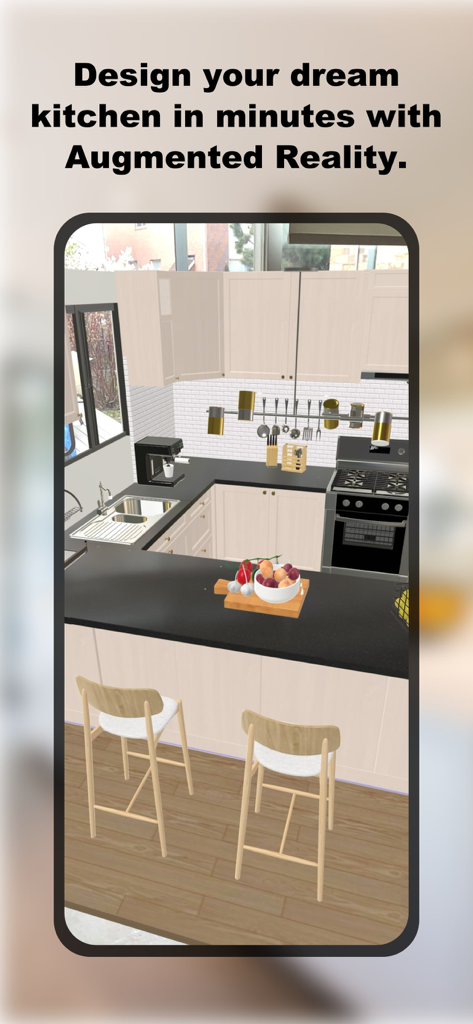
ARKitchen Kitchen Design - A smartphone screen showing a 3D augmented reality kitchen design with modern cabinets and black countertops
A smartphone screen showing a 3D augmented reality kitchen design with modern cabinets and black countertops

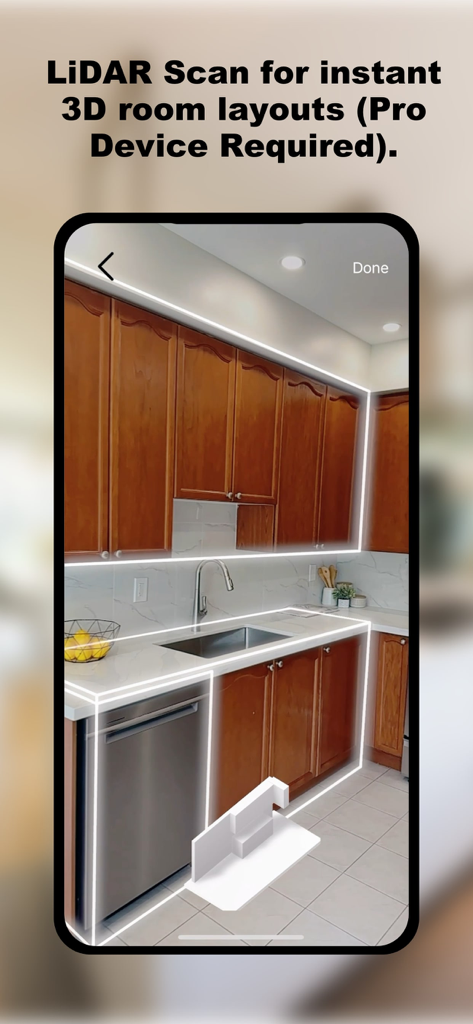
ARKitchen Kitchen Design - LiDAR scan of a kitchen for instant 3D room layout using ARKitchen
LiDAR scan of a kitchen for instant 3D room layout using ARKitchen

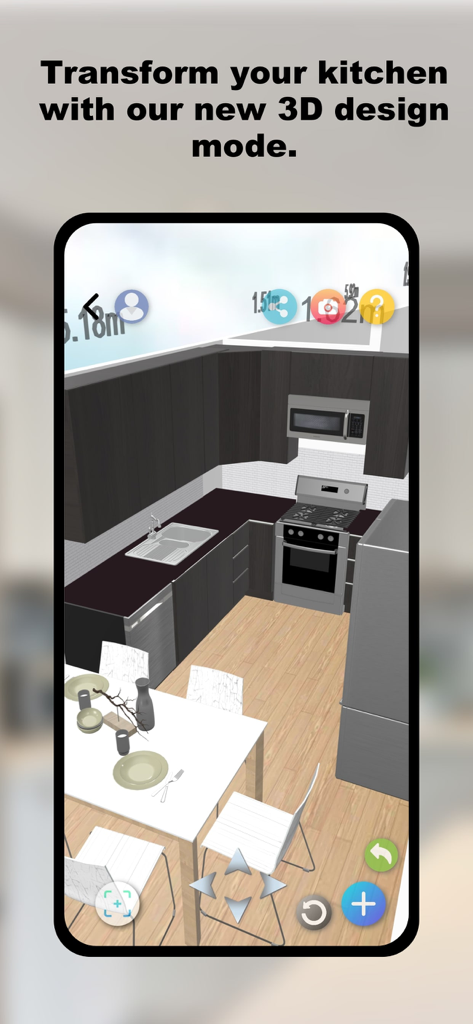
ARKitchen Kitchen Design - Mobile screen showing a 3D kitchen layout design with dark cabinets and a white dining table
Mobile screen showing a 3D kitchen layout design with dark cabinets and a white dining table

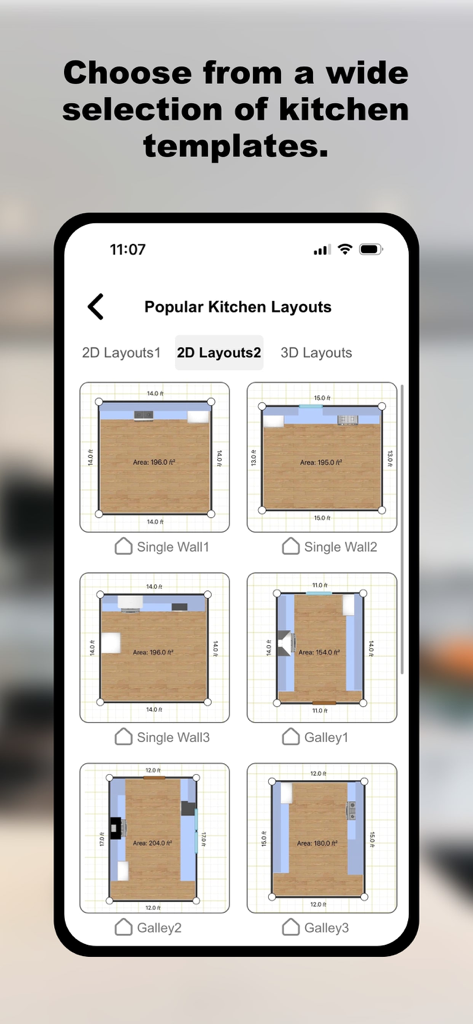
ARKitchen Kitchen Design - A collection of 2D kitchen floor plan templates including single wall and galley layouts in the ARKitchen app
A collection of 2D kitchen floor plan templates including single wall and galley layouts in the ARKitchen app

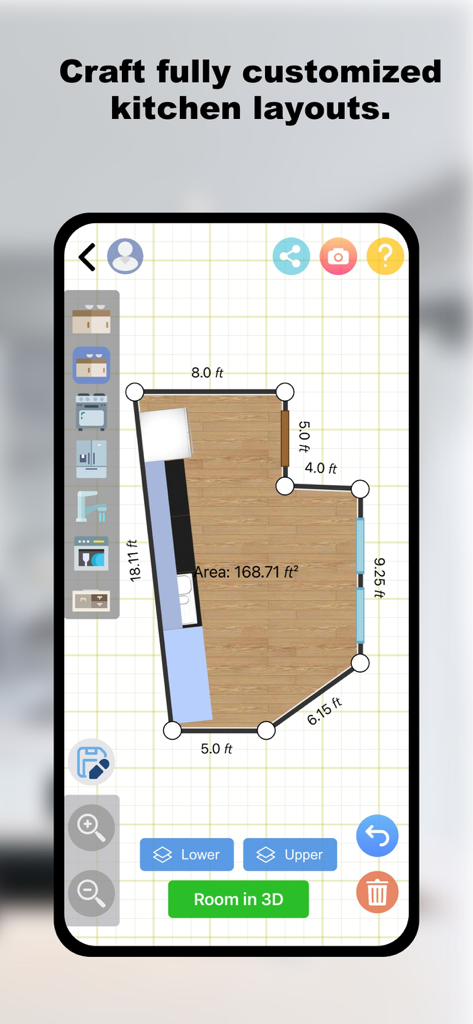
ARKitchen Kitchen Design - 2D kitchen floor plan with measurements and design tools in the ARKitchen app

2D kitchen floor plan with measurements and design tools in the ARKitchen app
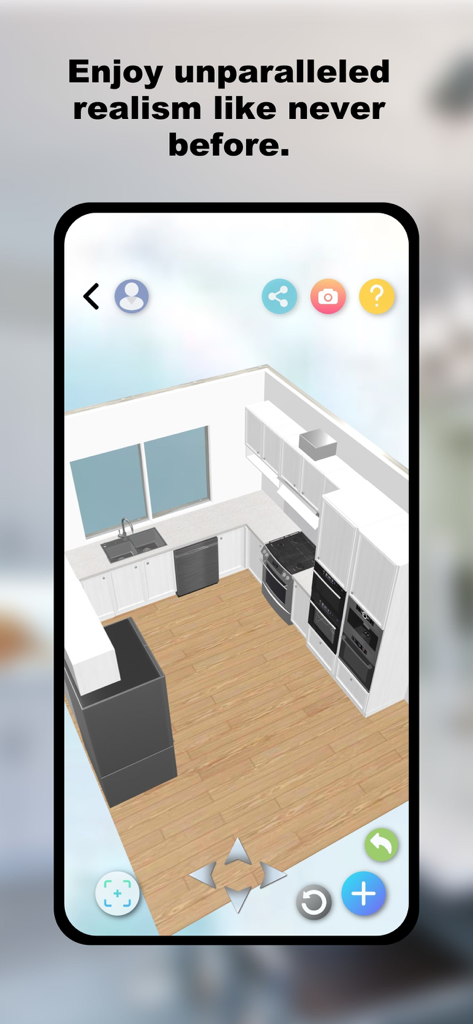
ARKitchen Kitchen Design - A 3D isometric view of a modern kitchen renovation with white cabinets and wood flooring in the ARKitchen app

A 3D isometric view of a modern kitchen renovation with white cabinets and wood flooring in the ARKitchen app

Description

ARKitchen – Virtual Kitchen Planner & 3D Design Visualizer Design, build, and renovate your dream kitchen in minutes with ARKitchen – the ultimate virtual kitchen planner powered by 3D, AR, and Lidar scan technology. Whether you're going for a full makeover or just refreshing your cabinet style and counter surfaces, ARKitchen helps you bring your kitchen design ideas to life like never before. Real-Time Kitchen Makeover with Augmented Reality Give your kitchen a brand new look without lifting a hammer! With our advanced AR visualizer, you can overlay new layouts, cabinets, and counters directly onto your existing kitchen using your smartphone camera. Walk around your room and see your design from every angle, all in real time. Supported on ARKit devices (iPhone 6s and newer, iPad mini 5th gen, iPad Air 3rd gen and later). Precision Lidar Scan for Accurate Floor and Room Plans Use Lidar scan technology (available on iOS Pro devices) to scan your floor and record accurate room dimensions. Instantly generate a detailed floor plan with perfect measurements – the first step in any smart renovation project. Say goodbye to tape measures and guesswork! Endless Customization – Cabinet Colours, Counters & More Explore stunning kitchen design possibilities by customizing your cabinet styles, changing counter textures, and experimenting with different layout options. This intuitive interior design app helps you visualize the full transformation before committing to a makeover. AI-Powered Interior Planner with Smart Suggestions Let our AI-powered planner do the heavy lifting. Based on your floor plan, ARKitchen automatically recommends smart layout and design solutions. Whether you’re a beginner or a seasoned designer, our AI tools help you unlock stunning new ideas with just a few taps. Choose the Right Mode for Your Project Classic AR Mode: Use your phone’s camera to virtually add and move kitchen elements with real-time feedback. Lidar Scan Mode: Scan any room with Lidar to instantly generate a detailed 3D floor plan. 3D Design Mode: Play with cabinet shapes and configurations in a fully interactive 3D environment. 2D Planner Mode: Drag and drop cabinets, counters, and walls to map out your dream layout from scratch. Designed for DIYers, Homeowners & Interior Designers Whether you’re planning to renovate a small kitchen or do a full home makeover, ARKitchen is built for homeowners, contractors, and interior design pros alike. Save money and time by planning smarter. Avoid renovation mistakes by previewing your ideas in full 3D before you build. Download ARKitchen Today – Try It FREE! Ready to start your dream kitchen makeover? Download ARKitchen now and become your own virtual planner, designer, and builder. Experience powerful 3D and AR design tools all in one beautifully designed app. Build. Visualize. Renovate. Your dream kitchen starts here.

Download

Download on App Store

This page is not an official page of the app or its developer, but an independent editorial publication created for informational and commentary purposes. Unless expressly stated otherwise, neither the app nor its developer is affiliated with, endorsed by, sponsored by, authorized by, or otherwise officially connected with MWM, Apple, Google Play, the app publisher, or the app's developer, and nothing on this page implies that the app was developed using MWM's services. Any trademarks, logos, screenshots, and other content remain the property of their respective owners.








