
This page is not an official page of the app or its developer, but an independent editorial publication created for informational and commentary purposes. Unless expressly stated otherwise, neither the app nor its developer is affiliated with, endorsed by, sponsored by, authorized by, or otherwise officially connected with MWM, Apple, Google Play, the app publisher, or the app's developer, and nothing on this page implies that the app was developed using MWM's services. Any trademarks, logos, screenshots, and other content remain the property of their respective owners.


Authenticator App `
Secure your accounts with 2FA, store passwords safely, and enjoy seamless iCloud sync. Professional-grade protection designed for your busy digital life.
Downloads
358K+User Rating
Total Ratings
2K+Publisher
Category
ProductivityLocales
33Latest Version
1.7Size
26.8 MBFirst Released
May 12, 2023Advanced Protection for Your Digital Life
Secure your accounts with high-level 2FA, integrated password management, and seamless iCloud sync designed for the modern professional.
Bulletproof 2FA Security
Generate time-sensitive codes for 1,000+ apps like Google and Amazon to prevent unauthorized access.
Effortless iCloud Backup
Never lose access to your accounts again with automatic, encrypted syncing across all your iOS devices.
Frequently Asked Questions
Everything you need to know about Authenticator App `
What is Authenticator App?
Authenticator App provides a secure and convenient way to protect online accounts. It generates time-based one-time passwords (TOTPs) for two-factor authentication, enhancing security against unauthorized access.
How does Authenticator App generate codes?
Authenticator App generates unique, time-sensitive six-digit codes using time-based one-time passwords (TOTPs). These codes change every 30 seconds, ensuring high security for user accounts.
Is Authenticator App secure?
Yes, Authenticator App is highly secure. It uses TOTPs for codes, which cannot be guessed or reused. The app itself is protected by a PIN code or biometric authentication like Touch ID or Face ID.
What security features does Authenticator App offer?
Authenticator App offers time-based one-time passwords (TOTPs) and protects the app with PIN code, Touch ID, or Face ID. It also includes password storage protection and a random password generator.
Can Authenticator App store passwords?
Yes, Authenticator App includes password storage protection. This feature provides a secure way to store and manage passwords for various online accounts, keeping sensitive information private.
Does Authenticator App support my online accounts?
Yes, Authenticator App supports over 1000 apps and services. It works with popular platforms like Google, Facebook, Dropbox, Amazon, Microsoft, Instagram, Snapchat, LinkedIn, and Twitch.
How do I add an account to Authenticator App?
Users add accounts by scanning a QR code provided by the service or by entering a secret key. This process generates the unique six-digit code needed for two-factor authentication.
Does Authenticator App offer backup for 2FA accounts?
Yes, Authenticator App offers backup and sync functionality. With Auto-Sync enabled, users can easily back up their 2FA accounts to iCloud.
What is the cost of Authenticator App?
Authenticator App operates on a subscription model. Payment is charged to the iTunes account upon purchase confirmation, and subscriptions renew automatically unless disabled.
How can I manage my Authenticator App subscription?
Users can manage their Authenticator App subscriptions and turn off auto-renewal through their iTunes Account Settings after purchase.
Does Authenticator App have a password generator?
Yes, Authenticator App includes a random password generator. It creates unique, strong passwords using a combination of letters, numbers, and symbols, making them difficult for hackers to guess.
The following screenshots and description are sourced directly from the app's official store listing and are the property of the app developer.
App Store
Screenshots
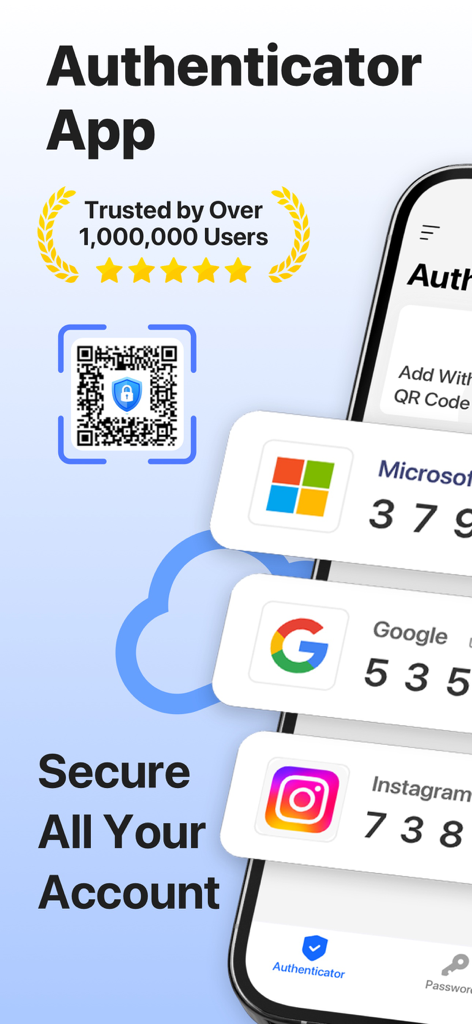
Interface of the Authenticator App showing 2FA security codes for Microsoft Google and Instagram accounts
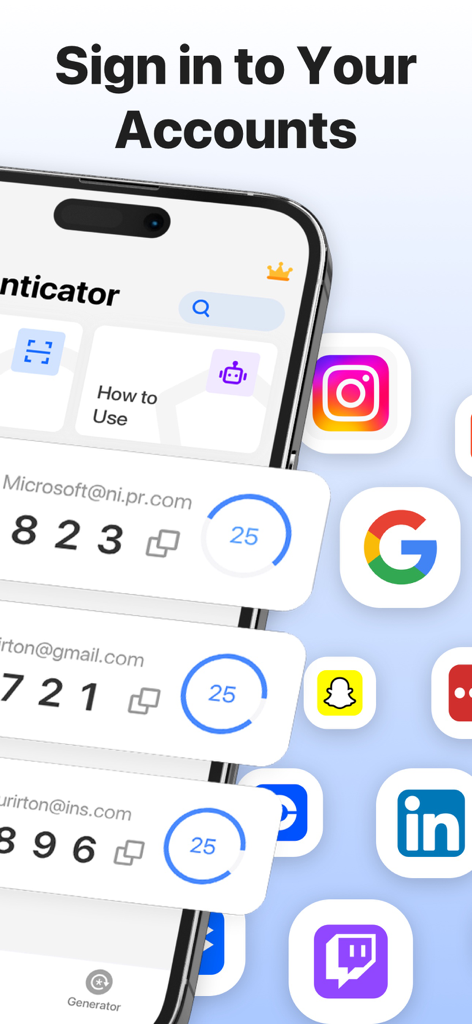
Authenticator app displaying two factor authentication codes for various social media and work accounts
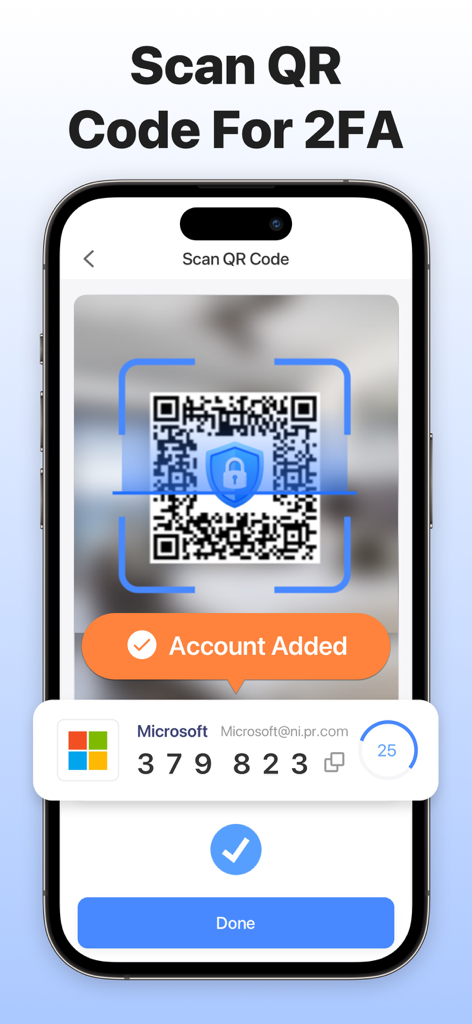
An iPhone screen showing the Authenticator App scanning a QR code to add a two-factor authentication account.
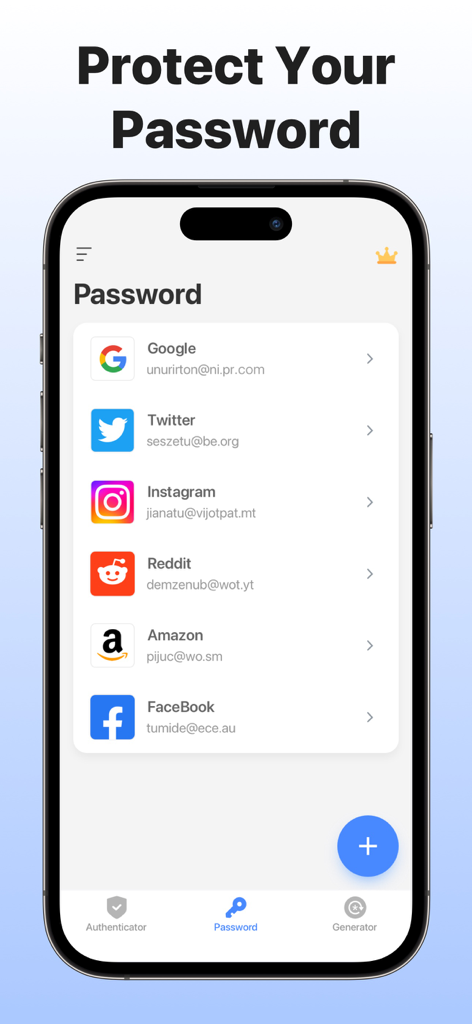
Password storage interface in the Authenticator App showing a list of linked accounts including Google and Facebook
Description
Download
More Like This
Apps with similar features and user experience

Proton Pass - Password Manager
Proton AG

Dashlane Password Manager
Dashlane

Password Manager - mSecure
mSeven Software, LLC

Kepttor Password Manager
MACREL SRL SEMPLIFICATA

DataVault Manager - Encrypted
MIKHAIL SHERSHNEV

Authenticator ·
SMM service, s.r.o.

Bitwarden Password Manager
Bitwarden Inc

Authenticator App ⁸
AGILE CODE LIMITED

Authenticator App ℗
RHO DEVELOPERS LLC
This page is not an official page of the app or its developer, but an independent editorial publication created for informational and commentary purposes. Unless expressly stated otherwise, neither the app nor its developer is affiliated with, endorsed by, sponsored by, authorized by, or otherwise officially connected with MWM, Apple, Google Play, the app publisher, or the app's developer, and nothing on this page implies that the app was developed using MWM's services. Any trademarks, logos, screenshots, and other content remain the property of their respective owners.