
This page is not an official page of the app or its developer, but an independent editorial publication created for informational and commentary purposes. Unless expressly stated otherwise, neither the app nor its developer is affiliated with, endorsed by, sponsored by, authorized by, or otherwise officially connected with MWM, Apple, Google Play, the app publisher, or the app's developer, and nothing on this page implies that the app was developed using MWM's services. Any trademarks, logos, screenshots, and other content remain the property of their respective owners.

Authenticator ·
Online threats are relentless. This app gives you impenetrable digital defenses.
Downloads
7.5M+User Rating
Total Ratings
50.0KPublisher
Category
UtilitiesLocales
33Latest Version
1.7.34Size
137.5 MBFirst Released
Feb 17, 2022Key Features Analysis for Security-Conscious Apple Users
Authenticator · App Evaluation
Core 2FA Token Management
The app provides secure storage and generation of 2FA tokens to enhance account security against unauthorized access.
Integrated Password Manager & Breach Monitoring
This tool includes a secure password manager with automatic leak protection and breach alerts, centralizing credential security.
End-to-End Encrypted Data
This tool ensures all stored data is end-to-end encrypted, even when synced with iCloud, guaranteeing user privacy and data security.
Encrypted Cross-Device Sync & Backup
It offers encrypted iCloud backups and automatic cross-device synchronization, enabling seamless access and restoration of 2FA codes and passwords across Apple devices.
App PIN/Biometric Lock
The app provides a PIN lock and auto-lock functionality, further securing access to the application itself, complemented by Face/Touch ID authorization.
Strong Password Generator
It features a robust password generator that assists in creating strong, unique passwords with customizable security settings.
Broad Service Compatibility
The app boasts extensive compatibility, supporting over 10,000 popular online services for 2FA.
Seamless 2FA Import/Export
The app facilitates easy import and export of 2FA keys via QR code scanning or CSV files, simplifying migration from other authentication applications.
Integrated VPN Service
It offers an integrated VPN service for secure and private internet connectivity, encrypting traffic, masking IP addresses, and blocking ads/malicious sites.
Apple Watch Integration
It extends 2FA access directly to the Apple Watch, providing quick and convenient token retrieval without needing to open the iPhone app.
Frequently Asked Questions
Everything you need to know about Authenticator ·
What is Authenticator ·?
Authenticator · is an app designed to store and generate secure two-factor authentication (2FA) tokens for online accounts. It also includes a password manager, private browser, and VPN.
Does Authenticator · support iCloud backups for 2FA codes?
Yes, Authenticator · provides secure encrypted iCloud backups for all 2FA codes, passwords, and secret keys. This allows easy restoration on new devices.
Can Authenticator · synchronize 2FA tokens across multiple devices?
Yes, Authenticator · automatically synchronizes all 2FA tokens across all Apple devices. Users can log in from several devices simultaneously.
How can I import 2FA keys into Authenticator ·?
Users can import 2FA keys by scanning a QR code from another 2FA app or by using a CSV file import option within the Authenticator · app.
Does Authenticator · offer a password manager feature?
Yes, Authenticator · includes a password manager. It stores passwords securely, provides automatic leak protection, security reports, and push notifications for leaked passwords.
Does Authenticator · include a private web browser?
Yes, Authenticator · features a fast and secure private browser. It operates without history, logs, or cookies, and supports bookmarking and tabbed browsing.
What VPN features does Authenticator · provide?
The Authenticator · VPN offers a secure internet connection, encrypts traffic, masks IP addresses, blocks ads and malicious websites, and follows a no-logs policy.
Can Authenticator · generate strong passwords?
Yes, Authenticator · has a password generator. It creates strong passwords with multiple security settings and smart tips, allowing customization of length and character types.
Does Authenticator · protect the app with a PIN or biometrics?
Yes, Authenticator · allows setting a 4-digit PIN lock and an auto-lock feature. It also supports Face/Touch ID for identity confirmation to generate one-time tokens.
Can I access Authenticator · 2FA codes on my Apple Watch?
Yes, Authenticator · provides a Watch Faces App. This allows users to access all their 2FA codes directly from their Apple Watch.
The following screenshots and description are sourced directly from the app's official store listing and are the property of the app developer.
App Store
Screenshots
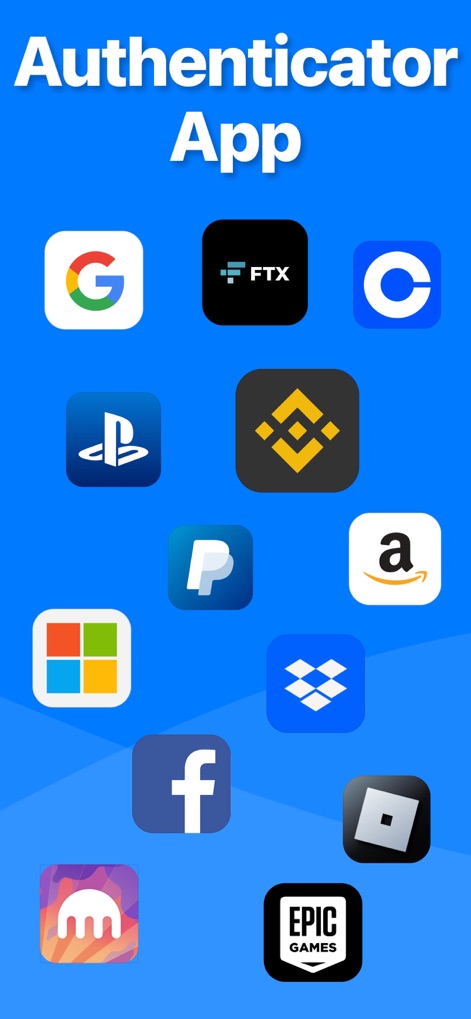
See how the app showcases integration with numerous popular services and its prominent branding at the top.
App Service Integration
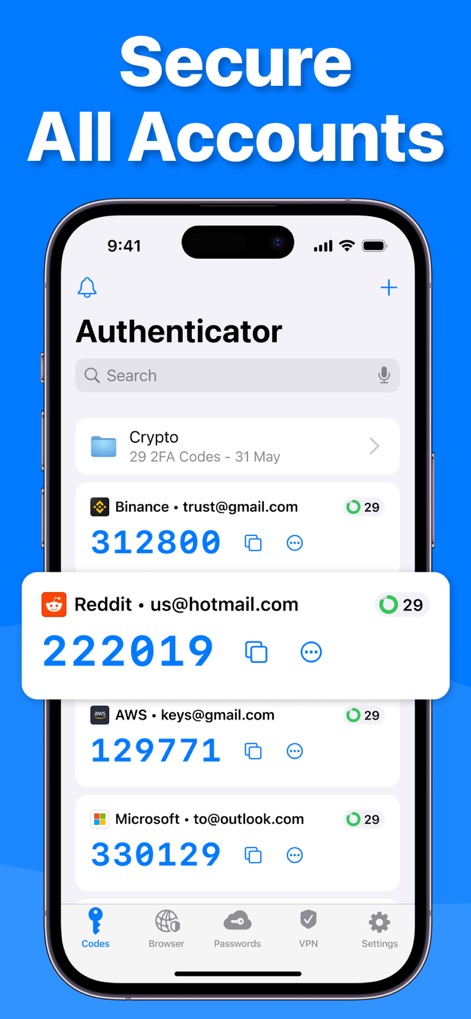
Explore the app's interface for managing multiple secure 2FA tokens and the convenient search bar for quick access.
Secure Account Management

This tool demonstrates its seamless QR code scanning functionality for adding new 2FA accounts and the alternative 'Enter manually' option.
Effortless 2FA Setup
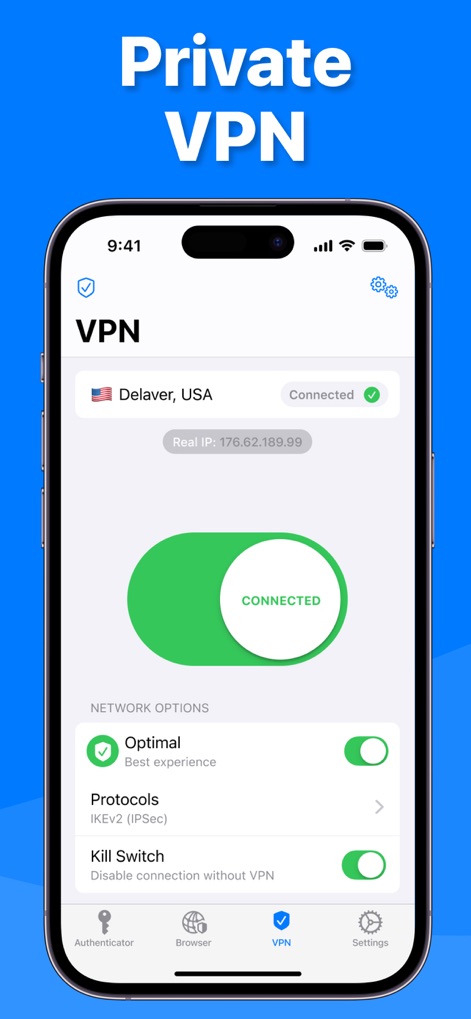
Discover the app's integrated VPN feature, displaying the connection status and offering optimized server selection.
Private VPN Connection
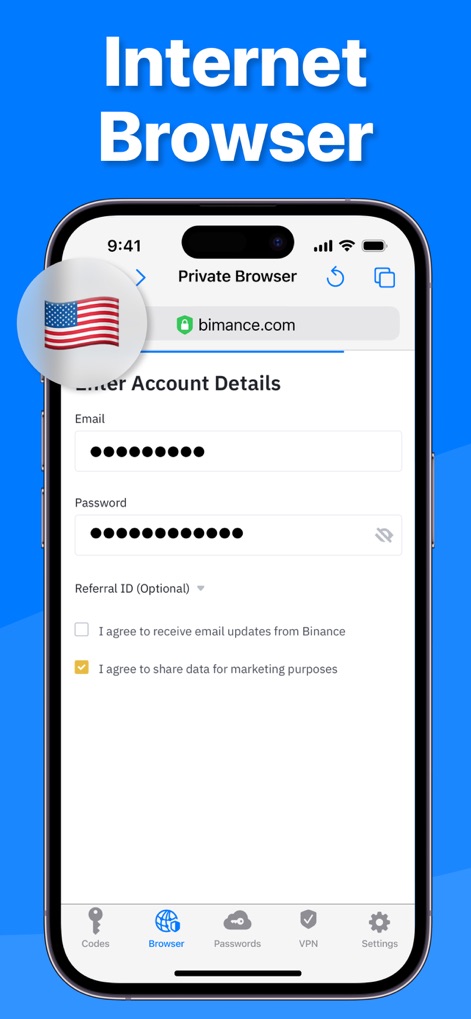
Observe the app's private browser, providing secure access with its dedicated URL bar and confidential account login fields.
Secure Web Browsing
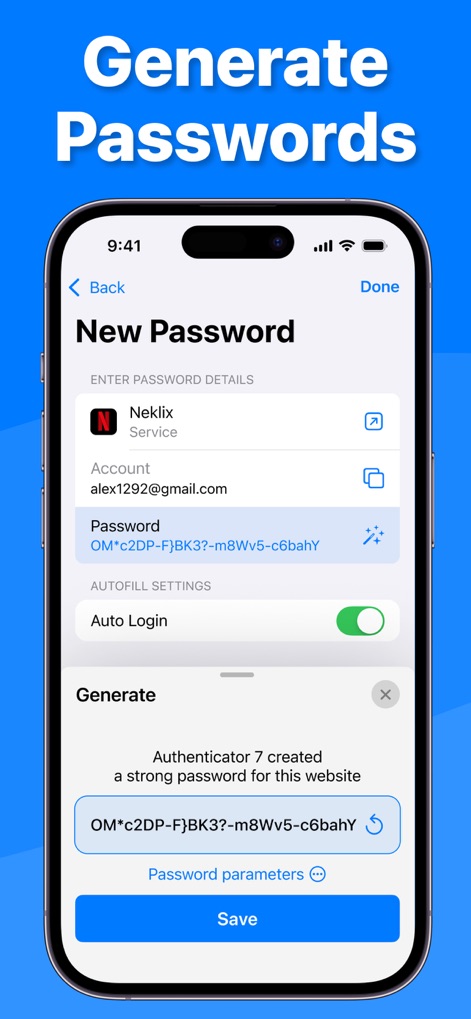
Witness the app's powerful password generator creating a complex password and offering adjustable password parameters for enhanced security.
Robust Password Generation

Users can see the convenient iPhone homepage widgets displaying 2FA codes and the seamless integration with Apple Watch for on-the-go access.
Cross-Device Access
Description
Download
More Like This
Apps with similar features and user experience

Proton Pass - Password Manager
Proton AG

Dashlane Password Manager
Dashlane

Password Manager - mSecure
mSeven Software, LLC

Kepttor Password Manager
MACREL SRL SEMPLIFICATA

DataVault Manager - Encrypted
MIKHAIL SHERSHNEV

Bitwarden Password Manager
Bitwarden Inc

Authenticator App ⁸
AGILE CODE LIMITED

Authenticator App ℗
RHO DEVELOPERS LLC

NordPass: Password Manager
Nordvpn S.A.
This page is not an official page of the app or its developer, but an independent editorial publication created for informational and commentary purposes. Unless expressly stated otherwise, neither the app nor its developer is affiliated with, endorsed by, sponsored by, authorized by, or otherwise officially connected with MWM, Apple, Google Play, the app publisher, or the app's developer, and nothing on this page implies that the app was developed using MWM's services. Any trademarks, logos, screenshots, and other content remain the property of their respective owners.