
This page is not an official page of the app or its developer, but an independent editorial publication created for informational and commentary purposes. Unless expressly stated otherwise, neither the app nor its developer is affiliated with, endorsed by, sponsored by, authorized by, or otherwise officially connected with MWM, Apple, Google Play, the app publisher, or the app's developer, and nothing on this page implies that the app was developed using MWM's services. Any trademarks, logos, screenshots, and other content remain the property of their respective owners.


Bitwarden Password Manager
No more digital roulette: It hands users the master key to their online identity.
Downloads
2.5M+User Rating
Total Ratings
68.1KPublisher
Category
ProductivityLocales
59Latest Version
2026.3.1Size
86.8 MBFirst Released
Sep 2, 2016An analysis of Bitwarden's core functionalities for secure credential management.
Key Features of Bitwarden Password Manager
End-to-End Encrypted Vault
The app provides an end-to-end encrypted vault, ensuring that only the user can access their stored credentials and sensitive data.
Robust Encryption Standards
It utilizes world-class encryption standards such as AES-256 bit, salted hashing, and PBKDF2 SHA-256 to protect user data and maintain privacy.
Business & Enterprise Features
This tool features comprehensive options for teams and enterprises, including SSO integration, self-hosting, SCIM provisioning, and global policies, catering to organizational needs.
Cross-Platform Accessibility
The app allows users to access and manage their vault seamlessly across unlimited devices, including various browsers, mobile, and desktop operating systems.
Regular Third-Party Security Audits
The service undergoes regular, comprehensive third-party security audits, including source code assessments and penetration testing, to build trust and verify its security posture.
Strong Password & Passkey Generation
It includes a built-in generator that helps users create long, complex, unique passwords and supports passkeys for enhanced account security.
Advanced Two-Factor Authentication
The app offers advanced two-factor authentication methods, such as third-party authenticators, emailed codes, and FIDO2 WebAuthn credentials, to secure vault access.
Secure Data Sharing (Bitwarden Send)
It provides Bitwarden Send functionality, enabling secure, end-to-end encrypted transmission of data directly to others while limiting exposure.
Free Tier Availability
The app allows users to access core password management features for free without ads or data selling, making robust security accessible.
Multi-Language Support
It supports over 60 languages, enhancing usability and accessibility for a diverse global user base.
Frequently Asked Questions
Everything you need to know about Bitwarden Password Manager
What is Bitwarden Password Manager?
Bitwarden is a highly-rated, end-to-end encrypted password manager. It secures and manages unique, strong passwords and passkeys across unlimited devices, protecting users from data breaches. It is recognized by PCMag, The Verge, CNET, and G2.
Is Bitwarden Password Manager free to use?
Yes, Bitwarden is available for free with no ads or data selling. Premium plans offer access to advanced features, and business plans are also available for teams and enterprises.
How does Bitwarden Password Manager secure my passwords?
Bitwarden protects passwords with world-class end-to-end encryption, utilizing AES-256 bit, salted hashing, and PBKDF2 SHA-256. It also undergoes regular comprehensive third-party security audits.
Can I use Bitwarden Password Manager on multiple devices?
Yes, Bitwarden allows users to manage, store, secure, and share unlimited passwords and passkeys across unlimited devices without restrictions. It supports cross-platform applications.
Does Bitwarden Password Manager have a password generator?
Yes, Bitwarden includes a built-in generator. It creates long, complex, and distinct passwords and unique usernames for various sites, enhancing online privacy.
What types of items can I store in Bitwarden's vault?
Bitwarden's vault allows storing various item types. These include Logins, Cards, Identities, Secure Notes, and SSH keys, as displayed in the application's vault interface.
Does Bitwarden Password Manager offer two-factor authentication (2FA)?
Yes, Bitwarden provides advanced 2FA options. Users can secure logins with third-party authenticators, emailed codes, or FIDO2 WebAuthn credentials such as hardware security keys or passkeys.
How can Bitwarden Password Manager help businesses?
Bitwarden offers plans for Teams and Enterprise with professional business features. These include SSO integration, self-hosting, directory integration, SCIM provisioning, global policies, API access, and event logs.
Can Bitwarden Password Manager autofill login credentials?
Yes, Bitwarden quickly autofills login credentials and passkeys for websites. This feature streamlines the login process and enhances user convenience across platforms.
What is Bitwarden Send?
Bitwarden Send allows users to transmit data directly to others. It maintains end-to-end encrypted security and limits exposure of sensitive information, offering options for deletion and expiration.
The following screenshots and description are sourced directly from the app's official store listing and are the property of the app developer.
App Store
Screenshots
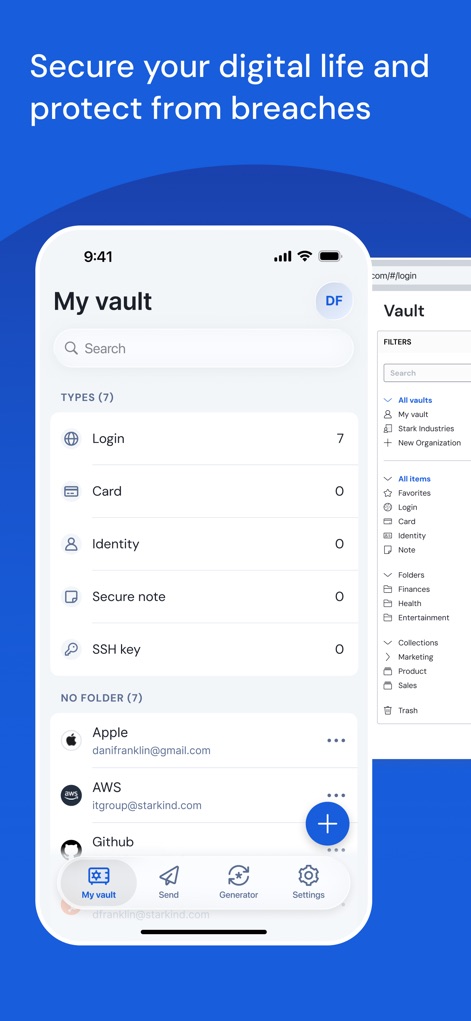
See how the app's 'My vault' interface categorizes diverse credential types such as Login and Card entries, alongside its intuitive bottom navigation for easy access to key features.
Comprehensive Vault View
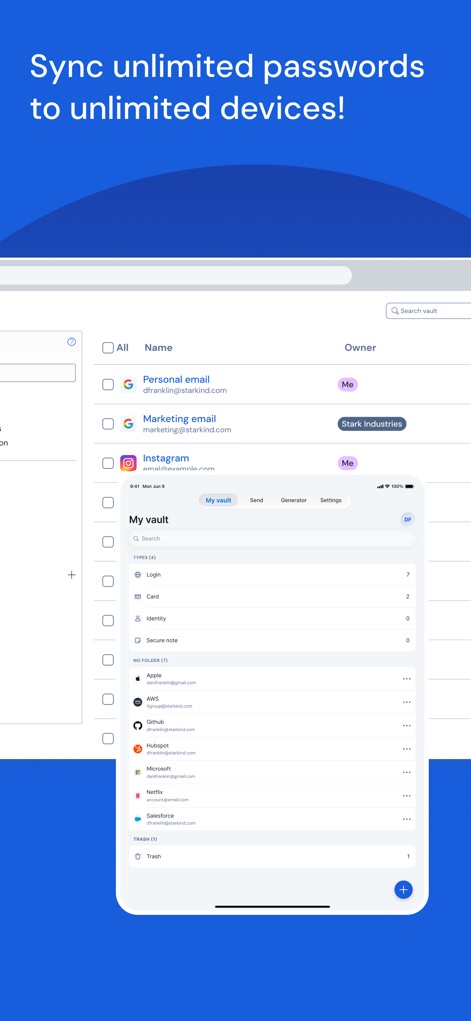
Observe the seamless synchronization of user vaults across multiple devices, displaying consistent 'My vault' categories and individual login items for universal access.
Cross-Device Access
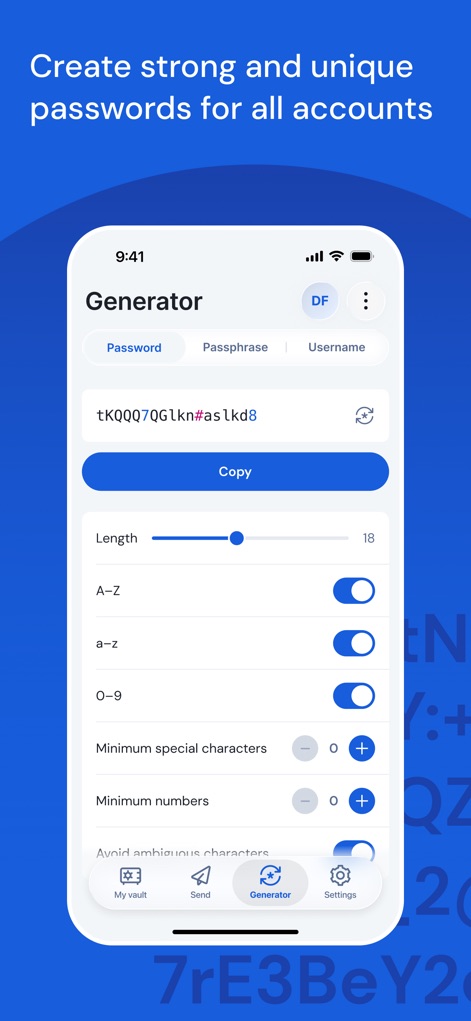
Discover the robust password generator, enabling users to customize password length and character types such as lowercase letters and numbers, ensuring unique and strong credentials.
Powerful Password Generator
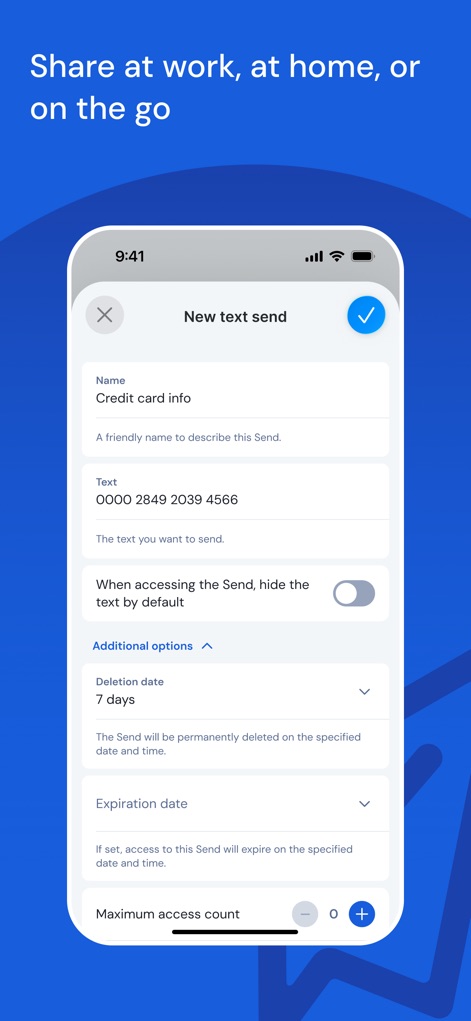
Explore the Bitwarden Send feature, allowing users to securely transmit sensitive information with options to set a specific deletion date and an expiration date for controlled access.
Secure Data Sharing

Witness the seamless autofill functionality, where the app suggests login credentials directly above the keyboard, streamlining access to websites like GitHub and simplifying user experience.
Effortless Autofill
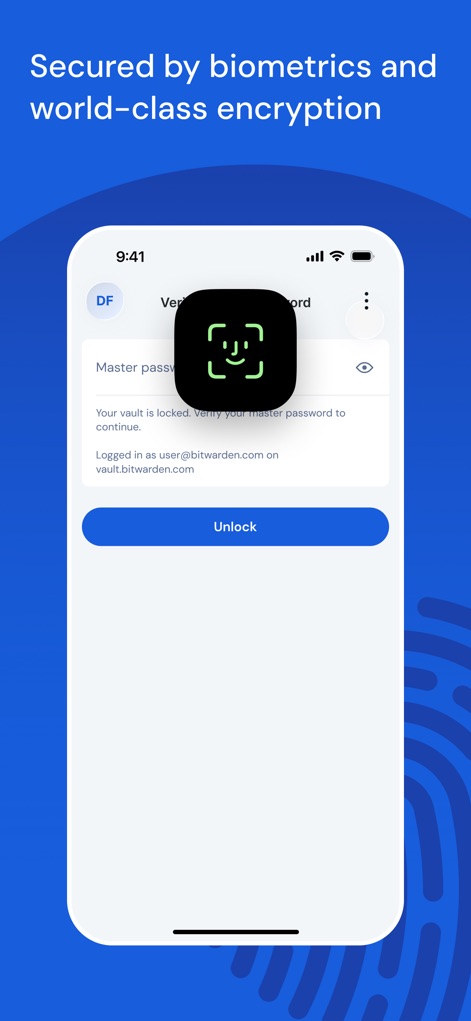
Understand how the app integrates advanced biometric authentication, featuring face recognition for unlocking the vault and world-class encryption for ultimate data protection.
Advanced Security Measures
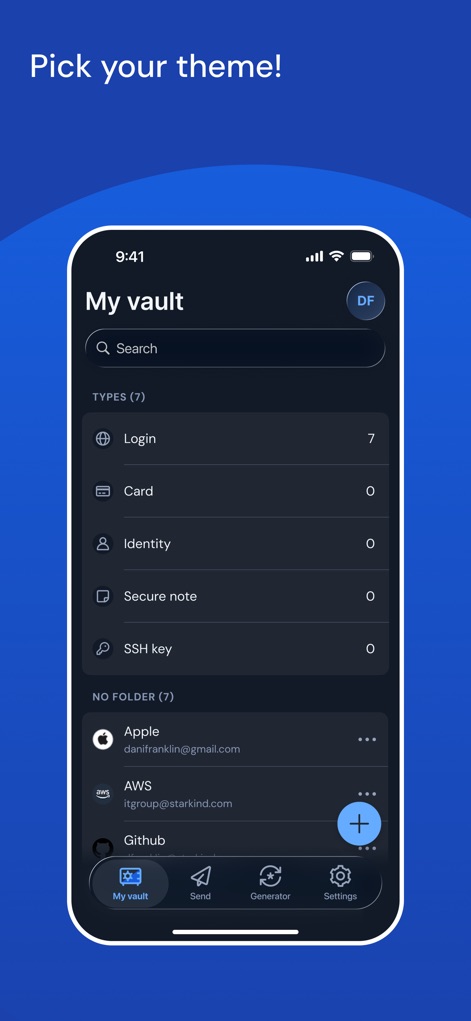
View the customizable interface of the 'My vault' screen, showcasing a sleek dark theme option and organized categorization of login types to match user aesthetic preferences.
Personalized User Experience
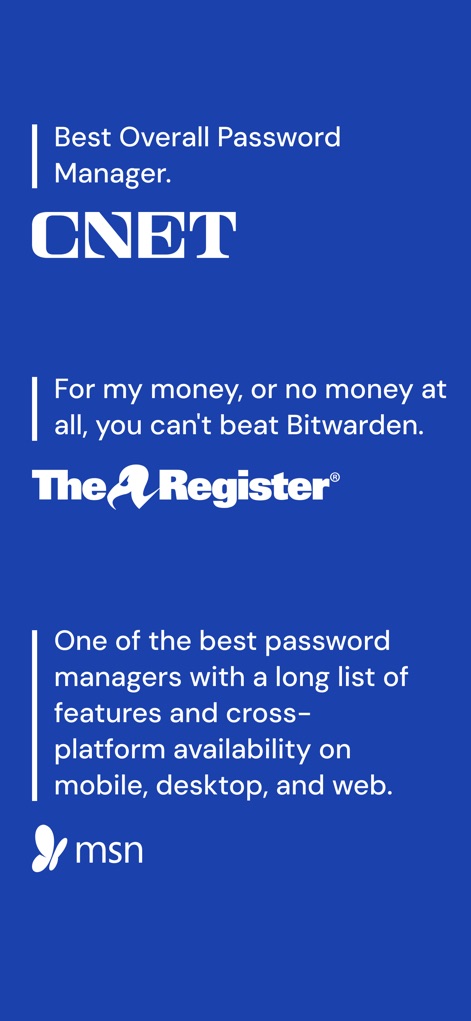
Explore the app's industry accolades, highlighting its recognition as a 'Best Overall Password Manager' by CNET and a feature-rich solution praised by MSN.
Acclaimed by Experts
Description
Download
More Like This
Apps with similar features and user experience

Proton Pass - Password Manager
Proton AG

Dashlane Password Manager
Dashlane

Password Manager - mSecure
mSeven Software, LLC

Kepttor Password Manager
MACREL SRL SEMPLIFICATA

DataVault Manager - Encrypted
MIKHAIL SHERSHNEV

Authenticator ·
SMM service, s.r.o.

Authenticator App ⁸
AGILE CODE LIMITED

Authenticator App ℗
RHO DEVELOPERS LLC

NordPass: Password Manager
Nordvpn S.A.
This page is not an official page of the app or its developer, but an independent editorial publication created for informational and commentary purposes. Unless expressly stated otherwise, neither the app nor its developer is affiliated with, endorsed by, sponsored by, authorized by, or otherwise officially connected with MWM, Apple, Google Play, the app publisher, or the app's developer, and nothing on this page implies that the app was developed using MWM's services. Any trademarks, logos, screenshots, and other content remain the property of their respective owners.